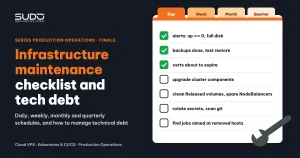
If we had to fit every lesson from the three series (the three-tier Cloud VPS, Kubernetes for Website AI on Linode, and the operational incidents) onto a single page, we would choose an infrastructure maintenance checklist. Most incidents in Series 3 did not come from difficult technology, but from small tasks nobody did regularly: cron jobs pointing at removed machines, a database dying without an alert, cluster components installed once and then left alone. This final article has two parts: an infrastructure maintenance schedule by day, week, month and quarter, with how to check each task and the related article; and how to manage technical debt, including the most common kinds of debt and the order in which to pay them off.
1. Why infrastructure maintenance needs a checklist
Rereading the incident articles, three kinds of infrastructure maintenance failure keep repeating:
- Silent, gradual decay: jobs failing occasionally for months before breaking for good (see Cron jobs hitting a removed server and a bloated MySQL error.log), disks filling up slowly, junk resources piling up.
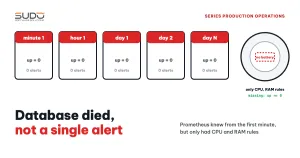
- Data exists but nobody looks at it: Prometheus knew the database machine was dead from the first minute (see A database died and nobody knew: gaps in Prometheus alerting).
- Installed once and left alone: the ingress controller, cert-manager and metrics-server are not upgraded until the running version reaches end of support.
None of the three needs a new tool. They need an infrastructure maintenance schedule with an owner and verifiable outputs. Each row below has a concrete way to check it and a related article to reread when needed.
2. Daily infrastructure maintenance (10–15 minutes)
Daily infrastructure maintenance has a single goal: no incident lasts overnight without anyone knowing.
| Task | How to check | Related article |
|---|---|---|
| Read the alert channel: machines down, disk, MySQL, Redis | No alert has been firing for more than 24 hours without an owner | a minimum Prometheus alert set |
| Last night's backups | Every backup job is green; file sizes have not dropped abnormally compared with the day before | database backups with rclone, backing up the whole cluster |
| Cron jobs failing repeatedly | Any job that has failed 3 or more times in a row | Jenkins as the control plane |
| Container restarts, OOMKilled | kubectl get pods -A sorted by restart count; compare with yesterday | OOMKilled and 503 |
| 5xx, 429 and 499 rates per balancer | The nginx log dashboard on Loki | shipping logs to Loki with Fluent Bit |
3. Weekly infrastructure maintenance (1 hour)
Weekly infrastructure maintenance looks for things that are getting worse before they become incidents.
| Task | How to check | Related article |
|---|---|---|
| Certificates about to expire | openssl x509 -checkend 2592000 on the balancers; kubectl get certificate,order -A to find ones that are not Ready | SSL with Certbot, automatic HTTPS with cert-manager |
| Disks and logs | Which machines are above 80%; the largest /var/log; which error logs are growing fast | the bloated MySQL error.log |
| Top nginx and PHP-FPM errors | Count upstream timed out, no live upstreams, execution timed out | reading no live upstreams errors, a PHP-FPM hang |
| WAF false positives | Which rule blocks the most on a legitimate host | handling a WAF false positive |
| Bots and crawlers | The User-Agents and IPs responsible for the most dynamic requests | rate limiting by User-Agent |
4. Monthly infrastructure maintenance (half a day)
Time to verify the things you still believe are true: backups can be restored, and nothing points at removed machines anymore.
| Task | How to check | Related article |
|---|---|---|
| Test-restore a backup | Import a dump into a temporary database, open the site, record the restore time | pipelines with database rollback |
| Review references to removed machines | grep the machine name in Jenkins job configs, Grafana rules, Prometheus targets, /etc/hosts | zombie cron jobs |
| Kubernetes cleanup | Released PVs, PVCs no pod uses, old CertificateRequests and Orders, stuck ACME solver pods | PersistentVolumes and StorageClasses |
| Requests versus usage | kubectl top pods -A compared with requests; sites off by more than 2x | Kubernetes right-sizing |
| Compare configuration across machines with the same role | Which balancer lacks WAF, fail2ban or Fluent Bit; which minion lacks set_real_ip_from | revisiting the Cloud VPS model |
| Operating system patches | Packages needing updates, machines needing a kernel reboot; schedule by group, never reboot the whole fleet at once | cloud images and cloud-init |
5. Quarterly infrastructure maintenance (1–2 days)
Quarterly infrastructure maintenance is for the big tasks that need a maintenance window and a rollback plan.
| Task | How to check | Related article |
|---|---|---|
| Upgrade cluster components | Compare the versions of the ingress/gateway, cert-manager, metrics-server and kube-prometheus-stack with supported releases; try them on a test cluster first | the Gateway API pilot and rollback, NGINX Gateway Fabric |
| Alerting drill | Stop an exporter on a test machine in a controlled way, measure the time until a message arrives | testing rules with promtool |
| Rotate secrets and review permissions | CI tokens, kubeconfigs, database passwords; ClusterRoleBindings for ServiceAccounts that no longer exist | a kubeconfig committed by mistake |
| Review open ports | Scan from outside the network: data services (3306, 6379, NFS) and admin pages only listen on the networks they need | Nginx security |
| End-of-support versions | PHP, MySQL, the operating system, charts; draw up a roadmap for each group of sites | PHP 7.4 end of life |
6. Managing technical debt: the infrastructure maintenance that was postponed
Technical debt is the infrastructure maintenance work you know is needed but have postponed. It can only be managed once it is written down. Each entry in the debt register should have: a description, the risk if it is not paid, how to verify it has been paid, an owner and a deadline. Security-related entries are recorded only in summary in the shared register, with the details kept in a private channel.
The most common kinds of debt, and how to detect them:
| Group | Examples | How to detect |
|---|---|---|
| Data loss | No binlog, no replica; multipart failures when backing up large files; JENKINS_HOME and NFS without backups | Test restores; list every place that holds data and compare it with the backup schedule |
| Not knowing when things break | No Alertmanager; no mysqld_exporter; Loki without a persistent volume | Drills: stop a component and see whether a message arrives |
| Disks about to fill up | Test clone databases, old dumps, unrotated logs | df -h, du -sh /var/lib/mysql/*, predict_linear rules |
| Inconsistent security | One balancer has WAF, another does not; sensitive data in ConfigMaps instead of Secrets; LOG_LEVEL=debug in production; cluster-admin rights left dangling for deleted ServiceAccounts | Compare configuration across machines with the same role; kubectl get clusterrolebinding -o wide |
| Single points of failure | A single-replica ingress controller; single-replica websites without a PodDisruptionBudget; leftover shared PHP-FPM pools | Drill a node recycle and count the interrupted sites |
| Old versions | Cluster components still at the first revision since install; images pulled from an old registry that only run thanks to the node cache (see the announcement of the move to registry.k8s.io) | helm list -A; list images by registry |
| Junk and cost | Released volumes still billed; hundreds of old CertificateRequests; CRDs from tools tried and abandoned; a placeholder pod PriorityClass with the wrong value (see PriorityClass and placeholder pods: reserving capacity in a cluster) | kubectl get pv,certificaterequest,crd on a schedule |
| Operations outside Git | Jenkins jobs that do not load their definition from Git; hand-edited mysqld.cnf | Try to answer: "when was this configuration last changed, and by whom?" |
7. The order in which to pay off infrastructure maintenance debt
- Data loss first: backups for every place that holds data, fix failing backups, test restores. Without backups, nothing else matters.
- Know when things break:
up == 0, disk and MySQL alerts, Alertmanager and drills. This is usually the cheapest item on the list. - Disks about to fill up: clean up clone databases, old dumps and unrotated logs. A full disk is an incident on a timer.
- Security: narrow the open ports, move sensitive configuration into Secrets, remove dangling permissions, make WAF and fail2ban consistent.
- Upgrades: a roadmap for the ingress controller, cert-manager, metrics-server, and end-of-support MySQL and PHP.
- Cleanup and cost optimization: Released volumes, CRDs, CertificateRequests, right-sizing.
This order puts irreversible risks (data loss, data exposure) ahead of risks that can be fixed later (slowness, cost). Review the debt register in the monthly infrastructure maintenance session: overdue entries are either done right away or given a clear reason for the delay and a new deadline. An entry without an owner will still be sitting in the register at the next review.
8. Looking back at the three series
- Series 1 built the Cloud VPS architecture: Balancer, Minion and Database tiers for hundreds of PHP sites: cheap, easy to understand, enough for hundreds of PHP websites, but each site lives on a single machine.
- Series 2 moved Website AI onto Kubernetes: a shared Helm chart, operations pipelines on GitLab CI, and the journey of saying goodbye to ingress-nginx.
- Series 3 told the incident stories: from the multi-layer investigation method to deadlocks, OOM, caches leaking sessions, the hypervisor and Cloudflare.
What all three have in common: infrastructure does not break because of one big wrong decision, but because many small infrastructure maintenance tasks were postponed. This checklist is a way to put those tasks back on the weekly schedule.
Series wrap-up
Infrastructure maintenance has no finish line, but a series does. This is the last article of Series 3 and of the whole three-series set on Sudo's infrastructure. Thank you for reading this far. All the articles are collected in Sudo's DevOps category; if this infrastructure maintenance checklist saves your system from even one incident, it has done its job.