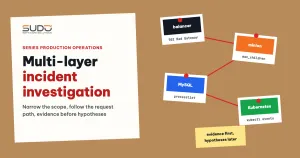
A website returning 502 can be failing because of nginx on the balancer, PHP-FPM on the minion, a query locking a table on the database, or, on Kubernetes, a pod that was just killed for exceeding its memory limit. As the opening article of the operations series, this post lays out a process for incident investigation on multi-layer infrastructure: follow the path of the request, ask exactly one question at each layer, collect evidence from logs before guessing, and record everything so you can write the postmortem. The process applies both to the Cloud VPS Balancer – Minion – Database model and to Kubernetes clusters. Later articles in the series are typical cases, each written with the template described at the end of this post.
1. Why multi-layer incident investigation goes off track
In a multi-layer setup, a request passes through at least three machines, each with its own logs and possibly a different log time zone. The three most common ways an incident investigation goes off track:
- Fixing the layer you know best: you see a 502 and restart PHP-FPM, while the real fault is in the database. The site comes back for a few minutes and dies again, and the evidence is gone with the restart.
- Looking at one site and drawing conclusions for the whole cluster: a slow site may be slow because of its own code, or because another site is eating all the machine's resources.
- Reading logs at the wrong timestamps: VPS instances usually log in local time, while Kubernetes events use UTC. A gap of a few hours is enough to send an incident investigation down an unrelated stretch of log.
The general rule: narrow the scope first, work from the outside in, and only move to the next layer once the current one has given you evidence.
2. Map the request path: where incident investigation starts
Before starting an incident investigation, the on-call engineer must be able to draw the request path to the failing site. Two general diagrams:
CLOUD VPS
  browser ─► (Cloudflare, if used) ─► balancer (nginx, SSL)
      ─► minion (local nginx ─► PHP-FPM per version)
      ─► database server (MySQL, many schemas)
  logs: /var/log/nginx/<domain>.error.log | /var/log/phpX.Y-fpm.log
        <site directory>/storage/logs/laravel.log

KUBERNETES
  browser ─► load balancer (NodeBalancer on LKE) ─► ingress controller
      ─► Service ─► site pod ─► database
  logs: kubectl logs | Loki | kubectl get events
Both share the same structure of entry point, code layer and data layer, so the incident investigation process below applies to both; only the tools differ.
3. Step 1 of incident investigation: narrow the scope
Three opening questions, which should be answered within a few minutes: is the failure on one site or many sites; do the failing sites share a balancer, minion, database or node; and when did it start, and did anyone deploy or change configuration around that time. Many sites on the same minion failing points to the minion; many minions sharing one database failing points to the database.
The fastest scoping tool is curl, timing each phase, then calling each layer directly to rule out Cloudflare, DNS and the balancer one by one:
# time each phase: DNS, TCP, TLS, first byte, total
curl -o /dev/null -s -w 'dns=%{time_namelookup} tcp=%{time_connect} tls=%{time_appconnect} ttfb=%{time_starttransfer} total=%{time_total} code=%{http_code}\n' \
     https://example.com/

# call the balancer directly, bypassing Cloudflare and public DNS
curl -sk -o /dev/null -w '%{http_code} %{time_total}\n' --resolve example.com:443:10.0.0.12 https://example.com/

# call the minion directly over the private network, bypassing the balancer
curl -s -o /dev/null -w '%{http_code}\n' -H 'Host: example.com' http://10.0.0.21/
If calling the minion directly is still slow, the balancer is not to blame; if the minion is fast but the path through the balancer is slow, the fault is on the balancer or the network. The meaning of each -w variable is in the curl manual.
4. The entry layer: balancer and ingress controller
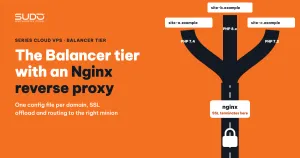
On Cloud VPS, give each domain its own log file on the balancer. connect() failed (111: Connection refused) means nginx cannot talk to the minion; upstream timed out (110) means the minion accepted the request but answered too slowly. A table explaining 502, 504 and 413 is in The Balancer tier: Nginx reverse proxy, SSL offload and domain routing. During incident investigation, what you need on top of that is scale:
# upstream errors for one domain, grouped by minute
grep -E 'upstream timed out|Connection refused|prematurely closed' \
     /var/log/nginx/example.com.error.log | awk '{print $1" "substr($2,1,5)}' | uniq -c | tail

# do the failing domains all point to the same minion
grep -h 'upstream timed out' /var/log/nginx/*.error.log \
     | grep -oE 'upstream: "http://[0-9.]+' | sort | uniq -c | sort -rn | head
The second command is often the turning point: if every error line points to the same minion IP, the scope shrinks to a single machine. On Kubernetes, this role belongs to the ingress controller. ingress-nginx logs use the nginx format with upstream names in the form namespace-service-port, so filtering by site is easy:
kubectl logs -n ingress-nginx deploy/ingress-nginx-controller --since=30m \
  | grep site-a | grep -E ' 50[234] ' | tail
5. The code layer: minion and pod
On the minion, check in order: is the service still alive, has PHP-FPM run out of workers, what is the application logging, and has the kernel killed any process.
systemctl status nginx php8.2-fpm --no-pager | grep -E 'Active|Main PID'
grep 'max_children' /var/log/php8.2-fpm.log | tail -3
tail -n 50 /var/www/example.com/storage/logs/laravel.log
dmesg -T | grep -iE 'out of memory|killed process' | tail
The line server reached pm.max_children only tells you PHP-FPM has run out of workers, not why the workers are busy: real traffic growth, bots, or waiting on the database. So the next step is to look at the data layer instead of rushing to raise max_children. PHP-FPM configuration on the minion is covered in The Minion tier: running multiple PHP versions side by side.
Incident investigation on Kubernetes uses the same set of questions with different commands. Once a pod has restarted, the logs of its previous run are only available with --previous:
kubectl get pods -n site-a -o wide          # RESTARTS, node it runs on
kubectl describe pod <pod-name> -n site-a    # Last State: OOMKilled? Exit code?
kubectl logs <pod-name> -n site-a --previous | tail -50
kubectl get events -n site-a --sort-by=.lastTimestamp | tail
Kubernetes keeps events for only about an hour by default, so for an incident that has already passed you need to search a centralized log system such as Loki (see Logging on Kubernetes: from promtail and fluentd to Loki):
{namespace="site-a"} |~ "SQLSTATE|Allowed memory size|max_children"If many pods on the same node restart at once, look at the node (RAM, disk); if one pod restarts repeatedly, suspect that pod's own limits.
6. Incident investigation at the data layer
Incident investigation at the data layer usually starts from a clue in the layer above: PHP-FPM is out of workers while minion CPU is still low, which means the workers are waiting, usually on the database. See what is running:
mysql --login-path=db-1 -e "SHOW FULL PROCESSLIST" | grep -v Sleep | sort -k6 -n -r | head -20
mysql --login-path=db-1 -e "SHOW GLOBAL STATUS LIKE 'Threads_connected'"
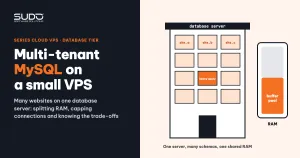
Three common patterns: one very long-running query dragging the whole queue behind it; many connections stuck waiting for a lock; the connection count hitting max_connections. The meaning of each state is in the MySQL General Thread States documentation; reference configuration is in The Database tier: multi-tenant MySQL on small VPS instances. If the database runs inside the cluster, run the commands above through kubectl exec into the MySQL pod.
7. The incident investigation log: write it as you go
For every incident investigation, the on-call engineer should open a notes file and fill it in chronologically, including the directions that turned out wrong. The sample below only illustrates the format, using relative times counted from when the report came in:
T+0     Report: site-a.example returns 502                  (source: customer support)
T+3m    curl --resolve to balancer: 502 after 0.1 seconds
T+5m    balancer error log: Connection refused → 10.0.0.21 (every domain on this minion)
T+7m    Hypothesis 1: PHP-FPM dead → WRONG, php-fpm active, no max_children
T+10m   nginx on the minion not running; dmesg shows Killed process (nginx)
T+11m   Restart nginx → 200   (temporary fix, not yet the root cause)
The time column, the source of evidence and the "temporary fix" note are the three most important parts of an incident investigation log.
The postmortem should follow a fixed template, and this whole series uses it too: Symptoms, Investigation (in the order it was actually done), Root cause, Fix (temporary, then long-term), Prevention, Lessons. Write the postmortem in a blameless spirit: name no individuals, show where the system allowed the failure to happen, and mark anything still unclear as "not determined".
8. Incident investigation traps
| Trap | Consequence | How to avoid it |
|---|---|---|
| Restart first, read logs later | The state at failure time is lost: hung processes, running queries, the old pod | Capture processlist, kubectl describe, logs --previous before restarting |
| Automatic restarts hide the cause | The site comes back but the failure keeps recurring unnoticed | Every self-healing mechanism (deleting a pod on 502, restarting a dead service) must leave a log entry and send a notification |
| Logs rotated, pod recreated | Evidence of the first failure is lost | zgrep the .gz files too; search Loki instead of relying only on kubectl logs |
| Cloudflare masks the real origin error | You only see Cloudflare's error page | Always try curl --resolve directly against the balancer |
| Changing several things at once | The error is gone but nobody knows which change fixed it | One change at a time: record it, verify it, then continue |
9. Checklist and lessons
- Draw the request path of the failing site before opening any log.
- Answer the three scoping questions: one site or many, which layer is shared, when did it start.
- Call each layer directly with
curl --resolveand-H 'Host:'to rule layers out. - Capture the state before every restart.
- Keep an incident investigation log with timestamps, evidence sources and time zones.
- Finish with a postmortem and at least one preventive change.
What saves the most time in incident investigation is not a tool but a habit: narrow the scope first, evidence before hypotheses. Centralized observability (metrics and logs collected in one place) shortens an incident investigation considerably compared with SSH-ing into each machine. The articles in this series are in the Sudo technical blog.
Next article
Conflicts when many pipelines push at once: push_with_retry and GitOps lessons. When several pipelines write to the same Helm repo, git push can be rejected, and a retry function has to be written more carefully than you might expect.