On Cloud VPS, every new domain meant another certbot run on the balancer. In a cluster, certificates have to be issued inside Kubernetes itself, attached to each site's Ingress and renewed automatically without anyone having to remember. This guide installs two foundational add-ons with Helm: ingress-nginx as the entry point and cert-manager to handle Let's Encrypt certificates. It explains how cert-manager issues certificates via HTTP-01, the chain of Certificate, CertificateRequest, Order and Challenge objects, two common "silent" configuration mistakes, and how to deal with stuck challenges.
1. Helm: installing add-ons from charts
The ingress controller and cert-manager each consist of dozens of objects: Deployments, Services, ServiceAccounts, RBAC, webhooks, CRDs. Writing YAML for all of that by hand is not realistic. Helm solves this: authors package everything as a chart, users install the chart as a release in the cluster, each upgrade creates a new revision, and you can roll back to the previous revision if something breaks. At this stage, Helm is only used to install other people's software; the application is still deployed with plain manifests as in Your first Kubernetes manifest: namespace, Deployment and MySQL StatefulSet.
2. Installing ingress-nginx: one NodeBalancer for the whole cluster
helm repo add ingress-nginx https://kubernetes.github.io/ingress-nginx
helm repo update
helm install ingress-nginx ingress-nginx/ingress-nginx \
  --namespace ingress-nginx --create-namespace \
  --version <chart-version>        # always pin the version

kubectl get svc -n ingress-nginx ingress-nginx-controller
# TYPE: LoadBalancer   EXTERNAL-IP: <NodeBalancer-IP>   PORT(S): 80:3xxxx/TCP,443:3xxxx/TCP
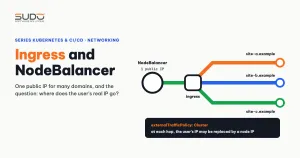
Installed with default values, the chart gives you: one controller replica, one LoadBalancer Service so the Linode CCM creates exactly one NodeBalancer, externalTrafficPolicy: Cluster, and an IngressClass named nginx. That is the model from Ingress and NodeBalancer: getting traffic into a Kubernetes cluster: every domain points to one IP, and the controller routes by Host. The defaults also have a price: the application does not see users' real IPs yet, and a single-replica controller is a shared point of failure. For production, increase controller.replicaCount and configure real IP handling.
3. Installing cert-manager and creating a ClusterIssuer
helm repo add jetstack https://charts.jetstack.io
helm repo update
helm install cert-manager jetstack/cert-manager \
  --namespace cert-manager --create-namespace \
  --version <supported-version> \
  --set crds.enabled=true             # older versions use installCRDs=true

kubectl get pods -n cert-manager
# cert-manager, cert-manager-cainjector, cert-manager-webhook: Running
The CRD parameter makes the chart install the cert-manager.io and acme.cert-manager.io CRDs as well, instead of applying them separately. Pinning the version is right, because a reinstall gives you exactly what was running. But pin a version that is still supported and has been tested with your cluster's Kubernetes version. cert-manager only supports its most recent releases; an old version that still runs is not necessarily still getting fixes. Schedule an add-on version review every time you upgrade the cluster.
cert-manager needs to know where to request certificates and how to prove domain ownership. That information lives in a ClusterIssuer, shared by every namespace:
apiVersion: cert-manager.io/v1
kind: ClusterIssuer
metadata:
  name: letsencrypt-prod           # a ClusterIssuer has no namespace
spec:
  acme:
    email: <alert-email>
    server: https://acme-v02.api.letsencrypt.org/directory
    privateKeySecretRef:
      name: letsencrypt-prod-account    # ACME account key, created by cert-manager
    solvers:
    - http01:
        ingress:
          ingressClassName: nginx       # the solver goes through ingress-nginx
A ClusterIssuer is a cluster-level object, so a namespace line under metadata (often copied from an Issuer example) is meaningless. In older cert-manager versions, the solver field is class: nginx instead of ingressClassName.
4. How HTTP-01 works in cert-manager
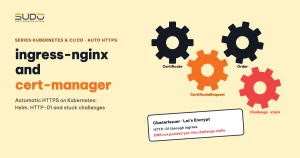
The HTTP-01 mechanism is the same as with certbot, explained in SSL for hundreds of domains with Certbot: Let's Encrypt hands you a token, and you must serve it at http://<domain>/.well-known/acme-challenge/<token>. The difference is that cert-manager builds the place that serves the token inside the cluster, and records each step as its own Kubernetes object:
Certificate          "need a cert for app.example.com, store it in secret X"
   └─ CertificateRequest   one specific certificate request (with a CSR)
        └─ Order           the ACME order sent to Let's Encrypt
             └─ Challenge  one HTTP-01 challenge per domain
                  ├─ pod   cm-acme-http-solver-xxxxx   serves the token
                  ├─ Service for the solver pod
                  └─ temporary Ingress: /.well-known/acme-challenge/<token> → solver
Before telling Let's Encrypt to check, cert-manager calls the challenge URL itself from inside the cluster (the self check). Only after the self check passes is Let's Encrypt invited to verify from the Internet. When done, cert-manager deletes the temporary pod, Service and Ingress and writes the certificate into a Secret of type kubernetes.io/tls. ingress-nginx reads that Secret and serves HTTPS. As expiry approaches, cert-manager repeats the whole chain automatically. Solver details are in the cert-manager HTTP01 documentation.
5. Declaring the Certificate and Ingress
There are two ways to tell cert-manager to issue a certificate: add an annotation to the Ingress so the ingress-shim component generates a Certificate, or write the Certificate yourself. The second way is longer, but everything is explicit: which domains the cert covers, which issuer, where it is stored and when it renews.
apiVersion: cert-manager.io/v1
kind: Certificate
metadata:
  name: app-tls
  namespace: app
spec:
  secretName: app-tls
  duration: 2160h      # 90 days
  renewBefore: 360h    # renew 15 days ahead
  issuerRef:
    name: letsencrypt-prod
    kind: ClusterIssuer
  dnsNames:
  - app.example.com
  - www.app.example.com
apiVersion: networking.k8s.io/v1
kind: Ingress
metadata:
name: app
namespace: app
annotations:
nginx.ingress.kubernetes.io/from-to-www-redirect: "true"
spec:
ingressClassName: nginx
tls:
- hosts: [app.example.com, www.app.example.com]
secretName: app-tls # Secret created by the Certificate above
rules:
- host: app.example.com
http:
paths:
- path: /
pathType: Prefix
backend:
service: {name: web, port: {number: 80}}The from-to-www-redirect annotation redirects www to the main domain automatically, so rules needs only one host. According to the ingress-nginx annotations documentation, this annotation is ignored if another Ingress already declares the www host itself. The certificate must still contain both names, or the browser reports an error before the redirect can happen. When an Ingress has a tls block, ingress-nginx redirects HTTP to HTTPS by default.
6. Two annotation mistakes that keep cert-manager silent
An Ingress that relies on annotations is often written incorrectly like this:
metadata:
  annotations:
    kubernetes.io/ingress.class: nginx            # old annotation, redundant
    cert-manager.io/issuer: letsencrypt-prod      # but letsencrypt-prod is a ClusterIssuer
spec:
  ingressClassName: nginx
  rules: ...                                      # and there is no tls block
Two mistakes stacked on top of each other, and neither shows up in red during kubectl apply:
- Wrong issuer type.
cert-manager.io/issuermeans look for anIssuerin the Ingress's own namespace. If the object is aClusterIssuer, the correct annotation iscert-manager.io/cluster-issuer. - The Ingress has no
tls. ingress-shim only generates Certificates for hosts listed in thetlsblock and takes the Secret name from there. Withouttls, even with the right issuer, cert-manager does nothing.
Do not declare the old kubernetes.io/ingress.class annotation together with the ingressClassName field; keep only the new field. After every apply, run kubectl get certificate -A: if no Certificate appears, the annotations are not right yet.
7. Common errors when cert-manager issues certificates
The domain does not point to the NodeBalancer yet: the challenge gets stuck
This is the most common error. The customer has not changed DNS yet, or changed it but the record has not propagated, yet the Certificate is still created and the issuance chain still starts. The self check fails, the Challenge stays pending, and the solver pod runs forever:
kubectl get certificate,certificaterequest,order,challenge -n <namespace>
kubectl describe challenge -n <namespace> <challenge-name>
# Reason: Waiting for HTTP-01 challenge propagation: failed to perform self check
#   GET request 'http://site-a.example/.well-known/acme-challenge/...':
#   dial tcp: lookup site-a.example ...: no such host
Point DNS at the NodeBalancer's IP and wait for cert-manager to retry on its own. Do not keep deleting and recreating the Certificate: each time is a new issuance attempt, and you can easily hit Let's Encrypt's limits. The right process: check DNS first, create the Ingress with tls afterwards.
The domain goes through a proxy or already has a hard redirect
If the domain sits behind a proxy such as Cloudflare with a force-HTTPS rule, or another Ingress claims the /.well-known/ path, the verification request cannot reach the solver pod. The sign is a self check returning 3xx, 403 or 404 instead of "no such host".
Testing against the production server
While you are still fixing the configuration, create an extra ClusterIssuer pointing to the staging server https://acme-staging-v02.api.letsencrypt.org/directory. Staging certificates are not trusted by browsers, but the limits are much looser.
Certificate is Ready but the browser sees a fake certificate
ingress-nginx serves the self-signed "Kubernetes Ingress Controller Fake Certificate" when it cannot find a Secret matching the host. Check that the secretName in the Ingress's tls matches the Certificate's secretName, and that both objects are in the same namespace.
8. Comparing cert-manager with certbot on the balancer
| certbot on Cloud VPS | cert-manager in the cluster | |
|---|---|---|
| Issuing certificates | Run a command on the balancer | Declare a Certificate or an annotation |
| Renewal | certbot.timer, deploy hook reloads nginx | Renews automatically, ingress-nginx loads the new Secret automatically |
| Tracking errors | Read the certbot log | kubectl describe each layer from Certificate → Challenge |
| Risks | Forgetting a domain when moving machines | One more component to upgrade; misconfiguration fails silently |
cert-manager frees you from manual renewals, but it is software running in the cluster and needs upgrading like any other software. In return, adding a site is just adding an Ingress and a Certificate.
Checklist
- ingress-nginx and cert-manager are both pinned to supported versions.
- There is a staging ClusterIssuer for testing and a production ClusterIssuer for real use.
- DNS points to the right place before the Ingress with
tlsis created. - Annotations use
cluster-issuercorrectly, or the Certificate is written explicitly. dnsNamescontains both the main domain andwww.
Next article
The clear_env bug: Laravel in a container cannot read environment variables. The ConfigMap and Secret are fully loaded into the container, yet Laravel still connects to the wrong database. The culprit is a default line in the PHP-FPM configuration.