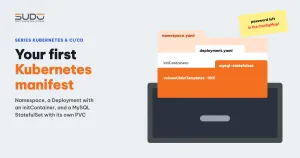
This guide walks through a minimal Kubernetes manifest set for running a Laravel application with MySQL on a cluster: namespace, ConfigMap, Secret, a Deployment for the application and a StatefulSet for MySQL. For each file, the article explains why it is written that way, why MySQL uses a StatefulSet instead of a Deployment, what a headless Service is for, how the PVC gets created, and the common mistakes when writing your first Kubernetes manifest set.
1. Organizing the Kubernetes manifest directory
The simplest approach is to keep the Kubernetes manifest files right in the application repo, next to the Dockerfile, for example in a .k8s/ directory. Add /.k8s to .dockerignore so the YAML is not packaged with the code. A workable set includes:
| File | Contents |
|---|---|
namespace.yaml | A dedicated namespace for the application |
configmap.yaml | Non-sensitive environment variables |
secret.yaml | Sensitive variables (real values are not committed) |
app-deployment.yaml | Laravel Deployment with an initContainer, plus a ClusterIP Service |
mysql-statefulset.yaml | MySQL StatefulSet with a headless Service |
ingress.yaml | Ingress to bring traffic in and issue certificates (next article) |
If you adapt a Kubernetes manifest set from another project, review every reference name (ConfigMap, Secret, labels, Service). Leftover old names are the number one source of errors in a first Kubernetes manifest set, as section 6 explains.
2. The Kubernetes manifest for namespace, ConfigMap and Secret
The shortest Kubernetes manifest is also the one you must apply first:
apiVersion: v1
kind: Namespace
metadata:
  name: app
Every other Kubernetes manifest declares namespace: app. Grouping everything in one namespace lets you see the whole application with a single kubectl get all -n app, and when you need to clean up a test environment, deleting the namespace deletes everything.
The Kubernetes manifest for the ConfigMap and Secret follows the approach from ConfigMap and Secret: Laravel environment variables on Kubernetes: ordinary variables go in the ConfigMap, sensitive ones in the Secret, and both are loaded into the container with envFrom. Sample structure (values replaced with <...>):
# configmap.yaml (excerpt)
data:
  APP_ENV: production
  APP_DEBUG: "false"
  APP_URL: https://app.example.com
  DB_CONNECTION: mysql
  DB_HOST: mysql                # name of the MySQL headless Service
  DB_PORT: "3306"
  DB_DATABASE: <...>
  DB_USERNAME: <...>
  CACHE_DRIVER: file
  SESSION_DRIVER: file
  QUEUE_CONNECTION: database

# secret.yaml (key names only)
type: Opaque
stringData:
  APP_KEY: <...>
  DB_PASSWORD: <...>
  REDIS_PASSWORD: <...>
DB_HOST is not an IP but a Service name. The Laravel pod reaches MySQL through the cluster's internal DNS, so even if MySQL moves to another node and changes IP, the application's Kubernetes manifest stays correct.
3. Deployment for the Laravel application
The application's Kubernetes manifest, with repetitive parts trimmed:
apiVersion: apps/v1
kind: Deployment
metadata:
  name: app
  namespace: app
spec:
  replicas: 1
  selector:
    matchLabels: {app: web}
  template:
    metadata:
      labels: {app: web}
    spec:
      imagePullSecrets:
        - name: regcred                    # private registry
      initContainers:
      - name: migrate
        image: <registry>/laravel-app:<tag>
        command: ["sh", "-c", "php artisan migrate --force"]
        envFrom:
          - configMapRef: {name: app-config}
          - secretRef: {name: app-secret}
      containers:
      - name: web
        image: <registry>/laravel-app:<tag>
        ports:
        - containerPort: 80
        resources:
          requests: {memory: "300Mi", cpu: "150m"}
          limits:   {memory: "700Mi", cpu: "250m"}
        envFrom:
          - configMapRef: {name: app-config}
          - secretRef: {name: app-secret}
An initContainer runs migrations before the app takes requests
The initContainer uses the same image as the main container, runs php artisan migrate --force and exits. Only when it exits successfully is the main container started. On Cloud VPS, migration was a step in the deploy pipeline; here, thanks to a few lines in the Kubernetes manifest, every new pod makes sure the database has the right schema. The cost to remember: migrations run again every time a pod starts, and when you increase replicas, several initContainers may run migrations on the same database at the same time. At that point, turn the migration into a separate Job that runs once per deploy.
Do not use the postStart hook for tasks such as php artisan optimize. postStart runs in parallel with the container's main process, and Kubernetes does not guarantee it finishes before the app receives requests. Work that must be done first belongs in an initContainer or should be done at image build time.
Private images, tags and imagePullPolicy
An image in a private registry means the Kubernetes manifest needs an extra Secret of type kubernetes.io/dockerconfigjson (here named regcred), referenced through imagePullSecrets. Give each build its own tag (a version number or commit hash). If you keep a fixed tag such as latest while the image contents change, you are forced to set imagePullPolicy: Always; otherwise nodes use the old cached copy, and rollback is hard because you do not know which build a pod is running.
4. Service: use ClusterIP, not LoadBalancer
The quickest way to expose the application is to give its own Service type: LoadBalancer. As analyzed in Ingress and NodeBalancer: getting traffic into a Kubernetes cluster, each LoadBalancer Service brings its own NodeBalancer: fine for one test site, but it does not scale with the number of customers. The application's Service should be ClusterIP, with traffic coming in through a shared Ingress:
apiVersion: v1
kind: Service
metadata: {name: web, namespace: app}
spec:
  type: ClusterIP
  selector: {app: web}
  ports:
  - {name: http, port: 80, targetPort: 80}
Declare only the ports the container actually listens on. Nginx in the container usually listens only on port 80, and TLS is handled at the Ingress, so declaring port 443 as well is redundant.
5. MySQL: why a StatefulSet and not a Deployment
Running MySQL inside the cluster lets you stand up a complete environment quickly. A Deployment suits "anonymous" pods where any one can be replaced. A database is different:
| Deployment | StatefulSet | |
|---|---|---|
| Pod name | Random, changes every time it is recreated | Fixed, by ordinal (…-0, …-1) |
| Volume | All pods share a predeclared PVC | volumeClaimTemplates: one PVC per pod |
| On update | By default creates the new pod first, then deletes the old one | Deletes the old pod first, then recreates it, one pod at a time |
| DNS | Only the Service name | Each pod gets its own DNS name through a headless Service |
The "on update" row matters most for MySQL on a ReadWriteOnce volume. A Deployment wants to run the new pod alongside the old one, but the volume can only be attached to one node at a time, and two MySQL processes opening the same data directory is a recipe for data corruption. The MySQL Kubernetes manifest, with environment variables trimmed:
apiVersion: apps/v1
kind: StatefulSet
metadata:
  name: mysql
  namespace: app
spec:
  serviceName: mysql            # must match the headless Service name
  replicas: 1
  selector:
    matchLabels: {app: mysql}
  template:
    metadata:
      labels: {app: mysql}
    spec:
      containers:
      - name: mysql
        image: mysql:8.0
        resources:
          requests: {memory: "400Mi", cpu: "200m"}
          limits:   {memory: "700Mi", cpu: "300m"}
        env:
          - {name: MYSQL_RANDOM_ROOT_PASSWORD, value: "true"}
          # MYSQL_DATABASE, MYSQL_USER come from the ConfigMap, MYSQL_PASSWORD from the Secret
        volumeMounts:
          - {name: data, mountPath: /var/lib/mysql, subPath: mysql}
  volumeClaimTemplates:
    - metadata:
        name: data
      spec:
        accessModes: ["ReadWriteOnce"]
        storageClassName: linode-block-storage-retain
        resources:
          requests: {storage: 10Gi}
The PVC generated from volumeClaimTemplates
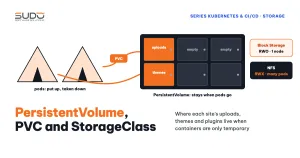
The StatefulSet creates a PVC named data-mysql-0, following the pattern <template name>-<StatefulSet name>-<ordinal>. The Linode CSI driver sees this PVC, creates a matching Block Storage volume and attaches it to the node running the pod. The linode-block-storage-retain StorageClass means the volume survives when the PVC is deleted, in the spirit of Volume, PersistentVolume, PVC and StorageClass on Kubernetes: safe for the data, but forgotten volumes are still billed.
The subPath: mysql line in the Kubernetes manifest above has a reason: a freshly formatted ext4 volume always has a lost+found directory at its root, and MySQL refuses to initialize data in a non-empty directory. Mounting a subdirectory avoids this error.
Headless Service: clusterIP None
apiVersion: v1
kind: Service
metadata:
  name: mysql
  namespace: app
spec:
  clusterIP: None
  selector: {app: mysql}
  ports:
    - {protocol: TCP, port: 3306, targetPort: 3306}
clusterIP: None makes the Service "headless": no virtual IP, no kube-proxy, and DNS returns the pod's IP directly. Combined with serviceName in the StatefulSet, each pod also gets a stable DNS name of the form mysql-0.mysql.<namespace>.svc.cluster.local. With one replica, Laravel only needs DB_HOST: mysql. For details see the StatefulSets page on kubernetes.io.
MYSQL_RANDOM_ROOT_PASSWORD makes the image generate a root password and print it once to the log during initialization. The application uses only its own user, and nobody needs root in day-to-day operations.
6. Common mistakes in a first Kubernetes manifest set
- ConfigMap and Secret names do not match. The ConfigMap file uses one name, the Deployment references another (usually an old project name that was copied over). The pod gets stuck in
CreateContainerConfigError. Use one prefix for every resource. - One NodeBalancer per app because of a
LoadBalancerService, as in section 4. - Passwords misplaced in the ConfigMap.
DB_PASSWORD,REDIS_PASSWORDor object storage keys left in the ConfigMap alongside the Secret. A ConfigMap is not meant for sensitive data; anyone who can read the namespace can read it. - Secrets committed to Git. Neither
stringDatanor base64 is encryption. Commit only template files without values, and create real values withkubectl create secretor a secrets management tool. - Pinning pods by node name. A
nodeAffinityblock pointing to thekubernetes.io/hostnameof a specific node breaks as soon as that node is replaced. If you need to pin, use the node pool label.
7. Apply order and how to check
kubectl apply -f .k8s/namespace.yaml     # namespace first
kubectl apply -f .k8s/                   # everything else

kubectl get all,pvc -n app
kubectl describe pod -n app -l app=web           # read Events when a pod is stuck
kubectl logs -n app deploy/app -c migrate        # migration log
kubectl logs -n app mysql-0
When you apply a Kubernetes manifest and the pod does not come up, the Events section of kubectl describe pod almost always points to the cause: a missing ConfigMap, a rejected image pull, a PVC that cannot attach, or an initContainer exiting with an error code.
8. Kubernetes manifest checklist
- Every resource is in the same namespace with the same name prefix, and references match.
- The application's Service is
ClusterIP, with traffic coming in through Ingress. - Sensitive variables live only in the Secret, and real Secrets are not in Git.
- Each build has its own image tag.
- MySQL uses a StatefulSet, a Retain StorageClass, and
subPathon a fresh volume. - No Kubernetes manifest pins pods to a node hostname.
Next article
ingress-nginx and cert-manager: automatic HTTPS on Kubernetes. Installing the first two add-ons with Helm, issuing Let's Encrypt certificates via HTTP-01 and dealing with stuck challenges.