On Cloud VPS, each Laravel site has a .env file next to its code, built by the pipeline with a series of sed commands. Once Website AI moves to a single image shared by every site, that file can no longer live in the image. Kubernetes splits configuration into two object types: ConfigMap for ordinary values and Secret for sensitive data. This article shows how to split a Laravel .env between the two, how to load them into a pod with envFrom or mount them as files, why a Secret is only base64 and not encryption, RBAC permissions, and the classic trap: you edit the ConfigMap and the pod keeps running the old configuration.
1. From the .env file to a ConfigMap
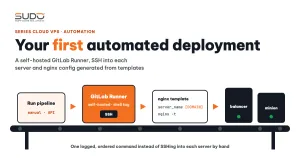
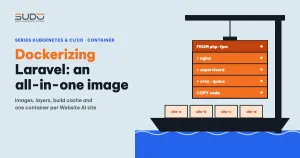
The Cloud VPS deploy pipeline from the article automated deployment with GitLab Runner and SSH builds .env by copying .env.example and running sed on each line: DB_HOST, DB_DATABASE, DB_PASSWORD, APP_URL… This ties the configuration to the disk of one specific machine. As explained in Dockerizing Laravel, the Website AI image must not contain .env, and configuration must enter the container as environment variables at runtime.
A ConfigMap is an object that stores string key-value pairs inside the site's namespace. You can create a ConfigMap from YAML, or generate one quickly from a file in the same format as .env:
kubectl create configmap site-a-example-com-config \
    --from-env-file=site-a.env -n site-a-example-com \
    --dry-run=client -o yaml > configmap.yaml
The --dry-run=client -o yaml flags only print the YAML so you can review it and save it to the repo; nothing is sent to the cluster yet. Full documentation is on the ConfigMaps page on kubernetes.io.
2. Splitting a Laravel .env: ConfigMap or Secret?
The .env.example of a Laravel application such as the Website AI core usually has a few dozen variables. A simple, easy-to-check splitting rule: variables whose names contain PASSWORD, KEY, TOKEN or SECRET go into the Secret, everything else into the ConfigMap.
| Group | Example variables | Goes into |
|---|---|---|
| Application | APP_NAME, APP_ENV, APP_DEBUG, APP_URL, LOG_CHANNEL | ConfigMap |
| Database connection | DB_HOST, DB_PORT, DB_DATABASE, DB_USERNAME | ConfigMap |
| Drivers | CACHE_DRIVER, SESSION_DRIVER, QUEUE_CONNECTION, FILESYSTEM_DISK | ConfigMap |
| Non-sensitive mail settings | MAIL_HOST, MAIL_PORT, MAIL_USERNAME | ConfigMap |
| Secrets | APP_KEY, DB_PASSWORD, MAIL_PASSWORD, REDIS_PASSWORD, API_TOKEN | Secret |
The MAIL_PASSWORD line deserves emphasis. In .env, it sits right below MAIL_HOST, MAIL_PORT and MAIL_USERNAME. When splitting the file by hand or writing a template that generates the configuration, it is very easy to copy the whole MAIL_* block into the ConfigMap for convenience. The result is the site's email password sitting in a ConfigMap, where read access is usually granted generously to developers. Put this risk on the checklist from day one: every secret variable must be double-checked when reviewing templates.
A sample ConfigMap for one site (values are examples):
apiVersion: v1
kind: ConfigMap
metadata:
  name: site-a-example-com-config
  namespace: site-a-example-com
data:
  APP_NAME: "site-a"
  APP_ENV: "production"
  APP_DEBUG: "false"
  APP_URL: "https://site-a.example.com"
  LOG_CHANNEL: "stderr"
  DB_CONNECTION: "mysql"
  DB_HOST: "<db-host>"
  DB_PORT: "3306"
  DB_DATABASE: "site_a"
  DB_USERNAME: "site_a"
  CACHE_DRIVER: "file"
  SESSION_DRIVER: "file"
  QUEUE_CONNECTION: "database"
Every value in a ConfigMap's data must be a string. Writing DB_PORT: 3306 without quotes is rejected by the API server because YAML reads it as a number. LOG_CHANNEL: stderr uses a channel that already exists in Laravel's logging config, sending logs to stderr so kubectl logs can read them.
3. A Secret is only base64, not encryption
A Secret looks like a ConfigMap, except that the values in data are base64-encoded. Many people see a base64 string and assume the data is encrypted. It is not:
$ echo -n 'example-password' | base64
ZXhhbXBsZS1wYXNzd29yZA==
$ echo 'ZXhhbXBsZS1wYXNzd29yZA==' | base64 -d
example-password
Base64 is just a representation that can also hold binary data such as certificate files. Anyone with get permission on Secrets can read the original value with one command. According to the Kubernetes Secret documentation, Secrets are stored unencrypted in etcd by default, unless the cluster enables encryption at rest. On a managed cluster this is up to the provider, so check their documentation.
So what does a Secret offer over a ConfigMap? The difference is in how Kubernetes and the surrounding tools treat it: read access to Secrets can be granted separately, Secrets are not printed by kubectl describe, and kubelet keeps Secrets in temporary memory instead of writing them to the node's disk. Putting each value in the right type is what lets these protections work. When writing a Secret in YAML, use stringData so you do not have to base64-encode values yourself:
apiVersion: v1
kind: Secret
metadata:
  name: site-a-example-com-secret
  namespace: site-a-example-com
type: Opaque
stringData:
  APP_KEY: "<...>"
  DB_PASSWORD: "<...>"
  MAIL_PASSWORD: "<...>"
  API_TOKEN: "<...>"
This file holds real secrets, so it must not be committed to Git in plain form. How to manage Secrets in the repo (Sealed Secrets, SOPS or CI secret variables) will be discussed when we build the deploy process.
4. Loading the ConfigMap and Secret into a pod
Option 1: envFrom, loading everything as environment variables
This is the most natural approach for Laravel, because the framework gives real environment variables priority over the .env file:
containers:
  - name: web
    image: <registry>/websiteai:<tag>
    envFrom:
      - configMapRef:
          name: site-a-example-com-config
      - secretRef:
          name: site-a-example-com-secret
If a key appears in both sources, the one declared later wins. Variables declared individually under env win over envFrom. To pick a single key, use env[].valueFrom.configMapKeyRef or secretKeyRef.
Option 2: mounting as files
A ConfigMap or Secret can also be mounted as files in the container. For example, a ConfigMap holding a site-specific php.ini snippet:
    volumeMounts:
      - name: php-ini
        mountPath: /usr/local/etc/php/conf.d/zz-site.ini
        subPath: zz-site.ini
volumes:
  - name: php-ini
    configMap:
      name: site-a-example-com-php
You can also mount a whole .env file from a Secret into the code directory. That speeds up a move from VPS, but mixes ordinary configuration and secrets in one place. Recommendation: use envFrom for Laravel variables and mount files only for things that are naturally files, such as php.ini.
Watch out for config:cache
If the image runs php artisan config:cache at build time, Laravel writes the configuration values from build time into bootstrap/cache/config.php, and environment variables passed in at runtime are ignored. If you want to cache the configuration, run that command when the container starts, after the environment variables are present.
5. Pods do not pick up a new ConfigMap on their own
This surprises people more than anything else. After editing a ConfigMap with kubectl edit or kubectl apply, the site keeps running with the old values:
- Environment variables are read once when the container starts. Configuration changes after that do not affect running processes. PHP-FPM and the queue worker keep the old values.
- Files mounted from a ConfigMap (without
subPath) are updated by kubelet after a delay, which can be around a minute or more. Files mounted withsubPathare never updated.
The Deployment does not know the configuration changed either, because its template has not changed. There are three ways to handle this:
- Restart manually:
kubectl rollout restart deployment/site-a-example-com -n site-a-example-com. Pods are replaced one after another, and the new pods read the new ConfigMap. - Attach a configuration hash to the pod template: add an annotation containing a hash of the configuration contents. When the configuration changes, the hash changes, the template changes, and the Deployment rolls out automatically. Any YAML generation tool can do this, so make it a mandatory requirement of the deploy process.
- Versioned immutable ConfigMaps: name it with a version (
site-a-config-v2), mark itimmutable: true, then update the Deployment to point at the new name. Changing the reference changes the template, and the rollout happens naturally.
6. RBAC: who can read the ConfigMap, who can read the Secret
RBAC lets you grant permissions per namespace. A Role that lets developers see pods, logs and ConfigMaps but not Secrets:
apiVersion: rbac.authorization.k8s.io/v1
kind: Role
metadata:
  name: dev-read
  namespace: site-a-example-com
rules:
  - apiGroups: [""]
    resources: ["pods", "pods/log", "configmaps", "services"]
    verbs: ["get", "list", "watch"]
  - apiGroups: ["apps"]
    resources: ["deployments"]
    verbs: ["get", "list", "watch"]
Three permission gaps to remember: list permission on Secrets returns their contents too, not just their names; anyone who can create pods in a namespace can mount any Secret in that namespace; and pods/exec permission lets someone enter a container and read its environment variables, meaning values that came from a Secret. That is also why a secret misplaced in a ConfigMap becomes dangerous: the "read-only" Role above is already enough to see it.
7. Common errors with ConfigMap and Secret
CreateContainerConfigError: the pod references a ConfigMap or Secret that does not exist yet, or a key is missing. Create the configuration before the Deployment, or mark itoptional: trueif it is truly not required.- Numeric values without quotes in a ConfigMap: the API server reports a data type error.
- A stray newline:
echo 'x' | base64also encodes the trailing newline, unlikeecho -n. A database password with one extra character makes for a login error that is hard to track down. Creating a Secret with--from-filehas the same problem if the file ends with a blank line. - Too large: each object of these types is limited to 1 MiB. Do not stuff large files in here.
- Edited but no effect: see section 5 again.
8. Trade-offs and recommendations
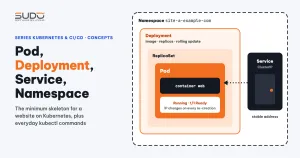
Separating configuration from the image is a mandatory step for one image to serve every Website AI site, and these two object types do it far more cleanly than running sed on .env. The price is discipline: split values into the right type, never put secrets in a ConfigMap, remember that base64 is not encryption, and always have a way to restart pods when configuration changes. Skip that last point and one day you will move a site's database to a new server while its pods keep connecting to the old one. The Namespace, Deployment and Service skeleton from the Pod, Deployment, Service and Namespace article now has configuration as well.
Next article
Volume, PersistentVolume, PVC and StorageClass on Kubernetes. Where each site's uploads, themes and plugins live when containers are only temporary.