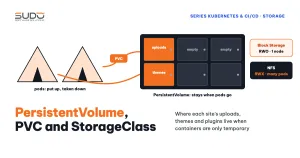
Containers are temporary: when a pod is recreated, every file written inside it is lost. For Website AI that is a big problem, because each site has customer-uploaded images and its own customized themes and plugins, not just a database. This article walks through the storage layers of Kubernetes: volumes in a pod, PersistentVolume, PersistentVolumeClaim (PVC) and StorageClass, the RWO and RWX access modes, why Linode Block Storage cannot be shared by many pods, and how the Retain or Delete reclaim policy affects both your data and your bill. The YAML here is a minimal sample using example names and IPs.
1. What Website AI needs to store
Looking back at the Cloud VPS pipeline in the opening article of the series, the permissions step grants write access to storage, public/assets, themes and plugins. That is exactly the list of directories the site writes to at runtime. A quick way to build this list for your own application is to look at the chmod/chown step in the old deploy script:
- Uploaded files in
public/, when the site stores images locally instead of in object storage. - Themes and plugins that the customer or the implementation team customized for that site.
storage/: sessions, cache, and logs if they are still written to files.- The MySQL database, if it runs inside the cluster.
On a minion, all of this sits on the machine's disk. In Kubernetes, a pod can be moved to another node at any time, so data must live somewhere that outlives the pod and can be attached to the new node.
2. Volumes in a pod: how long do they live?
A volume is a directory attached to a container. Each volume type has a different lifetime:
| Volume type | Lifetime | Used for |
|---|---|---|
emptyDir | Same as the pod | Temporary files, sharing between containers in the pod |
configMap, secret | Follows the source object | Config files, as in the ConfigMap and Secret article |
hostPath | Follows the node's disk | Best avoided: data is lost when the pod moves to another node |
persistentVolumeClaim | Independent of the pod | Data that must be kept long term |
The first three types do not solve the durable data problem. The last one leads to the trio of PersistentVolume, PVC and StorageClass.
3. PersistentVolume, PVC and StorageClass
Kubernetes separates providing storage from using storage, as described in the Persistent Volumes documentation on kubernetes.io:
- PersistentVolume (PV): a specific piece of storage that exists in the cluster, such as a Block Storage volume or a directory on an NFS server. A PersistentVolume is a cluster-level resource and belongs to no namespace.
- PersistentVolumeClaim (PVC): the application's storage request, living in the site's namespace: "I need 10Gi, writable from one node". The pod references only the PVC and does not know what kind of disk is behind it.
- StorageClass: a "disk type" with a provisioner. When a PVC names a StorageClass, the provisioner creates the real disk and the matching PersistentVolume automatically.
There are two ways for a PVC to get a PersistentVolume:
- Dynamic provisioning: the PVC sets
storageClassNameand the provisioner creates a new disk. This is the usual approach with Block Storage. - Static provisioning: the operator creates a PersistentVolume in advance that points to existing storage (for example an NFS directory), and the PVC binds to exactly that PersistentVolume.
In Cloud VPS terms: the StorageClass is the price list of disk types, the PersistentVolume is the disk you bought, the PVC is a site's request form, and the pod is whoever uses the disk according to that form.
4. Access modes: RWO, RWX and why they matter
Each PersistentVolume declares the access modes it supports:
| Mode | Short form | Meaning |
|---|---|---|
ReadWriteOnce | RWO | Read-write from one node at a time. Several pods on that same node can still use it |
ReadOnlyMany | ROX | Many nodes read, nobody writes |
ReadWriteMany | RWX | Many nodes read and write |
ReadWriteOncePod | RWOP | Exactly one pod (beta since Kubernetes 1.27, stable since 1.29) |
A common misconception: RWO is limited per node, not per pod. Two pods on the same node can still share an RWO volume. But when a new pod is scheduled onto a different node, it cannot attach a volume that is still attached to the old node.
5. Linode Block Storage: RWO only
On LKE, Block Storage is connected to Kubernetes through the CSI driver for Linode Block Storage. The cluster comes with two StorageClasses: linode-block-storage (Delete policy) and linode-block-storage-retain (Retain policy, the default). A dynamically provisioned PVC looks like this:
apiVersion: v1
kind: PersistentVolumeClaim
metadata:
  name: mysql-data
  namespace: database
spec:
  accessModes:
    - ReadWriteOnce
  storageClassName: linode-block-storage-retain
  resources:
    requests:
      storage: 10Gi
Block Storage is a network disk attached to one machine at a time, so it only supports RWO. That is perfectly fine for single-replica workloads such as MySQL or Prometheus: one pod, one disk. What a database needs, from the buffer pool to backups, was covered in the article The Database tier: multi-tenant MySQL on small VPS instances.
For Website AI code and uploads, however, RWO is an obstacle. When two replicas of a site run on two nodes, or when a rolling update places the new pod on a different node, the second pod cannot attach the disk. Data shared by many pods across many nodes needs RWX, and the most common way to get RWX is NFS.
6. NFS for shared data: a static PersistentVolume
A simple option is a dedicated NFS server with one directory per site, and one static PersistentVolume per site pointing to that directory (example IP):
apiVersion: v1
kind: PersistentVolume
metadata:
  name: site-a-example-com-pv
spec:
  capacity:
    storage: 10Gi
  accessModes:
    - ReadWriteMany
  persistentVolumeReclaimPolicy: Retain
  nfs:
    server: 10.0.1.50
    path: /export/site-a-example-com
---
apiVersion: v1
kind: PersistentVolumeClaim
metadata:
  name: site-a-example-com-pvc
  namespace: site-a-example-com
spec:
  accessModes:
    - ReadWriteMany
  storageClassName: ""
  volumeName: site-a-example-com-pv
  resources:
    requests:
      storage: 10Gi
Three details worth noting:
storageClassName: ""in the PVC is mandatory. Leave this field out and the cluster assigns the default StorageClass to the PVC, which then no longer matches the class-less static PersistentVolume and stays Pending forever.- The
capacityof an NFS PersistentVolume exists only to match the PVC. NFS does not enforce this number as a quota, so one site can still fill the NFS server's disk. - In the pod, mount only the directories that need to persist (
public,themes,plugins) usingsubPath, and never mount over the image's whole code directory.
In exchange, NFS brings new risks: the NFS server becomes a single point of failure for every site using it, small-file read and write performance over the network is worse than local disk, and file ownership must match between the user in the container and the directory owner on the NFS server. For shared data this is usually an acceptable trade-off if the NFS server is backed up and monitored. For the database, weigh Block Storage inside the cluster against a dedicated machine outside it separately.
7. Reclaim policy: Retain or Delete, and the cost of each
When a PVC is deleted (directly, or because the site's whole namespace was deleted), the fate of the PersistentVolume behind it is decided by persistentVolumeReclaimPolicy:
| Policy | What happens | Risk |
|---|---|---|
Delete | The PersistentVolume and the real disk are deleted along with the PVC | Delete the wrong namespace and the data is gone immediately, with no recycle bin |
Retain | The PersistentVolume moves to the Released state, the real disk remains intact | The disk still exists and is still billed until someone cleans it up by hand |
A PersistentVolume goes through the states Available (not used yet), Bound (bound to a PVC), Released (the PVC was deleted but the PV has not been reclaimed) and Failed. A Released PV does not bind to a new PVC on its own, because it still holds a reference to the old PVC in claimRef. To reuse it, remove that reference or create a new PV pointing to the same storage.
With Block Storage, the consequence of Retain is very concrete: every deleted PVC leaves a volume on the Linode account that no pod uses but that is still billed. Remove many sites without anyone cleaning up, and the cost quietly piles up. So set two rules: customer data uses Retain so it is never lost to an accidental delete; and the site removal process must include a kubectl get pv check and handling of Released PVs, after a backup.
8. Common errors with PersistentVolume and PVC
- PVC stuck in Pending: no suitable StorageClass, no static PersistentVolume matching the size and access mode, or a forgotten
storageClassName: ""as in section 6.kubectl describe pvcgives the reason. - Requesting RWX from a StorageClass that only supports RWO: the PVC is never provisioned. Block Storage cannot do RWX; switch to NFS.
Multi-Attach error: a new pod on another node wants to attach an RWO volume still held by the old pod. Common when rolling-updating a Deployment that uses Block Storage. For this kind of workload, use theRecreatestrategy or a StatefulSet.- Pod Pending because of a volume: a pod waiting for a PVC that is not Bound will not be scheduled, so check the PVC first.
- Permission denied on NFS: the user running PHP in the container cannot write to the exported directory. Align the UID/GID between the image and the NFS server.
9. Trade-offs and recommendations for Website AI
The PersistentVolume, PVC and StorageClass trio clearly separates who provides storage from who uses it, but choosing the right disk type and reclaim policy is still your decision. A sensible layout for a product like Website AI: code lives in the image, the data the site writes itself (uploads, themes, plugins) lives on NFS through a static RWX PersistentVolume with the Retain policy, and configuration is loaded from a ConfigMap and Secret. Whether the database goes inside or outside the cluster is a separate decision, depending on backup and performance requirements. The missing piece of the skeleton is getting traffic from the Internet to the Services inside the cluster.
Next article
Ingress and NodeBalancer: getting traffic into a Kubernetes cluster. The replacement for an nginx balancer with hundreds of domain config files on Cloud VPS.