Website AI is Sudo's ready-made website product: a single Laravel core, where each customer gets a separate installation with its own database, theme and content. In the early days, Website AI sites ran on Cloud VPS using a familiar model: one balancer in front, and behind it pairs of machines, a minion running the code and a matching database server. This first article in the Kubernetes series describes that model, how deployment worked over SSH, the pain points that appeared as the number of sites grew, and why a product like Website AI is a very good fit for containers and Kubernetes.
1. How Website AI runs on Cloud VPS
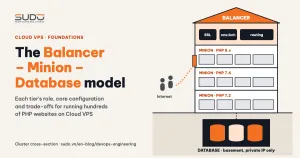
The Website AI infrastructure follows the three-tier Balancer, Minion and Database model on Cloud VPS, except that it lives in its own separate cluster. A dedicated balancer receives HTTPS from the Internet. Behind it are numbered pairs of machines: the minion runs nginx and PHP-FPM, and the database server runs MySQL for the sites hosted on that minion.
                  Internet (HTTPS)
                         │
                         ▼
          ┌─────────────────────────────┐
          │ balancer Website AI         │  nginx, SSL Let's Encrypt
          └──────────────┬──────────────┘
         ┌───────────────┼───────────────┐
         ▼               ▼               ▼
  ┌──────────────┐ ┌──────────────┐ ┌──────────────┐
  │ minion 1     │ │ minion 2     │ │ minion N     │   nginx + PHP-FPM
  │ /var/www/... │ │ /var/www/... │ │ /var/www/... │   cron, supervisor
  └──────┬───────┘ └──────┬───────┘ └──────┬───────┘
         ▼                ▼                ▼
  ┌──────────────┐ ┌──────────────┐ ┌──────────────┐
  │ database 1   │ │ database 2   │ │ database N   │   MySQL
  └──────────────┘ └──────────────┘ └──────────────┘
Machine names are declared in the internal DNS for Cloud VPS. As the product sold well, the cluster grew at a steady rhythm: when space ran out, another minion and database pair was built, and the gap between new pairs kept getting shorter.
On each minion, a Website AI site is a full clone of the core repo in /var/www/<domain>, with its own .env file, a cron line running schedule:run and a supervisor config file for the queue worker. The site's database lives on the database server of the same pair.
2. Deploying Website AI with GitLab Runner and SSH
New sites are created by a GitLab CI pipeline, built the way described in First automated deployment: GitLab Runner, SSH and nginx templates. The pipeline has several groups of steps:
- Create the database: SSH into the pair's database server, create the schema and user.
- Deploy the code: SSH into the minion,
git clonethe core into the domain directory, build.envwith a series ofsedcommands, then runcomposer,migrate,key:generateand the product's own seed commands. - Finish the site: cron, supervisor,
robots.txt, permissions and the admin account, run in parallel once the code is in place. - Configure nginx on the minion, then on the balancer depending on whether the site uses Let's Encrypt or Cloudflare. If the balancer step fails, delete the config file that was just added and restart nginx.
The three excerpts below (trimmed) show the typical kind of script, and also where problems start to show:
# deploy code (runs on the minion)
git clone $LINK_SSH_REPO $DOMAIN &&
cd $DOMAIN && cp .env.example .env &&
sed -i 's/^DB_HOST=.*/DB_HOST=$PRIVATE_IP_DATABASE/g' .env &&
...
composer update --with-all-dependencies &&
php artisan migrate && php artisan key:generate

# configure supervisor (runs on the minion)
cp -r supervisord.ini.example supervisord.ini &&
sed -i 's/site-a.example/$DOMAIN/g' supervisord.ini &&
systemctl restart supervisord

# issue SSL (runs on the balancer)
systemctl stop nginx &&
certbot certonly --standalone -d $DOMAIN -d www.$DOMAIN \
    --force-renewal --non-interactive --agree-tos &&
systemctl start nginx
This pipeline met its original goal: enter a few parameters, press run, and you get a new Website AI site. But as the number of sites and machines grew, the weaknesses of the "SSH into each machine and run commands" approach became obvious.
3. Pain points as Website AI grows
One copy of the code per site, one vendor folder per copy
Every site shares the same core, but on disk there are many independent clones. The composer update --with-all-dependencies command ignores the composer.lock already in the repo and downloads the newest versions allowed by the constraints in composer.json. Two sites created a few months apart can run the same core commit with different library versions. When a bug shows up on only a few sites, the first question is always "which vendor set is this site running?". Lesson: in deployment, always use composer install against composer.lock.
Updating the core for all of Website AI is not a single operation either. If the pipeline only has a flow for creating new sites, shipping a bug fix to every site means working through each directory on each minion, and there is no notion of a "running version" to compare against or roll back to.
Adding one site can disturb other sites
- Issuing SSL stops nginx on the balancer.
certbot --standaloneneeds port 80, so it has to runsystemctl stop nginx. While certbot runs, every site behind the balancer is unreachable. A way to issue certificates without stopping nginx is covered in SSL for hundreds of domains with Certbot. - Restarting supervisor for the whole machine.
systemctl restart supervisordstops and restarts every queue worker of every site on the minion, just to add a worker for one site. Usesupervisorctl reread && supervisorctl updateto load only what changed. - Shared cron. Each site adds a line to
/etc/crontab. Remove a site but forget to delete its cron line, and the command keeps running against a directory that no longer exists.
Scaling by hand, one pair of machines at a time
Every time more room is needed, another pair is built: create two Cloud VPS instances, install nginx, PHP, MySQL and supervisor, declare DNS, then add the IP to the pipeline's list of choices. Each time, that is two more machines to patch, and two more disks and RAM budgets to watch. Resources cannot be shared between pairs either: an idle minion does nothing for a busy one, because a site that is pinned to a machine stays there.
One minion dies, a whole group of sites dies with it
This is a known weakness of the three-tier model: each site runs on exactly one minion, with no standby machine. Recovering a broken minion means rebuilding the machine, cloning the code again, restoring user-uploaded files, and hoping no step is missed.
4. Comparing the effort: current state versus what we want
Before comparing money, compare the work needed to reach the same result:
| Task | Website AI on Cloud VPS | What we want |
|---|---|---|
| Add capacity | Build another minion + database pair, by hand or semi-automatically | Add machines to a shared pool, software places sites on them |
| Update the core | Go through each directory on each minion | Build once, every site uses the same package |
| Roll back on failure | Not possible, fix by hand | Return to the previous version with one command |
| Machine dies | Sites on that machine are down until it is rebuilt | Sites are restarted on another machine automatically |
| Add a site | May disrupt other sites | Each site is isolated, adding one does not touch existing ones |
The right-hand column sounds a lot like a description of containers and Kubernetes, and that is why Website AI was the first candidate.
5. Why Website AI fits containers and Kubernetes
Website AI has one trait that sets it apart from custom-built customer sites: every site runs the same core. The difference between two sites is in environment variables (domain, database credentials, application key) and data (database, uploaded files, customized theme). The code is identical. That is the ideal case for containers:
- One image for every site. Code, PHP extensions and libraries are packaged once, with a version tag.
composer installruns at build time fromcomposer.lock, so there is no longer a separate vendor set per site. - Configuration separated from code. Instead of running
sedon the.envfile, environment variables are passed in when the container starts. - Each site gets its own environment. Cron and the queue worker live in the site's own container, so adding or removing a site does not require restarting shared processes.
If the repo already has a Dockerfile for the development environment, that is a good starting point: the next step is turning it into an image that can run in production.
Containers solve packaging, but "running hundreds of containers across many machines" needs an orchestration layer on top. According to the Kubernetes overview documentation, this is exactly what Kubernetes does: you declare the desired state (site A needs one replica running image version X), and the system places containers on machines with free capacity, restarts containers that die, moves them to another machine when one fails, and rolls out new versions gradually so the site stays up.
For a small operations team, managed Kubernetes means not having to run the cluster's control plane yourself. The option chosen for evaluation was LKE (Linode Kubernetes Engine), which later articles explain in more detail.
6. Questions to answer before moving
- Where does the database go? Run MySQL inside the cluster or keep it on a separate VPS. Each direction has its own cost in backups and performance.
- Where do user files live? Uploaded images and customized themes cannot live inside the container, because containers are replaced on every deploy. We need durable, shareable storage.
- How much can the team learn, and how fast? Kubernetes brings many new concepts. Developers used to SSH-ing into a minion to read logs will have to get used to a different workflow.
- Actual cost. A cluster needs nodes running all the time, plus a load balancer and disks. Only measurements from a trial run can tell whether it is cheaper than the current VPS cluster.
Instead of rushing to build a cluster for Website AI, it is better to go step by step: package the core as an image first, get a firm grip on the core Kubernetes concepts, then run a trial.
7. Roadmap for the next articles
- Dockerizing Laravel: one all-in-one image for Website AI.
- What is Kubernetes: control plane, nodes and pods.
- Pod, Deployment, Service and Namespace.
- ConfigMap and Secret for Laravel environment variables.
- Volume, PersistentVolume, PVC and StorageClass.
- Ingress and NodeBalancer: getting traffic into the cluster.
Each article compares against how Website AI runs on Cloud VPS, to make clear what gets solved and what merely moves elsewhere.
Next article
Dockerizing Laravel: one all-in-one image for Website AI. We read the core's first Dockerfile, explain images, layers and the build cache, and choose between one container and several containers per site.