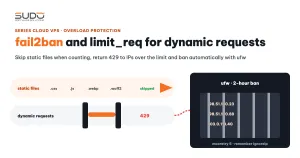
The article on fail2ban and limit_req already limits dynamic requests per IP. That works well against a single aggressive client, but it is helpless against a different kind of traffic: crawlers that spread requests across hundreds of IPs with only a few requests each, and scraping tools that come through Cloudflare so the balancer only sees edge IPs. This guide adds a layer of rate limiting by User-Agent on the balancer: sorting good bots from bad bots, putting an entire family of tools into one shared bucket, leaving Googlebot alone, and the mistakes that are easy to make along the way.
1. Why per-IP rate limiting is not enough
In fail2ban and limit_req: rate limiting only dynamic requests, the key of limit_req_zone is the client IP. Per-IP rate limiting has three blind spots:
- IP-rotating bots: scrapers rent residential proxies, and each IP sends a few requests before switching. No single IP hits the threshold, yet the total volume of requests reaching the minion is still huge.
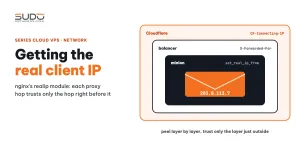
- Sites behind Cloudflare: if the balancer has not recovered the real client IP, every request appears to come from a few dozen Cloudflare IPs. Per-IP rate limiting then either blocks thousands of users by mistake or blocks no one at all. Getting the real client IP behind Cloudflare and a load balancer covers this in detail.
- "Overly polite" bots: some legitimate search bots crawl very densely. Block them outright and you lose search traffic; leave them alone and PHP-FPM runs out of workers. What they need is moderate rate limiting.
What all three have in common: they usually declare their identity in the User-Agent header, or leave it empty. That is the hook to grab onto.
2. Good bots, bad bots and bots that need slowing down
Before writing any configuration, split User-Agents into four groups to decide which group gets blocked, which gets rate limiting only, and which is left alone:
| Group | Examples | Handling on the balancer |
|---|---|---|
| Major search bots | Googlebot | No UA-based limits, never blocked |
| Legitimate bots that crawl densely | bingbot, coccocbot | Kept, but placed in their own rate limiting bucket |
| SEO crawlers, AI crawlers, self-identified scrapers | AhrefsBot, SemrushBot, Bytespider, PetalBot, DotBot, MJ12bot… | Return 403 right in the security snippet |
| HTTP tools and libraries, empty UA | curl, wget, python-requests, Go-http-client, HeadlessChrome… | Shared rate limiting for the whole family, all IPs combined |
Social network link previews (facebookexternalhit, Zalo, WhatsApp) should not be in any group, so users who share links still see the image and title. robots.txt should be updated to block AI crawlers, but it only works on bots that comply voluntarily. The nginx layer is the one that enforces.
3. Approach 1: zones per User-Agent group, key still the IP
The simplest approach is to use a map that sorts UAs into a few groups, each with its own zone and per-IP quota, skipping static files and internal IPs. Example starting thresholds:
| Group | Zone | Rate / burst |
|---|---|---|
| Browsers | limit_user | 30 r/s, burst 50 nodelay |
| Search bots | limit_bot | 15 r/s, burst 30 nodelay |
| Scrapers, tools, empty UA | limit_scraper | 2 r/s, burst 5 nodelay |
Test the rate limiting with parallel requests: of ten simultaneous requests with the python-requests UA, some must get 429, while with a browser UA all of them get 200.
This approach has two weaknesses. First, the key is still the IP, so a scraper that rotates IPs still gets 2 r/s per IP, which multiplied by a few hundred IPs becomes a big number. Second, three zones with three different thresholds make the configuration hard to read and hard to tune.
4. Approach 2: one rate limiting bucket per User-Agent family
The idea is to change the key from the IP to the User-Agent family name. Every request with a curl/ UA, no matter how many IPs it comes from, draws from the same bucket. Scrapers that rotate IPs lose their advantage. The declarations in the http {} block of nginx.conf:
# Tools / empty UA → one bucket for the whole family, all IPs combined.
# curl and python are rate limited, not blocked outright: healthchecks and ops scripts still use them.
map $http_user_agent $ua_limit_key {
    default                 "";
    ""                      "empty";
    ~*\bcurl/               "curl";
    ~*wget                  "wget";
    ~*python-requests       "python-requests";
    ~*python-urllib         "python-urllib";
    ~*aiohttp               "aiohttp";
    ~*scrapy                "scrapy";
    ~*go-http-client        "go-http";
    ~*okhttp                "okhttp";
    ~*Java/                 "java";
    ~*libwww                "libwww";
    ~*HeadlessChrome        "headless";
    ~*node-fetch            "node-fetch";
    ~*bingbot               "bingbot";
    ~*coccocbot             "coccocbot";
}

limit_req_zone $ua_limit_key zone=by_ua:10m rate=15r/m;
limit_req_status 429;
The key is the default "" line. According to the nginx ngx_http_limit_req module documentation, requests with an empty key are not counted in the zone. Real browsers and Googlebot do not match any line in the map, get an empty key, and pass through this layer as if it were not there. Only the listed UA families are subject to rate limiting.
The enforcement part should be a separate snippet, included at the end of the security snippet. If every site configuration file already includes the security snippet, the whole balancer is protected after a single reload, without editing each site:
# /etc/nginx/snippets/rate-limit-by-agent.conf
limit_req zone=by_ua burst=20 nodelay;

# end of /etc/nginx/snippets/security-blocking.conf
include snippets/rate-limit-by-agent.conf;
15r/m means the whole family gets one request every 4 seconds on average. burst=20 nodelay lets 20 requests above that rate be served immediately, so a manual curl check or a few healthchecks are not blocked. Beyond that, nginx returns 429 right at the balancer, and the minion does not spend a single worker.
The group of self-identified crawlers is still blocked with 403 by an if ($http_user_agent ~* (...)) condition in the security snippet. To save even more bandwidth, you can return code 444 (nginx closes the connection without sending a body).
5. Measuring the effect of rate limiting
Once enabled, count from the logs who is being hit by rate limiting. The most frequent are densely crawling bots such as bingbot; the tool families only show the occasional burst. One requirement is non-negotiable: Googlebot must not get a single 429.
# number of times the by_ua zone was hit, from the error log
grep -c 'limiting requests.*zone "by_ua"' /var/log/nginx/*.error

# 429 requests per User-Agent family in the access log (combined format)
awk -F'"' '$3 ~ / 429 / {print $6}' /var/log/nginx/*.access \
  | grep -oiE 'bingbot|googlebot|curl|python-requests|okhttp|coccocbot' | sort | uniq -c
If a legitimate bot gets a high share of 429s, give it its own rate limiting bucket with a higher threshold.
6. Don't block Googlebot by mistake: check fake UAs with reverse DNS
A User-Agent is just a string the client declares about itself. Scrapers know Googlebot gets special treatment, so they often fake Googlebot's UA. The check Google recommends in its Googlebot verification guide is a two-way DNS lookup:
# 1. Reverse DNS: IP → hostname, must be under googlebot.com, google.com or googleusercontent.com
$ host 66.249.66.1
1.66.249.66.in-addr.arpa domain name pointer crawl-66-249-66-1.googlebot.com.

# 2. Forward DNS: hostname → IP, must match the original IP
$ host crawl-66-249-66-1.googlebot.com
crawl-66-249-66-1.googlebot.com has address 66.249.66.1
Step 1 alone is not enough, because the owner of an IP range can set its PTR to *.googlebot.com. Step 2 is what confirms the name really belongs to Google. Bingbot is verified on the same principle, with hostnames under search.msn.com. A small script to filter IPs claiming to be Googlebot in the access log:
grep -h "Googlebot" /var/log/nginx/*.access | awk '{print $1}' | sort -u | while read ip; do
  name=$(host "$ip" | awk '/pointer/ {print $5}')
  case "$name" in
    *.googlebot.com.|*.google.com.|*.googleusercontent.com.)
      host "$name" | grep -q "address $ip$" && continue ;;
  esac
  echo "Fake Googlebot UA: $ip ($name)"
done
Two notes. Do not perform DNS lookups inside nginx for each request: it is slow and creates a dependency on DNS. Run the check out of band on the logs, then feed the fake IPs into fail2ban or a blocklist. And if the site sits behind Cloudflare and the balancer has not recovered the real client IP, the IP column in the log is all Cloudflare IPs and reverse DNS tells you nothing. You have to fix the real IP first before this check works.
7. Common mistakes in User-Agent rate limiting
- Overly broad regexes: short words like
crawl,botordevelopersmatch more UAs than you think, including tools of the search bots themselves. Before adding a pattern, grep the access log to see which UAs it hits. - A key shared by every site: the key
"bingbot"has no domain name in it, so every site on the balancer shares 15 requests per minute. One heavily crawled site slows down crawling for the other sites too. To separate them, add$hostto the key, for example by building a"$host:bingbot"key with a secondmap. - Mobile apps that use okhttp: okhttp is common on Android. If a site has an app that calls its API, putting okhttp under shared rate limiting will break the app. Exclude it by API path or by an app-specific header.
- Blocking your own tools: healthchecks, CI and ops scripts often use curl. At 15 r/m, a job firing a burst of calls will get 429s. Give internal IPs an empty key with
geo, or set a dedicated UA for internal tools. - Losing
limit_reqinheritance: nginx only inheritslimit_reqfrom an outer level when the current level declares nolimit_reqof its own. Alocationwith its ownlimit_req zone=dynamicsilently ignores theby_uadeclared at theserverlevel. To apply both, declare both lines in the samelocation. - A bloated error log: every rate limiting hit writes a
limiting requestsline. Considerlimit_req_log_level warnand check logrotate.
8. Trade-offs of rate limiting by User-Agent
Rate limiting by User-Agent is cheap: a few dozen lines of configuration that block exactly the traffic per-IP rate limiting misses, without bothering real users. Its limits:
- It only catches bots that are honest about their UA. Scrapers faking a browser UA get through, and you have to rely on per-IP rate limiting, the WAF, or techniques such as TLS fingerprinting that stock nginx does not provide.
- Slowing down bingbot is a deliberate choice: prioritizing minion resources over Bing's crawl speed. In exchange, watch the crawl reports in Bing's webmaster tools to make sure important pages are still indexed.
- Roll it out one balancer at a time: enable it with loose thresholds, watch the 429 log for a while, and only then tighten.
Next article
Running Octane with systemd: memory limits via cgroups. Why one Octane site running out of RAM can take down every other site on the same minion, and how to move each site into its own systemd service with its own MemoryMax.