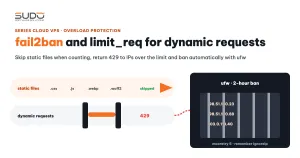
Coraza WAF blocks individual malicious requests, but a blocked IP can keep sending thousands more, and each one still costs the balancer CPU to analyze. Scraper bots are even harder: their requests are perfectly valid, there are just far too many of them. This guide shows how to combine two layers: nginx's limit_req rate limiting only dynamic requests, and fail2ban automatically banning, at the firewall, IPs that keep getting 403 or 429. It includes a sample configuration for the balancer, how to choose thresholds, and the most common threshold mistakes.
1. Three blocking layers on the balancer
Client
  │
  ▼  layer 1: ufw (list of IPs banned by fail2ban)  ── REJECT right at the network level
  │
  ▼  layer 2: nginx
  │     ├─ limit_req / limit_conn  ── over the threshold → 429
  │     ├─ security snippet        ── sensitive paths → 403
  │     └─ Coraza WAF + CRS 4      ── attack payloads → 403
  │
  ▼  proxy_pass to the minion
        ▲
        └── layer 3: fail2ban reads the access log, counts 403/429 per IP → calls ufw
nginx makes a decision for each request. fail2ban looks at the sequence of requests from one IP over time and pushes bad IPs down to the firewall, where blocking is cheapest: packets are rejected before nginx has to read TLS or run the WAF.
2. How does limit_req work?
The ngx_http_limit_req module uses the leaky bucket algorithm. Each key (usually an IP) has a "bucket" that drains steadily at rate. burst is the number of requests allowed to queue when they arrive in a rush. With nodelay, requests within the burst are served immediately; without it, they are spaced out at exactly the configured rate. Anything beyond the burst is rejected with the code set by limit_req_status.
The most important detail in the documentation: requests with an empty key are not counted. This is the key to applying rate limits only to dynamic requests.
3. Limiting only dynamic requests with map
A Laravel page pulls in a few dozen CSS, JS, image and font files. If you count all of them, a real user hits the threshold after opening two or three pages, while a bot scraping HTML only sends dynamic requests. The solution: a map that returns an empty key for static files.
# /etc/nginx/nginx.conf, inside http {}
map $request_uri $dynamic_key {
    default                                      $binary_remote_addr;
    ~*\.(css|js|mjs|json|woff2?|ttf|otf|eot)$   "";
    ~*\.(jpg|jpeg|png|gif|svg|ico|webp|avif)$    "";
    ~*\.(mp4|webm|ogg|mp3|pdf|zip|gz)$           "";
    ~*/health$                                    "";
    ~*/favicon\.ico$                              "";
}

limit_req_zone  $dynamic_key        zone=dynamic:10m rate=25r/s;
limit_req_zone  $binary_remote_addr zone=api:10m     rate=15r/s;
limit_req_zone  $binary_remote_addr zone=login:10m   rate=6r/s;
limit_conn_zone $dynamic_key        zone=conn_dynamic:10m;

limit_req_status  429;
limit_conn_status 429;
# site configuration file on the balancer
location / {
limit_req zone=dynamic burst=50;
limit_conn conn_dynamic 100;
proxy_pass http://10.0.0.21;
...
}Using $binary_remote_addr (4 bytes for IPv4) instead of the string $remote_addr lets a 10 MB zone hold more IPs. This mechanism was introduced briefly in standardizing Nginx security and connection limits; here we go deeper into thresholds and the fail2ban layer behind them.
Note that $request_uri includes the query string: /css/app.css?v=3 does not match \.css$ and is still counted. Sites that use many assets like this should map on $uri instead.
Status 429, not 503 or 505
By default nginx returns 503 when the limit is exceeded, which is easily mistaken for a backend error. Setting an odd code such as 505 is even more confusing. Standardize on 429 Too Many Requests for both limit_req and limit_conn. That way, a glance at the log dashboard tells "rate limited" apart from "backend error", and fail2ban gets a dedicated code to count.
A dedicated zone for crawler-heavy sites
A shared threshold does not suit every site. A lookup site has a huge number of detail pages that crawlers scrape constantly, while the real Googlebot also needs to crawl quickly. A site like this should get its own zones, separating listing pages from detail pages:
limit_req_zone $dynamic_key        zone=site_a_dynamic:10m rate=300r/m;
limit_req_zone $binary_remote_addr zone=site_a_detail:10m  rate=120r/m;

# configuration file for site-a.example
location / {
    limit_req zone=site_a_dynamic burst=100 nodelay;
    ...
}
location ~ ^/([0-9]+)-([a-z0-9-]+)$ {       # detail pages
    limit_req zone=site_a_detail burst=40 nodelay;
    ...
}
Balancers do not all have to share the same threshold either: a machine running many small sites can use 80r/m, while a machine running large sites keeps 25r/s. The right threshold depends on the kind of sites on that machine. Start loose, watch the 429 log for a while, and only then tighten.
4. fail2ban: from log to firewall
fail2ban reads logs in real time, matches each line against a regex (the filter), and counts matches per IP within a findtime window. Once maxretry is exceeded, it calls an action to ban the IP for bantime, and lifts the ban automatically when it expires. The combination of filter, parameters and action is called a jail. The source code and documentation are in the official fail2ban repository.
On the balancer, fail2ban uses the ufw action, meaning it inserts a REJECT rule for the IP into ufw:
# /etc/fail2ban/jail.d/nginx.conf
[DEFAULT]
bantime   = 3600
findtime  = 600
maxretry  = 10
banaction = ufw
banaction_allports = ufw
ignoreip  = 127.0.0.1/8 ::1
            10.0.0.0/24                       # private network: minions, database, monitor
            <cluster public IP range>/24      # balancers, operations machines
            <office IP>                       # machine running the internal SEO crawler

[nginx-coraza]
enabled  = true
port     = http,https
filter   = nginx-coraza
logpath  = /var/log/nginx/access.log
           /var/log/nginx/*.access
maxretry = 5
findtime = 600
bantime  = 7200

[nginx-limit-req]
enabled  = true
port     = http,https
filter   = nginx-limit-req
logpath  = /var/log/nginx/access.log
           /var/log/nginx/*.access
maxretry = 10
findtime = 10
bantime  = 3600

[sshd]
enabled  = true
backend  = systemd
maxretry = 5
bantime  = 86400
# /etc/fail2ban/filter.d/nginx-coraza.conf
[Definition]
failregex = ^<HOST> .* "(GET|POST|HEAD|PUT|DELETE|PATCH|OPTIONS) .* HTTP/.*" 403 .*$
ignoreregex = ^<HOST>.*(\.css|\.js|\.ico|\.png|\.jpg|\.gif|\.woff|\.svg)|.*(Googlebot|bingbot|Baiduspider|YandexBot|facebookexternalhit)|.*(?i:autodiscover)
# /etc/fail2ban/filter.d/nginx-limit-req.conf
[Definition]
failregex = ^<HOST> - \S+ \[.*\] ".*" 429Two things to understand correctly about this configuration:
- The jail is named
nginx-coraza, but it actually counts every 403 response in the access log, both 403s from Coraza WAF and 403s from the security snippet blocking.envandwp-login. For vulnerability-scanning bots that is exactly what you want: 5 hits of 403 in 10 minutes means a 2-hour ban. ignoreregexskips static files, the major search engine bots and Outlook'sautodiscover. The trade-off: someone faking aGooglebotUser-Agent is not counted, although the WAF still blocks each request.
The effect is usually visible right after enabling it: the nginx-coraza jail bans a large number of IPs, typically bots scanning for .env, .git and phpinfo or exploiting WordPress endpoints.
Everyday operational commands
fail2ban-client status                       # list of jails
fail2ban-client status nginx-coraza          # IPs currently banned, total banned
fail2ban-client set nginx-coraza unbanip 198.51.100.7
fail2ban-regex /var/log/nginx/example.com.access /etc/fail2ban/filter.d/nginx-coraza.conf
ufw status numbered | grep -i fail2ban
fail2ban-regex is the command to run whenever you change a filter: it tells you how many real log lines match and how many are excluded by ignoreregex, before you let that filter ban real IPs.
5. Common fail2ban and limit_req mistakes
maxretry = 1: a single 429 costs an hour of connectivity
Setting the nginx-limit-req jail to maxretry = 1 means that a single request beyond the burst gets the IP banned for an hour from every site on the balancer. Real users with many tabs open, mobile apps calling APIs in parallel, or an office where many people share one NAT IP can all hit a 429 once. The sample configuration above uses maxretry = 10 within findtime = 10 seconds: only IPs that keep getting 429 for 10 seconds are banned. A single hit on the threshold is handled by nginx with a 429; there is no need to push it down to the firewall.
Banning your own IPs
Machines on the private network, operations machines and office IPs running the internal SEO crawler can all generate many requests in a short time and hit the threshold. That is why ignoreip should include the cluster's public IP range and the office IP, not just a single address. Note that ignoreip only prevents bans; nginx still returns 429 if that IP exceeds the threshold, so the internal crawler may need its own geo whitelist at the nginx level.
Banning Cloudflare's IPs by mistake
This is the most serious mistake. For a domain that goes through Cloudflare where the balancer has no realip configured, the IP in the balancer's access log is the IP of a Cloudflare edge server, not the user's IP. A vulnerability-scanning bot coming through Cloudflare gets a 403, fail2ban counts it against the Cloudflare IP, and then bans that IP in ufw. From then on, every real user that Cloudflare routes through that edge server is refused for 2 hours.
How to detect it: compare the list of currently banned IPs with Cloudflare's published IP ranges. If any IP matches, you are banning an edge server by mistake:
# IPs currently banned by a jail, one per line
fail2ban-client get nginx-coraza banip | tr ' ' '\n' > /tmp/banned.txt
# compare against Cloudflare's ranges (grepcidr package on Debian)
curl -fsS https://www.cloudflare.com/ips-v4 > /tmp/cf.txt
grepcidr -f /tmp/cf.txt /tmp/banned.txt
How to fix it:
- Short term: add Cloudflare's IP ranges to
ignoreipso edge servers are never banned. - Long term: configure nginx to take the real IP from the
CF-Connecting-IPheader as described in getting the real client IP behind Cloudflare. The log then shows the real IP, but the TCP packets still come from Cloudflare, so banning with ufw no longer has any effect. For these domains, IP blocking has to move up to Cloudflare (fail2ban has an action that calls the Cloudflare API) or happen at the nginx level.
Other mistakes
| Symptom | Cause | Fix |
|---|---|---|
| Pages load without CSS or images when limited | The rate limit also counts static files | Use $dynamic_key with an empty key for static files |
| fail2ban does not ban even though the log is full of 403s | The site's log is not in logpath, or the log format does not match the filter | Check the File list with fail2ban-client status <jail>, test with fail2ban-regex |
| fail2ban does not ban new IPs after a site is added | The *.access glob is only expanded when fail2ban starts | Run fail2ban-client reload after adding a site |
6. Checklist
- Count the right things. Rate limit dynamic requests only. An empty key for static files is a small detail, but it decides whether real users get blocked.
- nginx handles individual hits, fail2ban handles habits. One 429 is not worth a ban. Ten in ten seconds is.
- Know whose IP is in the log. Behind a proxy, CDN or NAT, one IP can be a great many people; a wrong IP in the log means banning the wrong people.
- Review ban results regularly. The list of banned IPs shows which bots are scanning, and it is also where you catch mistaken bans like the Cloudflare case.
The WAF layer in front is covered in Coraza WAF and OWASP CRS 4 on Nginx.
Next article
Issuing SSL with DNS-01 when the server cannot reach the internet. When Let's Encrypt cannot reach the balancer over HTTP, how to validate the domain with a DNS record and still get a certificate issued.