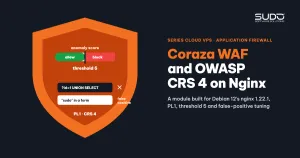
The shared security snippet on the balancer (see standardizing Nginx security with a security snippet) does a good job of blocking sensitive paths such as .env, .git and wp-login. But it never looks at the content of a request: a parameter containing ' UNION SELECT or <script> still goes straight to PHP. To stop this class of attack right at the entry point, you can add Coraza WAF with the OWASP CRS 4 rule set to nginx on a Debian 12 balancer. This guide covers building the module, a sample configuration, how to tune false positives, how to avoid duplicate rule IDs, and how to ship the WAF log to Grafana for alerting.
1. What is a WAF and how does Coraza WAF work?
A WAF (Web Application Firewall) is a firewall at the application layer. Instead of looking at IPs and ports like ufw, it reads every HTTP request and compares it against a rule set. With Coraza WAF running as an nginx module, each request goes through several phases:
- Phase 1: headers and URI. Detects path traversal (
../), unusual methods and abnormal headers. - Phase 2: body. Decodes forms, JSON and XML to look for SQL injection, XSS and shell command injection.
- Phases 3 and 4: response headers and body. On machines with little RAM, turn off response body inspection.
The rule set is the OWASP Core Rule Set (CRS), grouped by ID: 920xxx protocol violations, 930xxx LFI, 931xxx RFI, 932xxx command injection (RCE), 933xxx PHP code injection, 941xxx XSS, 942xxx SQLi.
Anomaly scoring: add up points before blocking
With CRS 4, Coraza WAF does not block as soon as a rule matches. Each matching rule adds points according to its severity: CRITICAL 5 points, ERROR 4, WARNING 3, NOTICE 2. At the end of the phase, rule 949110 compares the total score with the inbound_anomaly_score_threshold, and if the threshold is exceeded it returns 403. The lower the threshold, the stricter: with a threshold of 5, a single CRITICAL match is enough to block the request.
Alongside that is the paranoia level (PL1 to PL4): the higher the level, the more rules apply, catching more but also producing more false positives. PL1 is the recommended starting level.
2. Coraza WAF or ModSecurity?
| ModSecurity (libmodsecurity v3) | Coraza WAF | |
|---|---|---|
| Language | C++ | Go, with the libcoraza C library for embedding in nginx |
| Rule language | SecLang | SecLang-compatible, runs CRS 4 |
| nginx integration | ModSecurity-nginx connector | coraza-nginx connector, dynamic module |
Both use the same SecRule syntax, so most CRS tuning experience from ModSecurity carries over to Coraza WAF. The official documentation is on the Coraza project site.
3. Building a Coraza WAF module that matches Debian 12's nginx
Debian 12 packages nginx 1.22.1. An nginx dynamic module must be built from exactly the same source version and exactly the same configure arguments as the running binary. If either one differs, nginx refuses to load the module with errors like module ... version 1024000 instead of 1022001 or is not binary compatible. The surest way is to read the arguments from nginx -V itself:
# 1. the libcoraza library: the Coraza WAF core is written in Go, needs Go and a build toolchain
cd /tmp && git clone --depth 1 https://github.com/corazawaf/libcoraza
cd libcoraza && ./build.sh && ./configure && make && make install && ldconfig

# 2. nginx connector + nginx source matching the running version
cd /tmp && git clone --depth 1 https://github.com/corazawaf/coraza-nginx
NGINX_VERSION=$(nginx -v 2>&1 | grep -oP 'nginx/\K[0-9.]+')          # 1.22.1
NGINX_CONFIGURE=$(nginx -V 2>&1 | grep -oP 'configure arguments: \K.*')
wget -q "http://nginx.org/download/nginx-${NGINX_VERSION}.tar.gz"
tar -xzf "nginx-${NGINX_VERSION}.tar.gz" && cd "nginx-${NGINX_VERSION}"

# 3. build only the module, do not rebuild nginx
eval ./configure $NGINX_CONFIGURE --add-dynamic-module=/tmp/coraza-nginx
make modules
cp objs/ngx_http_coraza_module.so /usr/lib/nginx/modules/

# 4. the OWASP CRS 4 rule set
wget -q https://github.com/coreruleset/coreruleset/archive/v4.0.0.tar.gz
tar -xzf v4.0.0.tar.gz && mv coreruleset-4.0.0 /etc/coraza/crs
cp /etc/coraza/crs/crs-setup.conf.example /etc/coraza/crs/crs-setup.conf
A consequence to remember: whenever apt upgrade moves nginx to a new patch release, the module must be rebuilt for the new version, or nginx will fail to start. Package the steps above as a pipeline that takes the balancer name as a parameter (for how to organize this, see Jenkins as the control plane for hundreds of websites), or pin the nginx package with apt-mark hold nginx until you rebuild.
4. Sample Coraza WAF configuration
# /etc/coraza/coraza.conf
Include /etc/coraza/rules/admin-tuning.conf     # tuning rules MUST load before CRS
Include /etc/coraza/crs/crs-setup.conf
Include /etc/coraza/crs/rules/*.conf

SecRuleEngine On
SecRequestBodyAccess On
SecResponseBodyAccess Off                        # low-RAM machine: do not inspect responses

SecAuditEngine RelevantOnly                      # log only noteworthy requests
SecAuditLog /var/log/coraza/audit.log
SecAuditLogFormat JSON                           # one JSON line per event
SecAuditLogParts ABCHZ

SecAction "id:900000,phase:1,nolog,pass,t:none,setvar:tx.paranoia_level=1"
SecAction "id:900001,phase:1,nolog,pass,t:none,\
  setvar:tx.inbound_anomaly_score_threshold=5,\
  setvar:tx.outbound_anomaly_score_threshold=4"
We recommend sticking to the CRS defaults: PL1, threshold 5. When false positives pile up, it is very tempting to raise the threshold to 10 or 15, but then a payload that matches only one CRITICAL rule slips through. Keep the threshold and handle false positives case by case.
Loading the module without overwriting nginx.conf
Do not let the Coraza WAF install script overwrite the whole /etc/nginx/nginx.conf with a template: each balancer's own changes (rate limit zones, worker_connections, log formats) would be lost, and if the template lacks include /etc/nginx/modules-enabled/*.conf;, modules such as headers-more will not be loaded. The safe approach on Debian is to split it into two small files:
# /etc/nginx/modules-enabled/50-mod-http-coraza.conf  (loaded in the main context)
load_module modules/ngx_http_coraza_module.so;

# /etc/nginx/conf.d/00-coraza.conf  (conf.d is included inside http {})
coraza on;
coraza_rules_file /etc/coraza/coraza.conf;
5. Tuning Coraza WAF false positives
All Coraza WAF exceptions live in /etc/coraza/rules/admin-tuning.conf, loaded before CRS, using a dedicated ID range (for example 800000 to 899999) so they never collide with CRS IDs. The principle: make exclusions as narrow as possible, preferring to remove one rule from one specific parameter (ctl:ruleRemoveTargetById) rather than disabling the whole rule.
Example: Coraza WAF blocking a word that matches a Unix command
Rule 932260 belongs to the Unix command injection detection group. If a brand name, an email domain or a user's password contains a word that matches a command name, such as "sudo", the login form returns 403. Narrow the exclusion by removing that rule from parameters only when the request contains exactly that word:
# 932260 false positive when a parameter contains "sudo" (brand name in email)
SecRule ARGS "@rx (?i:sudo)" \
    "id:840900,phase:2,pass,nolog,ctl:ruleRemoveTargetById=932260;ARGS"
SecRule REQUEST_BODY "@rx (?i:sudo)" \
    "id:840901,phase:2,pass,nolog,ctl:ruleRemoveTargetById=932260;REQUEST_BODY"
The price: for requests containing that word, rule 932260 no longer inspects the parameters. The other RCE rules and the entire SQLi and XSS groups still work, but this is still a deliberate gap that needs a written justification and monitoring.
Common false positives
| Symptom | Rule | How to exclude |
|---|---|---|
| Admin pages that post articles with HTML or embedded scripts get blocked | Many XSS rules | Turn the engine off for /admin/*, but keep it on for the login page |
| Vietnamese-language JSON is treated as Unicode evasion | 920540 | Remove the rule globally |
| Cookies containing JWTs or session tokens match attack patterns | Many rules | Exclude REQUEST_COOKIES from CRS |
REST APIs using PUT and DELETE get blocked | 911100 | Extend tx.allowed_methods based on the API's Host |
A JSON field named number_format is treated as PHP function injection | 933150 | Remove the rule on that specific endpoint |
How to find the rule behind a false positive: filter the audit log by the domain and the IP of the user who reported the problem, read the messages array to get the rule ID and the matched string, and only then decide how narrowly to exclude it. Do not exclude anything just because "someone complained about a 403": bots scanning for .env or exploiting wp-json receive exactly the same 403.
6. Duplicate rule IDs: an error nginx -t does not catch
As the tuning file grows, it is easy to give a new rule the same ID as an existing one. nginx -t still reports OK. Only on reload does Coraza WAF report duplicated rule id and fail to initialize, and every site on the balancer may stop serving until it is fixed. Run this check before every change:
# which IDs appear more than once across tuning + all of CRS?
grep -ohE 'id:[0-9]+' /etc/coraza/rules/*.conf /etc/coraza/crs/crs-setup.conf \
    /etc/coraza/crs/rules/*.conf | sort | uniq -d

# after reload: confirm the WAF initialized
nginx -t && systemctl reload nginx && sleep 2 && \
journalctl -u nginx --since "1 min ago" | grep -i "failed to create WAF"
Make the uniq -d command a mandatory step before reloading Coraza WAF: if there is a duplicate ID, stop.
7. Coraza WAF audit log → Loki → Grafana alerts
The JSON audit log can be shipped to Loki by the same Fluent Bit agent on the balancer, with the label job="coraza-waf" (configured in shipping Nginx logs to Loki with Fluent Bit). If the record still carries extra keys such as filename, the log line is wrapped in {"log": ...}, and the query has to unwrap two layers of JSON:
sum by (ip, host, instance) (
  count_over_time(
    {job="coraza-waf"}
    | json | line_format "{{.log}}"
    | json ip="transaction.client_ip", host="transaction.request.headers.host[0]"
    [2m]
  )
)
On top of this query you can set two Grafana Alerting rules that notify the operations team's chat channel (the thresholds below are examples; adjust them to your traffic):
- High-frequency attacking IP: one IP recorded more than 50 times in 2 minutes, sustained for 5 minutes.
- Website under attack: one host with more than 200 WAF events in 5 minutes, sustained for 5 minutes.
A Coraza WAF dashboard should show top IPs, top domains and top rule IDs (ignoring 949110, the score-total rule). A rule that suddenly matches very often on a normal site is usually a sign that tuning is needed.
8. Common Coraza WAF problems
| Symptom | Cause | Fix |
|---|---|---|
nginx does not start after apt upgrade | The module was built for the old nginx version | Rebuild against the new nginx -V, or use apt-mark hold |
| Tuning rules have no effect | The tuning file is loaded after CRS | Include the tuning file before crs-setup.conf |
| The log agent burns CPU and joins lines incorrectly | Multi-line Native audit log format | SecAuditLogFormat JSON |
| Real users get a 403 and then their IP is banned outright | A false positive combined with fail2ban counting 403s | Tune the rule, unban the IP, review the fail2ban thresholds |
9. Checklist
- Keep the default threshold, tune case by case. Raising the threshold is the fastest way to get rid of false positives, and also the fastest way to make the WAF useless.
- Every exception is a debt. Write the reason directly on each
SecRule, and exclude narrowly by parameter and path. nginx -tis not enough. With third-party modules such as Coraza WAF, check for duplicate IDs first and read the log right after reloading.- A WAF does not stand alone. Coraza WAF only blocks individual requests. Blocking an entire IP after repeated violations is the job of another layer.
Next article
fail2ban and limit_req: rate limiting only dynamic requests. How to rate limit without counting static files, and how to let fail2ban automatically ban IPs that keep getting 403 or 429.