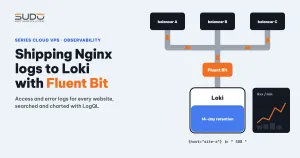
A balancer usually serves many websites, and each site writes its access log and error log to its own files. When a site slows down, the first questions are always: which IP is sending the most requests, is it a bot, and when did the 5xx errors start? If the logs are scattered, answering means SSHing into each balancer and running grep and awk across many files. This guide shows how to use Fluent Bit to ship nginx access logs to Loki, search them with LogQL and build dashboards in Grafana: the architecture, sample configuration, how to choose labels, everyday queries and common mistakes.
1. Overview: logs scattered across many balancers
A common convention is one pair of log files per site, named after the domain:
/var/log/nginx/example.com.access     # access log, combined format
/var/log/nginx/example.com.error      # the site's own error log
/var/log/nginx/site-a.example.access
/var/log/nginx/site-a.example.error
...
Splitting files per site is handy when you look at one site, but almost useless when you need to see the whole cluster: you cannot compare which site is busiest, and you cannot see one IP scanning many sites at once. You need a central place that can be queried by site, balancer and time.
2. Concepts: Fluent Bit, Loki and Grafana
- Fluent Bit is a log collection agent written in C. It runs as a pipeline: an input reads data (for example
tailwatching a file), a filter transforms records, and an output sends them elsewhere. Fluent Bit ships with an output plugin for Loki. - Loki is Grafana's log storage system. Unlike Elasticsearch, Loki does not build a full-text index; it only indexes labels. Each distinct combination of labels is a stream. The log line content is compressed into chunks and only scanned at query time.
- Grafana queries Loki with LogQL, displays the results as tables and charts, and sends alerts.
This indexing approach drives the design that follows: labels must be few and stable, while IP, URL and status stay in the log line.
Fluent Bit or Grafana Alloy
| Criterion | Fluent Bit | Grafana Alloy |
|---|---|---|
| Language, memory | C, RAM usually just a few tens of MB | Go, with a garbage collector; on small machines set GOMEMLIMIT and MemoryMax to avoid OOM |
| Scope | Collecting and shipping logs, many outputs | Logs, metrics and traces in a single agent |
| Best for | Small VPS instances, machines that already run Fluent Bit for another log stream | Clusters that need to collect metrics and traces through one agent as well |
Balancers are usually small VPS instances. If a machine already runs Fluent Bit (for example to ship WAF logs), extend its configuration instead of adding a second agent just to read log files.
3. Log collection architecture
  balancers                                       monitor host (private network)
 ┌───────────────────────────────┐              ┌───────────────────────────┐
 │ nginx                         │              │ Loki (single binary)      │
 │  /var/log/nginx/*.access ──┐  │   HTTP push  │  tsdb schema v13          │
 │  /var/log/nginx/*.error  ──┼──┼─────────────▶│  filesystem, retention    │
 │  /var/log/coraza/audit.log ┘  │   :3100      ├───────────────────────────┤
 │ Fluent Bit (tail + Lua)       │              │ Grafana: dashboard, alert │
 └───────────────────────────────┘              └───────────────────────────┘
Loki and Grafana can run together on the monitor host that already runs Prometheus. Balancers push logs over the private network to port 3100; this port is never exposed to the Internet. The noteworthy part of the Loki configuration:
schema_config:
  configs:
    - from: 2024-01-01
      store: tsdb
      object_store: filesystem
      schema: v13
      index: { prefix: index_, period: 24h }

limits_config:
  reject_old_samples: true
  reject_old_samples_max_age: 168h
  retention_period: 14d
  max_streams_per_user: 10000

compactor:
  working_directory: /var/lib/loki/compactor
  retention_enabled: true
  retention_delete_delay: 2h
  delete_request_store: filesystem
retention_period only takes effect when the compactor has retention_enabled turned on. Without that line, Loki keeps logs forever and the monitor host's disk slowly fills up.
4. Configuring Fluent Bit on the balancer
The main idea: the file name already contains the domain, so there is no need to touch each site's configuration file. Fluent Bit uses Tag_Regex to extract the domain from the file path and put it in the tag, then a small Lua script turns the tag into the host and log_type fields.
# /etc/fluent-bit/fluent-bit.conf (excerpt, nginx log section)
[INPUT]
    Name              tail
    Path              /var/log/nginx/*.access
    Tag_Regex         /var/log/nginx/(?<domain>[^/]+)\.access$
    Tag               nginx.access.<domain>
    Path_Key          filename
    Db                /var/log/nginx-access-fluent-bit.db
    Mem_Buf_Limit     15MB
    Skip_Long_Lines   On
    Refresh_Interval  5

# a second, identical [INPUT] block for *.error:
#   Path /var/log/nginx/*.error, Tag nginx.error.<domain>, its own Db

[FILTER]
    Name   lua
    Match  nginx.*
    script /etc/fluent-bit/extract_nginx.lua
    call   cb_tag_extract

[OUTPUT]
    Name                   loki
    Match                  nginx.*
    Host                   10.0.0.120
    Port                   3100
    Labels                 job=nginx-traffic, instance=balancer-a
    Label_Keys             $host, $log_type
    Auto_Kubernetes_Labels off
    Drop_Single_Key        raw
-- /etc/fluent-bit/extract_nginx.lua
function cb_tag_extract(tag, timestamp, record)
-- tag looks like nginx.access.example.com or nginx.error.example.com
local log_type, domain = tag:match("^nginx%.([^%.]+)%.(.+)$")
if domain then
record["host"] = domain
record["log_type"] = log_type
end
record["filename"] = nil
return 1, timestamp, record
endThree details make this Fluent Bit configuration work correctly:
Db: Fluent Bit stores its read position (inode and offset) in SQLite. After a restart, or when logrotate renames a file, it continues from where it stopped, with no duplicates and nothing missed.Label_Keys $host, $log_type: uses the two fields created by Lua as labels. Variables taken from the record must start with$; without it, Fluent Bit treats the value as a static string.- Deleting
filenamein Lua: after the labels are extracted, the record has only one key left,log, andDrop_Single_Key rawsends exactly the original log line to Loki. If extra keys remain, the line gets wrapped as JSON{"log":"...","filename":"..."}and every parsing query downstream has to be changed to match.
The full parameter list is in the Fluent Bit Loki output documentation. Check the syntax before restarting:
/opt/fluent-bit/bin/fluent-bit -c /etc/fluent-bit/fluent-bit.conf --dry-run
systemctl restart fluent-bit
journalctl -u fluent-bit -n 50 --no-pager | grep inotify_fs_add | tail -n 5
5. Log format: combined or JSON?
If the access log is in nginx's default combined format, there is no need to change it: parse it at query time with LogQL's pattern parser.
| pattern `<ip> - - [<time>] "<method> <uri> <proto>" <status> <bytes> "<referer>" "<user_agent>"`If you are building from scratch, JSON logs are cleaner: Loki reads them with | json, they do not depend on column order, and adding fields such as request_time is easy:
log_format json_log escape=json
  '{"time":"$time_iso8601","ip":"$remote_addr","host":"$host",'
  '"method":"$request_method","uri":"$request_uri","status":$status,'
  '"bytes":$body_bytes_sent,"rt":$request_time,"ua":"$http_user_agent"}';
The price: fail2ban filters and other scripts usually use regexes that match combined lines. Changing the format means rewriting and retesting them. On a running cluster, keeping combined and using pattern is the lowest-risk path.
6. Labels in Loki: few but solid
The recommended label set has just four entries: job, instance (the balancer name), host (the domain) and log_type (access or error). The number of streams is roughly the number of balancers times the number of sites times two, far below the max_streams_per_user limit.
Avoid putting IP, URL or status into labels. Every new IP creates a new stream, and the sheer number of bot IPs will make Loki slow and bloat its index. This is the high cardinality mistake that the Loki labels documentation warns about very clearly. IP and status can still be queried; they are just parsed at read time instead of write time.
7. Everyday LogQL examples
Top 10 IPs sending the most requests to one site in 1 hour:
topk(10, sum by (ip) (
  count_over_time(
    {job="nginx-traffic", host="example.com", log_type="access"}
    | pattern `<ip> - - <_>`
    [1h]
  )
))
5xx ratio per site over 5 minutes:
sum by (host) (
  count_over_time({job="nginx-traffic", log_type="access"}
    | pattern `<_> "<_>" <status> <_>` | status >= 500 [5m])
)
/
sum by (host) (
  count_over_time({job="nginx-traffic", log_type="access"} [5m])
)
Find upstream errors in the error log:
{job="nginx-traffic", log_type="error"} |= "upstream timed out"Always select labels first ({...}) so Loki only opens the streams it needs, and only then filter by string. See the Loki log query documentation for the detailed syntax.
8. A dashboard for per-website traffic
An nginx traffic and error dashboard should be provisioned from a JSON file on the monitor host so it is easy to recreate, with four groups of panels:
- Overview: total requests, number of websites with traffic, number of 5xx and 4xx errors in the selected time range.
- Throughput: requests per second for the busiest sites, HTTP status distribution over time.
- Rankings: top websites, top IPs.
- Investigation: 5xx errors per site, live access log and error log tables.
Dashboard variables get the most use: balancer and host come from label values, a client_ip box shows the access history of a single IP, and a "pageviews only" toggle filters out static files with !~ `\.(js|css|png|jpg|svg|woff2?)`.
9. Rolling out Fluent Bit in bulk
Try it on one balancer first, then package the installation as a pipeline that takes the balancer name as a parameter (for how to organize this, see Jenkins as the control plane for hundreds of websites). The order of steps:
- Check SSH and nginx, call Loki's
/ready, look at disk and RAM. - Back up
/etc/fluent-bit/and the logrotate configuration into a timestamped directory. - Install Fluent Bit from the official repository if the machine does not have it yet.
- Push the Lua script and generate
fluent-bit.confwithinstanceset to the right balancer name, keeping any existing log streams intact (for example the WAF log). - Run
--dry-run, restart, and check that the service is active and its RAM usage. - If any step fails, automatically restore the configuration from the backup.
10. Common mistakes when shipping nginx logs to Loki
| Symptom | Cause | Fix |
|---|---|---|
The host and log_type labels do not appear in Loki | Written as Label_Keys host, missing the $ | Use $host, $log_type |
pattern queries return nothing | The log line is wrapped in JSON because the record still has extra keys | Remove the extra keys in Lua, or add | json | line_format "{{.log}}" |
| Logs from before the installation are missing | By default tail reads newly discovered files from the end | Accept it, or enable Read_from_Head, but Loki will reject lines older than reject_old_samples_max_age |
| Loki is slow and warns about too many streams | IP, URL or status put into labels | Keep labels few and fixed, parse at query time |
| Fluent Bit pauses reading while Loki is under maintenance | The buffer hit Mem_Buf_Limit | Normal: thanks to Db, Fluent Bit resumes reading when Loki comes back |
11. Checklist
- Survey the server before choosing an agent, and reuse any agent that is already there.
- Labels are a design decision, not a detail. Four stable labels keep Loki light; leave everything else for LogQL to parse.
- Take advantage of naming conventions. When logs are already split by domain, Fluent Bit picks up new sites without any configuration changes.
- Enable retention in the compactor and keep an eye on the monitor host's disk.
- Share the Fluent Bit pipeline with the WAF audit log, the foundation for attack alerts.
The nginx configuration on the balancer side was introduced in The Balancer tier: Nginx reverse proxy, SSL offload and domain routing.
Next article
Coraza WAF and OWASP CRS 4 on Nginx. How to build a Coraza module that matches Debian 12's nginx, choose the paranoia level and score thresholds, handle false positives, and ship the audit log to Loki for alerting.