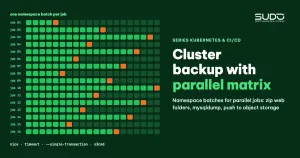
When a cluster runs dozens to hundreds of websites, a backup pipeline that processes sites one by one no longer makes sense: every site has to compress its web directory, dump its database and push to object storage, and the accumulated time is far too long for a single run. This document shows how to use the GitLab CI parallel matrix to split backup work into many parallel jobs by batches of namespaces, how to use resource_group to avoid piling load onto the database machine, how to dump MySQL safely on a machine that is serving traffic, how to push to object storage with s3cmd, and the common mistakes in the backup pipeline itself.
1. What a website backup contains
Before getting to the parallel matrix, be clear that each website on the cluster has two pieces of data to keep:
- The web directory on NFS:
public,plugins,lang,themes(see Helm charts with static NFS PersistentVolumes, claimRef and three probe types). - The database on a MySQL VPS outside the cluster (see MySQL in Kubernetes or outside the cluster: why we moved the database to a VPS).
Both are pushed to S3-compatible object storage under the path <bucket>/<YYYYMMDD>/<domain>/. The restore pipeline uses exactly this structure, so any backup can be loaded back with the process in Migrating websites to Kubernetes: a safe bulk migration process.
2. From a sequential loop to a parallel matrix
The simplest version is a single job with a for loop over every namespace carrying the chart's label (for example app=web). As the number of sites grows, switch to a parallel matrix: the job is multiplied into many copies, each handling one batch of namespaces.
Choosing the number of jobs and the batch size for a parallel matrix is a balancing act. Many small jobs each finish quickly, but you pay for container startup and loading the kubeconfig, and the runner has to carry many jobs at once. Fewer large jobs save on startup cost, but one slow job drags out the whole run. Two tips help:
- Use a prebuilt CI image with all the tools (kubectl, s3cmd, zip, ssh) instead of installing packages at the start of each job.
- Move deletion of old backups into a separate stage that runs last, instead of deleting inside the per-site loop.
3. How parallel matrix works
The parallel:matrix keyword multiplies one job into many jobs, one for each combination of variable values; GitLab creates at most 200 jobs per matrix (see the parallel:matrix documentation). Here the parallel matrix is only used to number the batches. The namespace list is fetched once in the first job and passed on as an artifact, so every job splits batches from the same list:
list_sites:
  stage: prepare
  script:
    - kubectl get namespaces -l app=web -o jsonpath='{.items[*].metadata.name}' | tr ' ' '\n' | sort > namespaces.txt
    - TOTAL=$(wc -l < namespaces.txt)
    - '[ "$TOTAL" -le $((16 * 20)) ] || { echo "Matrix capacity exceeded: $TOTAL sites"; exit 1; }'
  artifacts:
    paths: [namespaces.txt]
    expire_in: 1 day

backup_cluster:
  stage: backup
  image: { name: "<registry>/ci-tools:<tag>", entrypoint: [""] }
  needs: [list_sites]
  resource_group: database_backup_$RG
  parallel:
    matrix:
      - { RG: ["0"], LOOP: [0, 3, 6, 9, 12, 15], STEP: ["20"] }
      - { RG: ["1"], LOOP: [1, 4, 7, 10, 13],    STEP: ["20"] }
      - { RG: ["2"], LOOP: [2, 5, 8, 11, 14],    STEP: ["20"] }
  script:
    - START=$((LOOP * STEP + 1)); END=$((START + STEP - 1))
    - sed -n "${START},${END}p" namespaces.txt > batch.txt
    - '[ -s batch.txt ] || { echo "Empty batch"; exit 0; }'
    - FAILED=0
    - |
      while read -r NAMESPACE; do
        DOMAIN=$(kubectl get ingress -n "$NAMESPACE" -o jsonpath='{.items[0].spec.rules[0].host}')
        backup_one_site "$NAMESPACE" "$DOMAIN" || { echo "ERROR: $DOMAIN"; FAILED=$((FAILED+1)); }
      done < batch.txt
    - '[ "$FAILED" -eq 0 ] || exit 1'
The example above splits the work into 16 batches of 20 namespaces each, a capacity of 320 sites; the list_sites job fails early if that is exceeded. An empty batch exits with code 0. Each failed site is counted, and the parallel matrix job turns red if any site could not be backed up. The backup_one_site function wraps the steps in sections 4 and 5.
4. Getting the web directory and database details straight from the pod
For each namespace in the batch, the parallel matrix job picks a Running pod whose container is ready, then compresses the web directory inside the pod and streams it straight back to the runner:
kubectl exec -n "$NAMESPACE" "$POD_NAME" -- \
  sh -c "cd /var/www/html && zip -q -r - public plugins lang themes" > "$PATH_BACKUP_DATA"

DATABASE_HOST=$(kubectl exec $POD_NAME -n $NAMESPACE -- sh -c 'echo "$DB_HOST"')
DATABASE_NAME=$(kubectl exec $POD_NAME -n $NAMESPACE -- sh -c 'echo "$DB_DATABASE"')
zip -r - writes to stdout, so no temporary file is created in the container or on NFS. The database details are read from the pod's environment variables, which is exactly the configuration the site actually uses, independent of values files that may be out of date.
5. Dumping MySQL without slowing down the website
The database machine is still serving websites while the parallel matrix jobs run the backup. The dump command is written to yield resources and avoid locking tables:
timeout 1800 ssh backup@$DATABASE_HOST "nice -n 19 mysqldump \
    --defaults-extra-file=/etc/mysql/backup.cnf \
    --skip-tz-utc --single-transaction --quick --lock-tables=false \
    --routines --triggers --no-tablespaces $DATABASE_NAME" > "$PATH_BACKUP_DATABASE" \
  || return 1
[ -s "$PATH_BACKUP_DATABASE" ] || { echo "empty dump file"; return 1; }--single-transaction: for InnoDB tables, the dump reads within one consistent transaction while the website keeps writing normally (see the mysqldump 8.4 documentation).--quick: reads row by row instead of loading the whole table into memory.--no-tablespaces: if the user lacks thePROCESSprivilege, mysqldump errors out on the tablespace part without this option.nice -n 19: the dump process gets the lowest CPU priority.timeout 1800: one hung database does not hold the whole job for more than 30 minutes.--defaults-extra-file: the password lives in an option file with600permissions on the database machine, not on the command line wherepscan see it.- The
-scheck: an empty file is not pushed to storage, avoiding a "successful" backup that contains nothing.
6. resource_group: limiting how many jobs touch the database at once
resource_group guarantees that within a group, only one job runs at a time; other jobs in the same group queue up. Splitting the parallel matrix jobs into 3 groups means at most 3 dump jobs at once: enough parallelism without overwhelming the database machine.
A common mistake is writing resource_group: database_backup_$((LOOP % 3)) hoping to group jobs by remainder. GitLab only substitutes CI variables of the form $VAR in resource_group; it does not evaluate shell arithmetic $((...)) in YAML, and a resource group name only accepts letters, digits and a few characters such as -, _, /, $, {, }, . and spaces. The result is not the three groups the comment promised. The right way is to make the group a dimension of the parallel matrix, like the RG variable in the template in section 3: each matrix entry generates jobs carrying both RG and LOOP, and $RG is a real variable that GitLab can substitute.
7. Pushing to object storage and deleting old backups
Once a parallel matrix job finishes, each site has two files, <domain>_web_folders.zip and <domain>_backup.sql.zip, uploaded with s3cmd. Do not use the -P flag (public ACL) and then setacl --acl-private: between the two commands there is a window where the database dump is public, and if the second command fails the file stays public. Uploads are private by default.
s3cmd put "$PATH_BACKUP_DATABASE" "$S3_BUCKET/$(date -u +%Y%m%d)/$DOMAIN/"Delete old backups in a separate stage that runs last. The most robust approach is a bucket lifecycle rule (delete objects older than N days). If you must delete with a script, list the date directories that actually exist and compare them with the retention cutoff, instead of a fixed loop like "from 7 to 19 days ago": if the pipeline stops running for a few weeks, directories older than that range are never deleted. Use UTC dates consistently so directory names do not depend on the runner's time zone.
CUTOFF=$(date -u -d "-7 days" +%Y%m%d)
s3cmd ls "$S3_BUCKET/" | awk '{print $2}' | while read -r DIR; do
  D=$(basename "$DIR")
  if [[ "$D" =~ ^[0-9]{8}$ ]] && [ "$D" -lt "$CUTOFF" ]; then
    s3cmd del --recursive "$DIR"
  fi
done
A variable such as BACKUP_FOREVER=true can redirect the destination to a backup_projects/<domain>/ directory outside the deletion loop, used to keep a long-term backup before removing a site.
8. Common mistakes in a parallel matrix backup pipeline
- Fetching the namespace list in every parallel matrix job: when jobs wait on a resource group, they start at different times. If a site is created or removed in between, the indexes shift: one site gets skipped, another gets backed up twice. Fetch the list once and pass it on as an artifact.
- Swallowed errors: each error only leads to
continue, so the job stays green even though some sites have no backup. Count failed sites, fail the job and send an alert. - Exceeding the parallel matrix capacity: if the number of batches times the batch size is smaller than the number of sites, the remaining sites silently go without backup. Check early, as the
list_sitesjob does. - Printing passwords to the log for debugging, or passing the password through mysqldump's
-p. - Trusting a new host key on every run: running
ssh-keyscanand trusting the key outright skips the protection against machine spoofing. Storeknown_hostsin a CI variable in advance. - Never testing a restore: periodically pick a few random backups and run the restore pipeline into a test namespace.
9. A custom pipeline or a Kubernetes backup tool
Velero is a popular choice for backing up Kubernetes objects and volumes inside the cluster. But when the data you need to keep lives in two places outside its default reach, the database on a VPS and the directories on NFS, a parallel matrix pipeline that goes straight to those two places, using the same directory structure as the restore pipeline, is simpler.
| Gains | Losses |
|---|---|
| Backs up exactly the two things you need to restore, in the same format as the restore pipeline | Does not back up Kubernetes objects; site configuration relies on the values repo and separate pipelines |
| The parallel matrix shortens a backup run without extra infrastructure | You handle batching, database load limits and error reporting yourself |
| Runs on existing GitLab runners, scheduled with a pipeline schedule | The kubeconfig and SSH keys for the database machines live in CI variables and must be well protected |
With a parallel matrix, speed is only half the problem; the other half is reliability: knowing for sure which sites have a backup, and regularly checking that backups can be restored. The pipeline organization model is described in One operations pipeline per branch: automation with GitLab CI.
Next article
PriorityClass and placeholder pods: reserving capacity in a cluster. When nodes are packed full, how do you hold back some CPU and RAM for when you need it?