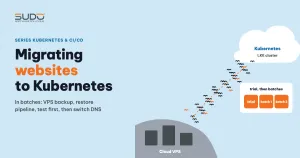
Moving one website from a VPS to Kubernetes is not hard. Moving dozens of websites without interrupting any of them takes a process. This document describes a process for migrating websites from VPS to a Kubernetes cluster in batches: preparing the infrastructure that will receive the sites, a pipeline that restores data from backups, the order for switching DNS and enabling HTTPS, how to test a site on the cluster without relying on public DNS, and the fallback path when something goes wrong.
1. Before migrating websites: prepare the destination
Migrating websites in bulk is not just running a pipeline many times. Each site needs a database, an NFS directory and a share of CPU and RAM on a node. Things that must be done before the big wave:
- Database: the MySQL machine that will receive the sites is ready, and the site creation pipeline already knows how to create databases there (see MySQL in Kubernetes or outside the cluster: why we moved the database to a VPS).
- Storage: enough NFS machines and disk space for the web data of the sites about to move.
- A stable chart: how volumes, probes and TLS are declared is settled. Do not change the chart while migrating websites. Helm charts with static NFS PersistentVolumes, claimRef and three probe types describes a chart stable enough for this.
- A per-site TLS switch in the chart and the pipeline (the reason is in section 3).
- Node capacity: estimate the requests of the sites about to move, and add nodes in advance if needed.
2. A pipeline for migrating websites: combining two existing pipelines
The pipeline for migrating websites does not need to be written from scratch. It can be a parent pipeline that combines two child pipelines that already run reliably in the One operations pipeline per branch: automation with GitLab CI model: creating a new site and restoring a site from backup.
migrate-site (parent)
 ├─ build:   take the .gitlab-ci.yml of the "create site" and "restore" branches as artifacts
 ├─ deploy:  trigger "create site" → namespace, database, NFS directory, helm install
 └─ restore: trigger "restore"     → fetch the site's backup from the old VPS, load it into the new site
             (needs: deploy, strategy: depend)
The inputs for each run of migrating websites include the domain, the source machine currently hosting the site, the backup date, the site type, the database machine, the NFS machine, the node pool and the TLS flag. The new site's database password is generated in the pipeline.
The data restore step
The data source when migrating websites is the backup: each site on the VPS has a backup consisting of an SQL file and the web directory on object storage. The restore child pipeline performs the following steps (abridged):
S3_PATH="s3://<bucket-backup>/<source-machine>/${DATE_RESTORE}/${DOMAIN}"
s3cmd get ${S3_PATH}/${DOMAIN}_backup.sql.zip  ./${DOMAIN}/
s3cmd get ${S3_PATH}/${DOMAIN}_web_folders.zip ./${DOMAIN}/

NAMESPACE_WEB="${DOMAIN//./-}"
POD_NAME=$(kubectl get pods -n "$NAMESPACE_WEB" --field-selector=status.phase=Running \
           -o jsonpath='{.items[0].metadata.name}')

# read the database details straight from the pod's environment variables
DATABASE_HOST=$(kubectl exec $POD_NAME -n $NAMESPACE_WEB -- sh -c 'echo "$DB_HOST"')

# load the SQL on the database machine, load the web directory into the NFS volume through the pod
scp ./${DOMAIN}/${DOMAIN}_backup.sql deploy@$DATABASE_HOST:/tmp/
ssh deploy@$DATABASE_HOST "mysql ... ${DATABASE_NAME} < /tmp/${DOMAIN}_backup.sql && rm /tmp/${DOMAIN}_backup.sql"
kubectl cp ./${DOMAIN}/${DOMAIN}_web_folders.zip ${NAMESPACE_WEB}/${POD_NAME}:/var/www/html/
kubectl exec ${POD_NAME} -n ${NAMESPACE_WEB} -- unzip -o /var/www/html/${DOMAIN}_web_folders.zip -d /var/www/html/

# delete the pod so initContainer and postStart run again on the freshly loaded data
kubectl delete pod ${POD_NAME} -n ${NAMESPACE_WEB}
Deleting the pod at the end is an easy detail to miss. The new pod runs the migrations again, clears the cache, regenerates robots.txt for the domain and publishes assets, all on the real data just loaded instead of the empty data from the fresh install. Remember to delete the zip file from the web directory after extracting it.
3. The order for switching DNS and enabling HTTPS
This is the part that decides whether a site is interrupted when migrating websites. On the VPS, the site runs with its own certificate. On Kubernetes, the certificate is issued by cert-manager via HTTP-01 (see ingress-nginx and cert-manager: automatic HTTPS on Kubernetes), and HTTP-01 only succeeds once the domain points to the cluster's NodeBalancer (details in the cert-manager HTTP-01 documentation). If you enable TLS as soon as the site is created, while DNS still points to the VPS, the certificate will hang in a pending state.
The safe order when migrating websites:
- Lower the TTL of the site's DNS record before the migration day, so the change propagates quickly when you switch.
- Create the site on the cluster with TLS disabled, or reuse an existing wildcard certificate if the domain qualifies (for example
tls.alreadyAvailable: true). For sites behind Cloudflare, Cloudflare handles user-facing HTTPS. - Restore the data from the latest backup, right before the DNS switch.
- Test the site on the cluster before DNS changes (section 4).
- Change the A record to the NodeBalancer IP.
- Enable TLS with
helm upgradeandtls.enabled: trueonce DNS points correctly, then check that the Certificate becomesReady.
Data created on the VPS between the backup and the DNS switch (orders, new posts) will not be on the cluster. For sites with continuous updates, freeze editing during the migration window, or run a fresh backup right before the restore step. Pick an off-peak window, outside content editing hours.
4. Testing when migrating websites: do not let the old VPS answer instead
The site creation pipeline usually has two checks using curl https://$DOMAIN: the first fails if the domain already returns 200 (to avoid duplicating a site that is already running), and the second waits until the site returns 200. For a site that is still live on the VPS, both are wrong: the first always blocks, because the VPS still returns 200; the second always passes immediately, because the old VPS is the one answering, not the cluster. The pipeline for migrating websites needs a variant that skips these two checks.
A real test must send requests straight to the NodeBalancer without relying on public DNS. curl's --resolve option does exactly that (see the curl documentation):
# force the domain to the NodeBalancer IP, bypassing public DNS
curl -sk -o /dev/null -w "%{http_code}\n" \
     --resolve site-a.example:443:<ip-nodebalancer> https://site-a.example/
curl -s  -o /dev/null -w "%{http_code}\n" \
     --resolve site-a.example:80:<ip-nodebalancer>  http://site-a.example/
A list of things to check for each site before switching DNS, which is also the condition for considering the job of migrating websites done:
- The home page and a few subpages return 200, and the content is the latest data.
- Old images display, and uploading a new image works (write permissions on NFS).
- You can log in to the admin area.
- The pod logs show no database connection errors or file permission errors.
- The pod passes both the startup and readiness probes and does not restart repeatedly.
5. Rollback when migrating websites
When migrating websites, there are two kinds of incidents, each needing its own fallback path.
The pipeline fails midway. A cleanup job (when: on_failure) deletes the newly created namespace and runs DROP DATABASE and DROP USER on the MySQL machine. The site on the old VPS is untouched, so you only need to fix the cause and run it again.
The site breaks after the DNS switch. The pipeline only reads the backup and never touches the site on the old VPS. As long as the old site is still running, rollback is just pointing the A record back to the old IP; the lowered TTL makes this take effect quickly. But the longer you wait, the more new data is written on the cluster, and a rollback after a few hours means bringing the database from the cluster back to the VPS, not just changing DNS. So the decision to keep or roll back should be made early, within the first hour after the switch. Only remove the site from the old VPS after a period of stable monitoring.
6. Trial run with a small batch first
Before migrating websites in bulk, trial a few sites to find what needs adjusting. Problems that often surface in the trial run:
- Requests and limits must be tuned per site. On the VPS, sites share resources, so nobody knows how much each one needs. Once on the cluster, each site needs its own numbers, measured from real usage (see Requests and limits, QoS and nodeAffinity: placing pods on the right nodes). Measuring before the move beats tuning afterward.
- TLS needs a switch. Sites whose DNS has not been changed yet, or that sit behind Cloudflare, need cluster-side TLS disabled to avoid stuck certificates.
- curl errors must not break the pipeline. When curl cannot connect, the HTTP status variable is empty and the numeric comparison in the shell throws a syntax error. Write
HTTP_STATUS=$(curl ... || true)and compare against${HTTP_STATUS:-000}.
7. Checklist for migrating websites to Kubernetes
| Do | Avoid |
|---|---|
| Combine existing pipelines (create site + restore) instead of writing new ones | Testing through public DNS while the old site is still live |
| Trial a small batch and finish adjusting before the big wave | Leaving data created between the backup and the DNS switch without a freeze process |
| Have the pipeline only read backups, keeping the site on the old VPS as a fallback | Enabling TLS before DNS points to the cluster |
| Prepare the database, NFS, chart and node capacity in advance | Changing the chart while migrating websites |
Migrating websites is not hard at the level of individual commands. The hard part is the order: infrastructure first, data close to the cutover, testing without DNS, switching DNS, and only then HTTPS. Keep that order and automate as many steps as possible, and moving dozens of sites in batches is within reach of a small team.
Next article
Backing up a whole cluster with GitLab parallel matrix and s3cmd. Once the cluster hosts a few dozen sites, sequential backups can no longer finish in one night.