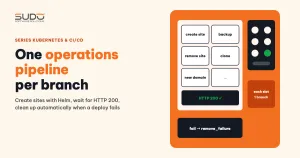
Once the sites on Kubernetes are created with GitLab CI, sooner or later you need other tasks too: back up one site, back up the whole cluster, remove a site, clean up after a failed creation. Instead of cramming every task into one giant .gitlab-ci.yml file with dozens of conditions, you can organize them like this: each task is an operations pipeline living on its own branch of the same repo. This document describes that model, a template operations pipeline that creates a site from a sample values file all the way to the website returning HTTP 200, the self-cleanup mechanism when a deploy fails, the backup pipelines, and the points to watch out for.
1. The one operations pipeline per branch model
GitLab CI always runs the .gitlab-ci.yml file of the exact ref (branch) that was requested. Taking advantage of that, the operations repo has an almost empty main branch (only a README and shared parts), while every other branch holds an independent operations pipeline with its own input variables and stages. The usual functional groups: create a site, remove a site, change a domain, back up one site, back up the whole cluster, and variants for experiments.
- Run from the UI: open Run pipeline, pick the branch, fill in the variables (
DOMAIN,DATABASE_NAME...) and start it. - Run through the API:
POST /projects/:id/pipelinewithrefset to the branch name and avariablesarray, exactly the API style from Bridging Bitbucket and GitLab CI with the API and polling. - Never run on push: every job has
rules: - if: $CI_PIPELINE_SOURCE == "web" || $CI_PIPELINE_SOURCE == "api". A push that edits the pipeline file will not accidentally create a site or drop a database.
You can predeclare input variables with descriptions in the variables block so the Run pipeline form shows hints to the operator:
variables:
  DOMAIN:
    value: ""
    description: "Site domain, for example site-a.example.com"
  DATABASE_NAME:
    value: ""
    description: "Name of the database to create"
2. A template operations pipeline for creating a site
The most important operations pipeline is the one that creates a site, with three stages:
prepare  ── check_exists         (shell runner)  stop if the site/namespace/database already exists
         ├─ create_nfs_folder    (shell runner)  SSH into the NFS machine, mkdir the site folder
         └─ create_helm_values   (shell runner)  clone the chart repo, generate values from the sample file
deploy   ── deploy_helm          (helm + kubectl image)
              create database → helm template → helm install --dry-run → helm install
              → wait for HTTP 200 → seed data → commit values to the repo
rollback ── remove_failure       (when: on_failure) clean up whatever this run created
The release name and namespace are derived from the domain by a YAML anchor shared by every job, for example site-a.example.com becomes site-a-example-com:
.init_variables: &init_variables
  - RELEASE_NAME="$(echo "$DOMAIN" | sed 's/\./-/g')"
  - NAMESPACE_WEB="$RELEASE_NAME"
Step 1: generate values from the sample file
In the operations pipeline, the create_helm_values job clones the chart repo, copies the sample values file to the site's values file, and then replaces each placeholder. The sample file and the chart were introduced in What is a Helm chart: packaging Laravel websites for repeatable deploys.
- cp -f $CHART_DIR/example/site-values.yaml $VALUES_FILE
- sed -i "s|\[DOMAIN\]|$DOMAIN|g" $VALUES_FILE
- sed -i "s|\[DB_HOST\]|$DATABASE_HOST|g" $VALUES_FILE
- sed -i "s|\[NFS_IP\]|$NFS_IP|g" $VALUES_FILE
- sed -i "s|\[POOL_WEB_ID\]|$POOL_WEB_ID|g" $VALUES_FILE
# ... the remaining placeholders, including the randomly generated DB password
The modified folder is passed to the next stage as an artifact with a short expire_in (a few days), because the artifact contains secrets. With many placeholders, yq or Helm's --set is safer than sed.
Step 2: create the database and install the Helm release
The operations pipeline creates the database (through the mysql client to the database machine, or kubectl exec into the MySQL pod if the database runs inside the cluster), then renders the manifests for inspection, does a dry run and finally installs for real:
- helm template $RELEASE_NAME $CHART_DIR -f $VALUES_FILE --debug > rendered.yaml
- helm install $RELEASE_NAME $CHART_DIR -f $VALUES_FILE --dry-run -n $NAMESPACE_WEB --create-namespace
- helm install $RELEASE_NAME $CHART_DIR -f $VALUES_FILE -n $NAMESPACE_WEB --create-namespace
Step 3: wait for the website to return HTTP 200 before seeding
A successfully installed Helm release does not mean the site works yet: the pod still has to pull the image, the initContainer has to run migrations, and cert-manager has to request a certificate. The operations pipeline polls https://$DOMAIN periodically (for example every 3 seconds) up to a time limit:
for i in $(seq 1 $MAX_TRIES); do
  HTTP_STATUS=$(curl -L -k -o /dev/null -s -w "%{http_code}" "https://$DOMAIN")
  [ "$HTTP_STATUS" -eq 200 ] && break
  sleep 3
done
[ "$HTTP_STATUS" -eq 200 ] || { echo "Site is not up yet"; exit 1; }
Once the site is up, the job uses kubectl exec into the pod to run the initial data seeding commands (for example php artisan db:seed --class=...) and fix the permissions of the storage folder.
Step 4: commit the values to the repo
The last step pushes the site's values file to the chart repo with a message like update value <domain>. Because several operations pipelines may run at the same time, the push command should be wrapped in a retry function: if the push fails, git pull --rebase the latest version and try again, with a limited number of attempts. The values repo thus becomes a register of every site that has been created.
3. An operations pipeline that is safe to run by mistake
An operations pipeline run that fails halfway leaves garbage behind: a namespace with broken pods, a MySQL database and user that nobody uses. On the other hand, a carelessly written operations pipeline can break a live site. Four principles:
- No
DROP DATABASE IF EXISTSbefore creating. Running it by mistake with the domain of a live site means losing data. OnlyCREATE DATABASE; if the name already exists, it errors out and stops. - Use
helm install, nothelm upgrade --installwhen the intent is to create something new. If the release already exists, it reports an error instead of silently overwriting the configuration. - Check for existence at the start of the operations pipeline using several signals: namespace, Helm release, database, NFS folder. Do not rely on HTTP 200 alone, because a site that is currently broken will not return 200.
- The cleanup job only deletes what this very run created.
A simple way to implement principle 4 is to have each step record "what was created" in an artifact file, and have the cleanup job read only that file:
deploy_helm:
  script:
    - echo "" > created.env
    - mysql ... -e "CREATE DATABASE \`$DATABASE_NAME\`;"
    - echo "DB=1" >> created.env        # separate line: if the previous command fails, the job stops right away
    - kubectl create namespace $NAMESPACE_WEB
    - echo "NS=1" >> created.env
    - ...
  artifacts:
    when: always
    paths: [created.env]

remove_failure:
  stage: rollback
  needs: [deploy_helm]
  when: on_failure
  script:
    - *init_variables
    - . ./created.env
    - if [ "$NS" = "1" ]; then kubectl delete namespace "$NAMESPACE_WEB" --wait=false; fi
    - if [ "$DB" = "1" ]; then mysql ... -e "DROP DATABASE \`$DATABASE_NAME\`; DROP USER IF EXISTS ..."; fi
Do not forget the folder on NFS: if the rollback does not clean it up, it becomes an orphan folder. And break the operations pipeline on purpose to test the rollback path, for example by temporarily inserting exit 1 right after the HTTP 200 wait step in a run with a test domain. Testing the failure path deliberately is much cheaper than waiting for it to happen for real.
4. Operations pipelines for backups
The two operations pipelines for backups share the same techniques:
- Backing up one site: find a ready pod of the site, run
kubectl exec ... zip -r - publicto compress the upload folder and stream it straight back to the runner, read the database name from the site's ConfigMap, runmysqldump, then push both to object storage (for example withs3cmd). - Backing up the whole cluster: walk the values folder in the chart repo to get the list of sites, loop over each site as above, store the results in dated folders, then delete old copies past the retention period.
Writing bash loops inside YAML makes variable bugs very easy. A typical bug: naming the dump file after a variable left over from a previous loop iteration, so every database writes to the same file name and overwrites the others. A second bug: the operations pipeline does exit 0 when no site is found, so it still reports green even though there is no backup at all. An operations pipeline for backups must go red when nothing was backed up, and file names must be tied to the right object of the current loop iteration.
5. GitLab CI techniques used in the operations pipeline
- YAML anchors (
&init_variables,*init_variables) to reuse the commands that prepare the kubeconfig, SSH and variables across jobs. - Runner tags: jobs that need to SSH into machines in the private network run on the
shellrunner; jobs that need Helm and kubectl run in an image that ships both tools (for exampledtzar/helm-kubectl) on thedockerrunner. - needs and artifacts: the deploy job waits for exactly the preparation jobs it depends on and receives the values folder as an artifact.
- when: on_failure for the cleanup job.
- Secret variables of the operations pipeline, such as the base64-encoded kubeconfig, live in the project's CI/CD variables (masked, protected), not in files.
The full syntax is in the .gitlab-ci.yml reference, and how to use anchors and extends is on the GitLab CI YAML optimization page.
6. Pros and cons of the model
| Pros | Cons |
|---|---|
| Each operations pipeline is independent, so changing backups does not affect site creation | Shared commands (kubeconfig, SSH, push) are copied into every branch; a fix in one place has to be repeated on every branch |
| Each task has its own separate git history | The main branch does not show the big picture; to see which tasks exist you have to list the branches |
| The Run pipeline form works per branch: just pick the right branch and fill in the variables | Input variables have no type checking, so a mistyped domain runs with the wrong domain |
Other systems can call it through the API with ref set to the branch name | A high-privilege kubeconfig travels with every run |
The natural improvements are to move the shared parts into one file and include it from every branch, add a validation step for input variables, or switch to a single pipeline that takes an ACTION variable and uses rules to pick jobs. While the number of tasks is still small, the one operations pipeline per branch model remains the easiest for the whole team to understand.
7. Operations pipeline checklist
- Jobs run only when called from the UI or the API, never on push.
- No
DROPbeforeCREATE, noupgrade --installwhen the intent is to create something new. - Check for existence with several signals; rollback only cleans up what it created, including the NFS folder.
- The operations pipeline has been broken on purpose at least once to test the rollback path.
- "Installed" is not the same as "working": wait for a signal from the website itself before seeding and reporting success.
- The operations pipeline for backups goes red when nothing was backed up.
- Artifacts that contain secrets have a short expiry.
Next article
Logging on Kubernetes: from promtail and fluentd to Loki. Logs from many sites are scattered across individual pods: the options for collecting them in one place, why we chose Loki, and the limitations you should know about.