Deploying by using sed to edit a few manifest lines and then running kubectl apply works for one site. But a Laravel website on Kubernetes needs close to ten objects: Deployment, Service, Ingress, Certificate, ConfigMap, Secret, an image pull secret, HPA. Multiply that by dozens of sites, and copying manifests and editing them by hand will certainly lead to drift. This is when you need a Helm chart. This guide explains what a Helm chart is, the structure of a chart for a Laravel website, how to organize values per site, how to declare NFS right in the Deployment, the concepts of release, revision and rollback, and a comparison with standalone manifests.
1. What is a Helm chart
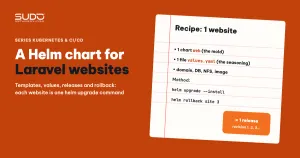
Helm is a package manager for Kubernetes, like apt for Debian or composer for PHP. Helm's packaging unit is called a chart. A Helm chart has two parts:
- templates: Kubernetes manifest files with blanks, written in Go template syntax (
{{ .Values.domain }}). - values: the values that fill the blanks, set in the default
values.yamland overridden with a separate file (-f) or the--setflag.
The remaining three concepts:
- release: one installation of a Helm chart into the cluster, with its own name. With the same chart, each website is a release.
- revision: each
helm upgradecreates a new revision of the release, numbered 1, 2, 3... - rollback: returns a release to the manifests and values of an older revision.
With Helm 3, each revision's information is stored as a Secret in the release's namespace (named like sh.helm.release.v1.<release>.v<number>), with no component running in the cluster. The reference documentation on Helm chart structure is the Helm Charts page.
2. Creating a Helm chart with helm create
The quickest way is to generate a Helm chart skeleton with helm create web and then adjust it. The generated chart carries many default values that need fixing right away, most visibly in Chart.yaml:
apiVersion: v2
name: web
description: A Helm chart for Kubernetes
type: application
version: 0.1.0         # chart version, bump it every time the templates change
appVersion: "1.16.0"   # sample value, change it or do not use it as the image tag
A sensible process when moving to a Helm chart: write the templates, run helm template with the values of a test site, fix things until the generated manifests match the standalone set currently running, and only then try installing on the cluster.
3. Helm chart structure for a Laravel website
web/
├── Chart.yaml
├── values.yaml              # default values
├── example/
│   └── site-values.yaml     # sample values with placeholders for the pipeline
└── templates/
    ├── _helpers.tpl         # shared naming and label functions
    ├── deployment.yaml      # Laravel + migrate initContainer
    ├── service.yaml
    ├── ingress.yaml         # ingress-nginx, TLS
    ├── certificate.yaml     # cert-manager, Let's Encrypt ClusterIssuer
    ├── configmap.yaml       # non-secret environment variables
    ├── secret.yaml          # APP_KEY, DB password...
    ├── regcred.yaml         # secret for pulling images from the registry
    ├── hpa.yaml
    ├── serviceaccount.yaml
    ├── NOTES.txt
    └── tests/test-connection.yaml
Each file in the Helm chart's templates/ corresponds to an object we used to write by hand. The ConfigMap and Secret keep the layout from ConfigMap and Secret: Laravel environment variables on Kubernetes, and the Ingress and Certificate keep the approach from ingress-nginx and cert-manager: automatic HTTPS on Kubernetes. The difference is that every name, domain and password now comes from values.
4. _helpers.tpl: naming and labels in one place
_helpers.tpl holds named templates, called with include. The two most important functions in the Helm chart:
{{- define "web.fullname" -}}
{{- $name := default .Chart.Name .Values.nameOverride }}
{{- if contains $name .Release.Name }}
{{- .Release.Name | trunc 63 | trimSuffix "-" }}
{{- else }}
{{- printf "%s-%s" .Release.Name $name | trunc 63 | trimSuffix "-" }}
{{- end }}
{{- end }}

{{- define "web.selectorLabels" -}}
app.kubernetes.io/name: {{ include "web.name" . }}
app.kubernetes.io/instance: {{ .Release.Name }}
{{- end }}- fullname: the base name for every object in the release. It is cut at 63 characters because the names of many object types must be valid DNS labels.
- selectorLabels: the label set the Deployment uses to select pods and the Service uses to find them. Both sides use the same function, so they cannot drift apart.
- You can add an imagePullSecret function that combines the username and password from values into a base64-encoded
.dockerconfigjsonstring for the image pull Secret.
How to write named templates is explained in the named templates section of the Chart Template Guide.
5. Values: one template file, one copy per site
The default values.yaml holds shared values: image, resources (chosen as in Requests and limits, QoS and nodeAffinity: placing pods on the right nodes) and Ingress annotations. Each site has its own values file, generated from a template file with placeholders for the pipeline to replace (trimmed, secrets replaced with <...>):
domain: "[DOMAIN]"
appName: "[APP_NAME]"
dbHost: "[DB_HOST]"
dbDatabase: "[DB_DATABASE]"
image:
  repository: [IMAGE_NAME]
  tag: "[IMAGE_TAG]"
autoscaling:
  enabled: true
  minReplicas: 1
  targetCPUUtilizationPercentage: 80
volumes:
  nfsIp: [NFS_IP]
  nfsSharedFolder: [NFS_SHARED_FOLDER]
ingress:
  enabled: true
  className: nginx
  annotations:
    nginx.ingress.kubernetes.io/proxy-body-size: "128m"
    nginx.ingress.kubernetes.io/proxy-read-timeout: "3600"
Store each site's values file in Git, organized by cluster directory and site name, and let the pipeline commit it after each deploy. Then, to know what configuration a site runs with, you only need to open one file.
The downside: each site's values contain the database password, APP_KEY and registry credentials. The repo holding the values must be private with narrow access, and the secret parts should be encrypted (for example helm-secrets with SOPS) or moved to a dedicated secrets management tool from the start.
6. NFS declared inline in the Deployment
Laravel websites usually need to keep user uploads and customized themes outside the container. The simplest way is to declare an NFS volume directly in the pod template, without a PersistentVolume or PersistentVolumeClaim:
volumes:
- name: {{ include "web.fullname" . }}-volume
  nfs:
    server: {{ .Values.volumes.nfsIp }}
    path: {{ .Values.volumes.nfsSharedFolder }}/{{ include "web.fullname" . }}
    readOnly: false
The container mounts subdirectories with subPath, for example public, themes, plugins and storage/framework/sessions. Each site has its own directory on the NFS server, named after the release's fullname.
| Gains | Losses |
|---|---|
| Simple: no PV or PVC to create for each site | Inline volumes have no place to declare mountOptions (NFS version, timeouts...); only a PersistentVolume does |
| Deleting a release does not touch the data on NFS | The directory on NFS must exist beforehand, so the pipeline has to create it |
| Predictable paths, easy per-site backups | Kubernetes knows nothing about the volume's capacity or lifecycle; access control relies on the NFS server's export configuration |
Compared with the volume types in Volume, PersistentVolume, PVC and StorageClass on Kubernetes, this is the simplest choice, and enough for the early stage while there are still few sites.
7. Release, revision and rollback in practice
The pipeline installs the Helm chart for each site (here the release name matches the namespace, one namespace per site):
# render the manifests for review, without touching the cluster
helm template $RELEASE ./web -f $VALUES_FILE --debug

# server-side dry run
helm upgrade --install $RELEASE ./web -f $VALUES_FILE \
  -n $RELEASE --create-namespace --dry-run

# install or upgrade
helm upgrade --install $RELEASE ./web -f $VALUES_FILE \
  -n $RELEASE --create-namespace
Everyday commands for releases:
helm list -A                         # every release on the cluster
helm history <release> -n <ns>       # revisions, times, statuses
helm get values <release> -n <ns>    # values in use
helm rollback <release> 3 -n <ns>    # go back to revision 3
helm uninstall <release> -n <ns>
A trap to know when using a Helm chart: if the image uses a fixed tag with pullPolicy: Always and new code is pulled in by changing a label in the pod template, then helm rollback only returns the label to its old value; the pods are recreated but still pull the latest build of the same tag. Helm's rollback then restores only the configuration, not the code. Data on NFS and in the database does not roll back either. To be able to roll back code, the tag must be tied to the code version. Command details are on the helm rollback page.
8. Standalone manifests or a Helm chart
| Criterion | Standalone manifests + sed | Helm chart |
|---|---|---|
| Add a site | Copy the whole directory, change names in many files | One values file, one helm upgrade --install command |
| Change shared configuration | Edit every copy | Edit the template once, upgrade the releases one by one |
| Know what was deployed and when | Only the file's git log | helm history per release |
| Remove a site | Remember to delete every object | helm uninstall deletes every object of the release |
| Readability | Plain YAML, anyone can read it | You have to read Go templates; whitespace and nindent are easy to get wrong |
| Debugging | Look straight at the file | Run helm template to see the real manifests |
9. Common mistakes when writing a Helm chart
- Namespace hard-coded in templates. Setting
namespace: {{ fullname }}in every file easily drifts from the namespace passed with-n. Remove the namespace field from templates entirely and let Helm assign it from-n. - The HPA cannot find the Deployment. The
scaleTargetRef.namegenerated byhelm createis{{ fullname }}; if you rename the Deployment to{{ fullname }}-deployment, the HPA points at nothing. When you rename an object, search for every place that references it, including test files. - Changing the selector once releases exist. A Deployment's selector cannot be changed after creation; an upgrade reports
field is immutable. Settle the selector before any real sites exist. - Errors hiding in conditional branches. A
{{- with .Values.podSecurityContext }}block that callstoYamlwith a missing argument will never surface its error while the value is empty. Runhelm templatewith several different sets of values to cover the branches. - Image tag falling back to appVersion. The default template uses
.Values.image.tag | default .Chart.AppVersion. If the values forget the tag, Helm uses1.16.0, a tag that does not exist, and the pod gets stuck inImagePullBackOff.
10. Recommendations
- A Helm chart pays off from the second site onward. For a single site, standalone manifests are still easier to understand.
- A Helm chart generated by
helm createcarries many default values: reread every line, especially object names and cross-references. - Always run
helm template --debugand--dry-runbefore a real install; these two steps are cheap and catch most syntax errors. - Helm's rollback is no substitute for an image tagging strategy.
- The values of a Helm chart are where secrets concentrate: decide early how to protect them.
Next article
Bridging Bitbucket and GitLab CI with the API and polling. The code lives on Bitbucket while the build and deploy pipeline runs on GitLab: how the two sides talk to each other with one curl command and a loop that waits for the result.