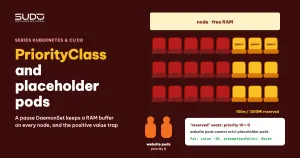
As you pack websites more tightly onto each Kubernetes node, you will need a resource buffer: headroom so that one site suddenly bloating its RAM does not push the whole node into memory pressure, or headroom so that a new pod can start right away without waiting for an extra node. The common approach is to run "placeholder pods" using the pause image together with a dedicated PriorityClass. This article explains how PriorityClass and preemption work, how to design placeholder pods, and the most common trap: setting a positive value, which means the placeholder pods never give up their space the way you expect.
1. When you need placeholder pods
For the basics of requests, limits and QoS, revisit Requests and limits, QoS and nodeAffinity: placing pods on the right nodes. The key point: the scheduler places pods by request, while the kernel kills pods by actual usage. When you lower limits to fit more sites on a node, the sum of limits can easily far exceed the real RAM, and it only takes a few sites growing at the same time for the node to fall into memory pressure.
Placeholder pods address two different needs, and you have to choose clearly which one you want:
- Hard buffer: always keep part of the RAM on each node free, so that no pod can take it.
- Elastic headroom (overprovisioning): reserve space in advance, but when a real pod needs it, it pushes the placeholder pod out and runs immediately.
Which one you choose determines the number you set on the PriorityClass.
2. What a PriorityClass is and how preemption works
A PriorityClass is a cluster-level object that assigns a priority number to pods. A pod references it through the priorityClassName field. According to the Pod Priority and Preemption documentation, this number is used in two places:
- Scheduling order: pods with higher priority are considered first by the scheduler in its queue.
- Preemption: when a pod no longer fits on any node, the scheduler looks for a node where evicting some pods with lower priority would make the new pod fit. Only lower-priority pods can be chosen as "victims". Pods with equal or higher priority never are.
A pod that does not declare priorityClassName has priority 0, unless the cluster has a PriorityClass with globalDefault: true. Most application charts do not declare this field, so application pods usually have priority 0. In addition, a cluster always has two system PriorityClasses: system-cluster-critical (2000000000) and system-node-critical (2000001000), reserved for CoreDNS, the CNI and similar components.
Each PriorityClass also has a preemptionPolicy. The default is PreemptLowerPriority: pods of this class may push out lower-priority pods. Set it to Never and the pod just waits in the queue without pushing anyone out.
Check the actual priority of running pods before setting any number:
kubectl get priorityclass
kubectl get pods -A -o custom-columns=NS:.metadata.namespace,NAME:.metadata.name,PRIO:.spec.priority
3. Designing placeholder pods with a pause DaemonSet
The template below reserves space on every node of a web node pool. On LKE, the pool label is lke.linode.com/pool-id. On other platforms, replace it with the corresponding node pool label or a label you add yourself.
apiVersion: scheduling.k8s.io/v1
kind: PriorityClass
metadata:
  name: reserve-placeholder
value: -10                    # lower than the priority 0 of application pods
preemptionPolicy: Never       # placeholder pods never preempt other pods
globalDefault: false
description: "Placeholder: app pods (priority 0) preempt it when a node is full."
---
apiVersion: apps/v1
kind: DaemonSet
metadata:
  name: reserve-resource
  namespace: kube-system
spec:
  selector:
    matchLabels:
      app: reserve-resource
  template:
    metadata:
      labels:
        app: reserve-resource
    spec:
      nodeSelector:
        lke.linode.com/pool-id: "<pool-web>"
      priorityClassName: reserve-placeholder
      containers:
        - name: pause
          image: registry.k8s.io/pause:3.9
          resources:
            requests: { memory: 1200Mi, cpu: 100m }
            limits:   { memory: 1200Mi, cpu: 100m }
How this template works:
- The DaemonSet places exactly one pod on each node of the pool. When you add a node, the new node automatically gets a placeholder pod.
- The
pauseimage consumes almost no resources, but the1200Mirequest makes the scheduler treat that amount as taken. For example, on an 8 GB node that is about 15% of allocatable. - Because the pause pod does not actually use that RAM, it stays physically free. A site that grows beyond its request (while still under its limit) has room to grow.
- A negative PriorityClass value lets new application pods push out the pause pod when the node is full.
Requests equal limits, so the pause pod falls into the Guaranteed QoS class. Be careful with tolerations: operator: Exists: it makes the pod tolerate every taint, including the resource pressure taints that the node adds by itself. Only add the tolerations you really need.
4. The trap: a positive PriorityClass value
The most common mistake is naming the class something like reserve-low, writing description: "Low priority so it is evicted first", but then setting value: 10. Anyone reading the file sees the word "low" and assumes 10 is low. In Kubernetes, low or high only means something relative to other pods. Compared with the priority 0 of application pods, 10 is high.
The consequences, following the mechanism exactly:
- Preemption never happens. An application pod can only push out pods with a lower priority than its own. When the pool runs out of room by request, the new pod sits in
PendingwithInsufficient memory, and the scheduler reports that it found no victims. The pause pod stays put. - The kubelet does not pick it first either. According to Node-pressure Eviction, the kubelet first considers pods using more than their request, and only then looks at priority. The pause pod uses close to zero of its request, so it lands at the bottom of the list.
- Even less so the OOM killer. A
Guaranteedpod has the lowestoom_score_adjamong regular pods. The kernel kills the bloating site first.
The result is that you have a hard reservation, not elastic headroom. That is not entirely useless, because the free RAM still acts as a buffer for sites that bloat suddenly. But it is completely different from the behavior the description promises, and the next operator will guess the cluster's behavior wrong.
5. Fixing a PriorityClass you already created
The value of a PriorityClass is an immutable field. To change it from positive to negative:
- Delete the old PriorityClass and create it again with the new
value(same name or a new one). - Restart the DaemonSet so the pods are recreated:
kubectl -n kube-system rollout restart ds/reserve-resource. Running pods keep the priority assigned when they were created. - Check the
PRIOcolumn again with the command from section 2.
preemptionPolicy: Never prevents a placeholder pod, when the DaemonSet recreates it after it has been pushed out, from turning around and pushing out other pods. It stays Pending until the node has room. A placeholder pod in Pending is exactly the signal you should alert on: "this node has used up its buffer, add more nodes".
6. Two ways to use PriorityClass, two goals
| Positive PriorityClass value | Negative PriorityClass value | |
|---|---|---|
| Nature | Hard reservation, like increasing the node's reserved resources | Elastic headroom that real pods can take when needed |
| When the pool is full | New application pods stay Pending | New application pods push out the pause pod and run immediately |
| Buffer for sites bloating RAM | Always fully intact | Shrinks as new pods take the space |
| Operational signal | Application pods Pending (already late) | Placeholder pods Pending (early warning) |
If the real goal is a hard buffer, the standard way is the kubelet's --kube-reserved or --system-reserved flags. On a managed cluster like LKE, nodes are built by the platform and replaced on every recycle or upgrade, so hand-editing the kubelet on each node does not last. A pause DaemonSet with a positive priority reaches the same goal and only needs kubectl apply permission. That approach is acceptable, as long as the name and description say exactly what it does.
7. Relaxing probes when packing pods more tightly
Packing pods tightly usually comes with lower limits, and a pod running close to its ceiling responds more slowly during startup or when busy. Frequent liveness checks with a short timeout easily mistake a busy pod for a dead one, then restart it exactly when it needs resources the most. Here is an example of a more relaxed configuration for a Laravel application, based on the three probe types in Helm charts with static NFS PersistentVolumes, claimRef and three probe types:
startupProbe:   { httpGet: { path: /startup },   initialDelaySeconds: 15, periodSeconds: 10, timeoutSeconds: 5, failureThreshold: 12 }
livenessProbe:  { httpGet: { path: /liveness },  initialDelaySeconds: 30, periodSeconds: 30, timeoutSeconds: 5, failureThreshold: 3 }
readinessProbe: { httpGet: { path: /readiness }, initialDelaySeconds: 10, periodSeconds: 10, timeoutSeconds: 5, failureThreshold: 3 }
The startup probe above gives the application up to about 135 seconds (15 + 12 × 10) to finish starting before liveness begins counting.
8. Checklist for using PriorityClass with placeholder pods
- List the actual priorities of running pods before setting
value. - Choose the goal clearly: a hard buffer (positive value or kube-reserved) or elastic headroom (negative value,
preemptionPolicy: Never). - Test by behavior, not by name. On a test cluster, create a priority 0 Deployment with a request larger than the node's remaining free space, then see whether the pause pod gets pushed out.
- Write a truthful
description. A wrong description in a manifest is worse than none. - Alert when placeholder pods are Pending so you know early when more nodes are needed.
- Change one thing at a time. If you change the pool, relax probes, lower limits and add placeholder pods all at once, it is hard to tell which one had an effect. Record each step so you can trace back.
When moving many websites onto a cluster as in Migrating websites to Kubernetes: a safe bulk migration process, pod density per node rises quickly, and that is when you should consider placeholder pods. The other articles in the series are in the Sudo technical blog.
Next article
Spinning up a Kubernetes cluster quickly for a microservice project. Building a new cluster for a microservice project with shared charts and existing pipelines, plus the points to review when reusing configuration from an old cluster.