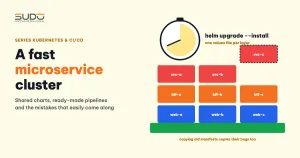
Building a new Kubernetes cluster for a microservice project can take several weeks if you do every step by hand, or only about half a day if every component has been standardized in advance. The difference is not how fast you type commands, but whether the infrastructure, charts, pipelines and database are ready to be repeated. This article describes a three-layer microservice architecture (business services, BFF, web frontend), the conditions for building a cluster quickly, the order of the steps, and the mistakes that tend to be carried over when reusing configuration from an old cluster.
1. A three-layer microservice architecture: services, BFF and web
             Internet (HTTPS)
                    │
            Load balancer → ingress controller
       ┌────────────┼─────────────┐
  example.com  partner.example.com  admin.example.com      ← web frontend (Next.js)
       │            │             │   call the API through public domains
  api.example.com  partner-api...  admin-api...            ← BFF (Laravel)
       └────────────┼─────────────┘
                    │  internal HTTP: <svc>.<ns>.svc.cluster.local
          ┌─────────┼─────────┐
        svc-a     svc-b     svc-c                         ← business microservices
          └─────────┼─────────┘                              no Ingress
                    │  TCP 3306 over the private network
MySQL on a dedicated VPS, outside the cluster- Business microservice: each microservice owns one part of the business logic and its own database, has no Ingress, and only accepts requests from inside the cluster.
- BFF (Backend for Frontend): each user group (customers, partners, administrators) has its own backend, which handles authentication, aggregates data from multiple services and returns exactly the format the frontend needs.
- Web frontend: the interface for each user group, calling the corresponding BFF.
The benefit of a BFF in a microservice architecture is that the frontend does not need to know how many services sit behind it, and each service does not have to bend to the specific needs of every interface. The price is that the number of components to deploy is many times higher than for a monolithic Laravel application. So whether the build is fast or slow depends almost entirely on whether deploying those components is repeatable.
Each microservice calls the others by internal DNS names of the form <service>.<namespace>.svc.cluster.local, as described in DNS for Services and Pods. The addresses of other services are passed in through a ConfigMap, so the same image can run in any cluster.
2. Four conditions for building a microservice cluster quickly
Cluster infrastructure from an existing script
Creating the cluster and node pools, and installing the ingress controller, cert-manager, ClusterIssuer and Prometheus should be one pipeline, as in Provisioning infrastructure with the Linode API: cluster, NFS and MySQL via pipeline. With a script, the new cluster is identical to the old one in versions and installation method, and you do not have to rethink any step.
One shared chart for every component
Every business microservice, every BFF and even the Next.js web apps can be deployed with a single chart, as in Shared charts: reusing Helm for Laravel, MySQL and Redis. The chart has blocks that are switched on and off through values, so the differences between layers live only in the values files:
| Chart block | Business microservice | BFF | Next.js web |
|---|---|---|---|
initContainers (migrate) | On | Off | Off |
ingress | Off | On | On |
| Probes | /live, /health, /ready | /live, /health, /ready | /health |
| ConfigMap | DB, URLs of other services | DB, service URLs, JWT configuration | Public URL of the BFF |
Example values for a business microservice:
replicaCount: 2
fullnameOverride: "svc-a"
image:
  repository: registry.example.com/svc-a
  tag: "<sha of the build>"
configMap:
  appEnv: production
  logChannel: stdout
  dbHost: 10.0.1.20                 # MySQL on a VPS, outside the cluster
  svcBUrl: http://svc-b.svc-b.svc.cluster.local
  svcCUrl: http://svc-c.svc-c.svc.cluster.local
resources:
  requests: {cpu: 250m, memory: 300Mi}
  limits:   {cpu: 800m, memory: 600Mi}
initContainers:
  enabled: true
  command: "php artisan migrate --force"
ingress:
  enabled: false                    # reachable only from inside the cluster
startupProbe:   {enabled: true, path: /live}
livenessProbe:  {enabled: true, path: /health}
readinessProbe: {enabled: true, path: /ready}
Deploying any microservice component uses identical commands, differing only in the release name and values file:
helm upgrade --install svc-a charts/laravel-app \
  -f values/svc-a/prod.yaml -n svc-a --create-namespace
A build pipeline and values repo that already work
Every time a developer pushes code, the pipeline builds the microservice image, writes the new tag into values, then runs helm upgrade, following the mechanism in One operations pipeline per branch: automation with GitLab CI. When moving to a new cluster, the images, values and deploy method all stay the same. The only things that change are the kubeconfig, the database address and the node pool labels.
The database lives outside the cluster
If the MySQL for each microservice runs on a dedicated VPS, as in MySQL in Kubernetes or outside the cluster: why we moved the database to a VPS, the new cluster does not need to set up StatefulSets or move volumes. Pods only need to point dbHost at the MySQL machine over the private network. The hardest part of any move is the data, and it is not in the cluster.
3. The order of steps for building a microservice cluster
- Create the cluster and node pools with the infrastructure pipeline. Wait until every node is
Ready. - Install the ingress controller and confirm the load balancer has a public IP.
- Install cert-manager and the ClusterIssuer, and check that the CRDs are ready before creating any Certificate.
- Commit the values for the new cluster: database address, node pool labels, domains. Commit first, deploy second.
- Deploy the business microservices first, because the BFFs depend on them. Check that the migration in the initContainer has finished.
- Deploy the BFFs, then the web frontends. Call each health endpoint as a test.
- Install monitoring and alerting, and only then point production DNS.
Quick checks after deploying:
kubectl get pods -A | grep -v Running
helm list -A
kubectl -n svc-a exec deploy/svc-a -- curl -s -o /dev/null -w '%{http_code}\n' http://svc-b.svc-b.svc.cluster.local/health
4. The good parts to bring to a new microservice cluster
- Three separate health endpoints.
/livefor startup,/healthfor liveness,/readyfor readiness. The application can fail/readywhen the database is slow without making the kubelet restart the pod. - A dedicated ServiceAccount for each release, instead of sharing
default. - The image is a complete build. No hook copies code at startup. Volumes, when needed, only mount data directories.
- Probes already relaxed to fit the actual limits, avoiding restarts of busy pods.
5. Mistakes carried over when reusing microservice configuration
Copying manifests means copying their bugs
A manifest that works in the old cluster is not necessarily correct. A typical example is the placeholder DaemonSet with a positive PriorityClass value, analyzed in PriorityClass and placeholder pods: reserving capacity in a cluster: copy it to the new cluster and the "placeholder pods are never preempted" bug comes along. Before moving a manifest to another cluster, reread it with the eyes of someone who has never seen it.
Deploy first, commit values later
When you are in a hurry, it is very easy to run helm install with a values file edited on your machine and leave the commit for the next day. In the meantime, the repo still points at the old database and node pools. If the build pipeline runs at that moment and does helm upgrade with the values in the repo, the application gets pointed back at the old database. The rule: the repo is the source of truth; commit values first, deploy second.
Manual steps without explanation
A runbook entry like "delete the ConfigMap before helm upgrade" with no reason given means the next person either skips it or follows it without understanding. The root cause is usually that the Deployment template lacks a checksum annotation for the ConfigMap and Secret, so after changing environment variables the pods do not restart on their own. The root fix is covered in helm upgrade does not change environment variables: the missing checksum annotation and in Helm's Charts Tips and Tricks guide. With a shared chart, one fix benefits every project.
A single replica and a fixed image tag
- One replica for every Deployment means that when a node fails, the pods on it stop until they are rescheduled. BFFs and critical services should have at least two replicas plus a PodDisruptionBudget.
- A fixed tag like
v1.0pluspullPolicy: Alwaysdoes not tell you which build a pod is running. Tag by commit SHA.
TLS and alerting out of sight
If HTTPS is handled at a layer in front of the cluster and the Ingress sets tls.enabled: false, state this clearly in the operations documentation so that the next person does not assume cert-manager is taking care of it. Likewise, installing Prometheus without Alertmanager gives you metrics but no alerts.
6. Checklist for building a cluster for a microservice project
- Cluster, node pools, ingress and cert-manager are built by a pipeline, not by hand.
- Every microservice component is deployed with one shared chart; differences live only in values.
- The values for the new cluster are committed before deploying.
- The database is outside the cluster, or there is a separate data migration plan.
- The chart has checksum annotations for the ConfigMap and Secret.
- Manifests copied from the old cluster are reread, including PriorityClasses and auxiliary DaemonSets.
- BFFs and critical services have at least two replicas.
- Image tags follow the commit SHA.
- Basic alerting is in place before pointing production DNS.
Cluster build speed is a consequence, not a goal: it comes from shared charts, pipelines that already work, infrastructure scripts and a database that lives outside the cluster. The other articles in the series are in the Sudo technical blog.
Next article
kube-prometheus-stack: replacing old monitoring and silent misconfiguration. Reinstalling the monitoring stack for a Kubernetes cluster, and the incorrect values lines that Helm never reports as errors.