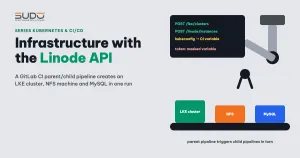
Open Cloud Manager, click through creating a cluster, create an NFS machine, then SSH in to install the rest: doing it once is quick, doing it a second time is where mistakes start. This document shows how to rewrite that process as a GitLab CI pipeline that calls the Linode API: one run gives you an LKE cluster, ingress, Prometheus, an NFS machine and MySQL. It covers how the Linode API works, the parent/child pipeline architecture, sample scripts for each step, and the common security and scripting mistakes when automating infrastructure with curl.
1. Why provision infrastructure with the Linode API instead of clicking
The second manual run is when you forget to tick private IP, pick the wrong Kubernetes version, or forget to install Prometheus, because the previous configuration only lives in the memory of whoever clicked. Switching to the Linode API solves three things:
- Repeatable: the same JSON payload produces the same kind of infrastructure.
- History: the payload lives in Git, so anyone who changes the region or machine type leaves a commit.
- Fits into the existing process: if the operations pipeline repo already follows the one-branch-per-task model (see One operations pipeline per branch: automation with GitLab CI), provisioning infrastructure is just a few more branches.
2. How the Linode API works
The Linode API is a version 4 REST API, authenticated with a personal access token sent in the Authorization: Bearer header. Tokens are granted permissions per resource group (LKE, Linodes, Volumes…) and per level, read or write. Four endpoints are enough for this job:
| Endpoint | Task | Note |
|---|---|---|
POST /v4/lke/clusters | Create an LKE cluster with a region, Kubernetes version and node pool | Returns an id immediately, but the cluster is not usable yet |
GET /v4/lke/clusters/{id}/kubeconfig | Get the kubeconfig as base64 | Returns an error until the control plane is ready |
POST /v4/linode/instances | Create a Linode (VM) from an existing image | The initial status is provisioning |
GET /v4/linode/instances/{id} | Read the status and IP addresses | Wait until status is running |
Every create call on the Linode API is asynchronous: the API returns an id while the real resource is still being built, so the script needs a wait loop with a timeout. The full list of parameters is in the Linode API documentation for LKE.
3. Architecture: one parent pipeline, several child pipelines
The parent branch does not call the Linode API itself. It takes the .gitlab-ci.yml file of each child branch as an artifact, then triggers each file in turn as a child pipeline using GitLab parent-child pipelines:
build  ─┬─ get_script_cluster    (checkout child branch, cp .gitlab-ci.yml → artifact)
        ├─ get_script_addons
        ├─ get_script_nfs
        └─ get_script_mysql
setup  ─── LKE cluster ──► ingress + Prometheus ──► NFS server ──► MySQL
           (each arrow is needs:, each block is a child pipeline, strategy: depend)
A job that triggers a child pipeline (trimmed):
trigger_cluster:
  stage: setup
  trigger:
    include:
      - artifact: setup-cluster.yml
        job: get_script_cluster
    strategy: depend          # parent waits for child, child fails then parent fails
  variables:
    CLUSTER_LABEL: "${CLUSTER_NAME}"
    KUBERNETES_VERSION: "<version>"
    KUBERNETES_REGION: "<region>"
# LINODE_TOKEN is a masked/protected CI variable, not passed in the file
Each child branch can still run on its own (the rules allow web, api and parent_pipeline): to add an NFS machine to a running cluster, just run the NFS branch by itself.
4. Step 1: create the LKE cluster via the Linode API
The first child pipeline sends the cluster creation payload to the Linode API:
RESPONSE=$(curl -sS --fail -H "Content-Type: application/json" \
    -H "Authorization: Bearer $LINODE_TOKEN" \
    -X POST -d '{
      "label": "'"$CLUSTER_LABEL"'",
      "region": "'"$KUBERNETES_REGION"'",
      "k8s_version": "'"$KUBERNETES_VERSION"'",
      "tags": ["'"$CLUSTER_LABEL"'"],
      "node_pools": [ { "type": "g6-standard-2", "count": 1 } ]
    }' https://api.linode.com/v4/lke/clusters)

CLUSTER_ID=$(echo "$RESPONSE" | jq -r '.id')
echo "CLUSTER_ID=$CLUSTER_ID" >> created.env     # so rollback knows what to delete
Next comes the kubeconfig wait loop: every few seconds, call the Linode API again at the /kubeconfig endpoint; if the response still contains errors, keep waiting, and once the time limit (for example 120 seconds) is exceeded, stop the pipeline with an error code. When you have the kubeconfig, run kubectl get namespace as a test to make sure the control plane is answering.
Passing the kubeconfig to the next child pipeline
The kubeconfig only exists in the job that just ran; child pipelines may run on different runners and do not share a disk. A simple way is to write the kubeconfig into a project CI variable through the GitLab API, so the next child pipeline can read it back:
curl --request PUT --header "PRIVATE-TOKEN: ${GITLAB_TOKEN}" \
  "https://gitlab.com/api/v4/projects/<project-id>/variables/SETUP_KUBECONFIG_BASE64" \
  --form "value=${KUBECONFIG_BASE64}" --form "masked=true"
The cost: a project variable is shared state, so two provisioning runs in parallel will overwrite each other (name the variable after the cluster or use resource_group), and the GitLab token that writes variables needs the very broad api scope. A cleaner option is to pass the kubeconfig through an artifact with a short expire_in.
5. Step 2: ingress-nginx and Prometheus
The second child pipeline installs ingress-nginx with Helm. The controller's LoadBalancer Service makes Linode create a NodeBalancer automatically; the job reads its IP from status.loadBalancer, as in Ingress and NodeBalancer: getting traffic into a Kubernetes cluster. Next, the job waits for the first node to become Ready and then installs kube-prometheus-stack with minimal values:
alertmanager:
  enabled: false
grafana:
  enabled: false
prometheus:
  service:
    type: NodePort
    nodePort: 30090
  prometheusSpec:
    storageSpec:
      volumeClaimTemplate:
        spec:
          storageClassName: linode-block-storage-retain
          resources:
            requests:
              storage: 10Gi
Prometheus is exposed via a NodePort so that a Grafana outside the cluster can read its data. A NodePort opens on every node, including the public IP, and Prometheus has no authentication: you must block that port with a firewall (for example Linode Cloud Firewall) and only let the Grafana machine in. At the end of the job, write the cluster name and the NodeBalancer IP to the shared configuration store (the values repo or the admin system) so the website creation pipelines can use them later.
6. Step 3: an NFS machine created with the Linode API
Websites keep public, themes and plugins on NFS so that every pod can read them. The third child pipeline calls the Linode API to create a small Debian Linode, with private IP enabled, a root password generated randomly inside the job, and SSH key login:
ROOT_PASSWORD=$(openssl rand -base64 24)
JSON_PAYLOAD=$(jq -n --arg pw "$ROOT_PASSWORD" --arg label "$NFS_LABEL" '{
  label: $label, region: "<region>", type: "g6-nanode-1",
  image: "linode/debian12", authorized_keys: ["<ssh-public-key>"],
  root_pass: $pw, private_ip: true }')
# POST /v4/linode/instances → LINODE_ID, write to created.env
# wait loop on GET /v4/linode/instances/$LINODE_ID until status = running
# get IPs via GET /v4/linode/instances/$LINODE_ID/ips, filter by public/private
The Linode API only handles the machine. Once it is running, the job SSHes in to install nfs-kernel-server, declares the export for the private range, and opens the firewall for ports 111, 2049 and the dynamic port range:
ssh root@$NFS_IP 'echo "/export 10.0.0.0/16(rw,sync,no_subtree_check,no_root_squash)" >> /etc/exports && exportfs -rav'
ssh root@$NFS_IP 'ufw allow OpenSSH && ufw allow from 10.0.0.0/16 to any port 2049 proto tcp && ufw --force enable'   # allow SSH before enabling ufw, or you lose the connection
Replace 10.0.0.0/16 with your actual private range, then write the private IP and the export directory to the configuration store for the site creation pipeline.
7. Step 4: MySQL
The last child pipeline generates a root password, creates a Secret directly on the cluster, installs MySQL (a StatefulSet with a PVC on Block Storage, or a separate VPS created with the Linode API), then deletes the temporary CI variables. The trade-offs between MySQL inside and outside the cluster are discussed in a later article.
8. Common mistakes when writing scripts that call the Linode API
Token hard-coded in the pipeline file
Declaring the Linode API token right in the variables block of .gitlab-ci.yml is a very easy mistake to make in a first draft. Moving it to a CI variable afterwards is not enough: removing it from the file does not remove it from Git history, and anyone who clones the repo can read the old commit.
- A token that has ever landed in Git should be treated as leaked: revoke it immediately in Cloud Manager, and create a new token with the narrowest scope (only LKE and Linodes, at exactly the read or write level needed) and an expiry date.
- The token lives only in GitLab CI/CD variables, with Masked enabled so GitLab hides the value in logs and Protected so only pipelines on protected branches can read it.
- Protected variables do not show up on ordinary branches. In a one-branch-per-task pipeline repo, you must mark the infrastructure provisioning branches as protected, or the job runs with an empty token.
Printing secrets to the log yourself
echo $LINODE_TOKEN, echo $KUBECONFIG_BASE64 or echo $ROOT_PASSWORD for debugging will stay in the job log. Masking only hides the original value; a kubeconfig or password generated inside the job is not masked. Do not print them.
Redirecting output over SSH runs on the wrong machine
ssh root@$IP echo "ALL: 10.0." >> /etc/hosts.allow looks right but is wrong: the >> is handled by the runner's shell, so the file is written on the runner, not on the target machine. Wrap the whole command in single quotes so it runs entirely on the target machine. Similarly, ufw allow only adds a rule; until the firewall is turned on with ufw enable, the rule has no effect.
Guessing the IP order
Taking ipv4[0] as the public IP and ipv4[1] as the private IP relies on the order of the response, not on an API contract. Call the /ips endpoint and filter on the public field, or filter by the private address range.
Rollback that does not clean up resources
A pipeline that fails halfway leaves a cluster or VM behind that is still billed. Write CLUSTER_ID and LINODE_ID to an artifact as soon as they are created, so a when: on_failure job can call the Linode API DELETE on exactly those resources.
Secrets in values committed to Git
Putting the root password in values.yaml and pushing it to the Helm repo hands the secret to everyone who can read the repo. The password should live in a Secret created directly on the cluster, and values should only hold the Secret's name.
9. Trade-offs: curl and jq or an IaC tool
| Gains | Losses |
|---|---|
| No new tools: only curl, jq, kubectl and helm in the existing CI image | No "state": the script does not know which resources already exist, so running it again creates new copies |
| Reading the script shows every Linode API call | No command to preview changes or delete everything at once, as stateful IaC tools have |
| Plugs straight into the one-pipeline-per-branch model | Wait logic, timeouts and error handling have to be written and tested by hand |
If you only provision a cluster or NFS machine a few times a year, curl plus the Linode API is enough, as long as the token is kept in the right place. If the number of provision and teardown runs grows, a stateful tool (Terraform with the Linode provider, for example) is worth the investment. The kubeconfig you fetch also needs the same protection as a kubeconfig downloaded from Cloud Manager in Building the first LKE cluster: node pools, kubeconfig and early choices.
Next article
Shared charts: reusing Helm for Laravel, MySQL and Redis. Starting from one product's own chart, we split out a set of parameterized charts to use for other Laravel projects.