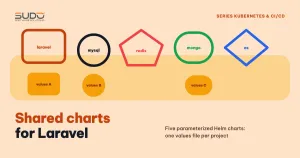
Once one product runs well on Helm, other Laravel projects want to move to Kubernetes too. Copying the chart and editing it by hand is the fastest way, but it produces many near-identical copies that drift apart over time. The solution is a set of shared charts: Laravel, MySQL and Redis charts (plus other backing services such as MongoDB and Elasticsearch) are parameterized so each project only needs to write one values file. This document explains why the split is necessary, how to design values so one chart serves many projects, how to choose between a library chart and application charts, and which mistakes to avoid.
1. A product's own chart carries too many assumptions
A website chart written for one product (as in What is a Helm chart: packaging Laravel websites for repeatable deploys) does its job well, but everything product-specific usually gets written straight into the templates:
- An initContainer runs a hard-coded command chain such as
cp -rf /var/code/plugins ./ && php artisan migrate --force && php artisan <custom-seed-command>. Other projects have neither that directory nor that command. - The list of volumeMounts (
public,themes,plugins, session, cache) is baked into the template. - The volume is always NFS declared directly in the Deployment, with no PVC option.
- nodeAffinity only accepts a single node pool ID.
Every assumption is a spot you have to edit by hand when taking the chart to another project. Shared charts have to flip that approach: templates only keep the skeleton, and every detail goes into values.
2. When an assumption sits in the wrong place: a file permission example
A typical situation shows the cost of tying assumptions tightly to templates. The application image is moved to a new base image and gains a USER nginx line, meaning the container no longer runs as root. Meanwhile, the chart's postStart hook still runs chown -R nginx:nginx and chmod -R 755 on the NFS directory. Without root, these commands fail, the site breaks with file permission errors, and the image has to be rolled back.
With shared charts, the right fix is to move permission handling to the place that has the privileges:
- The site creation pipeline runs
chownon the directory as soon as it is created on the NFS machine, with exactly the UID/GID the container uses. - Remove
chown/chmodfrompostStart. For volumes that support it, the pod'ssecurityContext.fsGroupcan replace a manual chown. - If you need two image variants for two kinds of sites, put the image name in values instead of editing the template.
The lesson for shared charts: init commands, hooks and file permissions belong to each project and must not be hard-coded in templates.
3. Application charts or a library chart for shared charts
Helm has two kinds of charts, declared with the type field in Chart.yaml:
- Application chart (the default): renders manifests and can be installed as a release.
- Library chart: only contains named templates (
define) that other charts call withinclude. A library chart does not generate manifests on its own and cannot be installed directly; charts that use it declare it underdependencies. See the Helm documentation on library charts for details.
A pragmatic choice for a set of shared charts is several independent application charts, each with its own _helpers.tpl generated by helm create. The helpers of the different charts are nearly identical, so the duplication is real, but a newcomer only has to read one directory to understand a whole chart.
| Several application charts | One library chart + thin charts | |
|---|---|---|
| Readability | Opening one directory is enough | You have to jump between the main chart and the library |
| Changing a helper (labels, names) | Edit in several places | Edit in one place, bump the library version |
| Release | Install straight from the repo directory | Needs helm dependency update or a chart repository |
| Risk | The helper copies drift apart over time | A library change can break every chart at once |
4. Designing values for the Laravel shared charts
The Laravel chart is the most important of the shared charts: it keeps the Deployment, Service, Ingress, Certificate and HPA skeleton, but every product-specific part becomes values with an on/off switch.
Environment variables: one map, no template edits
Instead of listing every key in the ConfigMap template, the chart loops over the whole configMap map and renames the keys into Laravel-style environment variables:
apiVersion: v1
kind: ConfigMap
metadata:
  name: {{ include "laravel.fullname" . }}-configmap
data:
  {{- range $k, $val := .Values.configMap }}
  {{ $k | snakecase | upper }}: {{ $val | quote }}
  {{- end }}
If values say dbHost: mysql, the ConfigMap gets DB_HOST. A project that needs another variable just adds a line in values, without touching the shared charts. Secrets work the same way. Loading the variables into the pod with envFrom is covered in ConfigMap and Secret: Laravel environment variables on Kubernetes.
Init commands, hooks and probes all have switches
initContainers:
  enabled: true
  command: "php artisan migrate --force && php artisan optimize:clear"

lifecycle:
  enabled: false
  postStart:
    command: "php artisan optimize:clear;"

startupProbe:
  enabled: false
  path: /startup
  failureThreshold: 30
  periodSeconds: 5
livenessProbe:
  enabled: false
  path: /liveness
  timeoutSeconds: 5
readinessProbe:
  enabled: false
  path: /readiness
A project without health endpoints yet leaves the probes off; a project that has them turns them on and declares the paths in its values for the shared charts. Timeouts and failure thresholds should also be parameters, because every application starts up at a different speed.
Volumes: a list of mounts and a choice between NFS or PVC
volumes:
  enabled: false
  volumeMounts:
    - path: /var/www/html/public
      alias: public
    - path: /var/www/html/storage/app
      alias: storage-app
  nfs:
    enabled: false        # false means use a PVC
    ip: 10.0.0.30
    sharedFolder: /data
  storage: 10Gi
The template loops over the volumeMounts list, turning each item into a mount with subPath set to alias. If nfs.enabled is false, the chart creates a ReadWriteOnce PVC on the linode-block-storage-retain StorageClass. An RWO PVC can only attach to one node: a Deployment with several replicas on several nodes must use NFS or storage that supports RWX.
nodeAffinity takes a whole YAML block
Instead of accepting only a node pool ID, the shared charts take the whole affinity block and render it with toYaml, so a project can pin a pool, avoid nodes or set anti-affinity as it likes without editing the template.
{{- with .Values.affinity }}
affinity:
  {{- toYaml . | nindent 8 }}
{{- end }}
5. Shared charts for backing services
The shared charts for backing services follow the same simple template:
- MySQL: a single-replica StatefulSet, the root password taken from a Secret,
volumeClaimTemplateson Block Storage, with the size as a parameter. - Redis: a Deployment running
redis-server --requirepass $(REDIS_PASSWORD), with the password loaded from a Secret. - MongoDB and Elasticsearch: StatefulSets following the same template as MySQL.
A note on Redis: without persistence, each Redis replica is its own separate data store. If HPA is enabled, the Service spreads requests across several Redis instances that know nothing about each other, and cache and sessions become flaky. For Redis used as a cache or queue, keep replicaCount: 1 and leave HPA off; if you need high availability, use Sentinel or Redis Cluster.
6. Common mistakes when writing shared charts
- Bugs that only show when a switch is turned on: the
podSecurityContextblock reads{{- toYaml | nindent 8 }}, missing the dot aftertoYaml. Because it sits insidewithand the default value is empty, the bug stays hidden until the day a project declares it. Runhelm lintandhelm templatewith a values file that turns on every switch in the chart repo's CI. - Drifting image tags:
tag: latestfor Redis, or a MySQL innovation release, means every install produces something different. Pin specific versions; for MySQL, prefer an LTS line such as 8.4. - Sample values that look like real secrets: if the default values ship with an
appKeyand sample passwords, anyone who forgets to override them runs production with sample keys. Leave them empty and use therequiredfunction so Helm raises an error when they are missing. - No version management: keeping the
version: 0.1.0andappVersion: "1.16.0"fromhelm create. When many projects share charts, bump the version on every template change so you know which release runs which version. - Changing a ConfigMap does not restart pods: add a checksum annotation to the pod template so the Deployment rolls out when the configuration changes:
template:
  metadata:
    annotations:
      checksum/config: {{ include (print $.Template.BasePath "/configmap.yaml") . | sha256sum }}
Shared charts need to be tested like library code, because every bug spreads to every project that uses them. How to write named templates and call them with include is explained in the Helm named templates guide.
7. Trade-offs of moving to shared charts
| Gains | Losses |
|---|---|
| A new Laravel project only needs to write one values file for the shared charts | Values get longer, and users have to understand every switch |
| Fix a template bug once, and every project benefits | Get a fix wrong once, and every project breaks together if there are no tests |
| MySQL, Redis, MongoDB and Elasticsearch come with ready templates | The templates are simple: one replica, with no tuning or backup included |
There is no need to force a running product onto shared charts right away: existing sites and the site creation pipeline can keep their own chart, while new projects start from shared charts. The article Provisioning infrastructure with the Linode API: cluster, NFS and MySQL via pipeline shows how the MySQL chart is installed automatically in the infrastructure provisioning pipeline.
Checklist
- Templates in shared charts contain no commands, paths or IDs specific to one project.
- Every optional feature has an
enabledswitch, plus a values file that turns everything on for testing. - Secrets use
required, with no sample values. - Images and all shared charts have pinned versions.
- A checksum annotation triggers a rollout when configuration changes.
Next article
MySQL in Kubernetes or outside the cluster: why we moved the database to a VPS. A StatefulSet with Block Storage inside the cluster versus a separate MySQL VPS: the criteria for choosing and how to move.