PHP 7.4 is the last branch of PHP 7, and its security support ended in late 2022. On many Cloud VPS clusters it still runs a fair number of websites, alongside a group of even older sites on PHP 7.2, which reached end of life back in 2020. This guide explains what EOL really means, why you cannot simply switch off PHP 7.2 and PHP 7.4 right away, how to live with them in a controlled way, and an upgrade path that moves sites to PHP 8 one at a time without affecting the others.
1. What EOL means
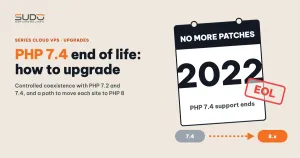
Every PHP branch has a fixed lifecycle, published on the supported PHP versions page: two years of active support (bug and security fixes), followed by one year of security fixes only. After that comes EOL (end of life): the PHP team ships no more patches, even when a critical vulnerability is discovered.
| Branch | Released | Active support ends | Security fixes end |
|---|---|---|---|
| PHP 7.2 | 2017 | 2019 | 2020 |
| PHP 7.3 | 2018 | 2020 | 2021 |
| PHP 7.4 | 2019 | 2021 | 2022 |
| PHP 8.0 | 2020 | 2022 | 2023 |
| PHP 8.1 | 2021 | 2023 | 2024 |
Always take the exact dates from the php.net page above. Two points are often misunderstood:
- A package you can still install is not a supported package. Many package repositories still ship
php7.4-fpmandphp7.2-fpm, but PHP itself no longer gets official patches. An installable package only tells you that someone is still packaging it. - EOL does not stop your sites. The day after the EOL date, every PHP 7.4 site runs exactly as before. The risk does not arrive at once; it accumulates with every newly disclosed vulnerability that nobody patches.
2. The risks of continuing to run PHP 7.4 and 7.2
- Unpatched vulnerabilities. A new flaw in the PHP core or a bundled extension stays on that server forever.
- Front-line protection cannot replace a patch. Blocking snippets and rate limits on the balancer filter junk at the HTTP layer, but they cannot fix a bug in the PHP runtime when a legitimate-looking request exploits it.
- The ecosystem leaves you behind. Composer libraries one by one raise their minimum requirement to PHP 8. PHP 7.4 sites gradually get locked to old library versions, and those versions stop receiving fixes too.
- The later you upgrade, the more it costs. Going from PHP 7.2 to 8.1 means jumping four branches at once, which is far more work than moving one step at a time.
3. Why you cannot switch off PHP 7.2 and PHP 7.4 right away
The reason is usually not the infrastructure but the code. Many legacy sites were built on early Laravel branches and unmaintained packages that are tied to PHP 7.x. Upgrading such a site is not a one-line config change but a small project: upgrade the framework, replace packages, fix code and retest every feature. For a site in maintenance-only mode, the site owner has to approve that cost first.
So the sensible approach is controlled coexistence rather than a hard shutdown:
- Freeze the legacy groups. No new site goes onto a PHP 7.2 or PHP 7.4 minion. New sites go straight to the PHP 8.x minion group.
- Shrink the attack surface. Legacy minions have only private IPs and only accept requests that have passed through the balancer. Set
expose_php = Offso headers do not reveal the version. Block paths that are never legitimate at the balancer. - Prioritize by data. Sites with logins, payments or personal data go to the top of the upgrade list. Static brochure sites come later.
4. One minion group per version: the precondition for per-site upgrades
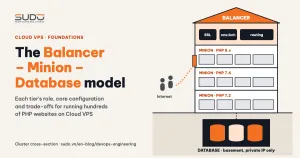
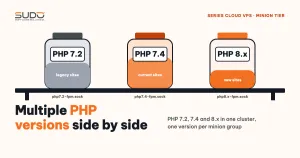
As described in running multiple PHP versions side by side, minions should be grouped by PHP version. That split turns an upgrade into moving one site from one server to another:
- Upgrading site A does not touch the other sites on the PHP 7.4 minion.
- The database lives in its own tier, so changing minions does not mean moving data.
- Rollback is just pointing the upstream line on the balancer back to the old minion.
If you upgrade PHP in place on a shared minion, every site on that server has to be ready at the same moment, and a single incompatible site halts the whole plan.
5. Upgrade path for one site from PHP 7.4 to 8.x
Step 1: Inventory
# PHP constraint declared by the project
grep -A3 '"require"' composer.json          # e.g. "php": "^7.2"

# which packages block the move to PHP 8.1
composer why-not php 8.1

# direct packages that have newer releases
composer outdated --direct
The output of composer why-not is your to-do list: each line is a package whose PHP constraint does not allow 8.1. The framework is usually the first line. Laravel 9 requires PHP 8.0 or newer, while older branches only support PHP 8 in their final patch releases. For a site on a very old Laravel branch, this step means upgrading the framework.
Step 2: Automated code review
The list of incompatible changes is in the PHP 7.4 to PHP 8.0 migration guide on php.net. Issues that come up often in legacy code:
- String-to-number comparison changes behavior:
0 == "abc"goes fromtruetofalse. - Removed functions:
each(),create_function(),money_format(). - Curly-brace offset access
$str{0}is no longer valid syntax. matchbecomes a keyword, so functions or classes with that name cause a syntax error.- From PHP 8.1: passing
nullto a string parameter of a built-in function (such asstrlen(null)) emits a deprecation warning, and logs can fill up very quickly.
Tools such as PHPCompatibility (running on PHP_CodeSniffer) catch many of these through static analysis, and Rector can fix some of them automatically. No tool replaces a real test run.
Step 3: Test run on the new minion
# on the PHP 8.x minion: clone the code into the standard directory layout
cd /var/www/example.com
/usr/bin/php8.1 /usr/local/bin/composer install --no-dev

# test through a demo domain pointing at the new minion
#   staging: example.demo.example.com
tail -f storage/logs/laravel-*.log | grep -E 'ERROR|Deprecated'
Composer must run with the CLI of the target version; otherwise it resolves dependencies against the wrong PHP version. The test copy uses a staging database, never the production database, because the new code may run migrations. Throughout this period, the PHP 7.4 copy on the old minion keeps serving users as usual.
Step 4: Switch the upstream and monitor
# on the balancer: change exactly one line in the site's config file
upstream example_com {
    server 10.0.0.23:80;      # previously 10.0.0.21 (PHP 7.4 minion)
}

nginx -t && systemctl reload nginx
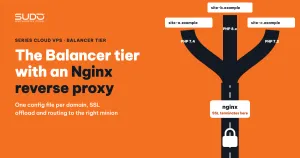
Before switching, do a final sync of the upload directory (storage/app or public/uploads) and move the site's supervisord.ini file so the queue worker runs on the new minion instead of on both. After switching, watch the domain's error log on the balancer and the Laravel log on the new minion for at least one peak-traffic cycle. Keep the old copy on the PHP 7.4 minion for a while: if something breaks, rollback is just pointing the server line back to the old IP in the Nginx reverse proxy on the balancer tier.
6. Common errors when upgrading from PHP 7.4
| Symptom | Cause | Fix |
|---|---|---|
Composer detected issues in your platform | Dependencies installed with a CLI version different from FPM | Run composer with the exact /usr/bin/php8.x |
| Logs full of deprecation warnings | Passing null to built-in functions on PHP 8.1 | Fix the code; temporarily lower the deprecation log level in production |
| Queue processes jobs twice | Workers still running on both the old and the new minion | Stop the site's supervisor programs on the old minion before switching the upstream |
| Newly uploaded images missing after the move | The upload directory was not synced one last time | Rsync again right before switching the upstream |
7. Checklist for upgrading one site
- Record the site's current PHP version, Laravel version and minion.
- Run
composer why-not php 8.1and list the packages to upgrade or replace. - Scan the code with a compatibility tool and fix the blocking issues.
- Install on a PHP 8.x minion, with composer running on the target version's CLI.
- Test through a demo domain with a staging database: login, forms, payments, uploads, queue, scheduler.
- Agree on a cutover time with the site owner, preferably during off-peak hours.
- Do a final sync of uploaded files and move supervisor and cron to the new minion.
- Switch the upstream on the balancer, then
nginx -t && systemctl reload nginx. - Watch the error logs and keep the old copy for rollback.
- Once things are stable, remove the site from the old PHP 7.4 minion and update the documentation.
8. Recommendations
The PHP 7.4 EOL was no surprise: the end date was published when the branch was released. The upgrade path should start when a branch enters its security-only phase, about a year before EOL, not after it has expired. Architecture also determines the cost of upgrading: when minions are split by version and the database is separate from the minions, moving a site off PHP 7.4 becomes a sequence of reversible steps, done one site at a time in order of risk.
Coexisting with PHP 7.2 and PHP 7.4 should be a temporary, controlled state, not the end state. Every site that moves away is one less site at risk, and once a legacy minion group has no sites left, retire the whole group.
Next article
SSL for hundreds of domains with Certbot. How HTTP-01 works, automatic renewal, reloading nginx after renewal, monitoring certificates that are about to expire, and Let's Encrypt limits.