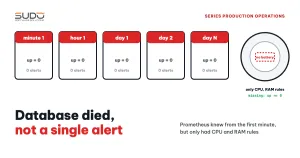
A MySQL machine outside the Website AI Kubernetes cluster (a VPS on Linode) stopped responding. Prometheus recorded the exact moment, up went from 1 to 0, but no alert of any kind was sent, because Prometheus alerting had never been set up for it. The operations team only found out several days later, when someone happened to SSH into the machine and hit a timeout. This case was lucky: the machine had just had all its sites moved off during Consolidating MySQL for Website AI: moving databases to a new host safely, so no site went down. This guide analyzes why a monitoring system with all the data it needed still stayed silent, and shows how to build a minimum set of Prometheus alerting rules (up == 0, absent(), disk, MySQL), how to test them with promtool, and how to run regular drills.
Symptoms: there were no symptoms
The scary part of this kind of incident is that it sends no signal at all to the people running the system:
- No messages, no emails. The Prometheus/Grafana alert channel still only received the usual "high CPU" and "high RAM" messages.
- The "Node Exporter Full" dashboard still looked normal. Selecting that machine just showed graphs that stopped at a certain point, with no red anywhere.
- The discovery was pure chance:
ssh: connect to host ... port 22: Operation timed out, 100% packet loss on ping from several locations, port 3306 closed.
Investigation process
Step 1: did Prometheus know?
Usually yes, and very precisely. List the unhealthy targets:
curl -s http://127.0.0.1:9090/api/v1/targets | jq -r '.data.activeTargets[]
    | select(.health!="up") | [.labels.instance, .health, .lastError] | @tsv'
db-3   down   Get "http://10.0.1.53:9100/metrics": context deadline exceeded
Query the time range around the loss of signal to get the exact moment:
curl -s -G http://127.0.0.1:9090/api/v1/query_range \
    --data-urlencode 'query=up{instance="db-3"}' \
    --data-urlencode start=<RFC3339> --data-urlencode end=<RFC3339> \
    --data-urlencode step=60s
Counting the up=1 samples over the whole retention period also tells you whether the machine had been flapping before. The data was complete; the only thing missing was Prometheus alerting to tell a human.
Step 2: why did the machine die?
Look at the last metrics before the machine stopped responding:
| Metric | What to look for |
|---|---|
node_load1 | A spike before the signal was lost means overload |
| Used RAM, swap | A steady climb to the ceiling means OOM |
Disk / | Close to 100% means a full disk |
| CPU steal | High means the hypervisor is contending for CPU |
Network received on eth0 | Whether application traffic was still arriving |
node_boot_time_seconds | A changed value means a reboot |
If every metric looked normal and then simply vanished, the machine was not overloaded; it just dropped off the network. In that case, check the machine's console and event history in the provider's management interface (Cloud Manager for Linode), and correlate with operations on related machines in the same time window. In parallel, check the impact: is there still any website ConfigMap with a DB_HOST pointing to that machine?
kubectl get configmap -A -o json | jq -r '.items[] | select(.data.DB_HOST=="10.0.1.53") | .metadata.namespace'Step 3: why did Prometheus alerting not fire?
The answer is usually very short: there was no Prometheus alerting rule to fire. Read the configuration on the monitoring machine:
prometheus.ymlhas an emptyrule_files: Prometheus evaluates no rules at all.- Alertmanager is not installed. There is no
mysqld_exporterand no blackbox exporter. - Grafana only has threshold rules: CPU > 85% and RAM > 85%, grouped by
instance.
One wrong lead worth recording: the Grafana rule is set to No data → NoData, so it is easy to think that when a machine dies there is no data, the rule must switch to NoData and alert. That is not what happens. The avg by(instance)(...) query still returns series for the machines that are alive. The dead machine's series simply disappears from the result. To Grafana, that is an instance that no longer exists (a missing series), not "a query with no data". The NoData state only occurs when the entire query returns nothing. A rule that measures how busy a machine is can never detect that the machine is dead.
This gap often appears when monitoring for a new cluster is built by copying part of an old configuration: the threshold rules come along, while rules like min by (instance, job) (up) get forgotten. The in-cluster kube-prometheus-stack also does not scrape external VPS instances unless they are declared explicitly (see kube-prometheus-stack: replacing old monitoring and silent misconfiguration).
Root causes
- Monitoring measured "is the machine busy", not "is the machine alive".
- No Prometheus alerting for absence: no
up == 0, noabsent(), no count of targets per role. - No service monitoring: without
mysqld_exporter, nobody would know even if the machine were alive but mysqld had died. - No trend-based disk monitoring.
- Prometheus alerting had never been tested. Nobody had ever shut a machine down to see whether the message would arrive.
Remediation: a minimum Prometheus alerting setup
Immediately
If there is no Alertmanager yet, add a Grafana rule up == 0 for every target right away, sent to the existing channel, so you do not have to wait for the proper Prometheus alerting setup to be finished.
Prometheus alerting for availability and disk
The rules follow the syntax of Prometheus alerting rules, live in a separate file and are declared under rule_files:
# /etc/prometheus/rules/availability.yml
groups:
- name: availability
  rules:
  - alert: TargetDown
    expr: up == 0
    for: 2m
    labels: {severity: critical}
    annotations:
      summary: "{{ $labels.instance }} could not be scraped for 2 minutes"

  # machine removed from the target list: up == 0 cannot catch it
  - alert: MysqlHostMissing
    expr: count(up{job="node-exporter", role="mysql"}) < 2
    for: 5m
    labels: {severity: critical}

  # most important machine: alert even if the up series disappears
  - alert: MysqlPrimaryMissing
    expr: absent(up{job="node-exporter", instance="db-1"})
    for: 5m
    labels: {severity: critical}

- name: disk
  rules:
  - alert: DiskWillFillIn24h
    expr: predict_linear(node_filesystem_avail_bytes{fstype!~"tmpfs|overlay"}[6h], 24*3600) < 0
    for: 30m
    labels: {severity: warning}
  - alert: DiskAlmostFull
    expr: (1 - node_filesystem_avail_bytes / node_filesystem_size_bytes) * 100 > 85
    for: 15m
    labels: {severity: warning}
up == 0only catches targets still on the list. If a target is removed fromprometheus.yml, its series disappears and the rule stays silent. That is why you need a rule that counts by therolelabel, orabsent()for the most important machines.for: 2mwithscrape_interval: 15smeans about 8 consecutive failed scrapes before alerting, enough to ignore a single network blip.predict_linearwarns before the disk fills up, which is more useful than a fixed threshold for machines whose logs or dumps grow steadily.
Prometheus alerting for MySQL
Install mysqld_exporter on each MySQL machine, running as a user with only PROCESS, REPLICATION CLIENT, SELECT privileges:
  - alert: MysqlDown
    expr: mysql_up == 0
    for: 1m
    labels: {severity: critical}
  - alert: MysqlConnectionsHigh
    expr: mysql_global_status_threads_connected / mysql_global_variables_max_connections > 0.8
    for: 10m
    labels: {severity: warning}
Alertmanager or Grafana Alerting
| Criterion | Prometheus rules + Alertmanager | Grafana Alerting |
|---|---|---|
| Where rules are stored | YAML files, easy to put in Git and review | Grafana's database (can be provisioned from files) |
| Dependencies | Prometheus evaluates rules even when Grafana is down | If Grafana dies, alerting dies with it |
| Grouping, silencing, inhibition | Powerful: group_by, silences, inhibit rules | Has notification policies, enough for small needs |
| Automated testing | promtool test rules | No equivalent tool |
Recommendation: route Prometheus alerting for infrastructure (machine alive, disk, MySQL) through Alertmanager, because it runs independently of Grafana and can be tested. Keep alerts based on Loki logs in Grafana. Any Grafana rule that targets a single machine should be set to No data → Alerting.
Testing Prometheus alerting with promtool
An alert that has never fired is an alert that has never been verified. Prometheus ships with unit testing for rules, which can run in CI before a reload:
# tests/availability_test.yml
rule_files: [../rules/availability.yml]
evaluation_interval: 15s
tests:
  - interval: 15s
    input_series:
      - series: 'up{job="node-exporter", role="mysql", instance="db-3"}'
        values: '1 1 1 0x20'          # alive for 45 seconds, then dead
    alert_rule_test:
      - eval_time: 1m
        alertname: TargetDown
        exp_alerts: []                # not yet 2 minutes, not firing
      - eval_time: 4m
        alertname: TargetDown
        exp_alerts:
          - exp_labels: {severity: critical, job: node-exporter, role: mysql, instance: db-3}
            exp_annotations:
              summary: "db-3 could not be scraped for 2 minutes"

$ promtool check rules rules/availability.yml
$ promtool test rules tests/availability_test.yml
Checklist for maintaining Prometheus alerting
- Every quarter, pick a test machine, stop
node_exporter(with prior approval), and measure the time until the Prometheus alerting message reaches the receiving channel. The target is under 5 minutes. - Add an "always firing" alert (
vector(1)) sent to an external heartbeat service. When Prometheus or Alertmanager itself dies, the heartbeat stops and the external service raises the alarm. - When adding a machine: it has a Prometheus target with
roleandclusterlabels, is covered byTargetDown, the disk rules and the matching service rules, and a test alert has been seen at least once. - When removing a machine: delete the target and update the expected count in the per-role counting rule, as in the checklist from Cron jobs hitting a removed server and a bloated MySQL error.log.
Lessons learned
- Having metrics does not mean having Prometheus alerting. Prometheus knew the machine was dead from the first minute; what was missing were the rules and a delivery path.
- Threshold-based Prometheus alerting cannot detect absence. A dead machine has no high CPU, only a series that disappears.
- Prometheus alerting must be tested like code: write tests, run them in CI, and drill regularly.
- Luck is not a plan. A machine that had just been drained died without harm, but the same gap will not be so lucky next time.
Next article
Full Redis, crawlers and a liveness probe: when self-protection backfires. Two incidents on two different infrastructures, and why a liveness probe that "does not check the database" can still restart websites en masse.