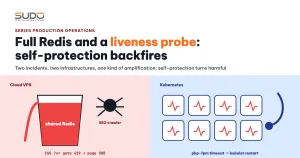
This guide analyzes two typical incidents on two different infrastructures. On Cloud VPS, an internal SEO crawl made an e-commerce website return a flood of 500 errors, which in turn filled the memory of a Redis instance shared by many sites. On the Website AI Kubernetes cluster, the liveness probe failed across the board and kubelet restarted many websites within a few dozen seconds. The two incidents are not causally related, but they share the same kind of amplification: a self-protection mechanism (rate limiting in the first case, the liveness probe in the second) turned against the very system it was meant to protect. The article covers how to investigate, the configuration fixes, and how to design a liveness probe correctly.
Overview of the two incidents
| Incident 1: full Redis and a crawler | Incident 2: liveness probe | |
|---|---|---|
| Infrastructure | Cloud VPS: balancer, one PHP minion, a shared Redis machine | The Website AI LKE (Linode) cluster |
| Impact | One site returns 500; the balancer returns 429; Redis hits its ceiling and evicts other sites' cache | The liveness probe fails, many website containers are restarted across several nodes; while restarting, the sites cannot serve |
| Detection | The Laravel log grew abnormally during the day | Reading the containers' lastState while surveying the cluster |
Investigating incident 1: full Redis and a crawler
Who is calling?
Group the balancer access log around the error window by source IP and User-Agent:
awk -F'"' '{split($1,a," "); print a[1], $6}' site-a.example.access \
  | sort | uniq -c | sort -rn | head
A typical result: one group of requests from the office IP with the User-Agent Screaming Frog SEO Spider (the deliberate SEO crawl), and an even larger group from the public IP of the very minion hosting the site, with an empty User-Agent. Most of the 429s fall into the second group.
A minion calling back into its own site over the Internet should never happen. The Laravel log explains it: file_get_contents(https://site-a.example/assets/css/...min.css?v=...) errors receiving 429. Some Blade views inline CSS by downloading the CSS file through the site's own public URL:
echo file_get_contents(asset('/assets/css/desktop/post.min.css?v='.config('assets.version')));Every page render fetches several CSS files along the path minion → Internet → balancer → minion, all from the same IP.
Why was CSS rate limited?
The balancer has a dedicated rate limit zone for the site, using a map to skip static files, as described in fail2ban and limit_req: rate limiting only dynamic requests:
map $request_uri $site_a_dynamic_key {
    default                                      $binary_remote_addr;
    ~*\.(css|js|mjs|json|woff2?|ttf|otf|eot)$  "";
}
limit_req_zone $site_a_dynamic_key zone=site_a_dynamic:10m rate=300r/m;
$request_uri keeps the query string. /general.min.css?v=1.2.3 does not match \.css$, so versioned CSS is counted as a dynamic request. The volume of self-requested CSS from a single IP crosses the threshold, the balancer returns 429, file_get_contents throws an exception, and the page returns 500.
Why many pages render at once, and Redis fills up
Build a timeline from Prometheus (redis_exporter on the Redis machine and node_exporter on the minion): minion CPU, Redis memory, and the number of the site's cache keys. A common pattern:
- The application clears the entire response cache (Spatie ResponseCache on Redis, see Speeding up websites with Laravel ResponseCache, Redis and Supervisor) whenever an admin saves any record.
- Right after that, the SEO crawler scans the whole site. Almost every page is a MISS, minion CPU spikes, and every MISS page calls its own CSS again.
- Each cached page weighs hundreds of KiB because the HTML contains inline CSS. The shared Redis with a fixed
maxmemoryand anallkeys-lfupolicy fills up again very quickly, then evicts keys, which may be other sites' cache.
redis-cli -n 0 INFO memory | grep -E 'used_memory_human|maxmemory_human'
redis-cli INFO stats | grep evicted_keys
redis-cli -n 13 --scan --pattern 'responsecache*' | wc -l
Investigating incident 2: mass restarts caused by the liveness probe
The liveness probe fails at the same time, on many nodes
Read lastState.terminated for every container in the cluster, filtered by time window:
kubectl get pods -A -o json | jq -r '.items[] | .metadata.namespace as $ns
    | .status.containerStatuses[]? | select(.lastState.terminated != null)
    | [$ns, .lastState.terminated.reason, .lastState.terminated.exitCode,
       .lastState.terminated.finishedAt] | @tsv' | sort -k4
If many containers ended within the same few dozen seconds with Completed/0, it is not OOM: the main process exited cleanly after receiving SIGTERM, the typical ending when the liveness probe fails and kubelet deliberately stops the container. The logs before the restart (kubectl logs --previous) often show this pattern:
WARNING: [pool www] child ..., script '/var/www/html/public/index.php'
    (request: "GET /index.php") execution timed out (34.4 sec), terminating
WARNING: [pool www] child ..., script '/var/www/html/public/index.php'
    (request: "GET /index.php") execution timed out (39.4 sec), terminating
WARN received SIGTERM indicating exit request
Roughly every 10 seconds a PHP request is killed by PHP-FPM after 30–40 seconds, exactly the rhythm of the readiness probe (periodSeconds: 10). kubelet's prober_probe_total metric confirms a spike in failed probes, for both the readiness probe and the liveness probe.
Looking for a shared dependency
The first hypothesis is a slow shared dependency. Match the restarted sites against their node, MySQL machine and NFS machine, then look at sar (CPU, iowait) for each machine in that time window. If the sites are spread across many nodes, many different MySQL and NFS machines, none of them overloaded, and even some pods in the monitoring namespace failed their probes, then the problem most likely lies at a broader level (network, nodes). When the ingress logs for that window have already been rotated away, state clearly that the trigger is undetermined instead of guessing.
Two incidents happening at the same time does not mean they share a cause either. The websites in the cluster use CACHE_DRIVER=file, do not use the Cloud VPS Redis, and do not go through the Cloud VPS balancer.
Root causes
Incident 1
- Views download the site's own resources over HTTP, turning each render into several requests out to the Internet and back.
map $request_uriinstead of$uri: static files with a query string get rate limited.- Clearing the entire cache on every edit: every admin save triggers a "thundering herd".
- A shared Redis, with one site taking most of the memory because it caches heavy full pages.
Incident 2: the liveness probe goes through the whole application
In Helm charts with static NFS PersistentVolumes, claimRef and three probe types, /liveness was designed not to touch the database. The route code does indeed just return 200:
Route::get('/liveness', function () {
    return response()->json(['status' => 'OK'], 200);
});
But that request still passes through nginx → PHP-FPM → the full Laravel bootstrap and the web middleware group (cookies, file sessions) before reaching the route. When PHP workers are stuck or bootstrapping slowly for some external reason, the liveness probe slows down exactly like a real page. With periodSeconds: 30, timeoutSeconds: 5, failureThreshold: 3, three failures to answer within 5 seconds and kubelet kills the container. The liveness probe then indirectly checks everything the application depends on.
Restarting the container does not cure an external cause. It even adds load: on every start, the container runs its initContainer (migrate, optimize:clear), its postStart hook copies code, and the image is pulled again if imagePullPolicy: Always.
Remediation
Incident 1: fix the rate limit and the way CSS is loaded
Switch the rate limit key to $uri and exempt the internal SEO crawl IP, keeping the variable name of the running zone so nginx can reload:
geo $site_a_whitelist { default 0; <office-ip> 1; }
map $uri $site_a_dynamic_key_base {
    default                                      $binary_remote_addr;
    ~*\.(css|js|mjs|json|woff2?|ttf|otf|eot)$  "";
    ~*\.(jpg|jpeg|png|gif|svg|ico|webp|avif)$   "";
}
map $site_a_whitelist $site_a_dynamic_key { 1 ""; default $site_a_dynamic_key_base; }
Add the office IP to fail2ban's ignoreip. After nginx -t and a reload, send many parallel requests to a CSS file with ?v= from an IP outside the list: they must return 200, with no more 429s. For how limit_req works, see the ngx_http_limit_req_module documentation.
At the application layer: read CSS with public_path() or use a <link> tag instead of file_get_contents(asset()); clear the cache by URL instead of entirely; give large sites their own Redis or reduce the size of cached pages; set the Screaming Frog crawl speed to about 5–10 URLs per second.
Incident 2: redesign the liveness probe
According to the Kubernetes probe guide, a liveness probe should only answer "is the process still alive":
- Point the liveness probe at PHP-FPM's
ping.path(for example/fpm-ping, allowed only from localhost), not through Laravel. It still needs a free worker, but does not depend on bootstrap, sessions or the database. - Relax the liveness probe parameters: the total failure tolerance (
periodSeconds × failureThreshold) must be longer than the timeout of a PHP request. - Keep the database check in readiness: the pod is removed from the Service when the database is slow, instead of being restarted.
# php-fpm pool
ping.path = /fpm-ping
ping.response = pong

# nginx inside the container
location = /fpm-ping { allow 127.0.0.1; deny all; include fastcgi_params; fastcgi_pass 127.0.0.1:9000; }

# Deployment
livenessProbe:
  httpGet: {path: /fpm-ping, port: 80}
  periodSeconds: 20
  timeoutSeconds: 5
  failureThreshold: 6        # about 2 minutes
Prevention checklist
- Alerts for the shared Redis:
redis_memory_used_bytes / redis_config_maxmemory > 0.9andrate(redis_evicted_keys_total[5m]) > 5. - Alert when the number of container restarts in 5 minutes crosses a threshold across the whole cluster, with the reason (OOMKilled or a failed liveness probe).
- Every new chart must be able to answer: which components does its liveness probe pass through before returning 200?
- Keep ingress logs long enough (ship them to Loki with retention) so they can be checked next time.
- Internal SEO crawls are scheduled, rate limited, and never run right after the cache has been cleared.
- Code review: forbid views from making HTTP calls to their own site.
Lessons learned
- "The liveness probe does not check the database" must hold along the request's entire path, not just in the route's content.
- Self-protection mechanisms can amplify an incident: the rate limit blocked the minion itself, and the liveness probe killed containers that were waiting for a dependency to recover. An overly sensitive liveness probe is more dangerous than no liveness probe at all.
- Two incidents at the same time do not necessarily share a cause. Compare the infrastructure, the UTC times and the dependencies before merging them into one.
- Write "undetermined" when it is undetermined. Guessing a cause leads to fixing the wrong thing.
Next article
Internal APIs routed through Cloudflare: a hard-to-spot sync failure. Systems on the same private network calling each other's APIs through public domains, and a network hop outside your control breaking the whole sync flow.