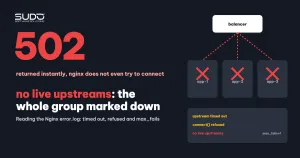
An e-commerce website suddenly returns 502 instantly to every visitor, while the error.log on the balancer records dozens of no live upstreams lines per second. The notable detail: this site's upstream group has several minions, meaning it was designed to tolerate failures. This document explains how to read error.log to tell apart three kinds of upstream errors that often get lumped together, the mechanism that makes nginx declare "no live upstreams", how to respond when you see it, and a different, much slower way to fail: a minion that stays sick for a long time without anyone noticing.
Symptoms
- The site returns
502 Bad Gatewayalmost instantly, with no delay waiting for a timeout. - The site's error.log contains only one kind of error line, repeating constantly, all pointing to the same upstream group:
[error] ... no live upstreams while connecting to upstream, client: ...,
  server: shop.example, request: "GET / HTTP/1.1",
upstream: "http://shopweb/", host: "shop.example"- The
shopwebgroup consists of a few minions with the same small configuration, running the same code and sharing one database server. In this article they are called app-1, app-2 and app-3. - The errors are concentrated in a short time window and then stop on their own.
Investigation process
Step 1: count before you read
With an error.log of hundreds of thousands of lines, the first thing to do is count by message pattern on every balancer:
cd /var/log/nginx
for p in "no live upstreams" "upstream timed out" "connect() failed (111" \
         "upstream prematurely closed"; do
  printf '%-32s %s\n' "$p" "$(cat *.error error.log | grep -c "$p")"
done

# group no live upstreams lines by date and hour
grep -h "no live upstreams" *.error | awk '{print $1, substr($2,1,2)":00"}' | sort | uniq -c

# see which upstream group the error lines point to
grep -h "no live upstreams" *.error | grep -o 'upstream: "[^"]*"' | sort | uniq -c
If every no live upstreams line belongs to one site, one time window and one upstream group, while the other balancers have almost none, the question becomes: why only this group?
Step 2: three messages, three different situations
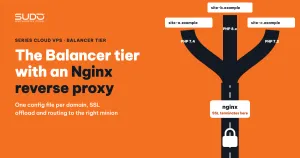
The article The Balancer tier: Nginx reverse proxy, SSL offload and domain routing already has a table mapping 502 and 504 to log lines. An investigation needs a finer split, because each message tells you how far nginx got:
| Line in error.log | What nginx did | Client receives | Client waits |
|---|---|---|---|
upstream timed out (110: Connection timed out) while connecting to upstream | Sent a connection request; nobody answered within proxy_connect_timeout | 504 | The full proxy_connect_timeout (60 seconds by default) |
upstream timed out ... while reading response header from upstream | Connected, but the application did not answer within proxy_read_timeout | 504 | The full proxy_read_timeout |
connect() failed (111: Connection refused) while connecting to upstream | The target machine is alive but no process is listening on that port | 502 | Almost instant |
no live upstreams while connecting to upstream | Did not try to connect, because every server in the group is marked unavailable | 502 | Instant |
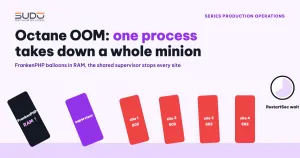
The first two lines are both "timed out", but the final phrase decides the direction of the investigation. While connecting means the target machine did not accept the connection: the machine is hung, heavily overloaded at the operating-system level, or the network has a problem. While reading response header means the machine still accepts connections, and the slowness is in PHP or the database. Connection refused is the opposite: the machine answers very quickly that nobody is there, as when the application process dies in Octane OOM: when one process takes down a whole minion.
No live upstreams, on the other hand, is not a connection error. It is nginx's own decision: no server in the group is considered alive any more, so nginx stops trying.
Step 3: understand max_fails, fail_timeout and why only multi-server groups get no live upstreams
According to the nginx upstream module documentation, each server in a group has two parameters, max_fails and fail_timeout. The defaults are max_fails=1 and fail_timeout=10s: a single failure within 10 seconds is enough for the server to be considered unavailable for the next 10 seconds. What counts as a "failure" is decided by proxy_next_upstream, which defaults to error timeout: a connection error, an error sending the request, an error reading the header, or a timeout. An HTTP 502 or 504 response returned by the minion does not count as a failure unless you also add http_502 or http_504.
The decisive detail is one sentence in the documentation: if a group has only one server, max_fails and fail_timeout are ignored, and that server is never considered unavailable. A site running on a single minion, or configured with proxy_pass straight to an IP (an implicit group with one server), will never produce no live upstreams. Only multi-server groups can fall into the state where "all of them are marked down at once":
upstream shopweb {
    server 10.0.0.61:80;     # app-1
    server 10.0.0.62:80;     # app-2
    server 10.0.0.63:80;     # app-3
    # no max_fails / fail_timeout declared → default 1 failure / 10 seconds
}
With those defaults, when every minion fails repeatedly, each server is only retried after its 10-second ban expires, and if it fails again it is banned again. During any period when the whole group is banned, every incoming request gets no live upstreams.
Step 4: read the line count correctly
Hundreds of thousands of no live upstreams lines do not mean the minions failed hundreds of thousands of times. Each line is a request rejected without a single attempt. That number measures the traffic during the time the whole group was banned, not the severity of the failure behind it. To learn how the minions actually failed, look for the timed out or refused lines to each IP immediately before and in between the no live upstreams lines.
Step 5: the opposite failure mode, a minion that stays sick
The same counting from step 1 often reveals the exact opposite picture: a site with only one minion, whose error.log is scattered with thousands of upstream timed out (110: Connection timed out) while connecting to upstream lines to the same IP, stretching over weeks. Being a one-server site, nginx never marks it down. Whenever the minion does not accept connections, each request has to wait the full proxy_connect_timeout before receiving a 504. This is a slow death: there is never a moment when the site is "completely down" for someone to notice, just occasional visitors who wait and then leave.
A multi-server group dies fast and loudly (no live upstreams, instant 502); a single server dies slowly and silently (504). Both show there is no real failover yet.
Root cause
- Mechanism: every minion in the group hits connection errors or timeouts within the same time window. With
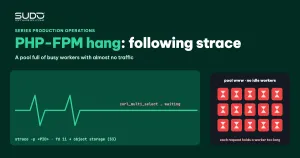
max_fails=1, fail_timeout=10s, nginx marks them all unavailable and rejects every request with no live upstreams. - Why the machines fail together: they run the same code, use the same database and receive the same traffic stream, so they share a failure domain. A common cause is running out of PHP-FPM workers because code calls an external service synchronously inside the request (see PHP-FPM hang: following strace to a synchronous S3 call). Without evidence, do not pin an old cause on a new incident.
- The shared root: no real HA and no alerting based on upstream errors. On a one-minion site, a sick minion means a sick site. On a multi-minion site with shared dependencies, "three machines" does not mean "three times as safe".
Fix
Response sequence when error.log starts showing no live upstreams
# 1. From the balancer, call each server in the group directly, with the site's Host
for ip in 10.0.0.61 10.0.0.62 10.0.0.63; do
  curl -s -o /dev/null -m 5 -w "$ip %{http_code} %{time_total}s\n" \
       -H 'Host: shop.example' "http://$ip/"
done

# 2. For any server that times out or refuses: log in to that minion and check services and pools
systemctl is-active nginx php8.2-fpm
journalctl -k --since "-30 min" | grep -i "out of memory"
grep -c "max_children" /var/log/php8.2-fpm.log
Nothing needs to change on the balancer if the minion has recovered: once fail_timeout expires, nginx automatically tries that server with the next request.
Recommended configuration for multi-server groups
upstream shopweb {
    server 10.0.0.61:80 max_fails=3 fail_timeout=30s;
    server 10.0.0.62:80 max_fails=3 fail_timeout=30s;
    server 10.0.0.63:80 max_fails=3 fail_timeout=30s;
    keepalive 16;
}
location / {
    proxy_pass http://shopweb;
    proxy_connect_timeout 3s;
    proxy_next_upstream error timeout;
    proxy_next_upstream_tries 2;
}- Declare
max_failsandfail_timeoutdeliberately so a single stray error does not ban a whole server. Trade-off: a genuinely broken server is detected a few attempts later. - Shorten
proxy_connect_timeoutfor connections over the private network. A normal connection between balancer and minion takes milliseconds; waiting up to 60 seconds only makes visitors wait for nothing. - Alert on the number of upstream error lines per minute for each site, split by the three message types. For that, error.log needs to be collected in one place instead of being scattered across individual balancers.
Prevention checklist
- Regularly count the four message patterns (timed out while connecting, timed out while reading, refused, no live upstreams) on every balancer and compare with the previous period.
- If timed out while connecting to the same IP keeps repeating: treat that minion as sick and check it right away, without waiting for a customer report.
- If you see no live upstreams: look for the error lines to each IP just before it; those are the actual cause.
- For multi-server groups, review which dependencies the machines share (database, object storage, external APIs) that could bring them all down together.
- State clearly in the operations documentation:
least_connor a one-server upstream block does not create failover.
Lessons
- Read the whole log line. "timed out while connecting" and "timed out while reading" lead to two completely different lines of investigation.
- No live upstreams is a consequence, not a cause. It tells you nginx ran out of servers to try, not why.
- Several machines are not HA yet. Machines sharing code and a database can fall at the same time. A single machine can stay sick for weeks without anyone knowing if there is no alerting.
Next article
Three bugs after a PHP-FPM migration: log path, upload_max and timezone. Giving each site its own PHP-FPM pool stops max_children errors, but afterwards three bugs that an HTTP health check cannot catch may surface.