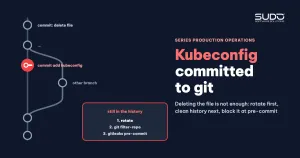
It is not a rare situation for Kubernetes operations teams: the admin kubeconfig of a production cluster slips into the Helm repo, sits there across many commits, and then one day someone notices it and removes it with a short commit. Deleting the file is the easiest step and also the least effective one: the file is still in the Git history and in every clone, and the key inside it still opens the cluster until it is revoked. This article lays out the standard response: scope the incident without copying the secret anywhere, rotate first, clean the history afterwards, and put up layers of protection so it does not happen again.
Symptoms: nothing raises an alarm
A kubeconfig leaked into a private repo causes no errors and slows no site down. No pipeline turns red and no alert fires. The repo is private, so anyone who can read it is a team member or a CI runner. Precisely because it stays "in the family", the incident is easy to underestimate. But the default kubeconfig issued by LKE carries full admin rights, as Building the first LKE cluster: node pools, kubeconfig and early choices explained: whoever holds the file has full control of the cluster, from reading every site's Secrets to deleting namespaces. Unless you have API access logs long enough to prove the key was never misused, you must treat it as a leaked key.
Investigation: scope it without copying the secret
Step 1: find every kubeconfig file that ever existed in the history
The rule when investigating a leak: no cat, no git show of the file contents to the screen or into a ticket. Work only with file names, commits and hashes:
# every file whose name contains kubeconfig that was ever added, on every branch
git log --all --diff-filter=A --name-only --format='@@ %h %ad' --date=short \
  | grep -iE 'kubeconfig|kube.?config'

# add and delete history of each file
git log --all --format='%h %ad %s' --date=iso -- '*kubeconfig*'
The result often contains more than one file: a full copy with a token, a duplicate deleted as part of another commit, and sometimes a file holding only the API server address and CA (no users section, so no token). For each file, record the path, the commit that added it, the commit that deleted it, and the type of content. It is also worth looking at what the adding commit was. A very common case is a file sitting in the working directory that got swept in by git add on the whole directory, together with an unrelated change.
Step 2: assess severity without reading any values
# are the copies identical: compare blob hashes, print no content
git rev-parse <commit>:<path-1> <commit>:<path-2>

# which keys the file has: blank out every value before printing
git show <commit>:<path> | sed -E 's/^( *-? *[A-Za-z_-]+:).*/\1/' | sort | uniq -c
If the key list contains clusters, contexts, users and a token line, with a user carrying the -admin suffix, it is an admin kubeconfig. To find out whether the token in the history is still the token in use, compare hashes on both sides, again without printing any value:
old=$(git show <commit>:<path> | awk '/ token:/{print $2}' | sha256sum | cut -c1-12)
cur=$(awk '/ token:/{print $2}' ~/.kube/prod.yaml | sha256sum | cut -c1-12)
[ "$old" = "$cur" ] && echo "MATCH: token in history is still valid"
If the two hashes match, anyone who cloned the repo while the file existed is holding a key that still opens the cluster. Even if they do not match, rotate anyway if you are not sure the old token has been revoked.
Step 3: who has a copy
Every branch created after the leaking commit contains the file. Copies of the repo live on team members' machines, in every CI job that clones the repo, and in pipeline artifacts if the repo directory is saved as an artifact. There is no way to recall these copies. That is why cleaning the history cannot replace revoking the key.
Root cause
- A shared admin kubeconfig living on personal machines and travelling with whoever is working, instead of a separate least-privilege identity for each person and each pipeline.
- No protection layer before files enter Git:
.gitignorehas no kubeconfig pattern, there is no pre-commit hook scanning for secrets, and manual commits sweep up whole directories. - Deleting the file is treated as the fix: a copy was deleted as part of another commit and nobody rotated anything.
Fix: order matters more than tools
1. Rotate the kubeconfig first
An LKE kubeconfig is regenerated with the reset action in Cloud Manager, or through the Linode API (the endpoint that deletes and recreates the cluster's kubeconfig). The old token stops working immediately, so prepare in advance a list of every place that uses the kubeconfig and update them all in the same maintenance window:
- CI variables holding the kubeconfig in the operations, build and deploy projects.
- External systems that trigger pipelines, if they pass the kubeconfig along (a practice you should drop).
- Personal machines of everyone with operations access to the cluster.
After rotating, rerun a pipeline that reads the cluster, for example kubectl get ns, to confirm each place has received the new kubeconfig, and try the old kubeconfig to confirm it is rejected. The file structure and how to organize multiple kubeconfig files are covered in Organizing Cluster Access Using kubeconfig Files.
2. Clean the Git history
Do this only after rotating, because cleaning the history only cleans the repo on the remote, not the clones. With git filter-repo, the process on a mirror copy is:
git clone --mirror git@git.example.com:team/helm-values.git
cd helm-values.git
git filter-repo --invert-paths --path-glob '*kubeconfig*'
# verify: no file matching the pattern remains
git log --all --name-only --format= | grep -ci kubeconfig
git push --force --mirror
BFG Repo-Cleaner does the same with bfg --delete-files '*kubeconfig*'. The price: every commit since the leaking commit gets a new hash. Pause every pipeline that writes to the repo, especially those that commit values automatically, because a job still holding an old clone will push the old history right back. Afterwards, everyone clones again from scratch. The Git hosting service may keep unreferenced objects for a while longer, so work with the provider to clean up on the server side.
3. Record and close the incident
The postmortem states clearly: which files, which range of commits they existed in, that the token has been rotated, that the history has been cleaned, and where the new kubeconfig has been rolled out. The incident is closed only when all three steps are done, not when the commit deleting the file is merged.
Prevention
The first layer is a .gitignore for every infrastructure repo:
*kubeconfig*
*.kubeconfig
.kube/
The second layer is scanning for secrets before commit with gitleaks through pre-commit, plus a dedicated rule for the token line of a kubeconfig:
# .pre-commit-config.yaml
repos:
  - repo: https://github.com/gitleaks/gitleaks
    rev: v8.18.2
    hooks:
      - id: gitleaks

# .gitleaks.toml
[extend]
useDefault = true

[[rules]]
id = "kubeconfig-token"
description = "token in a kubeconfig file"
regex = '''(?m)^\s*token:\s*['"]?[A-Za-z0-9._\-]{20,}'''
keywords = ["token"]
The third layer runs in CI, because hooks on personal machines can be skipped: a job that scans the whole history with gitleaks detect --source . --log-opts="--all" on every push and blocks the merge if anything is found.
The fourth layer is the real root fix: nobody needs an admin kubeconfig for daily work. Each person and each pipeline should have a kubeconfig generated from its own ServiceAccount, bound to a Role in the right namespace. Then a file that leaks only opens a small part of the cluster and can be revoked without affecting anyone else. The admin kubeconfig belongs in a secrets vault, taken out only when needed and rotated after every special-purpose use.
In the same spirit, each site's values should not contain database passwords or application keys in plain text. Use Sealed Secrets, SOPS or External Secrets to move secrets out of Git or encrypt them.
Checklist when a kubeconfig is found in a repo
- Do not print the file contents; scope the incident by file name, commit and blob hash.
- Determine the kubeconfig's privileges (admin or ServiceAccount) and whether the token is still valid.
- List every place that uses the kubeconfig.
- Rotate, update every place, and confirm the old kubeconfig is rejected.
- Stop pipelines that write to the repo, clean the history with git filter-repo, and ask everyone to clone again.
- Add
.gitignore, gitleaks pre-commit and a CI scanning job. - Move step by step to narrowly scoped kubeconfig files based on ServiceAccounts.
Lessons
Deleting a secret file from a repo is only the visible step. The important part is revoking the key, and the most laborious part is finding every place that uses it. Investigating a leak does not require touching the secret: file names, blob hashes and checksums are enough to answer every question you need. Finally, a shared admin kubeconfig is a single point of failure of a different kind: it does not take sites down, but one slip is enough to force a key change across the whole cluster. For many pipelines writing to the same Helm repo, see Conflicts when many pipelines push at once: push_with_retry and GitOps lessons; other articles are in the Sudo technical blog.
Next article
MySQL deadlock analysis: reading gap locks and insert intention in InnoDB status. How to read the LATEST DETECTED DEADLOCK section of InnoDB, line by line, to find out which locks two transactions are really fighting over.