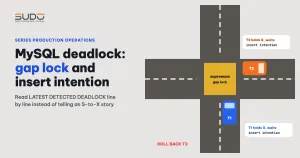
A common situation with Laravel: several queue workers run jobs that rebuild a statistics table, each job handles a different group of data, and once in a while a job fails with error 1213. That is a MySQL deadlock: InnoDB detects two transactions waiting on each other in a cycle and kills one of them. The website keeps running and the job is retried, but a MySQL deadlock that keeps recurring in a background job is a sign of a design problem. This article walks through the LATEST DETECTED DEADLOCK section of InnoDB status line by line, explains why two statements writing non-overlapping data can still deadlock each other, and why the familiar explanation "both sides upgrade an S lock to X" often does not match the log.
Symptoms
A typical case: a job receives a category ID, uses a recursive CTE to fetch all child categories, counts records per region, then writes into a cache table with a single INSERT ... SELECT ... ON DUPLICATE KEY UPDATE statement. A parent job dispatches child jobs for every category at once, on the assumption that "the data does not overlap, so they can run in parallel". When the MySQL deadlock occurs, the killed statement returns:
SQLSTATE[40001]: Serialization failure: 1213 Deadlock found when trying
to get lock; try restarting transaction
The job catches the exception, logs it and rethrows; if $tries = 3 is declared, Laravel puts it back on the queue for a retry. The target table has a simple structure: an auto-increment primary key id, a unique key on the pair (category_id, region_id) and a few secondary indexes.
Investigation
Step 1: find the right source of lock information
A common mistake is to look in performance_schema.metadata_locks. That table holds metadata locks, table-level locks that coordinate DDL and DML, not InnoDB row locks. For a row-level MySQL deadlock, the right source is SHOW ENGINE INNODB STATUS for a deadlock that has already happened, or performance_schema.data_locks and data_lock_waits while transactions are still waiting.
Step 2: get the MySQL deadlock log from InnoDB status
mysql --login-path=<database> -e "SHOW ENGINE INNODB STATUS\G" \
  | sed -n '/LATEST DETECTED DEADLOCK/,/^TRANSACTIONS$/p'
A shortened sample log, with table names and values replaced by neutral ones:
------------------------
LATEST DETECTED DEADLOCK
------------------------
*** (1) TRANSACTION:
TRANSACTION 1002, ACTIVE 0 sec inserting
mysql tables in use 5, locked 5
LOCK WAIT ... lock struct(s), ... row lock(s), undo log entries 1
INSERT INTO stats_cache (category_id, region_id, item_count, updated_at)
  WITH RECURSIVE tree AS ( SELECT id FROM categories WHERE id = 31 UNION ALL ... )
  SELECT ... GROUP BY ...
  ON DUPLICATE KEY UPDATE item_count = VALUES(item_count), updated_at = VALUES(updated_at)

*** (1) HOLDS THE LOCK(S):
RECORD LOCKS ... index PRIMARY of table `app`.`stats_cache` trx id 1002 lock_mode X
Record lock, heap no 1 PHYSICAL RECORD: n_fields 1; compact format; info bits 0
 0: len 8; hex 73757072656d756d; asc supremum;;

*** (1) WAITING FOR THIS LOCK TO BE GRANTED:
RECORD LOCKS ... index PRIMARY ... trx id 1002 lock_mode X insert intention waiting
 0: len 8; hex 73757072656d756d; asc supremum;;

*** (2) TRANSACTION:
TRANSACTION 1001, ACTIVE 0 sec inserting
INSERT ... (same statement, category 30)

*** (2) HOLDS THE LOCK(S):
RECORD LOCKS ... index PRIMARY ... trx id 1001 lock_mode X
 0: len 8; hex 73757072656d756d; asc supremum;;

*** (2) WAITING FOR THIS LOCK TO BE GRANTED:
RECORD LOCKS ... index PRIMARY ... trx id 1001 lock_mode X insert intention waiting
 0: len 8; hex 73757072656d756d; asc supremum;;

*** WE ROLL BACK TRANSACTION (2)
Step 3: interpret each line of the MySQL deadlock
- Two transactions, two categories: the same statement with different parameters, sent from two different connections. So at least two workers are running in parallel.
index PRIMARY: the lock is on the auto-increment primary key, not on the unique key(category_id, region_id).heap no 1andasc supremum: supremum is a pseudo-record that sits after the largest record on the index page. A next-key lock on supremum really only locks the gap after the largest value, in other words a gap lock at the end of the index.lock_mode Xin the HOLDS section: each side holds an X lock on that same gap. Gap locks do not conflict with each other, so both sides can hold one.insert intention waiting: each side wants to insert a new row into that gap and must request an insert intention lock, a lock type that is blocked by another transaction's gap lock.
Put together: (1) holds the gap and waits for (2) to release it in order to insert; (2) holds the gap and waits for (1) to release it in order to insert. The wait cycle closes, and InnoDB picks the transaction that is cheaper to roll back. Because the primary key is auto-increment, every new row of every category is appended at the end of the index, so two "independent" jobs still meet at the same gap. This is the classic MySQL deadlock between a gap lock and an insert intention lock, described in the InnoDB Locking section of the MySQL 8.0 manual.
Step 4: the easiest way to misread a MySQL deadlock
The familiar explanation for a MySQL deadlock with ON DUPLICATE KEY UPDATE is: both sides hold a shared S lock on the unique key, then both want to upgrade it to X to perform the update. That story is real in many cases, but the sample log above refutes it on three points: there is no S lock in the wait cycle, and both sides hold lock_mode X; the lock is on PRIMARY, not the unique key; and what is being waited for is an insert intention, not a lock upgrade. The consequence: even though the two categories share no region, the MySQL deadlock still happens, because the point of contention is the end of the primary key.
S locks are still present, just elsewhere. According to Locks Set by Different SQL Statements, at the default REPEATABLE READ level, INSERT ... SELECT sets shared next-key locks on the rows it reads from the source tables. That is why each transaction usually has a large row lock count and why the line mysql tables in use 5, locked 5 appears: the source tables are locked for the whole statement too.
Root cause of the MySQL deadlock
- Many parallel writers into the same table with an auto-increment primary key: every new row lands at the end of the index, so jobs split by category are actually competing for the same gap.
- Each job is one large statement: it reads recursively across several tables and holds locks on the source and target tables until the statement finishes, which widens the collision window.
- Dispatching everything at once without limiting how many jobs writing to this table can run concurrently.
Fixing the MySQL deadlock
Temporary
InnoDB has already handled the MySQL deadlock itself: it kills one transaction so the other can proceed. MySQL's official answer is to retry the killed transaction, as described in How to Minimize and Handle Deadlocks. With Laravel, declare $tries and add a $backoff of a few seconds so the retry does not run into the exact moment other jobs are writing. Reducing the amount of work per statement (limiting recursion depth, filtering data) narrows the collision window, but does not remove the condition that causes the MySQL deadlock.
Long-term
- Serialize the jobs that write to the same table, the most reliable way to get rid of the MySQL deadlock here: put them on a dedicated queue with a single worker, or use the
WithoutOverlappingmiddleware with a shared key for the table, as described in the Laravel queue documentation. The trade-off is losing parallelism for this group of jobs. - Separate reads from writes: compute the result with a read query, then upsert in small batches. The shorter the write, the narrower the window during which gap locks are held.
- Build a new table, then swap: a single process builds a temporary table, then uses
RENAME TABLEto atomically swap it with the live table. - Consider READ COMMITTED for the job's session: source tables are then read with non-locking consistent reads, reducing the number of row locks. Gap locks used for duplicate-key checks remain, so this does not replace serializing the jobs.
// Laravel: only one job writes stats_cache at a time
public function middleware(): array
{
    return [(new WithoutOverlapping('stats_cache'))->releaseAfter(10)];
}
Preventing MySQL deadlock in background jobs
- Enable
innodb_print_all_deadlocks = ONso every MySQL deadlock is written to the error log, instead of only keeping the most recent one inSHOW ENGINE INNODB STATUS. - Count 1213 errors in the application log of background jobs and alert when they cross a threshold, instead of letting
$triessilently hide them. - Review background jobs with the questions: how many jobs write to the same table at the same time, and how does that table's primary key grow.
- When analyzing a MySQL deadlock, read three things in the log before drawing a conclusion: the index name, the lock type (
X,S, gap, insert intention) and the locked record.
Lessons
"Each job handles its own slice of data, so running them in parallel is safe" is a reasonable assumption on paper and wrong in InnoDB, because locks are placed not only on data rows but also on the gaps between rows. The second lesson is about investigation: a MySQL deadlock can be retold as a very convincing story that does not match the log. The three lines index PRIMARY, lock_mode X and insert intention waiting are enough to refute the S-to-X story, if you are willing to read carefully.
Multi-tenant MySQL configuration is covered in The Database tier: multi-tenant MySQL on small VPS instances, running queue workers with Supervisor in Speeding up websites with Laravel ResponseCache, Redis and Supervisor, and the general method in Incident investigation across layers: from balancer to database and Kubernetes.
Next article
nginx OOM on a balancer: when one small machine carries many websites. The next article goes back to the balancer tier: what happens to the sites behind it when the nginx process at the entry point is killed by the kernel for running out of RAM.