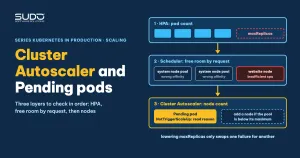
The CI/CD pipeline is green, but the website is still running old code. At another time, the site hangs completely while MySQL and Redis are perfectly healthy. These two symptoms look very different, but on an LKE cluster with autoscaling enabled they can share one root cause: there is no room for a new pod. This article gives a three-layer diagnostic order: has HPA hit its cap, does the node pool still have room by request, and why the Cluster Autoscaler is not adding a node, along with how to read the NotTriggerScaleUp event correctly.
The HPA formula and behavior are covered in HPA for Laravel: request-based thresholds, scaling behavior and metrics-server; calculating the real free capacity of a node is covered in Pod Pending with Insufficient cpu: calculating real free capacity from kubectl describe node. This article connects the two.
Two misleading symptoms
- Green pipeline but old code. The new image has been built and pushed to the registry, but in the site's namespace a new pod has been
Pendingfor several minutes, while the old pods are stillRunningand serving the old code. If the pipeline only runshelm upgradewithout--waitorkubectl rollout status, the command returns as soon as the manifests are applied, so the pipeline stays green even though the new pod is not up. - Site hangs but the database is healthy. The MySQL and Redis dashboards look normal: no full disk, no connection ceiling reached. If HPA has hit
maxReplicasand load is still high, the existing pods are overloaded and the site hangs. Treat this sign only as a hint to investigate, not as a conclusion.
The rule that follows: do not suspect the database or Redis before running kubectl get hpa.
HPA and Cluster Autoscaler: who changes the pod count, who changes the node count
Cluster Autoscaler and HPA are often confused because both are called autoscaling:
| Criterion | HPA | Cluster Autoscaler |
|---|---|---|
| What it changes | Number of pods (replicas) | Number of nodes in the pool |
| Based on | Usage relative to request (or another metric) | Pending pods that cannot be scheduled, and surplus nodes |
| Where it is configured | The HPA object, spec.behavior | The provider's pool configuration (min and max nodes) |
The normal chain: load rises, HPA increases the pod count, the scheduler cannot find a node with enough request capacity, the pod goes Pending, then the Cluster Autoscaler sees the Pending pod and adds a node, and the pod gets scheduled. If a single link breaks, the new pod waits forever. HPA calculates by request rather than by limit, so both layers depend on the requests you declare.
Reading a Pending pod: FailedScheduling and NotTriggerScaleUp
The first command is describe on the Pending pod, then read the Events section:
kubectl describe pod web-7d9c-xxxxx -n site-a
Events:
  Warning  FailedScheduling   default-scheduler   0/3 nodes are available:
    1 Insufficient cpu, 2 node(s) didn't match Pod's node affinity/selector.
  Normal   NotTriggerScaleUp  cluster-autoscaler  pod didn't trigger scale-up: ...
How to read the FailedScheduling line: of the three nodes, two are ruled out because nodeAffinity does not match (for example they belong to the system pool while the pod requires the website pool), and the remaining node does not have enough CPU request. In other words, the pod has exactly one valid node, and that node is already full by request.
One context where this error appears unexpectedly is a rolling update. With the default maxSurge, the Deployment must create the new pod before deleting the old one, so an update needs spare room for an extra pod. When the valid nodes have less spare room than one pod's request, the surge pod goes Pending even though HPA has not hit its cap: the Deployment's maxSurge is not limited by the HPA's maxReplicas, only by free capacity by request.
The NotTriggerScaleUp line often loses the reason after the colon when copied. Do not guess: get the full reason with:
kubectl describe pod web-7d9c-xxxxx -n site-a | sed -n '/Events/,$p'
kubectl get events -n site-a --field-selector reason=NotTriggerScaleUp -o yaml
Why the Cluster Autoscaler does not scale up
In one real case, the NotTriggerScaleUp event had its reason cut off, so the points below are hypotheses to verify, not confirmed causes. According to the upstream documentation, the Cluster Autoscaler only adds a node when there is an unschedulable pod and adding a node from a known pool would let that pod run. The usual reasons it refuses:
- The pool matching the pod's
nodeAffinityornodeSelectorhas reached its maximum node count. - The pod has a
nodeAffinitypointing at a pool where the Cluster Autoscaler is not enabled, so adding nodes in another pool does not help. - The pod's request is larger than the allocatable capacity of the node type in the pool: a new node would still not be enough.
- The pod is constrained by a volume, zone or taint that a new node would not satisfy.
- The Cluster Autoscaler is in a back-off period after a previous scale-up or error.
How to verify: read the full reason in the event, compare against the pool configuration (min, max, machine type), and compare the pod's request with the allocatable capacity of one node. If you want to change Cluster Autoscaler parameters, the provider manages them on their side; do not assume you can change them yourself, and ask or read the provider's documentation. Also do not call the pool "fixed": when the Cluster Autoscaler is enabled, the node count still goes up and down.
When HPA hits maxReplicas
The second case has nothing to do with Pending. The site hangs, all existing pods are overloaded, and HPA cannot add pods because it has reached its cap:
kubectl get hpa -n site-a
NAME     REFERENCE       TARGETS    MINPODS   MAXPODS   REPLICAS
site-a   Deployment/web  130%/80%   1         2         2

kubectl top pod -n site-a
kubectl describe hpa site-a -n site-a   # look for ScalingLimited / TooManyReplicas
The Cluster Autoscaler cannot help in this situation, because there is no Pending pod to trigger it. If REPLICAS equals MAXPODS and TARGETS is still above the threshold, the site is slow because of a lack of headroom, not necessarily because of the database. In one real case, the site hung while MySQL and Redis were normal, and it worked again after maxReplicas was raised. That case came with no CPU measurements, so treat this as a sign to check on your own cluster, not yet a conclusion.
There is a trap: lowering maxReplicas to make the Pending pod disappear only trades one failure for another. Lowering maxReplicas makes HPA remove running pods, so their requests are returned to the node and the Pending pod can be scheduled; this is a reasonable explanation but was not confirmed in the original case. The cost is that the site loses its ability to absorb load, and the site may then hang because it hits the cap. The chain "lower maxReplicas, then the site hangs" is an inference from the order of events, not proven causation, but it is enough to draw a lesson: do not use maxReplicas as a button to cure Pending.
Node scale-down and why a node is not removed
When pods decrease, a surplus node is not removed immediately. The Cluster Autoscaler marks the node with the DeletionCandidateOfClusterAutoscaler taint with effect PreferNoSchedule, then waits out the "unneeded" time before deleting it. The upstream default for scale-down-unneeded-time is 10 minutes, so with the default configuration a surplus node is usually removed about 10 minutes after it stops being needed. You can observe this yourself by watching the taint on the node after lowering the load; the actual value also depends on the provider's configuration.
If the node is still there after that time, the real conditions that block removal according to the upstream documentation include:
- Pods not managed by a controller (bare pods).
- A PodDisruptionBudget that does not allow evicting the pod.
- Pods using local storage or carrying the annotation
cluster-autoscaler.kubernetes.io/safe-to-evict: "false". - The node's utilization is still above the threshold (the upstream default is 50% of request) or not enough time has passed since the most recent scale-up.
With the Cluster Autoscaler, do not blame DaemonSets: DaemonSet pods do not block node removal. The default values above are upstream values and have not been verified on LKE.
Checklist and recommended configuration
kubectl get pods -n site-a: are there Pending pods? If so,describeand read the fullFailedSchedulingandNotTriggerScaleUp.kubectl get hpa(the HPA layer, before suspecting the Cluster Autoscaler): doesREPLICASalready equalMAXPODS, and doesTARGETSexceed the threshold?kubectl describe node: add up the allocated requests and compare with allocatable.- Check how many nodes the affinity matches and whether the corresponding pool still has room under the Cluster Autoscaler's maximum.
- Set
maxReplicaswith headroom over peak load, and make sure the pool has enough maximum nodes to hold that many pods plus surge pods during a rolling update. - Add
kubectl rollout status deployment/web -n site-a --timeout=300sto the pipeline so it turns red when the new pod does not come up, instead of a false green. With Helm you can usehelm upgrade --atomic --wait --timeout 5m.
When writing the HPA configuration, distinguish chart values from the manifest. Chart values (such as targetCPUUtilizationPercentage) are only how the chart generates the manifest; an autoscaling/v2 manifest looks like this:
spec:
  minReplicas: 2
  maxReplicas: 5
  metrics:
  - type: Resource
    resource:
      name: cpu
      target:
        type: Utilization
        averageUtilization: 80
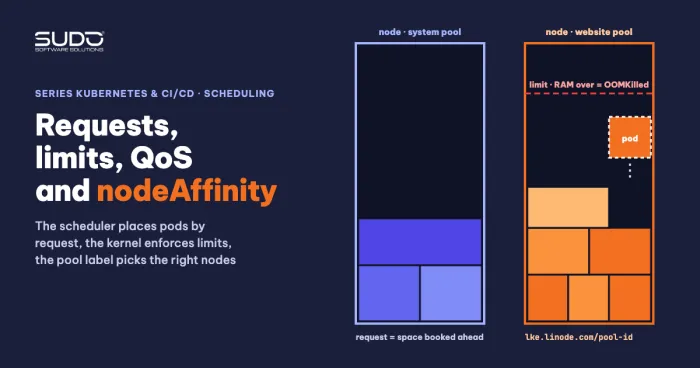
Background on requests and affinity is in Requests and limits, QoS and nodeAffinity: placing pods on the right nodes. Source documentation: the Cluster Autoscaler FAQ and assigning pods to nodes on kubernetes.io.
Points to verify yourself
- The reason the Cluster Autoscaler does not scale up. Do not guess from a truncated event line: get the full reason with
kubectl get events --field-selector reason=NotTriggerScaleUp -o yamland compare it with the pool configuration. - Old pods still Running despite only one valid node. A reasonable hypothesis is that the old pods hold the requests on the only valid node, so the node has no room for pod number N+1. Check with
kubectl describe node, sectionAllocated resources. - The relationship between one Pending event and a later site hang. Order in time does not prove causation; compare when they happened using
kubectl get eventsand the CPU-by-request chart. - The right
maxReplicasvalue. Choose it from load measurements of your own site, plus room for surge pods during a rolling update.
Next article
Webroot on NFS hanging: measuring PHP sites with fio, ioping and iperf3, and when to drop NFS. When pods, the database and autoscaling are all fine but the site still hangs, the shared storage layer is the next suspect.