A MySQL pod on LKE sits in the ContainerCreating state after you delete the pod or change nodes. There is no application log because the container never ran, and kubectl get pod only shows ContainerCreating without saying anything more. Behind that ContainerCreating state there can be three different groups of errors, each needing its own fix, and they can overlap within the same pod scheduling. This article is a layer-by-layer diagnostic procedure: read the Events, tell the two forms of Multi-Attach apart, understand the Unable to find device path error, and separate mount errors from MySQL crashes.
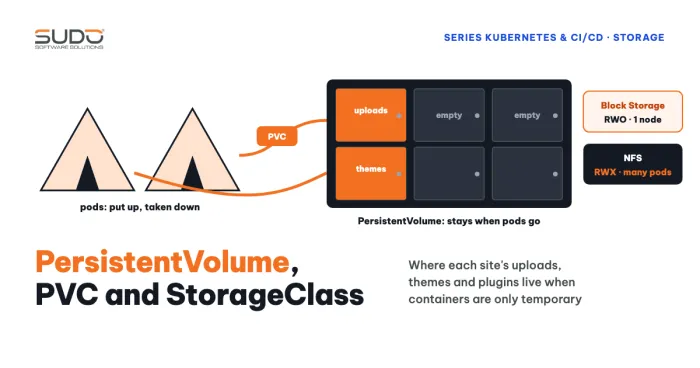
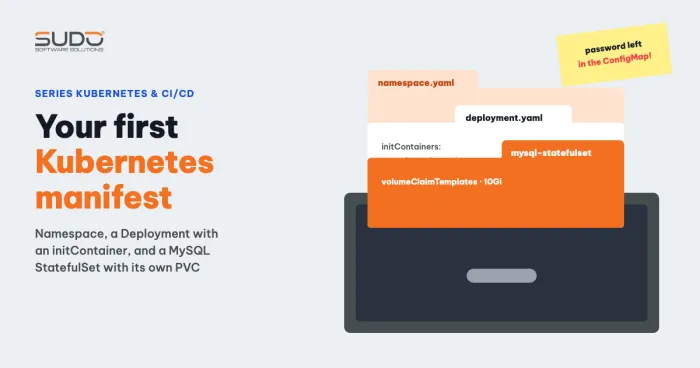
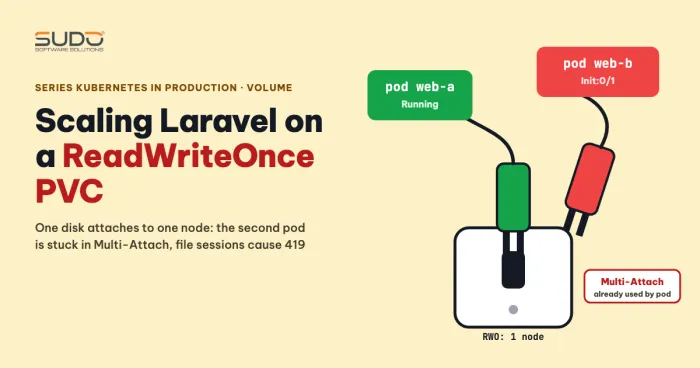
If you need to review the concepts, see Volume, PersistentVolume, PVC and StorageClass on Kubernetes. If the pod is stuck because you raised the replica count, the article scaling Laravel on a ReadWriteOnce PVC covers that case.
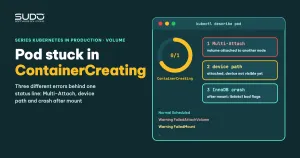
Three groups of errors behind ContainerCreating
The ContainerCreating state means the pod has been assigned a node but the kubelet has not finished creating the container. For a pod with a PVC, a common cause is the volume; other causes include slow or failing image pulls, CNI errors, and a Secret or ConfigMap that cannot be mounted. For volume-related causes, the Events show three groups:
- Multi-Attach (two forms):
already used by pod(s)when the volume is attached for another pod, orexclusively attached to one nodewhen the volume is still attached to the old node. - Device path:
MountVolume.MountDevice failed ... Unable to find device path, where the attach reported success but the node does not see the device yet. - Crash after mount: no longer ContainerCreating. After the mount succeeds, MySQL crashes on its own at the InnoDB startup step and the pod is in
CrashLoopBackOff, but it is often mistaken for the same incident.
Step 1: read the Events of a ContainerCreating pod and tell the two Multi-Attach forms apart
The first move is always kubectl describe pod, reading the Events section from the bottom up:
kubectl describe pod mysql-<hash>
Events:
  Normal   Scheduled           default-scheduler        Successfully assigned default/mysql-<hash> to node-b
  Warning  FailedAttachVolume  attachdetach-controller  Multi-Attach error for volume "pvc-..." Volume is already exclusively attached to one node and can't be attached to another
The two message forms have different causes. The form already used by pod(s) <pod name> means another pod is using the volume; a typical cause is a Deployment with replicas: 2 sharing one PVC. The form exclusively attached to one node usually appears when the new pod is scheduled onto a different node than the pod that was just deleted and the volume has not yet detached from the old node. What they have in common is that ReadWriteOnce is counted per node, not per pod (see access modes).
The second form usually clears up on its own after a short while, once the volume is detached and attached again. Do not delete anything in a hurry. Check with:
kubectl get volumeattachment | grep <pv-name>
kubectl get pv,pvc -o wide
VolumeAttachment tells you which node the volume is attached to and whether the attach succeeded. This is a much lighter step than deleting the PVC, so try these light steps before you rebuild the PVC.
Step 2: PV, PVC, claimRef and finalizers when the pod is in ContainerCreating
A common reflex with a ContainerCreating pod is to open the PV with kubectl edit and remove the claimRef block hoping to "free" the volume. For a PV that is Bound, this only moves the PV to Available; the PVC stays Bound and the volume stays attached to the old node. It does not remove the attachment, so the pod is still in ContainerCreating. A PV has two finalizers. kubernetes.io/pv-protection prevents deleting a PV that a PVC is using, and the external-attacher/<driver> finalizer makes sure the PV is detached before deletion; do not remove them before you understand the consequences.
Similarly, the accessModes of a bound PVC are immutable. Many kubectl versions report an immutable error on kubectl edit; in the original record, the value did not change. And kubectl apply returns spec is immutable after creation except resources.requests for bound claims. Switching to ReadWriteMany is also useless because the block storage driver does not support it.
Step 3: ContainerCreating with Unable to find device path, attached but no device yet
This is the error that causes the most confusion. A typical event sequence:
Normal   SuccessfulAttachVolume  AttachVolume.Attach succeeded for volume "pvc-..."
Warning  FailedMount             MountVolume.MountDevice failed for volume "pvc-..." :
  rpc error: code = Internal desc = Unable to find device path out of attempted paths:
  [/dev/disk/by-id/linode-pvc... /dev/disk/by-id/scsi-0Linode_Volume_pvc...]
A successful attach means the control plane has asked for the volume to be attached to the virtual machine. But the kubelet needs to see the block device appear in /dev/disk/by-id/ before it can format and mount it. If the device has not shown up, the driver reports Unable to find device path and the kubelet retries.
In many cases this error appears only a few times on the first attempts and then goes away: the container is still created and Started right after. That is a transient error and nothing to worry about. But in some cases the ContainerCreating pod stays stuck for a long time, does not recover on its own, and you even have to rebuild the PVC. The root cause of this long-stuck kind is not confirmed. What stands out is that with the same configuration, a node change sometimes works normally and sometimes gets stuck, and there is no explanation for the difference yet. When you hit it, record the attach time and check each layer yourself:
ls -l /dev/disk/by-id/ | grep -i linode        # on the node: is the linode-pvc... device there yet
kubectl get volumeattachment -o wide           # which node the volume is attached to
kubectl -n kube-system logs <csi-linode-node pod on that node>
If the device does not appear on the node even though VolumeAttachment says it is attached, also check on the provider side whether the volume is attached to the right machine.
Experiments that do not clear ContainerCreating
- Changing the PVC accessModes: immutable, as above.
- Removing claimRef from the PV: only changes the PV state and does not detach the volume.
- Setting
strategy: Recreateand then deleting the pod by hand:Recreateonly acts when the Deployment is updated and has nothing to do with manually deleting a pod, so the pod stays in ContainerCreating. If you tried it and saw nothing change, that is expected. Still,Recreateis useful when rolling out a Deployment that uses a ReadWriteOnce PVC, because the old pod stops before the new one starts, which avoids the new pod being scheduled onto another node and hitting Multi-Attach. - Switching to a StatefulSet: does not make Multi-Attach disappear when a pod changes nodes, because the constraint is on the volume, not on the workload type.
Mounted but MySQL still crashes: an InnoDB assertion on ibdata1
To be clear, the device path error does not crash MySQL. In a scenario using mysql:5.7, after a few retries the container was mounted and started, and then MySQL stopped on its own with this log:
[ERROR] [FATAL] InnoDB: Table flags are 0 in the data dictionary but the flags in file ./ibdata1 are 0x4800!
InnoDB: Assertion failure in thread ... We intentionally generate a memory trap.
This is a problem with the data in the datadir, not with the mount. Two approaches were recorded: switch the image to a newer version, or add subPath after mountPath. Most likely subPath stops the crash because MySQL uses a clean subdirectory on the volume instead of the volume root. The reason is not lost+found; that is a different topic, covered in the article on the first Kubernetes manifest. The hypothesis that old data was written by a different MySQL version is well-founded reasoning but has not been verified. You can check by listing the volume root before starting MySQL; see how to inspect PVC data on the node.
volumeMounts:
- name: mysql-data
  mountPath: /var/lib/mysql
  subPath: mysql
Understand the consequence: subPath: mysql makes MySQL initialize a new, empty datadir. The old data (ibdata1 written by a different MySQL version) stays at the volume root but is not used, so this only avoids the crash by ignoring the old data; it fixes nothing in the data. Use it only when you accept discarding that data or already have a backup. If you need to keep the data, run the exact MySQL version that wrote the datadir: pin a specific tag, never use latest, and never downgrade MySQL on a datadir that has been upgraded.
The last resort for a long ContainerCreating: delete the Deployment, PVC and Released PV, then rebuild
When a ContainerCreating pod never gets past that state and every light step has failed, if the data is unimportant or you have a copy, you can rebuild. Back up first. With a Retain StorageClass, deleting the PVC leaves the PV Released and the volume at the provider still exists; deleting the PV does not delete the real volume, so that volume becomes an orphan that you must delete by hand on the provider side once you are sure it is not needed. A new PVC gets a new, empty volume, and the old data remains only on the old volume:
kubectl delete -f mysql.yaml
kubectl delete -f mysql-pvc.yaml     # or: kubectl delete pvc mysql-pvc
kubectl get pv                       # the PV is in the Released state
kubectl delete pv <pv-name>
kubectl apply -f mysql-pvc.yaml
kubectl apply -f mysql.yaml
If you want to reuse the old volume, remove the claimRef of the Released PV and set volumeName to point to that PV in the new PVC, instead of deleting the PV. A common mistake is typing kubectl delete pvc mysql-pvc.yaml; this command looks for a PVC named mysql-pvc.yaml and will not find it. Use delete -f with a file, or delete pvc <name> with a name.
Reducing the risk of a pod stuck in ContainerCreating
- With one replica and one PVC, both a StatefulSet and a Deployment work, but a StatefulSet expresses the intent better. It does not eliminate Multi-Attach when the node changes.
- Do not rely on replicas landing on the same node when they share a ReadWriteOnce PVC; if you need many replicas, use ReadWriteMany through NFS or object storage.
- Consider moving the database outside the cluster; see multi-tenant MySQL on a VPS for the dedicated database server model.
ContainerCreating diagnostic checklist
- Pod in ContainerCreating: run
kubectl describe pod, read the Events from the bottom up and classify: Multi-Attach, device path, or crash after mount. - Multi-Attach: find the pod using the volume; check
VolumeAttachment; wait for the detach before deleting anything. - Device path: record whether
Startedfollows; if it does, the error was transient. - CrashLoopBackOff after mount: read
kubectl logs --previous, then check the datadir andsubPath. - Delete a PVC and PV only after you have a backup, even when the ContainerCreating pod stays stuck for a long time.
Next article
MySQL replication in a StatefulSet: why xtrabackup 2.4 fails with MySQL 8. Once every pod has its own stable volume, the next step is to make the MySQL pods replicate data to each other.