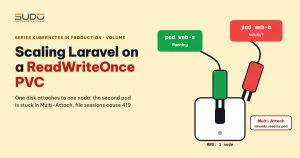
A single Laravel pod cannot handle heavy traffic, so you raise replicas to 2. The first pod runs, the second one is stuck at Init:0/1 and reports Multi-Attach. The cause is almost always the same: both pods share one ReadWriteOnce PVC and land on two different nodes. This article follows the usual trial-and-error chain when you scale Laravel: read the events, isolate the cause, try ReadWriteMany, move to a StatefulSet, then hit 419 errors because of sessions. The goal is to show you where the dead ends are, so you do not have to repeat every step yourself.
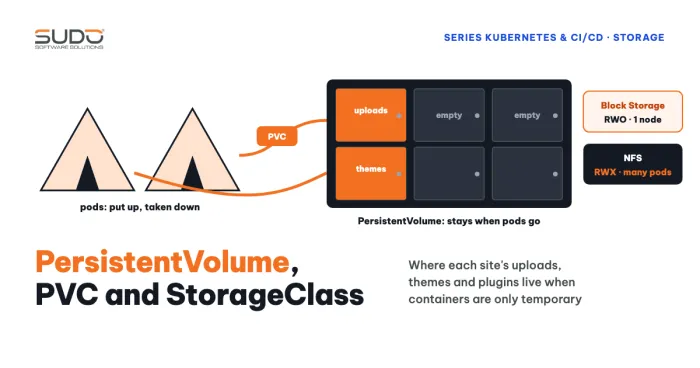
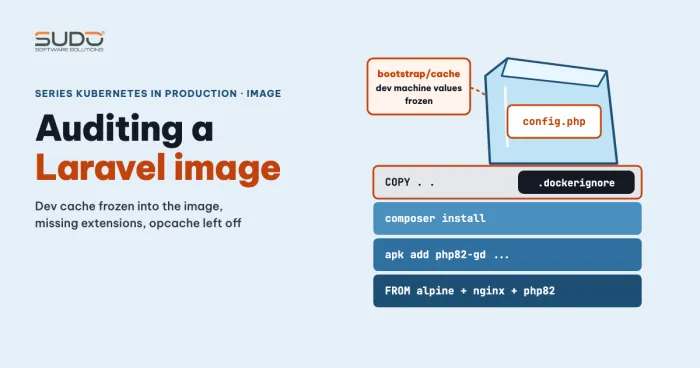
If you need to review the concepts, see Volume, PersistentVolume, PVC and StorageClass on Kubernetes. A clean image for Laravel is covered in auditing a Laravel image.
Raising replicas with a ReadWriteOnce PVC: one pod stuck in Init with Multi-Attach
The sample Deployment has replicas: 2, an initContainer that runs php artisan migrate --force, the Recreate strategy, and a single ReadWriteOnce PVC mounted into three directories (public, themes, resources) using subPath:
apiVersion: apps/v1
kind: Deployment
metadata:
  name: web
spec:
  replicas: 2
  strategy: {type: Recreate}
  selector:
    matchLabels: {app: web}
  template:
    metadata:
      labels: {app: web}
    spec:
      initContainers:
      - name: migrate
        image: registry.example.com/web:1.0
        command: ["sh", "-c", "php artisan migrate --force"]
      containers:
      - name: web
        image: registry.example.com/web:1.0
        volumeMounts:
        - {name: data, mountPath: /var/www/html/public, subPath: public}
        - {name: data, mountPath: /var/www/html/themes, subPath: themes}
        - {name: data, mountPath: /var/www/html/resources, subPath: resources}
      volumes:
      - name: data
        persistentVolumeClaim:
          claimName: web-pvc
After kubectl apply, you get one Running pod and one pod that stays at Init:0/1 forever. Read the Events section of the stuck pod:
kubectl describe pod web-<hash>
Warning  FailedAttachVolume  attachdetach-controller  Multi-Attach error for volume "pvc-..." Volume is already used by pod(s) web-<other-hash>
Warning  FailedMount         kubelet  Unable to attach or mount volumes: ... timed out waiting for the condition
The line Multi-Attach error ... already used by pod(s) is the most important piece of information. It says the volume is attached for another pod and Kubernetes will not attach it again. This event tells you the volume is attached to the other pod's node, so the two pods sit on different nodes. The FailedMount line below it is only a consequence: the kubelet waited until it timed out. The pod shows Init:0/1 even though the initContainer does not use the volume, because the kubelet attaches every volume of the pod before it runs the initContainer.
Isolating the cause: remove the ReadWriteOnce PVC from the manifest
To be sure the volume is the culprit and not the image or the initContainer, remove the volumes and volumeMounts sections and apply again. Both pods then reach Running. This test is not a fix, because the application loses the data it writes at runtime. It only proves that the ReadWriteOnce PVC is the bottleneck: a ReadWriteOnce PVC can attach to only one node.
Trying ReadWriteMany: the CSI driver refuses and accessModes is immutable
The next reflex when a ReadWriteOnce PVC is not enough is to change accessModes to ReadWriteMany. With Linode's block storage driver this does not work. In a separate test with MySQL, the event showed the driver refusing right at attach time:
Warning  FailedAttachVolume  attachdetach-controller
AttachVolume.Attach failed ... ControllerPublishVolume Volume capability is not compatible:
... access_mode:<mode:MULTI_NODE_MULTI_WRITER>
Linode's documentation states that the Block Storage CSI driver supports only ReadWriteOnce, meaning a volume can attach to one node at a time. Two things to remember. First, the accessModes of a bound PVC are immutable: kubectl edit changes nothing, and kubectl apply reports spec is immutable after creation. To change it you must create a new PVC. Second, this field is only a request; whether the volume can really be shared is decided by the driver.
StatefulSet with volumeClaimTemplates: one ReadWriteOnce PVC per pod
One way to get both pods running is to switch to a StatefulSet with volumeClaimTemplates. The controller creates a separate ReadWriteOnce PVC for each pod (data-web-0, data-web-1), so the attach conflict disappears:
apiVersion: apps/v1
kind: StatefulSet
metadata:
  name: web
spec:
  serviceName: web-headless
  replicas: 2
  selector:
    matchLabels: {app: web}
  template:
    # ... keep containers and initContainers as in the Deployment above, just remove the volumes block
  volumeClaimTemplates:
  - metadata:
      name: data
    spec:
      accessModes: ["ReadWriteOnce"]
      resources:
        requests:
          storage: 10Gi
---
apiVersion: v1
kind: Service
metadata:
  name: web-headless
spec:
  clusterIP: None
  selector: {app: web}
  ports:
  - port: 80
Two notes. serviceName must point to a headless Service (clusterIP: None) so pods get stable DNS names; a common mistake is pointing it at a regular Service, which usually still runs but defeats the purpose of a StatefulSet. And the Service that users reach the web through should be a separate Service (for example a ClusterIP Service with selector: {app: web} and port: 80), because a headless Service does not load-balance in the usual way. When you scale down, the PVC data-web-1 remains (by default it is not deleted automatically; see persistentVolumeClaimRetentionPolicy), so the next scale-up reuses the old data. Change the replica count with kubectl scale statefulset web --replicas=1, and see the guide to scaling a StatefulSet.
The price, however, is diverging data. Each pod has its own PVC, so uploaded images, themes and plugins installed on pod 0 do not exist on pod 1. This is the correct behavior of volumeClaimTemplates. What is wrong is the expectation that two replicas will share data.
A Deployment sharing a ReadWriteOnce PVC when both pods are on the same node
According to the access modes documentation, ReadWriteOnce is limited per node, not per pod: several pods on the same node can still mount the same volume. So in theory, if both pods land on the same node there is no error. Do not rely on this. The scheduler can place a pod on another node at any time, the error returns when a node is replaced or drained, and both pods write to the same ext4 disk without any coordination from the application. The Recreate strategy only decides the order in which pods are replaced during an update; it does not solve replicas > 1. This part has not been tested with a nodeAffinity that forces the same node, so treat it as reasoning from the documentation.
419 errors after scaling: SESSION_DRIVER=file
Once both pods run, users start seeing 419 Page Expired (CSRF token mismatch). The reason: SESSION_DRIVER=file stores sessions in each pod's local files. A login request that reaches pod 0 creates the session on pod 0; the next request reaches pod 1, which does not see that session, and the token does not match. According to the Laravel session documentation, the database, redis or memcached drivers are the options shared across multiple servers.
The minimum fix is to move sessions and cache to the database in the ConfigMap:
data:
  SESSION_DRIVER: "database"
  CACHE_DRIVER: "database"   # Laravel 10 and earlier; Laravel 11 and later use CACHE_STORE
And the artisan commands to create the tables:
php artisan session:table
php artisan cache:table
php artisan migrate --force
The session:table and cache:table commands generate migration files. But do not run them in a running container and walk away: the generated files live in the pod's filesystem and vanish on restart. The right way is to commit both migrations to the repository, bake them into the image, and let an initContainer or a Job run migrate. The trick of export CACHE_DRIVER=file to run artisan before the cache table exists is only a temporary workaround. Two more conditions: APP_KEY must be identical across pods (share it through a Secret), otherwise cookies and sessions also fail and can produce 419; and when several replicas run the migrate initContainer at once they can race each other, so use php artisan migrate --isolated or a separate Job. The database driver is only the minimum; Redis suits heavy load better, but it was not tried here.
Removing a ReadWriteOnce PVC and a Released PV when the mount is stuck
If a volume is stuck so badly that the pod can never mount it and you decide to delete it, understand that this option loses data, so back up first. With Retain, kubectl delete pv only removes the Kubernetes object; the real volume on Linode remains intact and keeps being billed until you delete it manually, and a new PVC will create a new, empty volume. To keep the old data, create a PV that points to the old volume (claimRef) before deleting. With a StorageClass that has reclaimPolicy: Retain, deleting the ReadWriteOnce PVC leaves the PV in the Released state and you must delete it manually:
kubectl delete -f web.yaml        # delete the Deployment, PVC and Service
kubectl get pv                    # the PV is in the Released state
kubectl delete pv <pv-name>
kubectl apply -f web.yaml
This does not help when you want one ReadWriteOnce PVC attached to two nodes, because the problem is in the design, not in the stuck state. The root cause of other random stuck mounts (unrelated to two pods sharing a volume) has not been identified; details will come in the next article of the series.
The right alternative to a ReadWriteOnce PVC when replicas share data
- User uploads, themes and plugins: replace the ReadWriteOnce PVC with NFS (ReadWriteMany) or object storage such as S3. This option is the next research direction, not a result that was tried in the chain above.
- Sessions and cache: Redis or the database, never files.
- Source code: lives in the image and is not copied into a volume at startup. The
postStartpattern that runscp -rfinto the PVC is risky because this hook is not guaranteed to finish before the main process starts receiving requests. - Databases: do not replicate by raising the replicas of a pod that uses a ReadWriteOnce PVC; see the MySQL StatefulSet manifest.
Checklist before raising replicas
- Does the application write files at runtime? If so, where, and can they move to object storage?
SESSION_DRIVERandCACHE_DRIVERare notfile.- No ReadWriteOnce PVC is shared among the pods of one Deployment; a ReadWriteOnce PVC is only for a single pod or for pods on the same node.
- The session and cache migrations are in the image and run through an initContainer or a Job.
- If you use a StatefulSet,
serviceNamepoints to a headless Service. - You backed up before deleting any ReadWriteOnce PVC or PV.
Next article
Pod stuck in ContainerCreating on LKE: Multi-Attach and Unable to find device path. When a volume is still stuck even though you replicated nothing, read the events layer by layer.