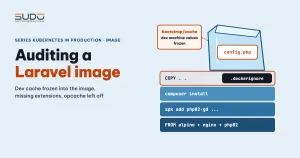
One failure mode is especially annoying when you move Laravel to Kubernetes: the ConfigMap is correct, the pod has restarted, and the application still runs with the old value. Or a page works on the dev machine, then on the cluster it throws Class not found or a 500 error when someone uploads an image. Most of these problems are not in the manifest. They are in the Laravel image: it carries things from the dev machine that should not be there, and it lacks things the code needs. This article is an inventory of a Laravel image: what must stay out, what must be present, and how to catch problems before you deploy.
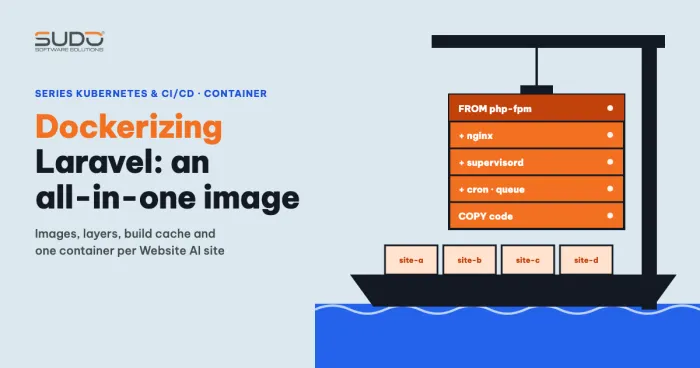
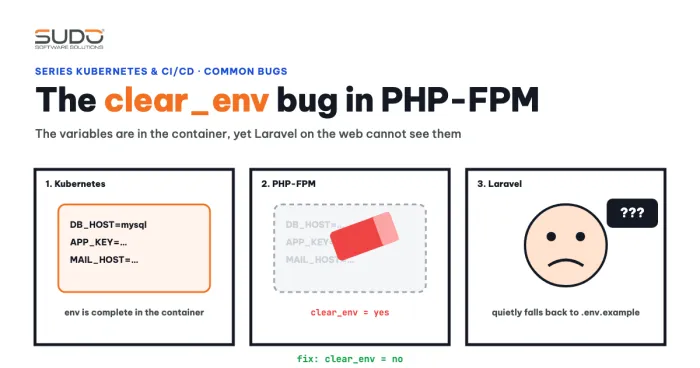
The article Dockerizing Laravel: one all-in-one image for Website AI describes how to build the all-in-one image, and the clear_env bug explains why PHP-FPM cannot see environment variables.
Symptom: the ConfigMap is right but the app uses the old value
A typical case: the ConfigMap sets ADMIN_DIR: quan-tri so the admin area has its own path, but opening the site still gives the default path. Running php artisan cache:clear inside the container makes it correct. This suggests the application is reading a pre-written configuration, not the pod's current environment variables.
Be careful with the command. cache:clear clears the application cache, not the compiled configuration file. The right command to drop the configuration cache is php artisan config:clear, or php artisan optimize:clear to clear the config, route, view and event caches in one go. In the case above there is no evidence yet of which files the image contains, so when you investigate, look at the directories directly instead of guessing.
Because cache:clear empties the application cache in storage/framework/cache, the stale value may live there rather than in bootstrap/cache/config.php. It is not yet known which file caused the symptom. To find out, run ls -la bootstrap/cache storage/framework/cache inside the image. That is why the .dockerignore below excludes both groups of directories.
What a Laravel image inherits from the dev machine: bootstrap/cache and storage/framework
When the Dockerfile runs COPY . ., everything in the build directory goes into the image, including directories generated while you tested locally. Two places deserve attention:
bootstrap/cache/holdsconfig.php,routes-v7.php,packages.phpandservices.php. Ifconfig.phpexists, Laravel reads its configuration from that file and does not re-read environment variables at runtime. The dev machine's values are frozen into the Laravel image.storage/framework/containscache/,sessions/,views/andtesting/. Compiled views and old sessions have no reason to be inside a Laravel image.
The Laravel deployment documentation is explicit: after config:cache, the env() function should only be called inside configuration files, because for variables that exist only in the .env file it returns null anywhere else. On Kubernetes, variables from a ConfigMap are real pod environment variables, so env() can still read them, but calling env() in configuration files is still safer because it does not depend on how you deploy. Freezing the configuration at deploy time is normal, as long as it is generated in the target environment and not carried over from the dev machine. A quick check:
docker run --rm --entrypoint sh app:test -c 'ls -la bootstrap/cache'A solid .dockerignore for a Laravel image on Kubernetes
The effective fix is to put the cache, session and view directories and bootstrap/cache in .dockerignore, rebuild, and the ConfigMap values start to take effect. A minimal .dockerignore for a Laravel image:
/.git
/node_modules
/vendor
.env*
!.env.example
/storage/logs/*
/storage/framework/cache/*
/storage/framework/sessions/*
/storage/framework/testing/*
/storage/framework/views/*
/bootstrap/cache/*
.DS_Store
Two points to keep for a Laravel image. First, .env* (including .env.production and .env.local) must be on the list so secrets never enter the image; configuration travels through a ConfigMap and a Secret (see ConfigMap and Secret: Laravel environment variables on Kubernetes). Second, /vendor is excluded because composer install will run inside the image. Add one more safety net after COPY, and make sure the cache directories still exist and are writable, because Laravel fails if the cache or view directory is missing:
RUN rm -rf bootstrap/cache/*.php \
 && mkdir -p bootstrap/cache storage/framework/cache storage/framework/sessions storage/framework/views \
 && chown -R nginx:nginx bootstrap/cache storage
Missing components: predis, GD and OpenSSL for the mongodb extension
The second group of problems is a Laravel image that lacks components. Three common examples:
Class "Predis\Client" not found
This happens when REDIS_CLIENT=predis (or an older Laravel defaults to predis) while several applications share one ConfigMap with CACHE_DRIVER=redis, and one application has no client installed. The first option is to run composer require predis/predis, commit composer.json together with composer.lock, and rebuild. If you prefer phpredis, install the redis extension and set REDIS_CLIENT=phpredis. Another option is to split the ConfigMap per application, or override the variable right in the container: when a key appears in both envFrom and env, the value in env wins. Laravel 11 and later use CACHE_STORE instead of CACHE_DRIVER.
envFrom:
  - configMapRef:
      name: app-config
env:
  - name: CACHE_DRIVER
    value: "file"
500 error on image upload because GD is missing
The log shows Call to undefined function Intervention\Image\Gd\imagecreatefromjpeg(). With the official Debian-based PHP image:
RUN apt-get update && apt-get install -y libfreetype6-dev libjpeg62-turbo-dev libpng-dev \
 && docker-php-ext-configure gd --with-freetype --with-jpeg \
 && docker-php-ext-install gd
mongodb reports libmongoc without ENABLE_SSL
The message requires libmongoc built with ENABLE_SSL means the extension was compiled without the SSL library. You must install the development packages before pecl install:
RUN apt-get update && apt-get install -y libssl-dev libcurl4-openssl-dev pkg-config \
 && pecl install mongodb && docker-php-ext-enable mongodb
This is Debian syntax for a Laravel image based on the official PHP image. Alpine images use apk add with packages named like php82-gd, and image library package names differ between distributions. Do not mix the two styles in one Dockerfile.
Catching problems early: php -m, check-platform-reqs and Class not found
Instead of waiting for users to report a 500 error, test the Laravel image right after the build, before you push it:
docker run --rm app:test php -m | grep -Ei 'gd|mongodb|redis|opcache|intl|pdo_mysql'
docker run --rm app:test composer check-platform-reqs --no-dev
docker run --rm app:test php artisan about   # Laravel 9.2 and later
composer check-platform-reqs compares the ext-* entries and PHP version required by the installed packages (or by composer.lock if there is no vendor) with the image's real environment, so it catches a missing extension. By default it also checks dev packages, so a production image built with --no-dev should pass the --no-dev flag too. It cannot catch a missing Composer package such as predis, because that package is not in the lock file. For that kind of error, the message Class "X" not found tells you the namespace, and the namespace tells you which package needs composer require. Put these commands in a CI step right after docker build.
An Alpine Laravel image with nginx, PHP 8.2 and supervisor
To keep the image small, many teams choose Alpine and install nginx, php82 and supervisor to run two processes in one container. A few points to remember for this kind of Laravel image:
- Install extensions with
apk add --no-cache php82-gd php82-pdo_mysql php82-mbstring; then runphp -mto be sure. - Alpine only provides the
php82command, so you needln -sf /usr/bin/php82 /usr/bin/phpforphp artisanto work. - Send logs to the standard streams so
kubectl logscan read them:ln -sf /dev/stdout /var/log/nginx/access.logandln -sf /dev/stderr /var/log/nginx/error.log. With supervisor, setstdout_logfile=/dev/stdouttogether withstdout_logfile_maxbytes=0. - Only
chownthe writable directories (storage,bootstrap/cache), or useCOPY --chown=nginx:nginx . .. Runningchown -Ron the whole source tree after the copy adds a layer to the image and slows the build. - The production build should run
composer install --no-dev --optimize-autoloader.
Opcache in an immutable Laravel image
Opcache keeps compiled bytecode in memory and skips recompilation on every request. A common mistake in a Laravel image is installing the package and forgetting to enable it, or removing the package while debugging and never enabling it again. Check with php -m | grep -i opcache and php -i | grep opcache.enable. Note that the CLI and PHP-FPM read separate ini settings (opcache.enable_cli is off by default), so a CLI result does not prove FPM has opcache enabled. To check FPM, use php-fpm82 -i or php-fpm82 -tt, or a temporary phpinfo page in a test environment. On Alpine, the php82-opcache package usually loads itself through a file in conf.d; adding zend_extension=opcache to php.ini as well can make it load twice and PHP will print a warning, so check the output of php -v after the change.
With an immutable Laravel image you can usually set opcache.validate_timestamps=0 so PHP stops checking file modification times. But if the application writes PHP files at runtime (installing plugins or themes through the admin interface), those changes will not take effect. The improvement depends on the application, so measure before and after. The full parameter list is in the opcache configuration documentation.
Required chart variables: APP_URL and 404 on every page
In one case a Helm chart for Laravel lacked the APP_URL key, and as a result every page returned 404. After adding it to the chart and running helm upgrade, the site worked normally. The mechanism has not been verified. A reasonable hypothesis is that the application uses APP_URL to determine the host and the base path, but this is not confirmed; you can verify it yourself with php artisan tinker, printing config('app.url') before and after adding the variable.
When APP_URL is missing, Laravel uses the default value in config/app.php (http://localhost), so you can check it with config('app.url'). The lesson does not depend on the mechanism: a required variable should make the chart fail early instead of letting the pod run wrong. Helm's required function does exactly that; see the Helm chart tips and tricks:
# templates/configmap.yaml
data:
  APP_URL: {{ required "appUrl is required" .Values.appUrl | quote }}
Then check with shell commands before upgrading:
helm lint ./chart -f values.yaml
helm template site-a ./chart -f values.yaml | grep -n APP_URL
Open questions
- In one case a new pod still had a config cache even though the Dockerfile had deleted the cache. One hypothesis is that a queue worker running under supervisor generates this file, but that is not verified. That case ultimately came down to
clear_env, not opcache or the order of the commands that copy.env.example; see the clear_env article at the start of this one. - The effect of opcache in a Laravel image has no separate measurement, and splitting the ConfigMap for shared applications has no final conclusion yet.
Laravel image audit checklist
.dockerignorecontains.env,/vendor,/bootstrap/cache/*and/storage/framework/*.- After the build,
bootstrap/cachein the Laravel image has noconfig.phpfrom the dev machine. php -mlists everything you need: gd, mongodb, redis or predis, intl, pdo_mysql and opcache.composer check-platform-reqsruns in CI afterdocker build.- Do not mix Debian and Alpine syntax; only
chownthe directories that need to be writable. - The chart uses
requiredfor mandatory variables; runhelm templatebeforehelm upgrade.
Next article
Scaling Laravel on a ReadWriteOnce PVC: Multi-Attach, StatefulSet and 419 errors. Once the image is clean, the next step is to raise the replica count, and that is when a ReadWriteOnce volume starts causing trouble.