Installing cert-manager on Kubernetes usually takes only a few commands, but when it goes wrong the messages are hard to read. This guide is a troubleshooting handbook for cert-manager installation errors, organized in three stages: before installing (the CRDs cannot be applied), during the Helm install (ownership metadata errors) and during certificate issuance (the ACME error "public key must be different than account key"). Each cert-manager installation error comes with its cause, the commands to check it and the correct fix, plus the places where tutorials floating around the web explain it wrongly.
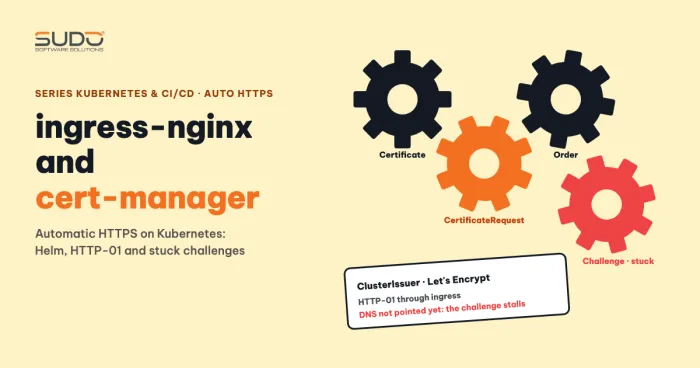
This article on cert-manager installation errors does not repeat the correct certificate issuance flow. If you need to understand the Certificate, Order, Challenge chain, read ingress-nginx and cert-manager: automatic HTTPS on Kubernetes first.
Three stages where cert-manager installation errors occur
| Stage | Symptom | How to handle it |
|---|---|---|
| Before installing | no matches for kind CustomResourceDefinition in version apiextensions.k8s.io/v1beta1 | Use a CRD manifest with the correct API version |
| During the Helm install | invalid ownership metadata | Find leftover cluster-scoped resources and clean them up in a controlled way |
| During certificate issuance | Certificate Ready: False, Order errored | Read describe from the Certificate down to the Order, and tell the Secret names apart |
Before the cert-manager installation: the apiextensions v1beta1 CRD API was removed
A very common cert-manager installation problem comes from following an old tutorial. Many guides tell you to run kubectl apply -f on a CRD file from an old cert-manager release. On a new cluster, that command reports:
error: unable to recognize "cert-manager.crds.yaml": no matches for kind
"CustomResourceDefinition" in version "apiextensions.k8s.io/v1beta1"
The cause is that the apiextensions.k8s.io/v1beta1 API was removed in Kubernetes 1.22, leaving only apiextensions.k8s.io/v1 (see the deprecation guide). The CRD file of a recent enough cert-manager release uses v1, so it applies cleanly. Pick a cert-manager version that supports your Kubernetes version, using the compatibility table on the cert-manager releases page. Whether a specific release (for example 1.8) is compatible with a newer Kubernetes has not been verified here, so test it on a test cluster.
The most compact option for a clean cert-manager installation is to let Helm install the CRDs as well: set crds.enabled=true (older releases use installCRDs=true), and choose one way to install CRDs; do not mix manual applies with the chart's flag.
During the cert-manager installation: Helm reports "invalid ownership metadata"
This is the cert-manager installation error at install time. For example:
helm install cert-manager jetstack/cert-manager -n cert-manager --version v1.x.y
Error: INSTALLATION FAILED: rendered manifests contain a resource that already exists.
Unable to continue with install: ClusterRole "cert-manager-cainjector" in namespace ""
exists and cannot be imported into the current release: invalid ownership metadata;
label validation error: missing key "app.kubernetes.io/managed-by": must be set to "Helm";
annotation validation error: missing key "meta.helm.sh/release-name" ...
During a cert-manager installation, Helm 3 lets a release modify a resource only if that resource carries three keys set by Helm: the label app.kubernetes.io/managed-by: Helm and the two annotations meta.helm.sh/release-name and meta.helm.sh/release-namespace. If a resource with the same name already exists but lacks these keys (because it was applied by hand from a manifest, or because another release owns it), Helm refuses to "adopt" it. ClusterRoles, ClusterRoleBindings and webhook configurations are cluster-scoped resources: they do not live in a namespace, so they are easy to leave behind when you delete the namespace.
What to remember about this cert-manager installation error: downgrading the chart version does not fix it, because the problem lies in the resources already in the cluster, not in the version. Downgrading the CRDs to a very old version during a cert-manager installation and overwriting the newer CRDs is even more dangerous, since it can drop schema fields; do not do it.
A similar error with ingress-nginx: a ClusterRole shared across release names
A similar error happens when you install ingress-nginx into a new namespace while a copy already exists in another namespace:
Error: ... ClusterRole "ingress-nginx" in namespace "" exists and cannot be imported
into the current release: invalid ownership metadata; annotation validation error:
key "meta.helm.sh/release-namespace" must equal "<new-namespace>": current value is "default"
The root cause here is that two releases with the same name (ingress-nginx) want to share one ClusterRole of the same name, and the ClusterRole belongs to the first release. A commonly documented fix is to run helm uninstall on the old copy and install again. Be careful: removing the running copy loses the LoadBalancer Service and its NodeBalancer, which means the sites lose their entry address. If you need both copies to coexist, changing only the release name and the IngressClass may not be enough, because the IngressClass is also a cluster-scoped resource whose default name is nginx. Set different values for the release name, controller.ingressClassResource.name, controller.ingressClassResource.controllerValue and controller.electionID. This is a hypothesis to verify on a test cluster. The foundations of ingress are covered in Ingress and NodeBalancer: getting traffic into a Kubernetes cluster.
Cleaning up leftovers when a cert-manager installation error keeps coming back
Before deleting anything after a failed cert-manager installation, check whether any cert-manager release is running. Clean up only when there is none, or when you ran helm uninstall on purpose; otherwise you will break the copy in use.
helm list -A | grep cert-manager

# list first and read carefully (cluster-scoped resources)
kubectl get clusterrole,clusterrolebinding,validatingwebhookconfiguration,mutatingwebhookconfiguration -o name | grep cert-manager
kubectl get role,rolebinding -n kube-system -o name | grep cert-manager

# check which release owns a resource before you delete it
kubectl get clusterrole cert-manager-cainjector -o yaml | grep -E "managed-by|release-"
Delete only the items whose managed-by is not Helm, or whose meta.helm.sh/release-name does not match the release you are about to install, and only after reading -o yaml. Webhook configurations and the leader-election Roles in kube-system are the two groups most often left behind, because deleting the namespace does not remove them. The correct delete form, one type at a time:
kubectl delete clusterrole cert-manager-cainjector
kubectl delete validatingwebhookconfiguration cert-manager-webhook
A wrong cleanup command that often gets copied around is kubectl get | grep | xargs kubectl delete without -o name: xargs passes whole columns as resource names and you get a flood of NotFound errors. The -o name form is safer but also deletes the running copy if the grep is too broad, so do not use it before checking the release. Do not add -n <namespace> when deleting cluster-scoped resources; kubectl only warns and ignores it. Also do not delete the CRDs "to be clean": deleting a CRD deletes every Certificate, Issuer and Order in the cluster.
Another approach is to let Helm "adopt" the resources by adding the three ownership keys described above (app.kubernetes.io/managed-by, meta.helm.sh/release-name, meta.helm.sh/release-namespace). This approach has not been verified here; try it on a test cluster first. For the concept of a release, see the Helm documentation on using Helm and the Helm section of the cert-manager article.
cert-manager error during issuance: "public key must be different than account key"
When this error occurs during issuance, the Certificate sits at Ready: False. Run kubectl describe certificate and follow it down to the Order and you will see:
Failed to finalize Order: 400 urn:ietf:params:acme:error:malformed:
Error finalizing order :: certificate public key must be different than account key
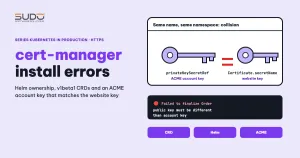
The accompanying event gives a hint: Reusing private key stored in existing Secret resource. Cert-manager reuses the key that already exists in the Secret named by the Certificate's secretName. If that Secret is the very Secret holding the ACME account key, the certificate key equals the account key and the ACME server rejects it.
The configuration behind this cert-manager installation error has two identical Secret names in the same namespace. With a ClusterIssuer, the account key Secret lives in the cert-manager namespace, so the Certificate must also be there for the collision to happen:
apiVersion: cert-manager.io/v1
kind: ClusterIssuer
metadata:
  name: letsencrypt-prod
spec:
  acme:
    server: https://acme-v02.api.letsencrypt.org/directory
    email: admin@example.com
    privateKeySecretRef:
      name: letsencrypt-key        # the ACME ACCOUNT key
    solvers:
      - http01:
          ingress:
            ingressClassName: nginx
---
apiVersion: cert-manager.io/v1
kind: Certificate
metadata:
  name: site-a
  namespace: cert-manager          # same namespace as the account key: collision
spec:
  secretName: letsencrypt-key      # same name: wrong
  issuerRef:
    name: letsencrypt-prod
    kind: ClusterIssuer
  dnsNames: [site-a.example.com]
The ingressClassName field in the HTTP-01 solver needs a recent enough cert-manager; older releases use class: nginx.
Fixing the cert-manager account key error: privateKeySecretRef and secretName
A common explanation says privateKeySecretRef is the key "used to sign the CSR". That explanation is wrong. According to the cert-manager ACME documentation:
privateKeySecretRefin an Issuer or ClusterIssuer is the Secret that stores the ACME account key, used to log in to Let's Encrypt. It does not sign the website's certificate.secretNamein a Certificate is the Secret that will hold the website's private key and certificate (tls.key,tls.crt).
To avoid this cert-manager installation error, the two must be different keys. The two Secrets collide only when they have the same name and the same namespace, so breaking either condition makes the error go away; we recommend renaming for clarity. With a ClusterIssuer, the account key Secret lives in cert-manager's cluster resource namespace (cert-manager by default), while the Certificate's Secret lives in the same namespace as the Certificate, so they coincide only when you place the Certificate in the cert-manager namespace. That is a common mistake when following a guide that puts everything in one namespace. The correct fix:
kind: Certificate
metadata:
  name: site-a
  namespace: site-a              # the Ingress namespace
spec:
  secretName: site-a-tls         # different from the account key Secret name
After the fix, apply the Certificate again with the new secretName and watch it with kubectl describe certificate. Do not delete the account key Secret, because cert-manager would then register a new ACME account. Finally, run kubectl get certificate yourself to confirm Ready: True.
The TLS Secret in the same namespace as the Ingress; Issuer and ClusterIssuer
An Ingress can only read a TLS Secret in its own namespace. So the Certificate must be created in the Ingress namespace, and secretName must match in both places:
apiVersion: networking.k8s.io/v1
kind: Ingress
metadata:
  name: site-a
  namespace: site-a
spec:
  ingressClassName: nginx
  tls:
    - hosts: [site-a.example.com]
      secretName: site-a-tls         # matches Certificate.spec.secretName
  rules:
    - host: site-a.example.com
      http:
        paths:
          - path: /
            pathType: Prefix
            backend:
              service: { name: app, port: { number: 80 } }
A ClusterIssuer works for every namespace, while an Issuer serves only its own namespace. A ClusterIssuer's metadata has no namespace, so a namespace: line in a ClusterIssuer is redundant. Also, do not put a real personal email address in a public example.
Checklist for cert-manager installation errors
- Identify which stage the cert-manager installation error belongs to: before installing, during the install or during issuance.
- CRD reports v1beta1 (a cert-manager installation error before installing): use a recent enough manifest or chart, and choose one way to install CRDs.
- Ownership metadata (a cert-manager installation error during the Helm install): run
helm list -Afirst, then list, read-o yaml, delete in a controlled way, and never delete the CRDs. - Two releases with the same release name (for example both
ingress-nginx): rename the release or remove the old copy on purpose. - Account key error (a cert-manager installation follow-up at issuance time):
privateKeySecretRefandsecretNamemust have different names; do not place the Certificate in the cert-manager namespace. - Certificate and Ingress in the same namespace, with matching
secretName. - Use
kubectl describefrom the Certificate down to the CertificateRequest, Order and Challenge to see the root error.
Next article
Auditing a Laravel image for Kubernetes: baked-in cache, missing extensions and opcache. After the cert-manager errors, the next article returns to the application and audits the Laravel image to avoid silent configuration mistakes when it runs in a container.