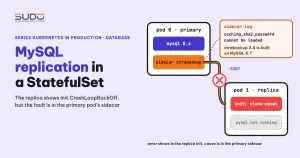
The MySQL replication sample built on a StatefulSet in the Kubernetes documentation is the easiest way to see a stateful database running on a cluster: one primary pod, replica pods, and a sidecar that copies data with xtrabackup. The original sample uses MySQL 5.7. When you replace the sample's MySQL image with 8.x and turn on authentication, the replica pod reports Init:CrashLoopBackOff, but the cause is in the sidecar log on the primary pod. The key skill here is tracing a chain of errors backward across pods.
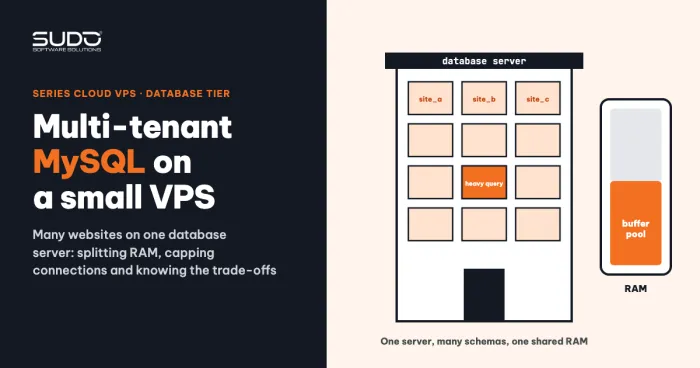
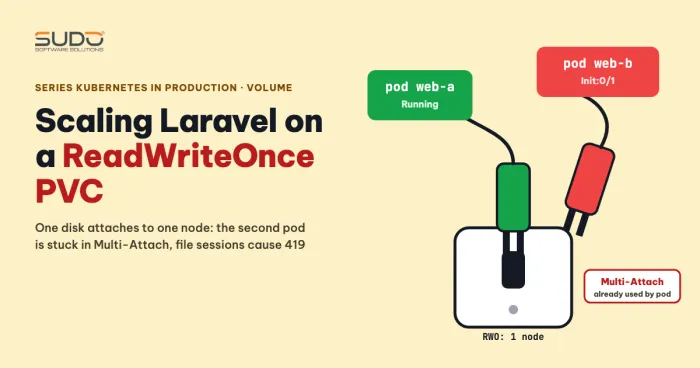
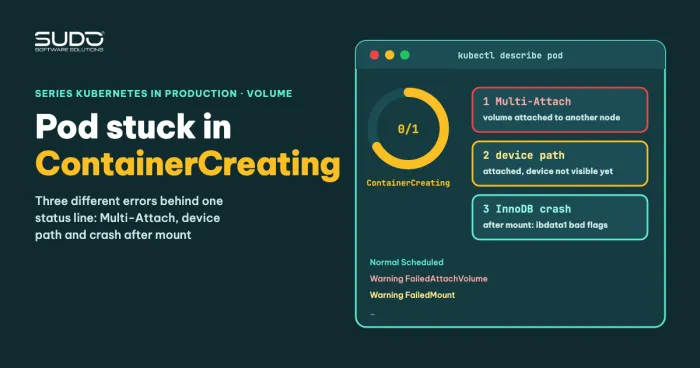
The per-pod volumes in this MySQL replication setup build on the ContainerCreating diagnostic article and the ReadWriteOnce PVC article. For the model of a dedicated database outside the cluster, see multi-tenant MySQL on a VPS.
The MySQL replication sample on a StatefulSet: ConfigMap, headless Service and read Service
The sample from the guide to running a replicated stateful application has three parts:
- A ConfigMap with two keys:
primary.cnf(enableslog-bin) andreplica.cnf(enablessuper-read-only). - A headless Service (
clusterIP: None) so each pod has a stable DNS name such asmysql-0.mysql. Pod 0 is the primary, so writes always go to this address. - A regular Service named
mysql-readthat load-balances read queries across all pods.
data:
  primary.cnf: |
    [mysqld]
    log-bin
  replica.cnf: |
    [mysqld]
    super-read-only
The StatefulSet uses volumeClaimTemplates with ReadWriteOnce, so each pod gets its own PVC, which suits a database because each copy's data is independent.
Four containers in a MySQL replication pod: init-mysql, clone-mysql, mysql and the xtrabackup sidecar
Each pod in this MySQL replication setup has two initContainers and two long-running containers:
init-mysql: computesserver-idfrom the pod's ordinal (100 + ordinal, avoiding the value 0), then copiesprimary.cnforreplica.cnfinto a sharedemptyDir.clone-mysql: runs on replicas. If the datadir already has data it exits; if not, it pulls a copy from the preceding pod throughncat --recv-only, unpacks it withxbstream, then runsxtrabackup --prepare.mysql: the main container.xtrabackup: the sidecar. It runsncat --listenon port 3307, and each time a connection arrives it runsxtrabackup --backup --stream=xbstreamto serve the new pod. If the pod has just finished cloning, the sidecar also runs the command that sets up replication.
Pay attention to the direction of the data. Pod 1 (init) connects to port 3307 of pod 0 (sidecar). That means when the clone fails on pod 1, you must look at both sides.
The unauthenticated MySQL replication setup works, and how to verify sync
With MYSQL_ALLOW_EMPTY_PASSWORD=1, all three pods reach 2/2 Running. Check sync by creating data on the primary and reading it on the replica:
kubectl exec -it mysql-0 -- mysql -u root -e "CREATE DATABASE d1; CREATE TABLE d1.posts (id INT PRIMARY KEY, title VARCHAR(50)); INSERT INTO d1.posts VALUES (1,'a');"
kubectl exec -it mysql-1 -- mysql -u root -e "SELECT * FROM d1.posts;"
If the row appears on pod 1, MySQL replication works. For a more precise check, run the following command on the replica (the new name since MySQL 8.0.22; SHOW SLAVE STATUS is deprecated, and the old-name statements were removed in 8.4) and verify that Replica_IO_Running and Replica_SQL_Running are both Yes:
kubectl exec mysql-1 -c mysql -- mysql -u root -e 'SHOW REPLICA STATUS\G'A root account without a password should only be used for experiments: any pod in the cluster can connect to it.
The authenticated MySQL replication setup: the replica is stuck in Init:CrashLoopBackOff
Add a Secret that holds the root password, use MYSQL_ROOT_PASSWORD for the mysql container and pass --password to xtrabackup. This time pod 0 is still 2/2, while pod 1 shows:
NAME      READY   STATUS                  RESTARTS
mysql-0   2/2     Running                 0
mysql-1   0/2     Init:CrashLoopBackOff   4
The clone-mysql init log of pod 1 reports xtrabackup: Error: cannot open ./xtrabackup_checkpoints and This target seems not to have correct metadata. This is only a symptom: no data stream was received, so there is no metadata file. Do not fix anything here. A FailedMount ... Unable to find device path event also appears, but it is transient, so do not mistake it for the cause.
Trace backward to the primary pod, where the sidecar must create the backup stream:
kubectl logs mysql-0 -c xtrabackup
Failed to connect to MySQL server: Authentication plugin 'caching_sha2_password' cannot be loaded
The message in the log is followed by another line about being unable to open the plugin library file; only the main line is quoted here (shortened).
One thing to fix in the sample manifest: the kubelet substitutes $(MYSQL_ROOT_PASSWORD) with the real value right inside command, so the password shows up in the pod spec, in the process list and in the log when set -x is on. Read the password from an environment variable inside the script (MYSQL_PWD or --defaults-extra-file) and avoid set -x around those lines.
Layer 1 of the MySQL replication failure: xtrabackup 2.4 lacks the caching_sha2_password plugin
The sample image in the Kubernetes documentation (no longer maintained) packages Percona XtraBackup 2.4, built on the MySQL 5.7 client library. MySQL 8.0 makes caching_sha2_password the default authentication plugin. XtraBackup 2.4.4 in the sample image is built on the MySQL 5.7.13 client library, which is older than the 5.7 releases that include the caching_sha2_password client plugin (from 5.7.23). So the sidecar cannot log in to an 8.x server even when the password is right, and the backup stream never starts.
Be careful with the conclusion. The unauthenticated setup still syncs with the same pair of images, and there is no verified explanation for that. The two findings (the authenticated setup hits Unsupported server version, the unauthenticated one syncs fine) do not match each other; it may be due to how sync was checked or to the code path when there is no password, but that is not confirmed. To check for yourself, on the unauthenticated setup run kubectl logs mysql-0 -c xtrabackup and kubectl exec mysql-1 -c mysql -- mysql -e 'SHOW REPLICA STATUS\G', then see whether the sidecar log contains the line Unsupported server version. So you should not say "xtrabackup 2.4 cannot back up MySQL 8"; the narrower, certain statement is that it cannot log in with caching_sha2_password.
Layer 2 of MySQL replication: switching to mysql_native_password and the Unsupported server version error
The obvious fix is to force the server to use the old plugin. In MySQL 8.0 and 8.2, the following line in both config files makes new users use mysql_native_password:
[mysqld]
default_authentication_plugin=mysql_native_password
Result: the sidecar can log in (Connected to MySQL server), but right after that:
Error: Unsupported server version: '8.2.0'.This is the second barrier in the authenticated setup: each XtraBackup line targets one MySQL line. 2.4 is for 5.7 and below; XtraBackup 8.0 is for MySQL 8.0.x. XtraBackup 2.4 is not in the list of supported versions for MySQL 8.x; this message appears right after the login succeeds.
Two warnings when you copy this configuration. First, default_authentication_plugin was removed in MySQL 8.4 (replaced by authentication_policy), and mysql_native_password is disabled by default in 8.4 and can only be re-enabled with --mysql-native-password=ON. Check the MySQL 8.4 documentation before using it. Second, if the StatefulSet is recreated while the PVC remains, an existing user keeps the old plugin, because the setting only applies to users created afterward.
Trying the Percona image: an image pull error, then a missing ncat
To rescue this MySQL replication setup, switching to percona/percona-xtrabackup:8.0 hit two errors in a row. The first was ImagePullBackOff because the image name in the manifest was missing the percona/ prefix, a typo unrelated to Kubernetes. After the pull succeeded, the sidecar reported exec: ncat: not found. This image does not ship ncat. Installing the package that provides ncat (for example nmap or nmap-ncat) did not succeed.
The hypothesis that the image depends on percona-server has not been proven; another possibility is that the package install failed because the container does not run as root. It was not verified up to the xtrabackup --prepare step with 8.0, so it is unclear whether the XtraBackup 8.0 and MySQL 8.2 pair can work (XtraBackup 8.0 only supports MySQL 8.0.x).
What MySQL replication leaves unresolved, and alternatives
What remains open for MySQL replication in this sample: which xtrabackup image pair works with MySQL 8.2 here, and why the unauthenticated setup syncs. In addition, the sample uses CHANGE MASTER TO and START SLAVE, which have been deprecated since 8.0.22 and have new names, CHANGE REPLICATION SOURCE TO and START REPLICA (the old-name statements were removed in 8.4). To use this sample with MySQL 8, pin MySQL 8.0.x and use the XtraBackup 8.0 image, then verify all three steps: backup, prepare and START REPLICA; this has not been verified in this article. A root password passed on the command line is also a weak point; a chart with a dedicated replication account is better.
As for alternatives, there is no comparison yet between a hand-built setup, a chart and an operator. One related note: the Bitnami MySQL chart with architecture: replication uses a dedicated replication account. With this chart, a replica once hit CrashLoopBackOff because probes failed and the container was killed; relaxing the failureThreshold of the startupProbe made it stable. The cause of the slow startup (possibly the volume) is a hypothesis, not confirmed. The YAML below goes under the secondary.startupProbe key of the Bitnami mysql chart:
secondary:
  startupProbe:
    enabled: true
    initialDelaySeconds: 45
    periodSeconds: 10
    failureThreshold: 25
According to the probe documentation, a startupProbe allows waiting up to about initialDelaySeconds + failureThreshold × periodSeconds before the liveness probe starts, which is 45 + 25 × 10 = 295 seconds in the example above.
Checklist for building MySQL replication in a StatefulSet
- For MySQL replication, choose a backup tool from the same version line as MySQL: 2.4 with 5.7, 8.0 with 8.0.x.
- When a replica's init fails, read the sidecar log of the preceding pod.
- Do not leave the password in the pod's
commandor turn onset -xaround lines that use the password. - Do not use a passwordless root for MySQL replication outside experiments; use a dedicated replication account.
- Configure MySQL replication with
CHANGE REPLICATION SOURCE TOandSTART REPLICAon MySQL 8.0.22 and later. - Do not copy
default_authentication_pluginto 8.4. - Check MySQL replication status with
SHOW REPLICA STATUS, not justSELECT. - If the volume is slow, relax the
startupProbeinstead of the liveness probe.
Lessons
- When MySQL replication fails, the error shows up in the init of the later pod while the cause is in the sidecar of the earlier pod.
- Separate the authentication error (
caching_sha2_password) from the version error (Unsupported server version); fixing one only exposes the next. - Tell verified facts from hypotheses before you conclude anything about version compatibility.
Next article
Running artisan on Kubernetes: migrations as a Job or initContainer, scheduler as a CronJob. The series returns to the Laravel application with how to run migrations, the scheduler and queues.