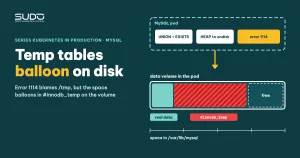
A Laravel website had just started running against a MySQL 8 pod in Kubernetes when pages slowed down and then hung. The application log showed error 1114: The table '/tmp/#sql...' is full, even though the node's root disk still had free space. The prime suspect is MySQL temporary tables: internal tables the server creates on its own when it runs heavy queries. The #innodb_temp directory can balloon to tens of GB on the data volume, but it has not been proven that this is what causes error 1114. This guide covers how to diagnose the problem inside the pod, the mechanisms behind MySQL temporary tables, and three ways to handle them, each with its level of evidence. The root cause has not been confirmed, so the guide states clearly what is an observation and what is a hypothesis.
If the volume is full for another reason (binlogs, real data), see MySQL volume full on Kubernetes: binlogs, rebuilding the PVC and resize pitfalls.
Symptom: error 1114 from MySQL temporary tables on a UNION query
- The Laravel log contains
SQLSTATE[HY000]: General error: 1114 The table '/tmp/#sql1_..._6' is full. - The failing query is a "previous post, next post" pattern: two
SELECT ... WHERE EXISTS (...) ORDER BY id LIMIT 3branches joined withUNION, which readily produces MySQL temporary tables. - CPU on the MySQL pod is high, while the connection count has not reached
max_connections.
Code 1114 means "table is full". It does not say which table or why: the disk may be out of space, or it may be an engine limit. The first job is to determine whether it comes from MySQL temporary tables or from a real table.
Read the processlist: many connections running the same shape
Use an interactive shell so MySQL prompts for the password; do not put the password on the command line:
kubectl -n db-1 exec -it mysql-0 -- mysql -u root -p

mysql> SHOW FULL PROCESSLIST;
mysql> SELECT state, COUNT(*) FROM performance_schema.processlist GROUP BY state;
A typical sign is many connections running the same query shape, SELECT ... WHERE EXISTS (SELECT ... FROM post_meta ...), with different id values, many of them running for a long time. Some connections are in the state converting HEAP to ondisk: this is the moment MySQL temporary tables held in memory are moved to disk because they exceeded a threshold. Many concurrent connections, each building large MySQL temporary tables, are a sign that temporary space is piling up.
Measure MySQL temporary tables on disk inside the pod
Measuring MySQL temporary tables on disk takes two commands, from the outside in:
kubectl -n db-1 exec -it mysql-0 -- df -h
kubectl -n db-1 exec -it mysql-0 -- bash -c 'du -hsx /var/lib/mysql/* | sort -h | tail'
A typical measurement shows two things. First, the container's overlay filesystem uses only a few percent, while the data volume mounted at /var/lib/mysql is more than half used. Second, in the du output the #innodb_temp directory takes tens of GB, while the real databases add up to only a few GB. That means the abnormal usage is not in the data but in the place where InnoDB keeps MySQL temporary tables.
There is a contradiction you should not ignore: this df measurement shows the volume still had a lot of free space, and it was taken at a different time from the 1114 log line, so there is no evidence yet that the volume was full when the error occurred. Measure df and du while the error is actually happening. If the volume has free space and you still get 1114, look at other limits such as tmpdir, temptable_max_ram, temptable_max_mmap or storage quotas.
Three places MySQL temporary tables can live
One contradiction needs spelling out: the error points at /tmp/#sql..., but the space is in #innodb_temp. To make sense of it, you need to know that MySQL 8 has two mechanisms for internal MySQL temporary tables:
- In memory: by default the
TempTableengine is used (variableinternal_tmp_mem_storage_engine), capped bytemptable_max_ram. - Spilling to disk: once that limit is exceeded, depending on version and configuration, data goes either into a memory-mapped (mmap) file in
tmpdir, or into an InnoDB table in the session temporary tablespace, located in the#innodb_tempdirectory.temptable_use_mmap(deprecated since 8.0.26) andtemptable_max_mmapcontrol the part that spills to mmap; when mmap is off or its quota is used up, data goes into an InnoDB table in the session temporary tablespace. Verify withSHOW VARIABLESon the exact version you are running.
A session temporary tablespace shrinks only when the connection ends, so with a connection pool that keeps connections alive for a long time, the space does not shrink by itself. Unlike the global temporary tablespace (ibtmp1), it is not capped by innodb_temp_data_file_path.
There is no evidence yet on whether the name /tmp/#sql... in the error message is the real location of the data or just an internal table name. Do not conclude before checking. The commands to run on the exact version you use:
SHOW VARIABLES WHERE Variable_name IN
  ('tmpdir','internal_tmp_mem_storage_engine','temptable_max_ram',
   'temptable_max_mmap','temptable_use_mmap','innodb_temp_tablespaces_dir');

SELECT event_name, current_number_of_bytes_used
FROM performance_schema.memory_summary_global_by_event_name
WHERE event_name LIKE 'memory/temptable/%';

SELECT id, path, size, state, purpose
FROM information_schema.innodb_session_temp_tablespaces
ORDER BY size DESC LIMIT 10;
The memory/temptable/physical_disk row and the session tablespace list tell you whether the space is in mmap or in InnoDB, and which session holds the most.
Noise to rule out before blaming MySQL temporary tables
A real case rarely has just one cause. A real incident can have several sources of noise, for example:
- A long-running aggregate query on another database in the same instance also creates MySQL temporary tables and uses CPU.
- A data import job running at the same time, producing many writes and many temporary tables.
- The NFS machine shared by the websites hangs or is overloaded at the same time, so a slow site may be caused by NFS rather than MySQL.
So "the site hangs" cannot yet be pinned on one query. Separate the factors: pause the import job, measure NFS on its own, and only then come back to MySQL temporary tables.
Three fixes and their level of evidence
Fix 1: tune my.cnf through a ConfigMap
The configuration goes into the pod through a ConfigMap, then you delete the pod to reload it. What you typically see: CPU and RAM drop temporarily. That is not surprising: when mysqld restarts, every running query is cut off and connections are reset, and the session temporary tablespaces are deleted and recreated from scratch, so load and disk usage drop no matter which parameter you changed. A drop in load after deleting the pod therefore does not prove the new parameter works.
Fix 2: a dedicated node with nodeAffinity
Build a separate node and add nodeAffinity so the database pod runs there. Result: MySQL still hangs and #innodb_temp again balloons to tens of GB. The reason is easy to see: the space used by MySQL temporary tables lives on the PVC, not on the node's root disk, so moving to another node does not shrink it. To really dedicate a node you also need a taint and a toleration. See also Requests and limits, QoS and nodeAffinity: placing pods on the right nodes.
Fix 3: roll back to MySQL 5.7
Switch the image to 5.7, re-import the data, run a short stress test and it looks fine. This conclusion is noisy: at the same time the values were changed, the imported data was new, NFS was turned off, and the stress test ran for only a few minutes.
One important detail: after the switch to 5.7, the site still hung once while MySQL was behaving normally, at a time when the NFS machine was CPU-overloaded, and deleting the web pod brought the site back. So not every hang can be blamed on MySQL: NFS may be the culprit for the later hang, and this has not been settled. Two more constraints: 5.7 is end-of-life (8.2, an innovation release, is also end-of-life, so choose 8.4 LTS when you rebuild), and a datadir that MySQL 8 has written cannot be opened again by 5.7, so a downgrade has to go through dump and import. You cannot yet say the problem is fixed.
Hypothesis for MySQL temporary tables and how to test it
The most plausible hypothesis, not yet confirmed: the UNION query with two EXISTS branches over the posts table lacks a suitable index on the secondary table, so the server has to create large MySQL temporary tables for the UNION (removing duplicates needs a temporary table) and for the semi-join part, one per connection. SELECT * pulling long content columns into the MySQL temporary tables amplifies the problem further.
Warning: EXPLAIN ANALYZE runs the real query. Running it on a failing DB may reproduce 1114 or overload CPU and disk. Use EXPLAIN FORMAT=TREE first because it does not execute the query; use EXPLAIN ANALYZE only on a replica or staging, or with a LIMIT and a small max_execution_time. How to check:
EXPLAIN FORMAT=TREE
(SELECT posts.* FROM posts
  WHERE EXISTS (SELECT 1 FROM post_meta m
                WHERE m.post_id = posts.id AND m.meta_type = 'translation')
    AND posts.id < 1000 ORDER BY posts.id DESC LIMIT 3)
UNION
(SELECT posts.* FROM posts
  WHERE EXISTS (SELECT 1 FROM post_meta m
                WHERE m.post_id = posts.id AND m.meta_type = 'translation')
    AND posts.id > 1000 ORDER BY posts.id ASC LIMIT 3);

SHOW CREATE TABLE post_meta\G
Look for a "Materialize" or "Temporary table" line and check whether the secondary table has an index on the join column. If the two branches cannot overlap, UNION ALL removes the de-duplication step. To stress the point: no EXPLAIN or SHOW CREATE TABLE result confirms this yet, so "missing index" is still only a hypothesis.
Do not delete the #innodb_temp directory while mysqld is running, and do not delete binlog files with rm: both are dangerous.
Prevention
- Alert on PVC capacity before MySQL temporary tables fill the volume. Sample query:
100 * (1 - kubelet_volume_stats_available_bytes / kubelet_volume_stats_capacity_bytes) > 80. To create the rule, see Grafana Alerting for pods. - Set limits on read queries:
max_execution_time(in milliseconds, applies only toSELECT) so a runaway query cannot run too long. - Limit connections per application user, and let the connection pool close idle connections so MySQL temporary tables can shrink.
- Set requests and limits on the MySQL pod that account for
temptable_max_ramand the buffer pool, so in-memory MySQL temporary tables do not get the container OOMKilled. - Monitor with an exporter as in Installing mysqld_exporter on Kubernetes: a fast-growing
Created_tmp_disk_tablesis an early signal. - Choose a supported version and check queries with
EXPLAIN FORMAT=TREE(orEXPLAIN ANALYZEon a replica) before moving a system over.
Official documentation: Internal Temporary Table Use in MySQL and InnoDB Temporary Tablespaces.
Lessons learned
- Measure error 1114 from MySQL temporary tables; do not guess. Run
dfandduinside the pod before changing configuration. - Deleting the pod deletes the MySQL temporary tables too. A drop in load after a restart does not prove a fix works.
- Moving to another node does not solve a problem that lives on the PVC.
Next article
MongoDB on Kubernetes: authSource, the root user and mongodump via kubectl cp. Another database in the same cluster fails authentication in a completely different way.