A MongoDB instance without authentication can have all its data wiped, and when you move a Laravel website that uses MongoDB onto Kubernetes you usually hit two more errors in a row. The first is The SCRAM_SHA_1 authentication mechanism requires libmongoc built with ENABLE_SSL as soon as the application connects. Once that is fixed, you get Authentication failed even though the username and password are correct. After it works, the next questions are how to load old data into the pod and how to back it up regularly to somewhere outside the cluster. This guide follows that order: why authentication must be enabled, deploying MongoDB as a StatefulSet, the two SCRAM errors and authSource, then restore, backup with kubectl cp and a small namespace error. Anything that could not be verified is labeled as a hypothesis.
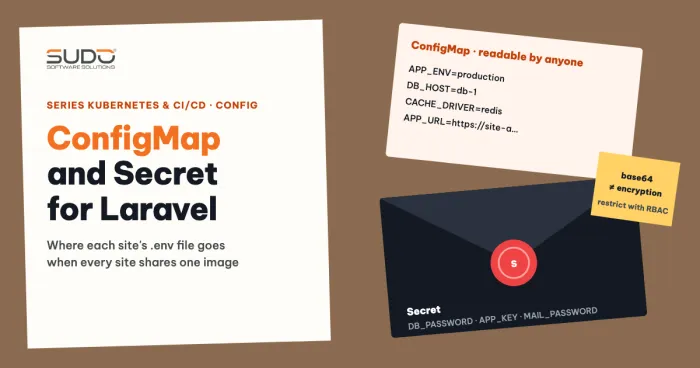
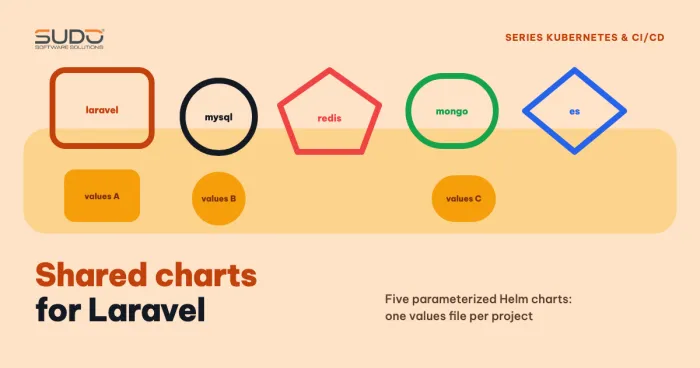
How to separate configuration from the image is covered in ConfigMap and Secret: Laravel environment variables on Kubernetes, and how to package a reusable chart in Shared charts: reusing Helm for Laravel, MySQL and Redis.
Why you must enable authorization from the start
MongoDB does not require a login by default. An unauthenticated instance exposed to the network lets anyone connect and read, write and delete. A common kind of incident: the mongod log has a dropDatabase line that wiped the application database, then a new database appears with a name like READ_ME_TO_RECOVER_YOUR_DATA containing a ransom note. The log cannot prove who did it or how they got in, but treat "MongoDB without authentication" as a vulnerability. The fix is to restore from backup and turn authentication on.
With the official mongo image on Kubernetes, just setting MONGO_INITDB_ROOT_* turns authentication on. For a self-installed instance, the order for enabling authentication is:
- Connect locally and create an admin user in the
admindatabase, for example with the roleuserAdminAnyDatabase. - Add to
mongod.conf:security.authorization: enabled, then restart the service. - Log in as the admin user (
--authenticationDatabase admin) and create a dedicated user for each application database with thereadWriterole. - Configure the application to use that dedicated user.
About bindIp: do not change it in the same step as enabling authentication, because it easily cuts the application off. Enable authentication first, check that the application is fine, and only then deal with networking. On Kubernetes, do not expose the MongoDB Service outside the cluster: use ClusterIP or a headless Service, and consider a NetworkPolicy, because the container listens on all interfaces by default.
Deploy MongoDB on Kubernetes
For MongoDB, use a StatefulSet with its own PVC. The official mongo image creates the admin user on first start from two variables, MONGO_INITDB_ROOT_USERNAME and MONGO_INITDB_ROOT_PASSWORD. An important note: these two variables only take effect when the data directory is empty. Changing them after the PVC already holds data does not change the password. Create the Secret before applying the manifest:
kubectl create secret generic mongo-auth \
  --from-literal=username=<user-name> \
  --from-literal=password=<password> -n db-1
apiVersion: v1
kind: Service
metadata:
name: mongo
spec:
clusterIP: None # headless: reach pods by their DNS names
selector:
app: mongo
ports:
- port: 27017
---
apiVersion: apps/v1
kind: StatefulSet
metadata:
name: mongo
spec:
serviceName: mongo
replicas: 1
selector:
matchLabels:
app: mongo
template:
metadata:
labels:
app: mongo
spec:
containers:
- name: mongo
image: mongo:8
ports:
- containerPort: 27017
env:
- name: MONGO_INITDB_ROOT_USERNAME
valueFrom:
secretKeyRef: { name: mongo-auth, key: username }
- name: MONGO_INITDB_ROOT_PASSWORD
valueFrom:
secretKeyRef: { name: mongo-auth, key: password }
volumeMounts:
- name: data
mountPath: /data/db
volumeClaimTemplates:
- metadata:
name: data
spec:
accessModes: ["ReadWriteOnce"]
resources:
requests:
storage: 20GiWatch containerPort: a common typo is 27107 instead of 27017. This field is only descriptive, so the pod still runs, but it causes confusion. The application connects to the headless Service by the name mongo.<namespace>.svc.cluster.local, not by IP. The article Volume, PersistentVolume, PVC and StorageClass on Kubernetes explains the storage side.
Error 1: SCRAM_SHA_1 requires libmongoc built with ENABLE_SSL
This message comes from the PHP mongodb extension, not from the server. The extension is compiled with pecl while the image is built; if the OpenSSL development packages are not present at that time, the bundled libmongoc is built without SSL and cannot use the SCRAM mechanism. The fix is to install the packages before pecl:
RUN apt-get update && apt-get install -y \
      libssl-dev libcurl4-openssl-dev pkg-config \
 && pecl install mongodb \
 && docker-php-ext-enable mongodb
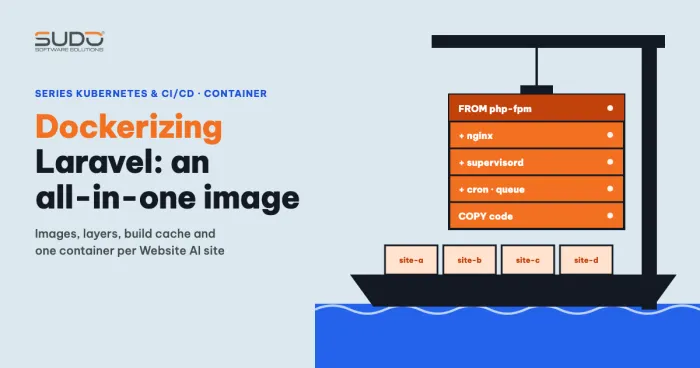
Order decides everything: installing libssl-dev after pecl install has no effect. Packaging the Laravel image is covered in Dockerizing Laravel: one all-in-one image for Website AI.
Error 2: Authentication failed and authSource
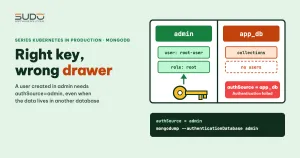
Once the SSL error is gone, the authentication error shows up. The cause is usually authSource, the database MongoDB uses to look up the user. The user created by the two MONGO_INITDB_ROOT_* variables lives in the admin database and has the root role. You can verify this with:
mongosh -u root-user --authenticationDatabase admin
use admin
db.getUser('root-user')
// roles: [ { role: 'root', db: 'admin' } ]
Some online guides say the init user's role is userAdminAnyDatabase. That is the role you choose yourself when creating an admin user by hand; the mongo image grants root, as the db.getUser output above shows.
So if the Laravel configuration sets authSource to the application database name, MongoDB looks for the user in the application database, does not find it, and returns Authentication failed. For the init user, authSource must be admin. Conversely, for a dedicated user created inside the application database (one readWrite user per database), authSource is that database itself. To make one configuration work in both environments, turn it into a variable:
'mongodb' => [
    'driver'   => 'mongodb',
    'host'     => env('MONGO_DB_HOST', '127.0.0.1'),
    'port'     => env('MONGO_DB_PORT', 27017),
    'database' => env('MONGO_DB_DATABASE', 'app_db'),
    'username' => env('MONGO_DB_USERNAME'),
    'password' => env('MONGO_DB_PASSWORD'),
    'options'  => [
        'authSource' => env('MONGO_DB_AUTH_DATABASE', 'admin'),
    ],
],
A common mistake when copying configuration is a missing comma between keys, which causes a PHP syntax error. On K8s, with a MongoDB pod that holds only one database, using the root user for the application works, but the principle of least privilege still recommends a dedicated readWrite user.
Restore MongoDB with kubectl cp and mongorestore
The workflow for loading a dump directory into a MongoDB pod: copy it into the pod's /tmp, then run mongorestore inside. kubectl cp needs tar in the image; the mongo image has it.
kubectl cp ./dump mongo-0:/tmp/ -n db-1

kubectl exec -it mongo-0 -n db-1 -- bash -c \
  'mongorestore --username "$MONGO_INITDB_ROOT_USERNAME" \
                --password "$MONGO_INITDB_ROOT_PASSWORD" \
                --authenticationDatabase admin \
                --nsInclude "app_db.*" /tmp/dump'
Single quotes make the variables expand inside the pod, so the password never sits on your machine, in shell history or in CI logs, but it is still visible with ps inside the pod; if you need tighter control, use --config with a YAML file mounted from a Secret. The --db flag is deprecated; use --nsInclude. If you do not set --authenticationDatabase, the default is admin (or the database from --db), so set admin explicitly for the init user.
There are two confusing behaviors during restore, and their cause has not been determined. Running mongorestore --db without authentication reports Unauthorized ... listCollections, which makes sense. Running with --nsInclude and credentials gives 0 document(s) restored with no error, while using an absolute path to the database's dump directory together with --db succeeds.
The most likely hypothesis is a dump path at the wrong level. --nsInclude matches the structure <dump directory>/<db>/<collection>.bson; if the last argument points to a parent or a child at the wrong level (for example . while standing in /tmp), the tool matches 0 collections and reports 0 documents without an error. This is still only a hypothesis. How to check: ls -R /tmp/dump, add -v, and run with an absolute path. Compare with the mongorestore documentation before settling.
Back up MongoDB with mongodump
There are two ways to back up MongoDB. The first writes to a directory inside the pod and then copies it out:
kubectl exec mongo-0 -n db-1 -- bash -c \
  'mongodump --username "$MONGO_INITDB_ROOT_USERNAME" \
             --password "$MONGO_INITDB_ROOT_PASSWORD" \
             --authenticationDatabase admin \
             --db app_db --out /tmp/dump'

kubectl cp db-1/mongo-0:/tmp/dump ./dump
The second uses an archive over standard output, needs no kubectl cp and leaves no temporary files in the pod, following MongoDB's documentation:
kubectl exec mongo-0 -n db-1 -- bash -c \
  'mongodump --username "$MONGO_INITDB_ROOT_USERNAME" \
             --password "$MONGO_INITDB_ROOT_PASSWORD" \
             --authenticationDatabase admin \
             --db app_db --archive --gzip' > app_db.archive.gz
Then compress the result and push it to private object storage. In CI, take connection details from masked variables or a Secret, and never echo them to the log.
One important point: a backup is only worth something if it can be restored. A common wrong way to test is to restore the very directory that already exists, which proves nothing about mongodump. The correct verification loop starts from the directory produced by mongodump, then restores into a different database name for comparison, without overwriting real data:
kubectl exec mongo-0 -n db-1 -- bash -c \
  'mongorestore --username "$MONGO_INITDB_ROOT_USERNAME" \
                --password "$MONGO_INITDB_ROOT_PASSWORD" \
                --authenticationDatabase admin \
                --nsFrom "app_db.*" --nsTo "app_db_check.*" /tmp/dump'

# restore from an archive
kubectl exec -i mongo-0 -n db-1 -- bash -c \
  'mongorestore --username "$MONGO_INITDB_ROOT_USERNAME" \
                --password "$MONGO_INITDB_ROOT_PASSWORD" \
                --authenticationDatabase admin \
                --archive --gzip' < app_db.archive.gz
This round trip has not been tried here, so run it yourself in a test environment before you trust the backup pipeline.
A small error: ConfigMap and Secret with the same name in two namespaces
Symptom: the ConfigMap sets MONGO_DB_USERNAME to one value, but inside the pod echo prints the old value. Remember that configMapKeyRef and secretKeyRef are always resolved in the pod's own namespace and never look at another namespace. A common cause is therefore that the pod is running in a namespace that has a same-named ConfigMap/Secret with the old value, usually because kubectl apply was run without -n and the manifest has no metadata.namespace, so the Deployment landed in the context's current namespace (usually default). There are three things to check:
- Was the pod restarted after the ConfigMap was edited?
kubectl get deploy,cm,secret -A | grep <name>to find a duplicate in another namespace.- Is the variable defined twice, once in
envand once inenvFrom?
The idea that the Deployment was applied to the wrong namespace is an inference from how K8s works; confirm it with kubectl get deploy -A. Editing a ConfigMap does not change the environment variables of a running pod; the pod has to be restarted.
Checklist
- Enable
authorizationfor MongoDB, with the admin user inadminand onereadWriteuser per application. - The PHP image installs
libssl-dev,libcurl4-openssl-devandpkg-configbeforepecl install mongodb. authSourcematches where the user was created, set through an environment variable.- Use
--authenticationDatabaseand--nsIncludewith the command-line tools; take the password from variables inside the pod. - Test-restore into a different database name to confirm the backup is usable.
- Always set
-normetadata.namespace; check that the ConfigMap and Secret do not have duplicates in extra namespaces.
Official documentation: mongorestore and kubectl cp.
Next article
Wildcard certificates for dozens of sites on Kubernetes: TLS Secrets and DNS-01. As the number of sites grows, certificate issuance limits become the next bottleneck.