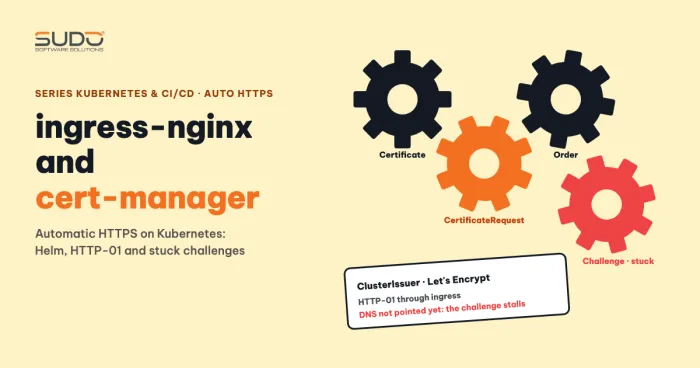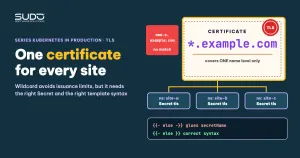
A platform that creates demo websites on demand, with one subdomain per site under the same root domain, will soon hit this error: a Certificate stuck at Ready=False and a line in describe that reads 429 urn:ietf:params:acme:error:rateLimited ... too many certificates already issued. Let's Encrypt limits how many certificates it issues for one root domain in a given period, and dozens of demo subdomains hit the ceiling very quickly. The sensible solution is wildcard certificates, in practice a single shared certificate for every site. This guide covers the cluster side: a two-branch Helm chart, a whitespace bug in a template, how to sync the certificate into many namespaces, and a better-aligned option with cert-manager. Issuing certificates with certbot is explained in SSL for hundreds of domains with Certbot.
Symptom: Certificate Ready=False and a 429 error
kubectl get certificate -n site-a
NAME                 READY   SECRET                       AGE
site-a-certificate   False   letsencrypt-secret-site-a    28m

kubectl describe certificate site-a-certificate -n site-a
  Message: ... Failed to create Order: 429 urn:ietf:params:acme:error:rateLimited:
           Error creating new order :: too many certificates already issued for "example.com"
cert-manager keeps retrying on a schedule, so the site gets HTTPS once the quota refreshes. But for a platform that needs sites to work right after they are created, waiting several days is unacceptable; wildcard certificates avoid the situation. The quota numbers change with policy, so read the Let's Encrypt Rate Limits page instead of memorizing a fixed number.
Why demos hit the ceiling easily, and how wildcard certificates solve it
Each demo site requests its own certificate for x.example.com and www.x.example.com. Counted by registered domain, they all count toward the same quota. A wildcard certificate such as *.example.com needs to be requested only once and then serves every subdomain, so the number of requests no longer grows with the number of sites.
An important limit: wildcard certificates cover only one level of names. *.example.com matches demo.example.com but not www.demo.example.com. An old template that automatically adds the host www.<domain> produces a host outside the SAN, and the browser shows a certificate error on that host. So on the branch that uses wildcard certificates, drop the www host.
Wildcard certificates require DNS-01
Let's Encrypt issues wildcards only through the DNS-01 challenge: you prove control of the domain with a TXT record at _acme-challenge.example.com. certbot's manual mode lets you request wildcard certificates, and the price is that it cannot renew itself:
sudo certbot certonly --manual --preferred-challenges dns \
  -d example.com -d "*.example.com"
Note the syntax: one -d flag per domain. certbot stops, asks you to add the TXT record, and waits for you to press Enter. Wildcard certificates are valid for 90 days, and because there is a manual step, certbot renew cannot run unattended. This is why automatic renewal of wildcard certificates often remains on the unfinished list of many systems. How to automate DNS-01 with cert-manager is in the options section below.
A two-branch Helm chart: tls.alreadyAvailable
To let one chart serve both sites that use wildcard certificates and sites that request their own, the chart has two branches. Values:
tls:
  alreadyAvailable: true
  crt_base64: "<base64-fullchain-content>"
  key_base64: "<base64-privkey-content>"
When alreadyAvailable is on, the chart creates a Secret of type kubernetes.io/tls:
{{- if .Values.tls.alreadyAvailable }}
apiVersion: v1
kind: Secret
metadata:
  name: tls-secret-{{ include "web.fullname" . }}
type: kubernetes.io/tls
data:
  tls.crt: {{ .Values.tls.crt_base64 | quote }}
  tls.key: {{ .Values.tls.key_base64 | quote }}
{{- end }}
When it is off, the chart creates a Certificate so cert-manager requests a dedicated certificate:
{{- if not .Values.tls.alreadyAvailable }}
apiVersion: cert-manager.io/v1
kind: Certificate
metadata:
  name: {{ include "web.fullname" . }}-certificate
spec:
  secretName: letsencrypt-secret-{{ include "web.fullname" . }}
  renewBefore: 360h    # renew 15 days early
  issuerRef:
    name: letsencrypt-issuer
    kind: ClusterIssuer
  dnsNames:
    - {{ .Values.domain }}
    - www.{{ .Values.domain }}
{{- end }}
The Ingress must point secretName at the Secret of whichever branch is in use. The basics of charts and Helm in general are explained in What is a Helm chart.
The trim marker trap: secretName glued to the host
This seemingly simple ingress snippet produces YAML that is still valid but has the wrong content:
tls:
  - hosts:
    - www.{{ .Values.domain }}
    - {{ .Values.domain }}
    {{- if .Values.tls.alreadyAvailable -}}
    secretName: tls-secret-{{ $fullName }}
    {{- else -}}
    secretName: letsencrypt-secret-{{ $fullName }}
    {{- end }}
After rendering, the host is joined to secretName and the Ingress loses its secretName:
- site-a.example.comsecretName: tls-secret-site-a-example-comThe cause is the hyphen. In a Go template, {{- removes all whitespace, including newlines, before the tag; -}} removes whitespace after it. In {{- if ... -}} the second hyphen also swallows the newline and the indentation before secretName, so secretName gets pulled up and glued to the end of the host line. The fix is to keep the hyphen only on the leading side:
    {{- if .Values.tls.alreadyAvailable }}
    secretName: tls-secret-{{ $fullName }}
    {{- else }}
    secretName: letsencrypt-secret-{{ $fullName }}
    {{- end }}
The {{- else }} form keeps the newline after the tag, so secretName sits on its own line with the right indentation. A rule of thumb: using -}} is rare, only when you really want to join two lines. This bug is hard to catch: the wrong line is still a valid string in the hosts list, so neither helm lint nor a client-side --dry-run (the default in Helm 3.13 and later) reports anything. Read the helm template output and validate on the server side, where the API server rejects host names that contain a colon or a space:
helm template site-a ./chart -f values.yaml | less
helm template site-a ./chart -f values.yaml | kubectl apply --dry-run=server -f -
kubectl get ingress -n site-a -o yaml   # compare after deploying
For syntax details, see the Helm: Flow Control documentation.
Sync wildcard certificates into Secrets across many namespaces
When the wildcard certificate is issued and renewed in one place (for example the machine that runs certbot), you need to get it into the TLS Secret of each site namespace. A pipeline that does this has these steps: take fullchain.pem and privkey.pem, base64-encode them, loop over namespaces by label, update the Secret, then restart the deployment. The idea is right, but a sed-style script needs fixing in several places:
- Editing YAML with
sedbreaks easily. A regex with a dot can match too broadly,greppulling the Secret name can return several lines when a namespace has several TLS Secrets, and thebase64flags differ between GNU (-w 0) and macOS/BSD, so a script that works on one machine can break on another. This is a general risk, not verified on a specific pipeline. A more reliable way is to recreate the Secret from files:
kubectl create secret tls tls-secret-site-a \
  --cert=fullchain.pem --key=privkey.pem \
  -n site-a --dry-run=client -o yaml | kubectl apply -f -
The name of the Secret that holds the wildcard certificates must match the secretName value the Ingress references. If the Secret was created by Helm, kubectl apply warns about a missing annotation, which is exactly the conflict described in the second point below.
- Restarting the deployment is usually unnecessary. If TLS terminates at the ingress controller, the controller reloads the Secret by itself when it changes; the application behind it does not read the certificate. Restart only when the application pod itself reads the certificate file.
- A Secret created by Helm but edited by the pipeline outside Helm. The next
helm upgradeoverwrites the Secret with the value in the values file. Pick a single source of truth. - The private key sits in the values and in the release history. Helm stores each revision's values in the release Secret, so anyone who can read Secrets in the namespace can recover the key. This is a risk to weigh when you put
key_base64in the values. - CI variables holding a kubeconfig and an SSH key must be masked and scope-limited; never print them to the log.
Better-aligned options
Three ways to avoid syncing wildcard certificates with scripts:
- cert-manager with DNS-01: to issue wildcard certificates automatically, declare a
ClusterIssuerthat uses the DNS-01 solver with a DNS provider that has an API (Cloudflare, for example), then create aCertificatewithdnsNames: ["*.example.com"]. cert-manager creates the TXT record by itself and renews before expiry. See ingress-nginx and cert-manager: automatic HTTPS on Kubernetes for the base installation. A condensed example:apiVersion: cert-manager.io/v1 kind: ClusterIssuer metadata: name: letsencrypt-dns01 spec: acme: server: https://acme-v02.api.letsencrypt.org/directory privateKeySecretRef: { name: letsencrypt-account-key } solvers: - dns01: cloudflare: apiTokenSecretRef: { name: cloudflare-api-token, key: api-token } --- apiVersion: cert-manager.io/v1 kind: Certificate metadata: name: wildcard-example-com spec: secretName: wildcard-example-com issuerRef: { name: letsencrypt-dns01, kind: ClusterIssuer } dnsNames: ["*.example.com"] - One shared wildcard Certificate, copy the Secret: create a single
Certificatein one namespace, then use a tool that copies Secrets between namespaces, such as reflector, so every site references the same Secret. - The ingress-nginx default Secret: set the
--default-ssl-certificate=<namespace>/<secret>flag on the controller so every Ingress that declares no TLS shares one wildcard Secret, with no need to copy it into each namespace.
These wildcard certificate options are suggestions based on the documentation and have not been tried. Documentation: cert-manager: DNS01. This guide has not verified two points: whether the sync script above works correctly on your cluster, and whether the Secret created by cert-manager is deleted when you switch tls.alreadyAvailable to true (this depends on --enable-certificate-owner-ref and the Secret's ownerReferences). Try it yourself with kubectl get secret -o yaml on a test namespace.
Verify wildcard certificates after the change
echo | openssl s_client -connect site-a.example.com:443 \
  -servername site-a.example.com 2>/dev/null \
  | openssl x509 -noout -subject -ext subjectAltName -enddate
The -servername flag is required to send SNI; without it the ingress returns the default certificate. Check that the SAN contains *.example.com and that the expiry date matches the new wildcard certificate.
Checklist
- Use wildcard certificates when the number of subdomains is large; remember they cover only one level of names, so drop the
wwwhost on this branch. - Wildcard certificates need DNS-01; the manual route does not renew itself, so automate with cert-manager.
- Read the
helm templateoutput and validate on the server side (kubectl apply --dry-run=server) before every template change;helm lintdoes not catch this bug; avoid-}}. - Use
kubectl create secret tls --dry-run=client -o yaml | kubectl apply -f -instead ofsed. - Do not let the Secret that holds wildcard certificates be managed by Helm and edited by a pipeline at the same time.
- Verify with
openssl s_client -servername: the SAN and the expiry date.
Next article
HPA for Laravel: request-based thresholds, scaling behavior and metrics-server. Moving from certificates to scaling: let the number of pods grow on its own when load grows.