A Laravel website running on Kubernetes starts returning 503 over and over. The pods are still Running and are not restarting, but the event Readiness probe failed ... context deadline exceeded keeps repeating. One plausible explanation is that the probe calls the home page directly, a heavy page, with a timeout of only one second; no monitoring has confirmed this for certain. This article is about the health endpoint: which lightweight route to use for each probe, what the endpoint should check, how to prove it works with controlled breakage, and when to drop a check instead of keeping it.
It assumes you already know Deployments and Services, for example from Your first Kubernetes manifest: namespace, Deployment and MySQL StatefulSet. If the 503 comes from a timeout at the ingress layer, also read 413 and 504 errors on Kubernetes: body limits, timeouts and headers across layers.
Symptom: the probe calls a heavy home page with a short timeout
A common configuration in the early days of a deployment is a probe pointing at /:
readinessProbe:
  httpGet:
    path: /
    port: 80
  initialDelaySeconds: 10
  periodSeconds: 3
  timeoutSeconds: 1
  failureThreshold: 3
A CMS home page usually queries the database, builds views and calls the cache. When a single response takes longer than one second, the kubelet records one failure. After three in a row, the pod is removed from the Service's Endpoints, and if every pod is slow at the same moment, the ingress returns 503. See the details with kubectl describe pod, in the Events section:
Warning  Unhealthy  Readiness probe failed: Get "http://10.0.0.x:80/": context deadline exceeded
         (Client.Timeout exceeded while awaiting headers)
Two quick fixes are to raise timeoutSeconds and to switch to a lightweight health endpoint. Why the home page takes more than a second needs its own investigation (NFS, queries, a low CPU limit). Raising the timeout only hides the symptom, while a dedicated health endpoint removes the heavy page from the probe path.
Each probe answers exactly one question
The three probe types have three different jobs, and the consequences of a failure differ too:
| Probe | Question | On failure |
|---|---|---|
startupProbe | Has the application finished starting? | The kubelet kills the container and restarts it according to restartPolicy (no new pod is created) |
readinessProbe | Should this pod receive traffic right now? | The pod is removed from Endpoints and is not restarted |
livenessProbe | Is the process alive or hung? | The kubelet restarts the container |
When a startupProbe is present, liveness and readiness do not run until startup succeeds. It gives a slow-starting application a time "budget" without loosening liveness. The details are in the Kubernetes probe documentation. From this comes a rule: liveness only asks "does PHP-FPM still answer", never about the database, while readiness may ask about the dependencies required to serve requests.
For slow startup, use a startupProbe instead of relying on a postStart hook. That hook runs right after the container is created and is not guaranteed to finish before the ENTRYPOINT, so do not treat it as a readiness condition. See the container lifecycle hooks documentation.
Designing the health endpoint: a light route and optional checks
A good health endpoint setup has two separate routes: a health endpoint for liveness that only returns 200, and a health endpoint for readiness that also checks the dependencies the pod cannot do without. A syntactically correct version:
Route::get('/liveness', fn () => response()->json(['status' => 'ok']))
    ->withoutMiddleware([\Illuminate\Session\Middleware\StartSession::class]);

Route::get('/health', function () {
    $checks = ['database' => false];

    try {
        DB::connection()->getPdo();
        $checks['database'] = true;
    } catch (\Throwable $e) {
    }

    // Optional, only for a pod-local directory (see the section below):
    // $file = 'health_' . bin2hex(random_bytes(4)) . '.txt';
    // $checks['storage'] = Storage::disk('local')->put($file, 'ok');
    // Storage::disk('local')->delete($file);

    $healthy = !in_array(false, $checks, true);
    return response()->json($checks, $healthy ? 200 : 503);
})->withoutMiddleware([\Illuminate\Session\Middleware\StartSession::class]);
Routes in routes/web.php go through the web middleware group by default (which includes StartSession), so the example above removes that middleware; you can also put the routes in routes/api.php or use the built-in /up route in Laravel 11. When you check file writes, remember that Storage::put returns false instead of throwing (unless the disk sets 'throw' => true), and the test file name should have a random suffix.
An HTTP probe treats codes from 200 to 399 as success, so both 500 and 503 make readiness fail. A sample probe configuration pointing at these two health endpoints:
livenessProbe:
  httpGet: { path: /liveness, port: 80 }
  periodSeconds: 10
  timeoutSeconds: 3
readinessProbe:
  httpGet: { path: /health, port: 80 }
  periodSeconds: 10      # 10 to 15 seconds is reasonable
  timeoutSeconds: 5      # the route touches the database
startupProbe:            # optional, for slow startup
  httpGet: { path: /liveness, port: 80 }
  periodSeconds: 5
  failureThreshold: 30
Controlled breakage 1: change storage permissions and watch readiness
The best way to trust a health endpoint is to break the thing it checks. Do this only in a test environment: if storage lives on a shared volume (such as NFS), every pod is affected and deleting the pod does not restore the old owner. Change the owner of the storage directory to root (this needs an exec session running as root and a volume that does not squash root):
kubectl exec deploy/site-a -- chown -R root:root /var/www/html/storage
kubectl describe pod -l app=site-a | grep -A3 Unhealthy
kubectl get pods -l app=site-a -w
What you typically see: Events record Readiness probe failed: HTTP probe failed with statuscode: 500, READY drops to 0/1, and RESTARTS stays the same. As the table above says, when readiness fails the pod is removed from the Service but not restarted.
Note the 500 code, not the 503 that the health endpoint returns itself. The health endpoint catches exceptions and returns 503, so a 500 suggests the error happens outside the route: most likely the framework cannot write the session, the view cache or the log into storage. This is an inference, so verify it:
kubectl logs deploy/site-a --tail=20
kubectl exec deploy/site-a -- wget -qO- -S http://localhost/health
Do not expect to see the error in storage/logs/laravel.log: the very write failure is what usually leaves this log empty. If the image has neither wget nor curl, use php -r. After the test, restore the owner to the user that runs PHP-FPM (for example www-data) and check that READY returns to 1/1:
kubectl exec deploy/site-a -- chown -R www-data:www-data /var/www/html/storage
kubectl get pods -l app=site-a
Controlled breakage 2: kill php-fpm and watch liveness
For liveness, simulate a dead process:
kubectl exec deploy/site-a -- pkill php-fpm   # if pkill is missing, use kill <pid>
kubectl get pods -l app=site-a -w
In a test like this, the site usually returns 502 (nginx loses its upstream) and then RESTARTS goes up by 1. If it does not, check whether supervisord in the container brings php-fpm back before the probe has time to fail. The restart time is roughly failureThreshold × periodSeconds plus the timeout; measure the real figure yourself with kubectl get events --sort-by=.lastTimestamp.
Choosing which dependencies go into the health endpoint
If the readiness health endpoint checks a shared dependency and that dependency fails, every pod fails at once, is removed from the Service and the whole website goes down, even the pages that do not need it. The rule: readiness checks only what the pod cannot serve without, and think carefully when that thing is shared by every pod.
- External storage (S3) and shared volumes (NFS): leave them out of the readiness health endpoint. Let the application handle the error instead of pulling the pod.
- A pod-local directory (
emptyDir): a write check is reasonable because a failure affects only that pod. - Database: keeping it in readiness is acceptable, but if the database dies, every pod is pulled at once. Keep the check light (open a connection) with its own
timeoutSeconds.
Whether the final health endpoint should check storage or the database depends on the architecture, and this article does not settle on a general conclusion.
A MySQL replica CrashLoop case: a diagnostic method
The same thinking applies to a database inside the cluster, for example a replica in a StatefulSet as in MySQL replication in a StatefulSet: why xtrabackup 2.4 fails with MySQL 8. A replica pod falls into CrashLoopBackOff, and Events show:
Startup probe failed: mysqladmin: connect to server at 'localhost' failed
Container mysql failed liveness probe, will be restarted
Liveness probe failed: ... error: 'Access denied for user 'root'@'localhost''
The probe uses mysqladmin with timeoutSeconds: 1. The fix that was tried is to widen the startup probe budget (a 45-second delay, 25 allowed failures 10 seconds apart, about five minutes). The block below is the values of a MySQL Helm chart (Bitnami style), placed under the secondary: key, followed by helm upgrade --reuse-values -f values.yaml:
secondary:
  startupProbe:
    enabled: true
    initialDelaySeconds: 45
    periodSeconds: 10
    failureThreshold: 25
The enabled key exists only in the chart values. In a plain manifest, drop it and declare startupProbe.exec or httpGet together with initialDelaySeconds, periodSeconds and failureThreshold. After the widening, the pod is stable, but the root cause has not been confirmed: the volume attaches fairly quickly, so you cannot conclude "the PVC is slow", and the Access denied line has not been explained. One hypothesis is that an old PVC still holds data with a different root password (the MySQL image usually initializes the password only when the data directory is empty); to check it yourself, delete the replica's PVC (if that is safe) and install again. The startup probe is only a band-aid here.
Health endpoint and probe checklist
- Separate the liveness health endpoint (
/liveness, returns only 200) from readiness (/health, with dependency checks). - A health endpoint uses no session and goes through no heavy middleware; probes do not call the home page. Place the health endpoint outside the
webgroup. - Readiness checks only what the pod cannot do without. Outside services and shared volumes (S3, NFS) stay out; for the database, weigh the trade-off.
- If you check file writes in a local directory, use a random name and handle the case where
Storage::putreturnsfalse. - Use a
startupProbefor slow startup instead of loosening liveness. - Break the real health endpoint on purpose (change permissions, kill a process), include a restore step, and measure with Event timestamps.
- Do not use
postStartas a readiness condition: it is not guaranteed to finish before the ENTRYPOINT. - Set
timeoutSecondsandperiodSecondsfrom the real response time, rather than leaving the one-second default.
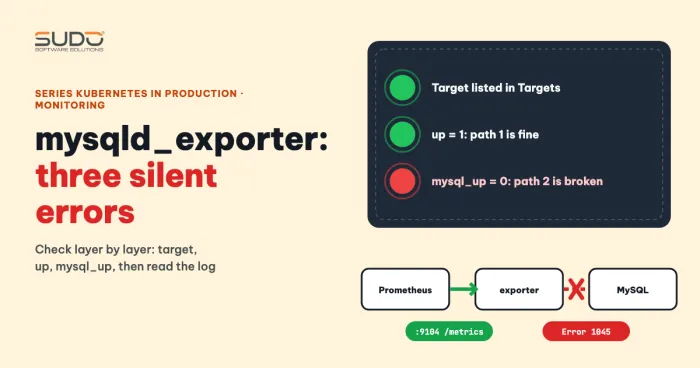
If the storage permission error from the first test shows up in real life, read on in the series about volume ownership. The article Installing mysqld_exporter on Kubernetes: three silent errors that leave Prometheus empty helps you track MySQL metrics (connections, replication) to compare with the probe status.
Next article
Permission denied on a volume: why chown in the Dockerfile is not enough. Why a mounted directory is always owned by root, and the ways to set the right owner for a pod.