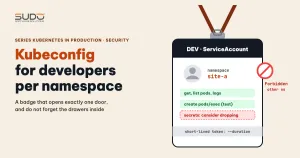
When a dev team needs to read logs, enter pods or edit a ConfigMap on their own, the fastest way is to hand them the admin kubeconfig. It is also the most dangerous way: that file opens every namespace and can delete everything. This article shows how to create a kubeconfig for developers limited to one namespace with a ServiceAccount and a Role, verify the permissions with kubectl auth can-i, merge several namespaces into one file, and, most important, point out the risks that "read-only" access still leaves behind.
If you do not have a cluster yet, see building the first LKE cluster, which produces the admin kubeconfig that this article avoids handing to developers. The concepts of Secret and ConfigMap are covered in ConfigMap and Secret for Laravel.
The problem: a kubeconfig for developers per namespace
The real need usually comes down to four tasks: list pods, read logs, exec into a pod the way you would enter a Docker container, and view a ConfigMap to compare environment variables. A good kubeconfig for developers allows exactly those tasks, and only in the namespace of the site being handled. Before any configuration, kubectl on a developer machine has no file at all and reports that it cannot connect to localhost:8080. That is the default behavior when there is no kubeconfig, not an error as such.
Four objects to create for the developer kubeconfig
- ServiceAccount: the developer's identity in the namespace.
- Role: the list of permissions (resources and verbs) in that namespace.
- RoleBinding: ties the Role to the ServiceAccount.
- A Secret of type
kubernetes.io/service-account-token: holds the token that goes into the kubeconfig.
apiVersion: v1
kind: ServiceAccount
metadata:
  name: dev-sa
  namespace: site-a
---
apiVersion: rbac.authorization.k8s.io/v1
kind: Role
metadata:
  name: dev-access
  namespace: site-a
rules:
  - apiGroups: [""]
    resources: ["pods", "pods/log", "configmaps"]
    verbs: ["get", "list", "watch"]
  - apiGroups: [""]
    resources: ["pods/exec"]
    verbs: ["create"]
---
apiVersion: rbac.authorization.k8s.io/v1
kind: RoleBinding
metadata:
  name: dev-access-binding
  namespace: site-a
subjects:
  - kind: ServiceAccount
    name: dev-sa
    namespace: site-a
roleRef:
  kind: Role
  name: dev-access
  apiGroup: rbac.authorization.k8s.io
For a kubeconfig for developers, the Role above has no secrets; the reason is in the risks section below. This Role is meant for a test or dev namespace; in production, drop the pods/exec rule. A common mistake when writing these in bulk is a RoleBinding that points to a Role that does not exist: kubectl apply still succeeds, but the developer has no permissions at all. The command kubectl get role,rolebinding -n site-a only lists objects and does not catch a wrong roleRef name. Use kubectl describe rolebinding dev-access-binding -n site-a and, above all, kubectl auth can-i --list (below) to see the real effective permissions.
Building the developer kubeconfig: server, CA and token
Since Kubernetes 1.24, a ServiceAccount no longer gets an automatically generated token Secret, so the SECRETS column of a new ServiceAccount is 0. There are two ways to get a token for a developer. For a kubeconfig for developers, the first is kubectl create token dev-sa -n site-a --duration=8h: a short-lived token that expires automatically, best for temporary access. The second is to create a Secret manually to get a token that does not expire:
apiVersion: v1
kind: Secret
metadata:
  name: dev-sa-token
  namespace: site-a
  annotations:
    kubernetes.io/service-account.name: dev-sa
type: kubernetes.io/service-account-token
The control plane fills in token and ca.crt in this Secret by itself. If you read the token right after applying, the field may still be empty, so wait a few seconds or repeat the read command. Then assemble the kubeconfig for developers with kubectl config itself, with no need to write YAML by hand:
NS=site-a
SERVER=$(kubectl config view --minify -o jsonpath='{.clusters[0].cluster.server}')
kubectl get secret dev-sa-token -n $NS -o jsonpath='{.data.ca\.crt}' | base64 -d > ca.crt
TOKEN=$(kubectl get secret dev-sa-token -n $NS -o jsonpath='{.data.token}' | base64 -d)

kubectl config set-cluster app --server="$SERVER" --certificate-authority=ca.crt --embed-certs=true --kubeconfig=dev.yaml
kubectl config set-credentials dev-sa --token="$TOKEN" --kubeconfig=dev.yaml
kubectl config set-context dev --cluster=app --user=dev-sa --namespace=$NS --kubeconfig=dev.yaml
kubectl config use-context dev --kubeconfig=dev.yaml
The cluster's API server is signed by its own CA, so the kubeconfig must carry the CA, otherwise kubectl fails with the x509 error certificate signed by unknown authority. kubectl config set-cluster has no --certificate-authority-data flag; the right way is to pass the CA file with --certificate-authority plus --embed-certs=true so kubectl base64-encodes it into certificate-authority-data itself. Delete ca.crt after assembling if you no longer need it. Do not echo the token to the screen or to a pipeline log: from that moment the token is exposed.
Verifying the permissions of the kubeconfig file
There are two verification steps. Step one, use the kubeconfig for developers you just created: get pods and get configmaps in the namespace must work, while get pods -n other must return Forbidden. Step two, check before handing it out, using admin rights and the --as flag, so you do not need the developer's token.
kubectl auth can-i --list --as=system:serviceaccount:site-a:dev-sa -n site-a
kubectl auth can-i get secrets --as=system:serviceaccount:site-a:dev-sa -n site-a
The --list flag shows all effective permissions, which helps catch a Role that grants more than intended. About exec: kubectl has used WebSocket for exec since roughly version 1.30, so you may need both get and create on pods/exec. Try kubectl exec with the developer's kubeconfig; if it gets Forbidden, add get to the pods/exec rule. This has not been verified on every version.
One kubeconfig for developers across several namespaces
With many namespaces, handing out one file per namespace is inconvenient. The solution is one file with several context entries: each context has the shared cluster, its own user (the ServiceAccount token in that namespace) and a default namespace. For example, add the namespace site-b to the existing file:
kubectl config set-credentials dev-sa-site-b --token="$TOKEN_B" --kubeconfig=dev.yaml
kubectl config set-context dev-site-b --cluster=app --user=dev-sa-site-b --namespace=site-b --kubeconfig=dev.yaml
Developers switch namespaces with kubectl config use-context and list them with kubectl config get-contexts. The trade-off is that a kubeconfig for developers in this form holds the tokens of every namespace, so a leak does much more damage than with one file per namespace. Consider issuing it per group of sites or using short-lived tokens.
Roles per environment: why "read-only" is still broad
A tidy way to manage this is to put an environment label on the namespace, then apply a broader Role to development and a narrower Role to production. This is a suggested way to organize things, with no final verification result.
kubectl label ns site-a environment=development
kubectl get ns -l environment=production
The dev Role can be broader (get, list, watch on pods, logs and ConfigMaps, plus pods/exec); the production Role only has get, list, watch on pods and pods/log, with no secrets and no pods/exec. If a script creates Roles from labels, the label value must be typed correctly: a misspelled value makes the namespace match no branch, and no Role is created. The get ns -l command above helps catch this case.
But a production Role that is "only get, list, watch" is still not safe if the following remain:
secrets: lets the holder read database passwords, application keys, registry credentials and ServiceAccount tokens.pods/exec: gets inside the container and reads environment variables and files, so it still sees all of the application's secrets.- Helm release Secrets (
sh.helm.release.v1.*): contain all the values used to install, which may include passwords.
So a "read-only" kubeconfig for developers that includes secrets and pods/exec is effectively permission to see every secret in the namespace. Drop secrets from the developer Role, and allow exec only in test environments. If you use a prebuilt ClusterRole such as view, remember to bind it with a RoleBinding so the permissions apply only within one namespace. Details are in the Kubernetes RBAC documentation.
Risks of a kubeconfig for developers and how to rotate tokens
- The token in a kubeconfig for developers taken from a Secret has no expiry: it stops working only when the Secret or ServiceAccount is deleted.
- One file holding many tokens: leaking the file leaks every namespace.
- Tokens printed to logs: bulk-provisioning scripts often
echothe token for debugging.
To revoke, delete the dev-sa-token Secret and recreate it, then hand out the new file. Because the token is tied to the Secret, the old token should stop working; we have not tried this rotation end to end, so verify it on a test cluster. For temporary tokens, kubectl create token --duration avoids the revocation problem altogether.
What to do next after a kubeconfig for developers
Once you have a kubeconfig for developers, the following items are only directions; this article does not claim to have implemented them: NetworkPolicy to limit traffic between pods, Pod Security Admission to restrict pod privileges (PodSecurityPolicy was removed in Kubernetes 1.25), SecurityContext for containers, and allowing API server access only through a VPN. We have no real-world results for these items.
One more small task is the private image: attach imagePullSecrets to the default ServiceAccount so every pod in the namespace shares it, rather than declaring it in each Deployment:
kubectl patch serviceaccount default -n site-a -p '{"imagePullSecrets":[{"name":"regcred"}]}'Checklist for issuing a kubeconfig for developers
- Each kubeconfig for developers maps to one ServiceAccount, one Role and one RoleBinding per namespace; check that
roleRefnames the right Role. - The Role has no
secrets;pods/execonly in test environments, and it may needgetas well with newer kubectl. - For a kubeconfig for developers, prefer
kubectl create token --duration; if you use a Secret, have a rotation plan. - Verify with
auth can-i --listand try another namespace to seeForbidden. - The kubeconfig for developers has the CA embedded (
--embed-certs); do not print tokens to logs and do not commit them to git.
This kubeconfig for developers approach matches the permission-separation mindset from Pod, Deployment, Service and Namespace: the namespace is the boundary, RBAC is the lock.
Next article
MySQL volume full on Kubernetes: binlogs, rebuilding the PVC and resize pitfalls. When a developer enters the MySQL pod and sees Connection refused, the cause may be a disk that has filled up.