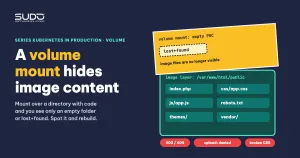
A Laravel site's image already contains the code, themes, plugins and assets. But when you attach a volume mount to the exact directory that holds them, to keep uploaded files, the pod starts and then shows a blank page, returns 403, or loses all its CSS. The cause is not in the application. Kubernetes (and Docker) mounts the volume on top of the target directory, and the image content there stays hidden until the pod is deleted. This article shows how to recognize the situation from three symptoms, confirm it with a few commands, and then rebuild the directories on the PVC in two ways, plus a compact way to lay out the volume.
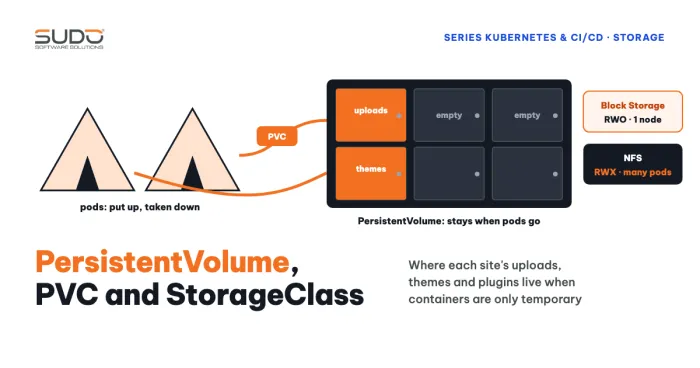
How to declare volumes and PVCs is already covered in Volume, PersistentVolume, PVC and StorageClass on Kubernetes. This article only discusses what happens when a volume mount lands on a directory that already has content.
Why a volume mount makes image files disappear
Look at the volume mount at the file system level. An image is made of read-only layers, and the container adds a writable layer on top. Each volume mount is declared in volumeMounts. With mountPath: /var/www/html/public, the kernel attaches the volume's file system at that path. Everything the image placed in public is still in the layer but can no longer be seen from inside the container. With a new PVC, the disk has just been formatted as ext4: when the whole volume is mounted, the directory contains only the lost+found created by ext4; when subPath is used, the subdirectory created by the kubelet is empty and owned by root.
Docker can copy image content into an empty named volume on the first mount; bind mounts and PVCs on Kubernetes do not, so you have to put the content there yourself.
Three symptoms of a volume mount hiding the image
| Symptom | Why | Sign in the log |
|---|---|---|
| 403 or 404 when opening a page | The webroot is hidden, so index.php is gone | nginx: directory index of ... is forbidden |
| Uploading an image or activating a theme fails to create a directory | The mounted directory is owned by root and the PHP process runs as another user; or the directory that must be written is hidden | Impossible to create the root directory, mkdir(): Permission denied |
| The page opens but CSS is broken and icons are missing | The published asset directory is hidden, so the static files are gone | nginx: open() ... failed (2: No such file or directory) |
All three come from the same volume mount; only the hidden directory differs. Take the second row as an example: a theme activation feature writes language files into resources/lang. If the volume mount covers only public and themes and forgets resources, or the mount exists but is owned by root, the write fails. Whichever directory a feature writes to must be writable, and must contain the content it needs.
Confirming a volume mount with three commands
Before blaming the application, confirm whether the volume mount hides the directory.
# 1. What is in the volume mount directory, and who owns it
kubectl -n site-a exec deploy/app -- ls -la /var/www/html/public

# 2. Which mounts the pod has, and from which subPath
kubectl -n site-a describe pod <pod-name> | grep -A8 "Mounts:"

# 3. nginx static file errors (if error_log points to stderr)
kubectl -n site-a logs deploy/app -c <container-name> | grep "open()"
# otherwise: kubectl exec ... -- tail /var/log/nginx/error.log
If command 1 returns only lost+found or an empty directory, you have found the cause. In command 2, the Mounts line looks like /var/www/html/public from data (rw,path="public") and tells you which subPath that directory comes from. Command 3 takes the log of an arbitrary pod in the Deployment and shows nginx errors only when error_log already points to stderr. It is only for reading errors: many open() failed lines for assets say that static files are missing, but they do not by themselves prove the cause of a 503 if there is one.
Option 1: keep a fallback copy in the image and copy it at startup
This option makes up for the hidden content with a fallback copy. The idea: at build time, copy the directories that will be mounted to a place that is not mounted, for example /var/code. When the pod runs, copy from there into the mounted directory.
# Dockerfile
RUN mkdir -p /var/code \
 && cp -R public themes resources /var/code/
# Deployment, main container
lifecycle:
postStart:
exec:
command: ["/bin/sh", "-c", "cp -Rn /var/code/. /var/www/html/ || true; chown -R 101:101 /var/www/html"]Three common mistakes when writing this snippet: forgetting mkdir -p, so the target directory does not exist yet; using cp without -R, so directories are not copied; and using cp -rf, which overwrites themes or plugins that users have edited on the PVC every time the pod starts. That last point is an inference from the behavior of -f, not a measured result. Use -n (do not overwrite existing files) or copy only when the target directory is still empty. Check the exit code of cp -n on your image: some newer coreutils versions may return a non-zero code when they skip an existing file (not verified), and if postStart fails the kubelet kills the container. That is why the example adds || true.
The price: the image is twice as large for the duplicated part, startup time grows with the number of files to copy, and you have to handle ownership after the copy. There are no measurements of cp or chown -R time, so do not guess; measure on your own PVC.
Option 2: publish assets after the volume mount
Many CMSs and Laravel packages do not need static files copied ahead of time: they have a publish command that generates assets from the package into public. When the UI breaks because a volume mount hides the asset directory, re-running those commands after the volume is attached is usually enough:
php artisan vendor:publish --tag=<package-tag> --force
php artisan <cms-theme-asset-publish-command>
php artisan <cms-plugin-asset-publish-command>
Command names depend on the CMS; check php artisan list inside the image. Put these commands in the startup step so assets are regenerated every time a new pod comes up. The advantage is that you do not duplicate code in the image; the drawback is that you need the full list of packages that ship assets, and the commands must be idempotent.
One volume mount, several subPaths on one PVC
A common misunderstanding is "a pod can only attach one PVC". That is not true: a pod can declare several volumes, each pointing to a PVC. The real limits are elsewhere: a ReadWriteOnce PVC can attach to only one node at a time, and each additional PVC adds a Block Storage volume that is billed separately. To combine three volume mounts (public, themes, resources), the compact way is one volume, several volume mounts with subPath:
volumeMounts:
- name: data
  mountPath: /var/www/html/public
  subPath: public
- name: data
  mountPath: /var/www/html/themes
  subPath: themes
- name: data
  mountPath: /var/www/html/resources
  subPath: resources
volumes:
- name: data
  persistentVolumeClaim:
    claimName: site-a-data
Another experiment declared three separate volumes entries with the same claimName and hit FailedMount with "Unable to find device path". The cause is not confirmed; all we know is that a single volume with several subPath entries works. Use that configuration as the standard.
After applying it, verify that the data really lives on the PVC: write a file into the upload directory, delete the pod, wait for the new pod to start, and run ls again. If the file is still there, it worked.
The postStart race: move the copy to an initContainer
Option 1 puts the copy and chown in postStart. According to the Kubernetes documentation, this hook runs at the same time as the container's entrypoint and is not guaranteed to finish before it. Nginx or PHP-FPM may receive requests before the copy is done. This is read from the documentation and was not measured in the original case.
A cleaner fix is to switch to an initContainer that shares the image and the volume and finishes before the main container starts. It is also a sensible place to fix ownership:
initContainers:
- name: seed
  image: registry.example.com/site-a:1.0
  securityContext:
    runAsUser: 0
  command: ["/bin/sh", "-c"]
  args:
  - |
    set -e
    mkdir -p /seed/public /seed/themes /seed/resources
    cp -Rn /var/code/public/. /seed/public/ || true
    cp -Rn /var/code/themes/. /seed/themes/ || true
    cp -Rn /var/code/resources/. /seed/resources/ || true
    chown -R 101:101 /seed
  volumeMounts:
  - name: data
    mountPath: /seed
A multi-line script returns only the exit code of its last command, so set -e keeps a failure in mkdir or chown from being hidden; only the cp -n commands have their errors ignored. The chown -R command runs every time the pod starts and can be slow on a large upload directory; chown only when the owner is wrong, or use fsGroup if the driver supports it. The number 101 is only an example; replace it with the uid and gid of the user that runs nginx and PHP-FPM in your image. An empty ext4 volume is owned by root, so the owner does not "change back by itself" on mount; it was never set. Details on fsGroup and ownership are in Permission denied on a volume: why chown in the Dockerfile is not enough.
Checklist before adding a volume mount to an image
- List the directory you are about to mount: does it contain code or assets supplied by the image?
- Add a volume mount only for directories that truly need durable data (uploads, storage), and avoid mounting the whole webroot.
- If you must put a volume mount on a directory that holds code: keep a fallback copy in the image or run a publish command after the mount.
- Use one volume with several
subPathvolume mounts; check thepath=entries indescribe pod. - Run the copy and
chownin aninitContainer, usingcp -Rninstead of overwriting. - Every directory the application writes to (uploads, themes, lang) is writable by the user running the process.
- Delete the pod and check that the data is still on the PVC.
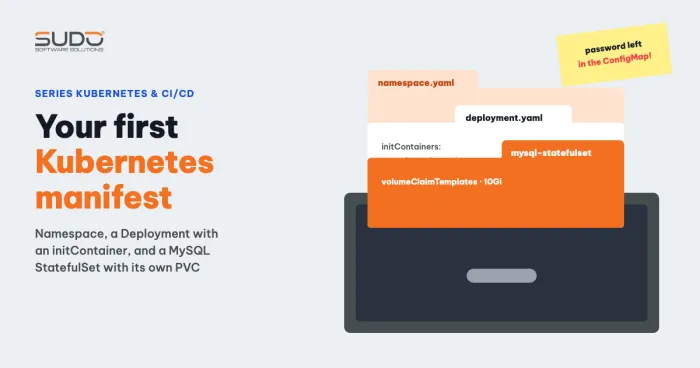
For the subPath rules and volume mount behavior, see the subPath section of the Kubernetes Volumes documentation and the Init Containers documentation. A complete manifest template to compare against is in Your first Kubernetes manifest: namespace, Deployment and MySQL StatefulSet.
Next article
pm.max_children for PHP-FPM pods: choosing requests and limits, and why short stress tests mislead. Once the volume mount is correct and the pod runs steadily, the next question is how many resources to give it and how to configure PHP-FPM so you do not get 503 errors.