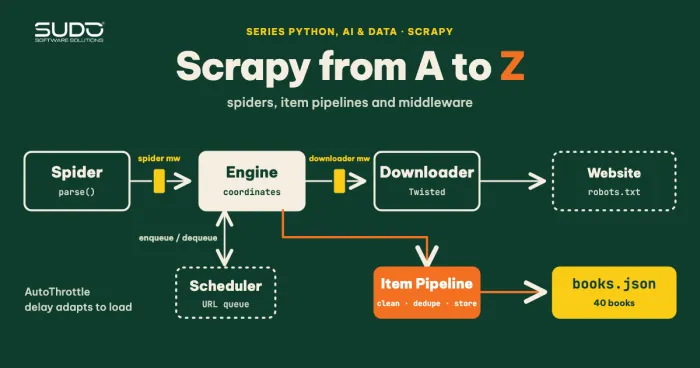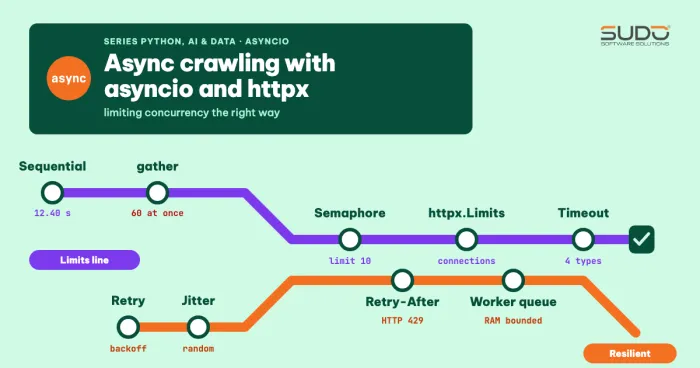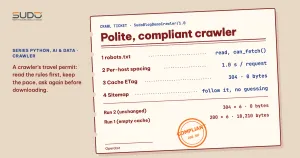
The previous articles made the crawler fast: asyncio opens dozens of connections at once, and Playwright can read pages built with JavaScript. But fast is not the same as good. A crawler that only knows how to speed up will soon get its IP blocked, slow down other people's websites, download unchanged pages again and again, and walk into areas the site owner has clearly said they do not want visited. This article collects the techniques that turn a script into a polite and compliant crawler: reading robots.txt correctly, spacing out requests per host, using conditional caching with ETag to get a 304 instead of re-downloading, and following a sitemap instead of blindly chasing links. Every result in this article is real output.
This article follows Crawling JavaScript-rendered pages with Playwright for Python, Asynchronous crawling with asyncio and httpx: limiting concurrency correctly and Crawling data with Python: requests, BeautifulSoup and robots.txt. The Semaphore, timeout and retry building blocks from the asyncio article are reused for the crawler here.
Environment and how it was tested
The crawler code lives in code/s7-06 and ran on an Apple M4 with 16 GB RAM, Python 3.10.22 and httpx==0.22.0; the robots part uses urllib.robotparser from the standard library. To control the server side completely, I wrote a local test site (site_server.py) with a robots.txt, a gzip-compressed sitemap index, a few pages with ETag and Last-Modified, and a log of every request with its timestamp. At the end of the article there is one experiment on books.toscrape.com, a site built for practicing crawling. The shared building blocks are in polite.py.
Four principles of a polite crawler
| Principle | Technique | Who it protects |
|---|---|---|
| Ask before entering | robots.txt, terms of service | The site owner and you (legally) |
| Do not hammer the server | Per-host spacing, Crawl-delay, Retry-After | The target server |
| Do not re-download what you already have | Conditional cache: ETag, Last-Modified, 304 | Both sides: bandwidth and time |
| Take the right path | Sitemap, lastmod | Both sides: fewer wasted requests |
Note: robots.txt is a technical convention, not a security mechanism or a legal license. The right to collect and use data also depends on the terms of service, copyright and personal data protection law. Following robots.txt is necessary for a crawler, but not sufficient.
robots.txt: reading it correctly and handling failure cases
The standard library already provides urllib.robotparser.RobotFileParser. According to the Python documentation, this object has can_fetch(useragent, url) to ask whether a URL is allowed, crawl_delay(useragent) and request_rate(useragent) (since Python 3.6), and site_maps() (since Python 3.8) to get the Sitemap: lines. Instead of letting read() download the file with urllib (which does not let you set a User-Agent or a timeout), we download it with httpx and pass the content to parse(). This also lets us make an explicit decision when robots.txt fails:
class Robots:
    async def load(self, client, base):
        try:
            r = await client.get(base + "/robots.txt", follow_redirects=True)   # httpx does NOT follow 3xx by default
            self.status = r.status_code
        except httpx.TransportError:
            self.status = 599
            self.rp.disallow_all = True           # cannot connect: do not crawl
            return self
        if r.status_code in (401, 403):
            self.rp.disallow_all = True           # denied: be cautious
        elif r.status_code == 429 or r.status_code >= 500:
            self.rp.disallow_all = True           # temporary / rate limited: rules unknown, do not crawl
        elif 400 <= r.status_code < 500:
            self.rp.allow_all = True              # no robots.txt: allowed
        elif r.status_code != 200:
            self.rp.disallow_all = True           # leftover 3xx: be cautious
        else:
            self.rp.parse(r.text.splitlines())
        return self
This policy matches Google's guidance in its robots.txt documentation: a 4xx response (except 429) is treated as if the file does not exist and there are no restrictions, while a 5xx error makes the bot pause crawling the site and retry later; we put 429 in the same temporary group. Google also follows robots.txt redirects (up to five hops), which is why the code sets follow_redirects=True: httpx 0.22 does not follow 3xx by default, and if you forget, a redirect page with an empty body is read by parse() as "no rules at all" and the crawler is allowed to go everywhere. For 401 and 403 specifically, Google treats them as "no file", but we choose to be more cautious and not crawl, because a "denied" signal is usually intentional. Here is the real output (demo1_robots.py) with the robots.txt of the test site:
robots.txt: HTTP 200
  can_fetch(/p/1) = True
  can_fetch(/private/admin) = False
  crawl_delay = 1
  sitemaps    = ['<host>/sitemap_index.xml']

Handling the status of robots.txt itself:
  robots.txt returns 404 -> can_fetch(/p/1) = True, can_fetch(/private/admin) = True
  robots.txt returns 403 -> can_fetch(/p/1) = False, can_fetch(/private/admin) = False
  robots.txt returns 429 -> can_fetch(/p/1) = False, can_fetch(/private/admin) = False
  robots.txt returns 500 -> can_fetch(/p/1) = False, can_fetch(/private/admin) = False
  robots.txt returns 301 -> can_fetch(/p/1) = True, can_fetch(/private/admin) = False
The last line is the case where robots.txt returns a 301 to the real file: because the crawler follows the redirect, it reads the rules and still blocks /private/admin. Conversely, when robots.txt returns 404, every path is allowed, including /private/admin.
Pitfalls of urllib.robotparser for a crawler
The standard library is simple and differs from Google's interpretation in a few places. The following three experiments show what is easy to get wrong:
Allow/Disallow order: urllib.robotparser uses the FIRST matching rule in file order
  Disallow before Allow: can_fetch(/gia-si/bang-gia) = False
  Allow before Disallow: can_fetch(/gia-si/bang-gia) = True

A specific User-agent group replaces the '*' group:
  SudoBlogDemoCrawler  /san-pham    -> True
  SudoBlogDemoCrawler  /gia-si/x    -> False
  BotKhac              /san-pham    -> False
  BotKhac              /gia-si/x    -> False

Crawl-delay: only integers are accepted
  Crawl-delay: 1    -> crawl_delay() = 1
  Crawl-delay: 0.5  -> crawl_delay() = None
Crawl-delay: 2 -> crawl_delay() = 2- Rule order matters. Python's parser (confirmed by the source in
Lib/urllib/robotparser.py) goes through the lines in order and uses the first rule whose prefix matches. Google, in contrast, applies the most specific rule (the longest path wins). For the same file, the two can give different results. When writing robots.txt, put the specificAllowbefore the generalDisallowso both interpretations reach the same result. - A specific User-agent group fully replaces the
*group. A crawler that identifies itself asSudoBlogDemoCrawleris subject only to its own group. So declare a stable crawler name so that site owners can write rules just for you. Crawl-delay: 0.5is ignored. The parser accepts only integers, and a decimal value returnsNone. Also, Google does not support theCrawl-delaydirective, but many other crawlers do, so for other people's sites we still respect it.
Spacing out crawler requests per host
In the asyncio article we limited the number of concurrent requests. That is not enough: 4 concurrent requests can still fire in the same millisecond and then rest, creating bursts. A real rate limit is a minimum gap between the starts of two requests to the same host. The Throttle class below keeps a "schedule" for each host: each call is given the next time slot and then sleeps until then:
class Throttle:
    def __init__(self, min_interval):
        self.min_interval = min_interval
        self._next = {}
        self._lock = asyncio.Lock()

    async def wait(self, host):
        async with self._lock:
            now = time.monotonic()
            start = max(now, self._next.get(host, 0.0))
            self._next[host] = start + self.min_interval
        if start > now:
            await asyncio.sleep(start - now)
Two details: use time.monotonic() rather than the system clock so it does not jump when the time is adjusted, and the lock protects only the scheduling, not the sleep, otherwise workers would queue up one after another instead of overlapping their waits. Experiment: 8 requests, 4 workers, measuring the gap between requests on the server side (demo2_throttle.py):
no spacing                 total  0.01s  min gap between 2 requests =    0.1 ms  median =    0.5 ms
0.25 s spacing             total  1.75s  min gap between 2 requests =  246.2 ms  median =  249.9 ms
1 s spacing (Crawl-delay)  total  7.00s  min gap between 2 requests =  998.5 ms  median = 1000.5 ms
With no spacing, the 8 requests pile into 10 milliseconds. With a 0.25-second gap, the server sees exactly one request every 250 ms no matter how many workers there are, and the total time equals 7 × the gap (1.75 and 7.00 seconds). A slow crawler that does not get blocked is often faster than a fast crawler that does.
Choosing the gap: if robots.txt has a Crawl-delay, use that value; if not, for a site that is not yours, start at 1 second. If you receive 429 or 503 with Retry-After, wait exactly as long as requested (done in the previous article) and increase the gap instead of just retrying.
Conditional caching for a crawler: ETag, Last-Modified and 304
Many pages do not change between two crawls. Downloading all of them again wastes resources on both sides. HTTP already has a mechanism for this. According to the MDN documentation on conditional requests, the server sends a validator with the resource: ETag (an opaque string identifying each version) or Last-Modified (the time of the last change). Next time the client sends it back with If-None-Match or If-Modified-Since; if the resource has not changed, the server returns 304 Not Modified with no body and the client uses the stored copy.
The fetch_cached function stores the body and the two validators on disk and sends the conditional headers next time:
async def fetch_cached(client, cache, url):
    entry = cache.get(url)
    headers = {}
    if entry:
        if entry.get("etag"):
            headers["If-None-Match"] = entry["etag"]
        if entry.get("last_modified"):
            headers["If-Modified-Since"] = entry["last_modified"]
    r = await client.get(url, headers=headers)
    if r.status_code == 304 and entry:
        return entry["body"], "304", 0
    if r.status_code == 200:
        cache.put(url, {"body": r.text, "etag": r.headers.get("ETag"),
                        "last_modified": r.headers.get("Last-Modified")})
        return r.text, "new", len(r.content)
    return None, "error", 0
Running the crawler on the test site with 6 pages of about 3 KB each (demo3_conditional.py); between run 2 and run 3 I edited the content of /p/2 and /p/5:
Page headers: {'etag': '"c2c37b6099bd"', 'last-modified': 'Fri, 15 Apr 2022 05:20:00 GMT'}
run 1 (empty cache)                new=6 304=0 errors=0 bytes downloaded=18210
run 2 (unchanged)                  new=0 304=6 errors=0 bytes downloaded=0
run 3 (edited /p/2 and /p/5)       new=2 304=4 errors=0 bytes downloaded=6070
run 4 (unchanged)                  new=0 304=6 errors=0 bytes downloaded=0
Status codes returned by the server: {200: 9, 304: 16}
The unchanged crawl downloads 0 bytes of content, and the crawl with changes downloads exactly the two edited pages. In total the server returned 9 responses with 200 and 16 with 304. There are still 6 requests per run, but these requests are very cheap: only headers cross the network and the server does not have to regenerate the content. Two things to know when using this mechanism:
- MDN notes there are two kinds of comparison: strong (identical byte for byte) and weak (equivalent content, for example differing only in a footer date). Many servers generate weak ETags (prefix
W/); we do not need to tell them apart, we just send back the exact string we received. - Not every site supports it. Dynamic pages often have no ETag, and some servers compress data in a way that changes the ETag. In that case the crawler still works correctly, it just saves nothing. Measure the bandwidth you save by counting the 304 responses, as above.
Sitemap: the crawler takes the right path instead of chasing links
A crawler that follows links will run into pages nobody needs, while missing pages that nothing links to. A sitemap is a list of URLs provided by the site owner. According to the sitemaps.org protocol, each file holds at most 50,000 URLs and no more than 50 MB uncompressed; it can be gzip-compressed to save bandwidth; several files are grouped with a sitemap index (<sitemapindex>); the <lastmod> tag gives the last modification time of the page; and a Sitemap: line in robots.txt points to the file location. The recursive sitemap reader below handles all three cases:
async def read_sitemap(client, url, depth=0):
    if depth > 3:
        return []
    r = await client.get(url)
    if r.status_code != 200:
        return []
    data = r.content
    if url.endswith(".gz") or data[:2] == b"\x1f\x8b":
        data = gzip.decompress(data)
    root = ET.fromstring(data)
    if root.tag == SM_NS + "sitemapindex":
        out = []
        for sm in root.findall(SM_NS + "sitemap"):
            out += await read_sitemap(client, sm.find(SM_NS + "loc").text.strip(), depth + 1)
        return out
    return [(u.find(SM_NS + "loc").text.strip(),
             (u.find(SM_NS + "lastmod").text.strip() if u.find(SM_NS + "lastmod") is not None else None))
            for u in root.findall(SM_NS + "url")]
The depth limit protects the crawler from infinitely nested sitemap indexes. Note that xml.etree is not safe against malicious XML (such as "billion laughs"); for an untrusted sitemap, use defusedxml or limit the download size before parsing.
Putting together the complete polite crawler
The crawler's workflow is: read robots.txt, get the sitemap from it, drop the forbidden URLs, space requests by Crawl-delay, and download with the conditional cache. Three runs on the test site, with a sitemap that deliberately includes a /private/admin URL forbidden by robots.txt (demo4_sitemap_crawl.py):
Crawl-delay from robots.txt = 1 -> using 1 s
Run 1
  sitemap: 7 URLs (sample lastmod: 2022-04-15)
  skipped because of robots.txt: ['/private/admin']
  downloaded new=6 304=0 bytes=18210
  took 5.0s
Run 2 (unchanged)
  sitemap: 7 URLs (sample lastmod: 2022-04-15)
  skipped because of robots.txt: ['/private/admin']
  downloaded new=0 304=6 bytes=0
  took 6.0s
Run 3 (after editing /p/3)
  sitemap: 7 URLs (sample lastmod: 2022-04-15)
  skipped because of robots.txt: ['/private/admin']
  downloaded new=1 304=5 bytes=3035
Requests to /private/ on the server side: 0
The last line is the most important check: the server-side log shows 0 requests to the forbidden area, even though the sitemap lists it. The sitemap and robots.txt are two independent sources, and robots.txt always wins. As for timing: run 1 took 5.0 seconds for 6 pages (5 gaps of 1 second), and run 2 took 6.0 seconds because the throttle still remembers the time slot from the previous run. This is what we want when the crawler runs continuously, but do not be surprised when a later run is one beat slower.
The crawler can also use lastmod to skip pages that have not changed since the previous crawl entirely, saving even the 304 requests. But lastmod is declared by the site owner and can be wrong, so for important pages it is still better to check with the ETag.
Trying it on a real site
Finally, run the same crawler on books.toscrape.com with 5 category pages, sequentially, pausing 0.3 seconds between pages (demo5_real_site.py):
robots.txt: HTTP 404 -> can_fetch(/catalogue/page-2.html) = True
run 1: new=5 304=0 bytes downloaded=257073
run 2: new=0 304=5 bytes downloaded=0
This site has no robots.txt (404, meaning no restrictions), but the server does send ETag and Last-Modified, so the second run got all 5 responses as 304 and downloaded no content bytes at all, compared with about 251 KB in the first run. For a site with thousands of pages, the savings multiply considerably. Even though the practice site allows it, the crawler still declares a clear User-Agent (SudoBlogDemoCrawler/1.0 with a contact address) so administrators know who is visiting.
Legal and ethical aspects
- Terms of service. Many sites prohibit automated collection in their terms even when robots.txt is empty. Read them first, and ask permission or use the official API if there is one.
- Copyright and purpose of use. Being able to get the data does not mean you may redistribute or use it commercially.
- Personal data. Names, phone numbers, emails or user profiles are subject to personal data protection rules. Avoid collecting them without a lawful basis; if you need to analyze them, anonymize them as soon as you store them.
- Do not evade blocking mechanisms. Rotating IPs or impersonating a browser to get around a rate limit is adversarial behavior and is outside the scope of a polite crawler. If you are blocked, contact the site owner.
- Logging. Store the URL, time and status code so you can account for yourself when there is a complaint about your crawler.
When these techniques are overkill
- A crawler for your own site or an internal API with an agreement: you should still space requests moderately, but there is no need to read robots.txt or the sitemap; use the data export API instead if there is one.
- A one-off crawler with a few dozen pages: conditional caching is not worth the effort; spacing and a User-Agent are enough.
Common errors
| Symptom | Cause | Fix |
|---|---|---|
| The crawler still enters a forbidden directory | It takes URLs from the sitemap without filtering through can_fetch | Every URL, from any source, goes through the robots.txt check |
| The crawler gets blocked even with a concurrency limit | A concurrency limit is not a rate limit; requests arrive in bursts | Add a per-host minimum gap |
Crawl-delay has no effect | A decimal value is ignored by the parser | Use an integer; set your own default when it returns None |
| An Allow rule is not applied | Disallow comes first in the file | Put the specific rule before the general one; verify with can_fetch |
| A 304 never arrives | The exact ETag is not sent back; the server does not support validators | Store the ETag string unchanged, print the headers to check |
| The crawler stops completely when robots.txt returns 5xx | The cautious policy above | Retry after some time; do not treat 5xx as "allowed" |
Checklist for a polite and compliant crawler
- The crawler reads each host's terms and robots.txt before running; it handles 4xx, 401/403, 5xx and network errors separately.
- The crawler's User-Agent is stable and includes a contact address; give it its own name so site owners can write rules for it.
- A per-host minimum gap (respecting
Crawl-delayandRetry-After), in addition to the concurrency limit. - Conditional caching with ETag and Last-Modified; count the 304 responses to measure the benefit.
- Use the sitemap as the source of URLs, but pass every URL through the robots.txt check.
- Do not collect personal data without a lawful basis; do not evade blocking mechanisms.
Next article
With this, we have covered the whole group of web data collection articles in Python: from requests and BeautifulSoup, through Scrapy, asyncio and Playwright, to the principles that let a crawler run for the long term without causing harm. The collected data is usually dirty, so the next article is Cleaning crawled data with pandas: normalization, deduplication and data types.