The requests plus BeautifulSoup loop from the previous article on crawling with requests, BeautifulSoup and robots.txt is enough for a few dozen pages. Once you need thousands of pages, you end up writing your own queue, deduplication, retries, rate limiting and storage. Scrapy is a Python framework that ships all of that on top of Twisted, a non-blocking asynchronous programming library (see the Twisted Deferred documentation). This article goes from architecture to a complete project: a spider that collects a book catalog, three item pipelines (price normalization, deduplication, SQLite storage), one downloader middleware, one spider middleware, and a polite configuration with robots.txt, download delay and AutoThrottle. Every command was actually run on Python 3.10 and Scrapy 2.6.1 (released 2022-03-01) on a 16 GB RAM machine, against books.toscrape.com, a site built for scraping practice.
Scrapy architecture: engine, scheduler, downloader and two middleware layers
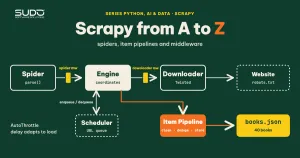
According to the Scrapy architecture documentation, the system has the components below. Understanding them is the key to knowing where your own logic belongs:
| Component | Role | What you write here |
|---|---|---|
| Engine | Coordinates the data flow between all components | Nothing, only configuration |
| Scheduler | Queues requests and hands the next request to the engine | Rarely customized |
| Downloader | Fetches pages and returns responses | Usually only settings |
| Spider | Parses responses, yields items and new requests | Selectors and link-following logic |
| Item pipeline | Cleans, validates, deduplicates and stores items | Data processing after extraction |
| Downloader middleware | Hook between the engine and the downloader | Modify requests/responses: headers, proxy, retry, timing |
| Spider middleware | Hook between the engine and the spider | Modify the spider's input and output |
The data flow has nine steps; in short, the engine takes the initial requests from the spider and puts them in the scheduler, then pulls the next request and sends it through the downloader middleware to the downloader (process_request). The response comes back through the downloader middleware (process_response), then through the spider middleware (process_spider_input) to the spider. The spider returns items and new requests through process_spider_output; the engine passes items to the pipelines and new requests to the scheduler. The loop ends when the scheduler runs out of requests. The point to remember: a spider only yields requests, while the downloader fetches them asynchronously, so one spider never blocks while waiting for a slow page.
Create a Scrapy project and write the first spider
The scrapy startproject command generates a project skeleton with scrapy.cfg and a package containing items.py, middlewares.py, pipelines.py, settings.py and a spiders/ directory (exactly as in the official tutorial). Set up the environment as described in Python environments for data and AI projects: venv, Poetry and version management: a dedicated venv with every version pinned in requirements.txt. The first lines of scrapy version show which release is in use:
$ scrapy version -v | head -3
Scrapy       : 2.6.1
lxml         : 4.8.0.0
libxml2      : 2.9.13
First comes the Item, where the data fields are declared. An item catches field-name typos earlier than a plain dict does:
import scrapy


class BookItem(scrapy.Item):
    title = scrapy.Field()
    price = scrapy.Field()      # raw string from the HTML, e.g. "£51.77"; the pipeline converts it to a number
    rating = scrapy.Field()
    in_stock = scrapy.Field()
    url = scrapy.Field()
Next is the spider. A subclass of scrapy.Spider needs a unique name and start_urls; Scrapy calls parse() for every response. Scrapy's CSS selectors (the parsel library) let you write ::attr(title) and ::text to read an attribute or text directly. response.follow resolves relative URLs automatically, replacing the manual urljoin from the previous article. One detail is deliberate: the two start URLs are index.html and catalogue/page-1.html, two different addresses with the same content, so you can watch the deduplication pipeline work.
import scrapy

from shop.items import BookItem

RATING = {"One": 1, "Two": 2, "Three": 3, "Four": 4, "Five": 5}


class BooksSpider(scrapy.Spider):
    """Crawl the books.toscrape.com catalog (a site made for scraping practice)."""
    name = "books"
    # index.html and catalogue/page-1.html have the same content but different URLs:
    # the request dupefilter will not catch this, the deduplication pipeline will.
    start_urls = [
        "https://books.toscrape.com/index.html",
        "https://books.toscrape.com/catalogue/page-1.html",
    ]
    custom_settings = {"DEPTH_LIMIT": 1}     # from each start page, follow at most one more "next" page

    def parse(self, response):
        for card in response.css("article.product_pod"):
            yield BookItem(
                title=card.css("h3 a::attr(title)").get(),
                price=card.css(".price_color::text").get(),
                rating=RATING.get(card.css("p.star-rating::attr(class)").get().split()[-1]),
                in_stock="In stock" in "".join(card.css(".availability::text").getall()),
                url=response.urljoin(card.css("h3 a::attr(href)").get()),
            )
        next_href = response.css("li.next a::attr(href)").get()
        if next_href:
            yield response.follow(next_href, callback=self.parse)
You can try selectors before writing the spider with scrapy shell. The command below opens page one, runs a single print expression and exits (--nolog turns logging off so only the result remains), confirming that the HTML structure matches our assumptions. The trailing None is not the result of the expression: it is the return value of -c, which the shell prints after it finishes:
$ scrapy shell https://books.toscrape.com/catalogue/page-1.html --nolog -c "print(len(response.css('article.product_pod')), response.css('article.product_pod h3 a::attr(title)').get(), response.css('article.product_pod p.star-rating::attr(class)').get(), response.css('li.next a::attr(href)').get())"
20 A Light in the Attic star-rating Three page-2.html
None
With -c, the shell runs the code you pass in and prints four values: 20 book cards, the first title, the star class as the string star-rating Three (the spider splits off the last word), and the "next" link, page-2.html.
Item pipeline: clean, deduplicate and store data
According to the item pipeline documentation, each pipeline is a class with a process_item(item, spider) method: return the item to pass it on, or raise DropItem to discard it. The open_spider and close_spider hooks are the place to open and close connections, and from_crawler lets you read settings. The execution order is set by the numbers in ITEM_PIPELINES: lower numbers run first, and the convention is a range of 0 to 1000. The project's three pipelines:
import sqlite3
from decimal import Decimal

from itemadapter import ItemAdapter
from scrapy.exceptions import DropItem


class PricePipeline:
    """Normalize the price "£51.77" to a number; drop items without a price."""

    def process_item(self, item, spider):
        a = ItemAdapter(item)
        raw = a.get("price")
        if not raw:
            raise DropItem(f"missing price: {a.get('url')}")
        a["price"] = float(Decimal(raw.replace("£", "").replace("Â", "").strip()))
        return item


class DuplicatesPipeline:
    """Deduplicate by book URL, keeping state in one set per run."""

    def __init__(self):
        self.seen = set()

    def process_item(self, item, spider):
        url = ItemAdapter(item)["url"]
        if url in self.seen:
            raise DropItem(f"duplicate: {url}")
        self.seen.add(url)
        return item


class SQLitePipeline:
    """Write to SQLite; the path comes from settings via from_crawler."""

    def __init__(self, path):
        self.path = path

    @classmethod
    def from_crawler(cls, crawler):
        return cls(crawler.settings.get("SQLITE_PATH", "books.db"))

    def open_spider(self, spider):
        self.conn = sqlite3.connect(self.path)
        self.conn.execute("DROP TABLE IF EXISTS books")
        self.conn.execute("CREATE TABLE books (url TEXT PRIMARY KEY, title TEXT, price REAL, rating INTEGER, in_stock INTEGER)")

    def close_spider(self, spider):
        self.conn.commit()
        self.conn.close()

    def process_item(self, item, spider):
        a = ItemAdapter(item)
        self.conn.execute("INSERT INTO books VALUES (?,?,?,?,?)",
                          (a["url"], a["title"], a["price"], a["rating"], int(a["in_stock"])))
        return item
Note three points. PricePipeline runs first (100) so later steps always see the price as a number. DuplicatesPipeline (200) keeps the set of URLs it has seen: the pipeline exists once per run, so this in-memory state only deduplicates within a single crawl; deduplicating across runs requires a database. SQLitePipeline (300) uses from_crawler to read the path from settings and closes the connection in close_spider. The primary key on url also acts as the last line of defense: if deduplication lets a duplicate through, SQLite raises an error instead of storing two rows.
Three limitations of the code above decide when it is good enough. First, the price: Decimal parses the string exactly, but converting to float to fit a REAL column throws that advantage away. For real money (orders, payments), store an integer in the smallest unit (cents) or store the Decimal as a string; here the book price is only an illustration. The replace("Â", "") call is a defensive measure: if a page is decoded with the wrong charset, the £ sign can turn into "£"; in this run the page was served as proper UTF-8, so the call has no effect.
Second, sqlite3 is a synchronous library, so every INSERT briefly blocks the Twisted reactor. That is acceptable for a few tens of thousands of rows, but at larger scale you should write in batches or use twisted.enterprise.adbapi to run queries in a thread pool.
Third, commit() is called only in close_spider: if the process is killed midway, the data in the open transaction is lost; for more safety, commit after every N items.
Middleware: downloader and spider
The two kinds of middleware differ in where they sit. Downloader middleware sees a request before it is downloaded and a response after. The return value of process_request decides the flow: None to continue, a Response to skip the download, a Request to reschedule, or raise IgnoreRequest. The numbers in DOWNLOADER_MIDDLEWARES are also the order: process_request runs in ascending order and process_response in descending order. To disable a built-in middleware, set it to None. Scrapy already ships many middlewares in DOWNLOADER_MIDDLEWARES_BASE: robots.txt (100), user agent (500), retry (550), redirect (600), cookies (700) and more. You can see them in the output of the real run below.
The two custom middlewares below do the following: one measures the time of every response (downloader), the other counts the items and requests the spider produces (spider). Both only observe and never change data:
import time

from scrapy import Request


class TimingDownloaderMiddleware:
    """Downloader middleware: measure the time from the request passing through to the response coming back."""

    def process_request(self, request, spider):
        request.meta["t0"] = time.perf_counter()
        return None                      # None: continue the middleware chain and download normally

    def process_response(self, request, response, spider):
        dt = time.perf_counter() - request.meta["t0"]
        spider.logger.info("TIMING %s %s %.2fs", response.status, response.url, dt)
        spider.crawler.stats.inc_value("custom/response_time_total_ms", int(dt * 1000))
        return response                  # must return a Response (or Request) so the chain continues


class CountSpiderMiddleware:
    """Spider middleware: count the items and requests the spider yields for each response."""

    def process_spider_output(self, response, result, spider):
        n_items = n_reqs = 0
        for obj in result:
            if isinstance(obj, Request):
                n_reqs += 1
            else:
                n_items += 1
            yield obj
        spider.logger.info("SPIDER-MW %s -> items=%d, new_requests=%d", response.url, n_items, n_reqs)
Note that process_response must always return a Response or a Request; forgetting the return is a very common mistake and leaves the spider "silent", receiving nothing.
Polite configuration: robots.txt, delay and AutoThrottle
Scrapy's defaults favor speed. Checking with scrapy settings --get outside a project gives: DOWNLOAD_DELAY=0, CONCURRENT_REQUESTS=16, CONCURRENT_REQUESTS_PER_DOMAIN=8, DOWNLOAD_TIMEOUT=180, RETRY_TIMES=2 and ROBOTSTXT_OBEY=False. As for ROBOTSTXT_OBEY, the startproject template sets it to True in settings.py, but a spider run with scrapy runspider outside a project uses the default False, so always set it explicitly. For a small site, 8 simultaneous requests with no delay is far too heavy. AutoThrottle solves this by adjusting itself: the target delay is the response latency divided by the target concurrency, and the new delay is the average of the old delay and the target, never lower than DOWNLOAD_DELAY or higher than AUTOTHROTTLE_MAX_DELAY.
BOT_NAME = "shop"
SPIDER_MODULES = ["shop.spiders"]
NEWSPIDER_MODULE = "shop.spiders"

USER_AGENT = "SudoBlogBot/1.0 (+https://sudo.vn; tutorial)"
ROBOTSTXT_OBEY = True                   # respect robots.txt
DOWNLOAD_DELAY = 1.0                    # at least 1 second between two requests to the same site
CONCURRENT_REQUESTS_PER_DOMAIN = 2
AUTOTHROTTLE_ENABLED = True
AUTOTHROTTLE_START_DELAY = 1.0
AUTOTHROTTLE_MAX_DELAY = 10.0
AUTOTHROTTLE_TARGET_CONCURRENCY = 1.0
RETRY_TIMES = 2
DOWNLOAD_TIMEOUT = 15
TELNETCONSOLE_ENABLED = False

ITEM_PIPELINES = {
    "shop.pipelines.PricePipeline": 100,
    "shop.pipelines.DuplicatesPipeline": 200,
    "shop.pipelines.SQLitePipeline": 300,
}
DOWNLOADER_MIDDLEWARES = {
    "shop.middlewares.TimingDownloaderMiddleware": 543,
}
SPIDER_MIDDLEWARES = {
    "shop.middlewares.CountSpiderMiddleware": 543,
}
SQLITE_PATH = "books.db"
FEED_EXPORT_ENCODING = "utf-8"
LOG_LEVEL = "INFO"
LOG_FORMATTER = "shop.logformat.ShortLogFormatter"
Identifying your bot through a USER_AGENT with a contact address, a one-second DOWNLOAD_DELAY, a limit of two concurrent requests per domain and AutoThrottle enabled is the minimum configuration a responsible crawl project should have; the robots.txt convention is standardized in RFC 9309. To see RobotsTxtMiddleware actually block a request, I ran a spider with two requests to httpbin.org, whose robots.txt declares Disallow: /deny:
"""Minimal spider to see RobotsTxtMiddleware block a request: run it with `scrapy runspider`."""
import scrapy


class RobotsSpider(scrapy.Spider):
    name = "robots_demo"
    custom_settings = {
        "ROBOTSTXT_OBEY": True,
        "USER_AGENT": "SudoBlogBot/1.0 (+https://sudo.vn; tutorial)",
        "LOG_LEVEL": "INFO",
        "TELNETCONSOLE_ENABLED": False,
    }

    def start_requests(self):
        for path in ("/get", "/deny"):
            yield scrapy.Request("https://httpbin.org" + path, callback=self.ok, errback=self.err)

    def ok(self, response):
        self.logger.info("OK  %s -> HTTP %s", response.url, response.status)

    def err(self, failure):
        self.logger.info("ERR %s -> %s", failure.request.url, failure.type.__name__)
[robots_demo] INFO: ERR https://httpbin.org/deny -> IgnoreRequest
[robots_demo] INFO: OK https://httpbin.org/get -> HTTP 200
'robotstxt/forbidden': 1,
'robotstxt/request_count': 1,
'robotstxt/response_count': 1,
'robotstxt/response_status_count/200': 1,The output above is filtered and keeps only the relevant lines (two spider log lines and four robotstxt/* stats lines); the full log has many more startup lines. The request to /deny is never sent: it is canceled with IgnoreRequest, and the stats record robotstxt/forbidden: 1. This is why you want an errback: a blocked request never reaches the callback.
Run the spider and read the results
The command scrapy crawl books -O ../books.json runs the spider and writes a JSON feed. The -O flag overwrites the file, while -o appends (and appending to JSON produces a broken file, so use JSON Lines when you need to append). The parts below are excerpts from the real log, shortened: I removed the timestamp prefix on every line and the Versions line. First is the list of enabled middlewares and pipelines. Note that the two custom middlewares sit exactly where their number, 543, puts them:
[scrapy.middleware] INFO: Enabled downloader middlewares:
['scrapy.downloadermiddlewares.robotstxt.RobotsTxtMiddleware',
 'scrapy.downloadermiddlewares.httpauth.HttpAuthMiddleware',
 'scrapy.downloadermiddlewares.downloadtimeout.DownloadTimeoutMiddleware',
 'scrapy.downloadermiddlewares.defaultheaders.DefaultHeadersMiddleware',
 'scrapy.downloadermiddlewares.useragent.UserAgentMiddleware',
 'shop.middlewares.TimingDownloaderMiddleware',
 'scrapy.downloadermiddlewares.retry.RetryMiddleware',
 'scrapy.downloadermiddlewares.redirect.MetaRefreshMiddleware',
 'scrapy.downloadermiddlewares.httpcompression.HttpCompressionMiddleware',
 'scrapy.downloadermiddlewares.redirect.RedirectMiddleware',
 'scrapy.downloadermiddlewares.cookies.CookiesMiddleware',
 'scrapy.downloadermiddlewares.httpproxy.HttpProxyMiddleware',
 'scrapy.downloadermiddlewares.stats.DownloaderStats']
[scrapy.middleware] INFO: Enabled spider middlewares:
['scrapy.spidermiddlewares.httperror.HttpErrorMiddleware',
 'scrapy.spidermiddlewares.offsite.OffsiteMiddleware',
 'shop.middlewares.CountSpiderMiddleware',
 'scrapy.spidermiddlewares.referer.RefererMiddleware',
 'scrapy.spidermiddlewares.urllength.UrlLengthMiddleware',
 'scrapy.spidermiddlewares.depth.DepthMiddleware']
[scrapy.middleware] INFO: Enabled item pipelines:
['shop.pipelines.PricePipeline',
 'shop.pipelines.DuplicatesPipeline',
 'shop.pipelines.SQLitePipeline']
The page-fetching part looks like this (the original has 20 "DROP duplicate" lines; I kept only the first two and replaced the rest with a single "..." line):
[scrapy.core.engine] INFO: Spider opened
[scrapy.extensions.logstats] INFO: Crawled 0 pages (at 0 pages/min), scraped 0 items (at 0 items/min)
[books] INFO: TIMING 404 https://books.toscrape.com/robots.txt 0.89s
[books] INFO: TIMING 200 https://books.toscrape.com/index.html 1.09s
[books] INFO: SPIDER-MW https://books.toscrape.com/index.html -> items=20, new_requests=1
[books] INFO: TIMING 200 https://books.toscrape.com/catalogue/page-1.html 1.87s
[scrapy.core.scraper] WARNING: DROP duplicate: https://books.toscrape.com/catalogue/a-light-in-the-attic_1000/index.html
[scrapy.core.scraper] WARNING: DROP duplicate: https://books.toscrape.com/catalogue/tipping-the-velvet_999/index.html
... (18 more similar DROP duplicate lines)
[books] INFO: SPIDER-MW https://books.toscrape.com/catalogue/page-1.html -> items=20, new_requests=1
[books] INFO: TIMING 200 https://books.toscrape.com/catalogue/page-2.html 1.70s
[books] INFO: SPIDER-MW https://books.toscrape.com/catalogue/page-2.html -> items=20, new_requests=0
[scrapy.core.engine] INFO: Closing spider (finished)
[scrapy.extensions.feedexport] INFO: Stored json feed (40 items) in: ../books.json
A few observations. The first request, to robots.txt, returned 404, meaning the site has no rules. The numbers in the TIMING lines (0.9 to 1.9 seconds) are larger than the pure network time because process_request runs before the request enters the downloader's queue, where download delay and AutoThrottle apply: the figure includes waiting time. The SPIDER-MW line for page two reports new_requests=0 even though the page has a next button: because of DEPTH_LIMIT = 1, DepthMiddleware (900) filters requests beyond the depth limit before they reach our middleware (543), since the spider's output passes through spider middlewares in descending numeric order. Finally, the stats (finish_time and start_time are UTC):
[scrapy.statscollectors] INFO: Dumping Scrapy stats:
{'custom/response_time_total_ms': 5540,
 'downloader/request_bytes': 1062,
 'downloader/request_count': 4,
 'downloader/request_method_count/GET': 4,
 'downloader/response_bytes': 153751,
 'downloader/response_count': 4,
 'downloader/response_status_count/200': 3,
 'downloader/response_status_count/404': 1,
 'dupefilter/filtered': 1,
 'elapsed_time_seconds': 3.92713,
 'feedexport/success_count/FileFeedStorage': 1,
 'finish_reason': 'finished',
 'finish_time': datetime.datetime(2026, 11, 9, 14, 48, 8, 993400),
 'item_dropped_count': 20,
 'item_dropped_reasons_count/DropItem': 20,
 'item_scraped_count': 40,
 'log_count/INFO': 16,
 'log_count/WARNING': 20,
 'memusage/max': 70172672,
 'memusage/startup': 70172672,
 'request_depth_max': 1,
 'response_received_count': 4,
 'robotstxt/request_count': 1,
 'robotstxt/response_count': 1,
 'robotstxt/response_status_count/404': 1,
 'scheduler/dequeued': 3,
 'scheduler/dequeued/memory': 3,
 'scheduler/enqueued': 3,
 'scheduler/enqueued/memory': 3,
 'start_time': datetime.datetime(2026, 11, 9, 14, 48, 5, 66270)}
You can cross-check every number in the stats: 4 requests (1 robots.txt, 2 start URLs, 1 page two), of which dupefilter/filtered: 1 is the request to page-2.html that the scheduler dropped because it had already been scheduled from the other page. Three pages with 20 books each give 60 items; the pipeline dropped the 20 items from page-1.html as duplicates of index.html, leaving an item_scraped_count of 40. The total time of about 4 seconds for 4 requests is mostly deliberate delay, not slow networking. Check the data in SQLite:
$ python verify_db.py
rows         : 40
average price: 34.96
5 stars      : 10
  priciest   : ('Our Band Could Be Your Life: Scenes from the American Indie Underground, 1981-1991', 57.25)
  priciest   : ('Birdsong: A Story in Pictures', 54.64)
  priciest   : ('Sapiens: A Brief History of Humankind', 54.23)
The 40 rows match item_scraped_count. One point worth noting: there are two different layers of deduplication. The scheduler's dupefilter removes duplicate requests by request fingerprint (usually the method, URL and body), while DuplicatesPipeline removes duplicate items by a business key. Two different URLs that return the same book slip through the first layer and are stopped only by the second.
When not to use Scrapy
- A few static pages: a project skeleton, settings and pipelines are overkill; a
requestsplus BeautifulSoup script like the one in the previous article is much simpler. - JavaScript-rendered pages: Scrapy only receives raw HTML, like
requests. Look for the JSON endpoint the page calls behind the scenes, or combine it with browser automation such as Playwright (the topic of a later article). - Interactive context: multi-step logins, CAPTCHAs and mouse actions do not fit the request/response model.
- A team unfamiliar with Twisted: debugging asynchronous errors requires familiarity with
Deferred; this learning cost is significant for a small team that only crawls occasionally.
Common Scrapy mistakes
- Requests silently dropped: pages blocked by robots.txt or by
OffsiteMiddleware(a mismatch withallowed_domains) leave only a stats line; read the stats section at the end of the log. - Forgetting
yieldwhen following links:response.follow(...)only creates a request; withoutyield, nothing happens. - Pipeline does not run: it is not declared in
ITEM_PIPELINES, or it raises an error inopen_spider. Check the "Enabled item pipelines" line in the first part of the log. - Pipeline state grows forever: a deduplication set keeps every key in RAM; with millions of items, use a database or a Bloom filter.
- Leaving the defaults: with no delay and no concurrency limit you can get your IP blocked and harm the target site. The configuration above is a reasonable starting point; tune it to each site's terms and load tolerance.
- Using
-owith JSON: appending to an existing file corrupts the format. Use-Oor the.jlextension.
Scrapy deployment checklist
- A User-Agent with contact information,
ROBOTSTXT_OBEY = True, a sensible delay and concurrency limit, and AutoThrottle enabled. - Items declare their fields explicitly; the first pipeline cleans, later pipelines deduplicate and store.
- An
errbackon important requests, and a look at the stats at the end of every run. - Extraction logic that can be tested on saved HTML, with no dependence on the network.
- Crawl only data you are allowed to collect, and never collect personal information.
All the code is in the code/s7-03/ directory (the shop/ project, robots_spider.py, verify_db.py, run_all.sh). With Scrapy in hand, the next article returns to the same problem at a larger scale: running many requests concurrently the right way with asyncio.
Next article
Read next: Asynchronous crawling with asyncio and httpx: limiting concurrency correctly.