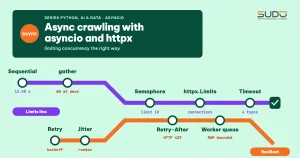
The previous article in this series used Scrapy, a framework that ships with its own scheduler and concurrency limits. But many smaller jobs, such as calling a few hundred internal APIs or checking the status of a thousand URLs, do not justify setting up a whole framework. For those, the standard library's asyncio combined with httpx lets a single-threaded process keep dozens of connections open at once. The hard part is not going fast. It is going fast enough: without overwhelming the target server, getting your IP blocked, or running out of memory. This article walks from the event loop to a complete crawler, and every number was measured on a real machine.
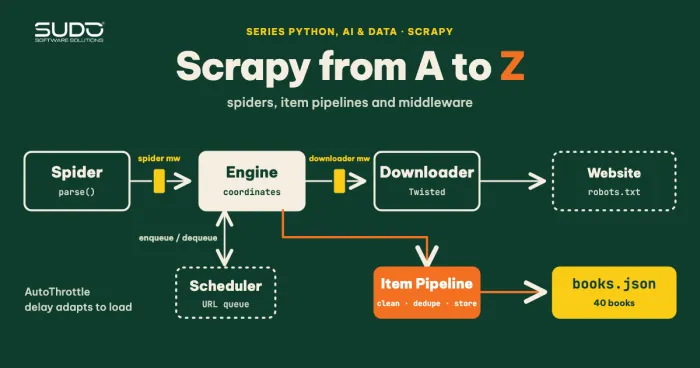
This article follows Scrapy from A to Z: spiders, item pipelines and middleware, Crawling data with Python: requests, BeautifulSoup and robots.txt and Python environments for data and AI projects: venv, Poetry and version management.
Environment and how we measure
All the code lives in the code/s7-04 directory and ran on an Apple M4 with 16 GB of RAM and Python 3.10 (released in October 2021 and the latest stable line when this article was published; the machine ran the newest patch release of the 3.10 line, while the packages are pinned to versions from early 2022) with httpx==0.22.0 and beautifulsoup4==4.11.1 (see requirements.txt). For a fair comparison, most experiments run against a local HTTP server we wrote ourselves (local_server.py). It has endpoints with deliberate delays and counts the number of requests being handled at the same time on the server side. Measuring on the server side matters more than measuring on the client, because the whole point of a concurrency limit is to protect the other end. The run against the Internet uses only books.toscrape.com.
Why asyncio fits crawling
An HTTP request spends most of its time waiting: for the TCP/TLS handshake, for the server to process the request, for data to arrive. The CPU is almost idle. This is an I/O-bound problem, which is exactly what asyncio is good at. With requests, each call blocks the whole thread, so 60 requests of 200 ms each take at least 12 seconds. There are two ways to overlap the waits: multiple threads (ThreadPoolExecutor) or an event loop such as asyncio. According to the Python asyncio documentation, the library uses the async/await syntax to write concurrent code and is a good fit for I/O-bound network code. Each coroutine yields control at an await point, and the loop switches to another ready coroutine, with no locks between threads.
The price is that everything along the way must be asynchronous. A call to time.sleep(), a requests.get() or a heavy HTML parse inside a coroutine blocks the entire loop, which means blocking every other task. That is why we use httpx.AsyncClient instead of requests, and asyncio.sleep() instead of time.sleep().
Step 1: sequential first, then unbounded gather
The asyncio.gather() function takes several awaitables, runs them concurrently and returns the results in the same order as the input. The most naive approach is to put every URL into a single gather:
async def fetch(client, url):
    r = await client.get(url)
    return r.status_code

async def unbounded(client, urls):
    return await asyncio.gather(*(fetch(client, u) for u in urls))
This is fast to the point of being dangerous. We measure it with 60 requests, where the server holds each request for 200 ms, and httpx.Limits is raised very high so that only our own code decides the concurrency level. The actual results (demo1_semaphore.py):
60 requests, the server holds each request for 200 ms
sequential                     12.40s  ok=60/60  peak_server_inflight=1
unbounded gather                0.25s  ok=60/60  peak_server_inflight=60
Semaphore(5)                    2.48s  ok=60/60  peak_server_inflight=5
Semaphore(10)                   1.29s  ok=60/60  peak_server_inflight=10
Semaphore(20)                   0.69s  ok=60/60  peak_server_inflight=20
The last column is the number that matters. Unbounded gather makes the server see 60 requests at the same time, and if the list had 60,000 URLs, that would become that many simultaneous connections, enough to exhaust file descriptors on the client or to be treated as an attack by the other side.
Step 2: limit concurrency with asyncio.Semaphore
The standard tool for limiting concurrency is asyncio.Semaphore. According to the documentation, a semaphore manages an internal counter: each acquire() decrements it, each release() increments it, and when the counter is 0, acquire() waits. The recommended form is async with sem:, which is equivalent to acquire and release inside try/finally:
async def bounded(client, urls, limit):
    sem = asyncio.Semaphore(limit)
    async def one(u):
        async with sem:
            return await fetch(client, u)
    return await asyncio.gather(*(one(u) for u in urls))
The table above shows the effect clearly: Semaphore(5) gives exactly 5 concurrent requests on the server, and the time is close to the theoretical 60 ÷ 5 × 0.2 = 2.4 seconds (2.48 measured). Doubling the limit halves the time, which is the expected pattern when latency is the bottleneck. Two details are easy to get wrong:
- Create the semaphore inside a coroutine, or after the loop is running. In Python 3.10 the
loopparameter was removed, and the semaphore binds to the current loop on first use. Creating it at module scope and then using it withasyncio.run()several times easily causes an "attached to a different loop" error. - The asyncio semaphore is not thread-safe, as the documentation states explicitly.
To catch an extra release() bug, use BoundedSemaphore: it raises ValueError when the counter goes above its initial value.
Two layers of limits: asyncio.Semaphore and httpx.Limits
httpx.AsyncClient has its own limits too, through httpx.Limits. According to the httpx resource limits documentation (and verified in the source of version 0.22.0 used here), the defaults are max_connections=100, max_keepalive_connections=20 and keepalive_expiry=5 seconds. That means even if we create 10,000 coroutines, the client opens at most 100 connections, and the remaining requests queue up in the pool. That sounds like a built-in limit already, but there are three differences:
- The client's limits apply to all hosts, while we usually need a limit per host. If you crawl 5 sites at once and share 100 connections, one slow site can take up the pool of another.
- A request waiting in the pool still counts against the pool timeout. Waiting too long raises
PoolTimeoutinstead of queuing forever. - A semaphore at the application layer lets you attach extra logic: spacing, priority, statistics.
The next experiment shows the second trap. The pool has only 2 connections, 6 concurrent requests, the server holds each request for 600 ms, and the pool wait is set to 0.3 seconds (demo2_errors.py, part B):
--- B. PoolTimeout: the pool has only 2 connections, 6 concurrent requests, pool wait of at most 0.3s
  #0: 200
  #1: 200
  #2: PoolTimeout
  #3: PoolTimeout
  #4: PoolTimeout
  #5: PoolTimeout
Four requests did not fail because of the network. They simply waited too long for a connection. The lesson: let the semaphore be the tighter limit, and set max_connections equal to or larger than the semaphore value. Then requests always have a connection available, and timeouts reflect only the real speed of the server.
The four httpx timeouts
Not setting a timeout is the most common mistake in async crawlers: one server that hangs a connection holds a semaphore slot forever, and after a few of these the whole crawler stands still without reporting any error. According to the httpx documentation, there are four separate timeouts: connect (waiting for the connection handshake), read (waiting for a chunk of data to arrive), write (waiting to send data) and pool (waiting to get a connection from the pool). The default is 5 seconds for all four (verified: DEFAULT_TIMEOUT_CONFIG = Timeout(timeout=5.0) in httpx 0.22.0). Note that read is the wait between two chunks of data, not the total download time, so when you need to cap the total time, also wrap the call in asyncio.wait_for().
timeout = httpx.Timeout(1.0, pool=0.5)   # 1 s for connect/read/write, 0.5 s for pool
async with httpx.AsyncClient(timeout=timeout) as client:
    await client.get(f"{base}/hang")      # the server hangs for 3 seconds
--- A. httpx timeout types
ReadTimeout after 1.01s (server hangs for 3s)All of these classes inherit from httpx.TimeoutException, so a single except httpx.TimeoutException clause catches all four. As for asyncio.wait_for(aw, timeout), when it expires it cancels the inner task and raises asyncio.TimeoutError. The documentation notes that it waits for the cancellation to finish, so the total time can be slightly longer than the timeout. We verify that the inner asyncio task really receives CancelledError:
--- G. wait_for cancels the inner task on timeout
  TimeoutError, inner task received CancelledError: True
Retry with backoff, jitter and Retry-After
Transient errors are normal: 503 when a server is overloaded, 429 when rate limited, a connection dropped midway. Retrying immediately is the worst option, because it raises the load exactly when the server is weak. The AWS Architecture Blog post Exponential Backoff and Jitter explains that with exponential backoff alone, clients still retry in synchronized waves, and the fix is to add jitter (randomizing the wait time). In code, we wait base × 2^(attempt-1) × random(0.5…1.0) seconds. For 429 and 503 specifically, if the server sends a Retry-After header we must follow it: RFC 7231 section 7.1.3 defines the value as either an integer number of seconds or an HTTP date, telling the client how long to wait before sending the request again.
The demo handles both forms (seconds and an HTTP date via email.utils.parsedate_to_datetime) and caps the wait at 60 seconds so that a server returning Retry-After: 3600 cannot hold a semaphore slot for an hour. Running parse_retry_after turns "1" into 1.0, "3600" into 60.0, a date 5 seconds in the future into about 4.76, and a malformed string into None. The fetch_with_retry function in fetcher.py (the datetime, timezone and parsedate_to_datetime imports are omitted):
RETRY_STATUS = {429, 500, 502, 503, 504}
MAX_RETRY_AFTER = 60.0   # cap: even if the server asks for 3600 s, we do not hold a slot for an hour

def parse_retry_after(value):
    """Integer seconds or an HTTP date (RFC 7231, section 7.1.3) -> seconds, capped; malformed -> None."""
    if not value:
        return None
    value = value.strip()
    if value.isdigit():
        secs = float(value)
    else:
        try:
            when = parsedate_to_datetime(value)
        except (TypeError, ValueError):
            return None
        if when.tzinfo is None:
            when = when.replace(tzinfo=timezone.utc)
        secs = max(0.0, (when - datetime.now(timezone.utc)).total_seconds())
    return min(secs, MAX_RETRY_AFTER)

async def fetch_with_retry(client, url, *, retries=3, base_delay=0.2, log=None):
    for attempt in range(1, retries + 2):
        try:
            r = await client.get(url)
        except (httpx.TimeoutException, httpx.TransportError) as exc:
            reason, wait = type(exc).__name__, None
        else:
            if r.status_code not in RETRY_STATUS:
                return r, attempt
            reason = f"HTTP {r.status_code}"
            wait = parse_retry_after(r.headers.get("Retry-After"))
        if attempt > retries:
            return None, attempt
        delay = wait if wait is not None else base_delay * (2 ** (attempt - 1)) * random.uniform(0.5, 1.0)
        await asyncio.sleep(delay)
Results of a run against the /flaky endpoint (fails with 503 the first two times), /limited (429 with Retry-After: 1) and a path that returns 404:
--- C. Retry with backoff: /flaky fails with 503 twice, then succeeds
  attempt 1 failed (HTTP 503), waiting 0.13s
  attempt 2 failed (HTTP 503), waiting 0.23s
  result: 200 'ok after 3 tries' after 3 attempts
--- D. Respecting Retry-After: 429 with 'Retry-After: 1'
  attempt 1 failed (HTTP 429), waiting 1.00s
  result: 200 after 2 attempts, total 1.00s
--- E. 404 is not retried
  result: 404 after 1 attempt
The wait grows by nearly a factor of two with random variation (0.13, then 0.23 seconds). For the 429 we wait exactly 1.00 second, as the server requested. A 404 is a permanent error, so it is not retried. If you put the retry inside async with, as the crawler below does, the slot stays held during the backoff wait, so the total load drops when the server is weak.
asyncio.gather, return_exceptions and the silent failure trap
The default behavior of gather often surprises people. With return_exceptions=False, the first exception is raised immediately to the caller, but the remaining tasks are not cancelled and keep running in the background. The documentation says this explicitly. With return_exceptions=True, exceptions are treated like normal results and appear in the returned list. For a crawler that gathers thousands of URLs, you almost always want True, so that one broken URL does not lose the results of the others:
--- F. gather default vs return_exceptions=True
  default: the exception surfaces immediately -> simulated error
  return_exceptions=True -> ['1', "RuntimeError('simulated error')", '2']
If the gather call itself is cancelled (for example when the user presses Ctrl+C), every unfinished child task is cancelled with it. This is the mechanism we rely on to stop cleanly.
Queues and workers in asyncio: limiting memory too
There is a hidden weakness in gather(*(one(u) for u in urls)): it creates all the coroutines up front. With 1 million URLs, the memory for 1 million task objects is significant even though only 10 actually run. The queue plus N workers pattern solves both problems: only N tasks exist, and at most N run at the same time. Below is crawler.py, which includes a per-host limiter (a semaphore plus a minimum interval between request starts) and the correct worker lifecycle:
class HostLimiter:
    def __init__(self, concurrency, min_interval):
        self.sem = asyncio.Semaphore(concurrency)
        self.min_interval = min_interval
        self._lock = asyncio.Lock()
        self._next = 0.0

    async def __aenter__(self):
        await self.sem.acquire()
        async with self._lock:
            now = time.monotonic()
            wait = max(0.0, self._next - now)
            self._next = max(now, self._next) + self.min_interval
        if wait:
            await asyncio.sleep(wait)

    async def __aexit__(self, *exc):
        self.sem.release()

async def worker(queue, client, limiter, results, stats):
    while True:
        url = await queue.get()
        try:
            async with limiter:
                r, attempts = await fetch_with_retry(client, url)
            ...  # parse with BeautifulSoup, write into results
        finally:
            queue.task_done()
The orchestration lives in the crawl function. Workers live forever (while True), so when queue.join() reports that all work is done, we must cancel them explicitly, then use gather(..., return_exceptions=True) to wait for them to clean up:
async with httpx.AsyncClient(headers=headers, timeout=httpx.Timeout(10.0),
                             follow_redirects=True,
                             limits=httpx.Limits(max_connections=concurrency)) as client:
    tasks = [asyncio.create_task(worker(queue, client, limiter, results, stats))
             for _ in range(workers)]
    try:
        await queue.join()
    finally:
        for t in tasks:
            t.cancel()
        await asyncio.gather(*tasks, return_exceptions=True)
Note three things. queue.task_done() sits in finally; if you forget it, join() hangs forever when one URL raises an error. The tasks list holds strong references to the tasks, because the documentation stresses that the loop keeps only weak references, so a task nobody references can be garbage collected midway. And a single AsyncClient is shared by all workers, as httpx recommends: creating a client per request throws away the benefit of connection pooling.
A real run against books.toscrape.com, 20 category pages (20 books per page), with a minimum spacing of 0.1 seconds between two request starts, varying the number of concurrent connections (crawler.py):
concurrency=1 pages=20 errors=0 books=400 time=11.25s
example: A Light in the Attic £51.77
concurrency=4 pages=20 errors=0 books=400 time=3.38s
example: A Light in the Attic £51.77
concurrency=10 pages=20 errors=0 books=400 time=2.62s
example: In Her Wake £12.84
Going from 1 to 4 concurrent requests cuts the time by more than half. From 4 to 10 the gain shrinks: the computed floor is 20 pages × 0.1 seconds spacing = 2 seconds, and the runs are already close to it. This is worth remembering: more concurrency does not speed things up forever. Past a threshold, the bottleneck moves to the spacing, the bandwidth or the target server itself, and all you gain is more risk of being blocked.
Crawling responsibly
The speed of asyncio means even a small script can do harm, so the following rules are mandatory, not optional:
- Read robots.txt and the terms of service before crawling any site, as covered in the article about
requests. The examples here use onlybooks.toscrape.com(a site meant for learning, which currently has no robots.txt and returns 404 for that path) and a local server. - Declare a clear User-Agent with contact details, as in
crawler.py, so that the site's administrators can reach you when there is a problem. - Limit per host: start with 1–4 concurrent requests and a 0.5–1 second spacing for sites that are not yours, and stop when you keep getting 429.
- Do not collect personal data without a clear legal basis.
Rate limiting, caching and ETags will be covered in more depth in the last article of the crawling group in this series.
When not to use asyncio
- A few dozen URLs, run once: sequential
requestsis much simpler and fast enough, so the complexity of asyncio is not worth it. - Most of the time is CPU work (parsing huge HTML, heavy regex): asyncio does not help and can even block the loop. Move the heavy part to
run_in_executorwith aProcessPoolExecutor. - You need the whole crawling ecosystem (scheduling, URL dedupe, pipelines, retries, statistics, data export): Scrapy, built on Twisted, already solves these, as the previous article showed.
- Pages that need JavaScript:
httpxonly fetches raw HTML. The next article handles this case with a real browser.
Common errors
| Symptom | Cause | Fix |
|---|---|---|
| The crawler runs sequentially even though it uses async | Calling requests.get or time.sleep in a coroutine, or using await on each task in a for loop | Use httpx.AsyncClient and asyncio.sleep; collect with gather or workers |
| Hangs forever with no error | No timeout set; task_done() is not in finally | Always set httpx.Timeout; use try/finally |
Many PoolTimeout errors | The semaphore is larger than max_connections | Set the semaphore less than or equal to the pool size |
| One failing URL loses the whole batch of results | gather raises the first exception by default | Use return_exceptions=True or catch errors inside the worker |
| IP blocked or many 429 responses | Rate too high, Retry-After ignored | Lower the concurrency, add spacing and backoff |
Checklist for an asyncio crawler
- One shared
AsyncClient, closed withasync with; no call inside a coroutine blocks the asyncio loop. - All four timeouts set, plus
wait_forwhen you need to cap the total time. - Per-host concurrency limited by a semaphore;
max_connectionsis not smaller than that value. - Retry only transient errors (429, 5xx, network errors), with backoff, jitter, a cap on attempts, and respect for
Retry-After. - Use a queue and a fixed number of workers when the URL count is large.
- Cancel workers and wait for their cleanup in
finally. - Clear User-Agent, and compliance with robots.txt and the site's terms.
Next article
Some pages give httpx only an empty HTML shell because the content is built with JavaScript. Next article: Crawling JavaScript-rendered pages with Playwright for Python.