Almost every data project eventually needs numbers that the source does not offer through an API: a competitor's price list, a public product catalog, an exchange-rate table. That is when crawling data from web pages into a structured form becomes the practical way to get something you can analyze. This article builds a small but properly structured program for crawling data in Python: requests downloads the pages, BeautifulSoup parses the HTML, urllib.robotparser reads robots.txt, and then we add timeouts, retries with backoff, and rate limiting. All the code was actually run on Python 3.10 (the environment from the previous article), requests 2.27.1, beautifulsoup4 4.10.0 and lxml 4.7.1, on an Apple M4 with 16 GB of RAM. The targets for crawling data are public practice sites: books.toscrape.com and httpbin.org.
Crawling data legitimately: start with "am I allowed to?"
Before you write the first line of code for crawling data, answer four questions. They decide whether your project is legitimate, not which library you pick:
- Is there an official API or an open data file? If so, use it. An API is stable, light for both sides, and comes with clear terms.
- Do the site's terms of service forbid automated crawling of data? Terms of service are a legal constraint, unlike robots.txt, which is only a technical convention.
- Does robots.txt allow the paths you need? This file sits at the root of the domain and tells you where the site owner wants bots to go and where not to go.
- Does the data contain personal information? Names, phone numbers and emails of real users are covered by data protection law; do not collect them without a legal basis.
One more point to be clear about: robots.txt is not a security mechanism. It is only a request that well-behaved bots follow voluntarily; the documentation at robotstxt.org describes it in exactly these terms. Data that needs protection must be protected with authentication, not with robots.txt. That is why this article only does crawling data on sites built for practice, and why you should apply the same standards to real sites: identify your bot clearly through the User-Agent, go slowly, and stop when asked.
Setting up the environment for crawling data
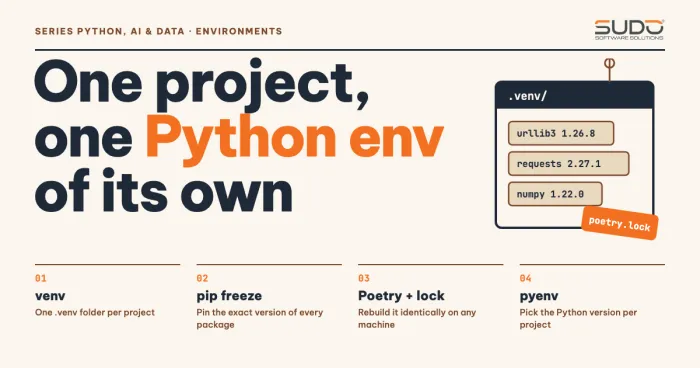
Following the article Python environments for data and AI projects: venv, Poetry and version management, each project has its own venv and a pinned requirements file. For this project, requirements.txt contains the following packages (taken with pip freeze from the environment that actually ran the code):
beautifulsoup4==4.10.0
certifi==2021.10.8
charset-normalizer==2.0.10
html5lib==1.1
idna==3.3
lxml==4.7.1
requests==2.27.1
six==1.16.0
soupsieve==2.3.1
urllib3==1.26.8
webencodings==0.5.1
Two library choices deserve an explanation. requests is the familiar synchronous HTTP client, with Session to reuse connections. BeautifulSoup is only a layer for extracting data from HTML; it needs a parser underneath. The Beautiful Soup 4 documentation compares three parsers: html.parser ships with the standard library and is reasonably fast; lxml is very fast but needs a C library; html5lib is slow but parses most like a browser. The documentation also warns you to always specify the parser, because for malformed HTML each parser builds a different tree.
Reading robots.txt before crawling data
To crawl data by the rules, the standard library already has urllib.robotparser with the RobotFileParser class: can_fetch(useragent, url) answers whether a URL is allowed, while crawl_delay() and request_rate() (since Python 3.6) and site_maps() (since 3.8) read the extended directives. The class's read() method downloads the file itself but does not let you set a timeout or a User-Agent, so I download it with requests and pass the text to parse():
"""Check robots.txt with urllib.robotparser before crawling."""
import urllib.robotparser

import requests

UA = "SudoBlogBot/1.0 (+https://sudo.vn; blog-tutorial)"


def load_robots(base: str) -> urllib.robotparser.RobotFileParser:
    """Download robots.txt with requests (with timeout and User-Agent), then hand it to the parser."""
    rp = urllib.robotparser.RobotFileParser()
    r = requests.get(base + "/robots.txt", headers={"User-Agent": UA}, timeout=10)
    print(f"{base}/robots.txt -> HTTP {r.status_code}")
    if r.status_code == 200:
        rp.parse(r.text.splitlines())
    elif r.status_code in (401, 403):
        rp.disallow_all = True      # 401/403: robots.txt itself is forbidden, so treat everything as disallowed (as RobotFileParser.read() does)
    elif 400 <= r.status_code < 500:
        rp.allow_all = True         # other 4xx errors such as 404: the site has no rules, so everything is allowed
    else:
        raise RuntimeError(f"Cannot read robots.txt (HTTP {r.status_code}), pausing the crawl")
    return rp


if __name__ == "__main__":
    for base, paths in [
        ("https://httpbin.org", ["/get", "/deny", "/deny/anything"]),
        ("https://books.toscrape.com", ["/catalogue/page-1.html"]),
    ]:
        rp = load_robots(base)
        for p in paths:
            print(f"  can_fetch({p!r}) = {rp.can_fetch(UA, base + p)}")
        print("  crawl_delay =", rp.crawl_delay(UA))
When crawling data, the subtle part is how the status codes are handled, the same way RobotFileParser.read() does it: 401 or 403 means you are forbidden even from reading robots.txt, so treat everything as disallowed; other 4xx errors such as 404 mean the site has no rules, so everything is allowed. The code in this article takes one more cautious step than the standard library: for 5xx (the server is failing) or unusual codes, we do not know what the site wants, so we pause instead of crawling data. Run it against the two sites:
$ python robots_demo.py
https://httpbin.org/robots.txt -> HTTP 200
  can_fetch('/get') = True
  can_fetch('/deny') = False
  can_fetch('/deny/anything') = False
  crawl_delay = None
https://books.toscrape.com/robots.txt -> HTTP 404
  can_fetch('/catalogue/page-1.html') = True
  crawl_delay = None
The httpbin.org site declares Disallow: /deny, so /deny and every path below it is blocked, while /get is allowed. The books.toscrape.com site returns 404 for robots.txt, which means no restrictions. Neither site declares a Crawl-delay, but that does not mean you may download in bursts: set a reasonable limit yourself (see the rate limiting section below).
Downloading pages with requests for crawling data: session, timeout and retry
Three settings turn a throwaway requests.get() call into code for crawling data that can run for a long time. First, always set a timeout. The Advanced Usage page of requests says it plainly: by default requests does not time out, so your program can hang for minutes. The timeout is a (connect, read) tuple: connect is how long to wait for the connection to be established, and read is how long to wait between bytes sent by the server. Second, use a Session to reuse TCP connections (connection pooling) and to preset headers for every request. Third, retry with backoff for transient errors, because requests does not retry by default.
The code below tries the first two mechanisms against httpbin.org, a service built for testing HTTP, and compares three parsers on the same broken HTML:
"""Timeout, retry with backoff, and differences between HTML parsers (httpbin.org + local HTML)."""
import logging
import time

import requests
from bs4 import BeautifulSoup
from requests.adapters import HTTPAdapter
from urllib3.util.retry import Retry

logging.basicConfig(format="  [urllib3] %(message)s", level=logging.WARNING)
logging.getLogger("urllib3.util.retry").setLevel(logging.DEBUG)

print("1) Timeout: /delay/3 with a 1-second read timeout")
t0 = time.perf_counter()
try:
    requests.get("https://httpbin.org/delay/3", timeout=(3.05, 1))
except requests.exceptions.ReadTimeout as e:
    print(f"  ReadTimeout after {time.perf_counter()-t0:.1f}s")

print("2) Retry: /status/503 with total=2, backoff_factor=0.5")
s = requests.Session()
s.mount("https://", HTTPAdapter(max_retries=Retry(total=2, backoff_factor=0.5, status_forcelist=[503])))
t0 = time.perf_counter()
try:
    s.get("https://httpbin.org/status/503", timeout=10)
except requests.exceptions.RetryError:
    print(f"  RetryError after {time.perf_counter()-t0:.1f}s (3 attempts: 1 initial + 2 retries)")

print("3) The same broken HTML, three parsers, three different trees")
broken = "<ul><li>Book A<li>Book B</ul><p>Paragraph 1<p>Paragraph 2"
for parser in ("html.parser", "lxml", "html5lib"):
    try:
        print(f"  {parser:<11}:", BeautifulSoup(broken, parser))
    except Exception as e:
        print(f"  {parser:<11}: unavailable ({type(e).__name__})")
$ python resilience_demo.py
1) Timeout: /delay/3 with a 1-second read timeout
ReadTimeout after 1.6s
2) Retry: /status/503 with total=2, backoff_factor=0.5
[urllib3] Incremented Retry for (url='/status/503'): Retry(total=1, connect=None, read=None, redirect=None, status=None)
[urllib3] Incremented Retry for (url='/status/503'): Retry(total=0, connect=None, read=None, redirect=None, status=None)
RetryError after 2.5s (3 attempts: 1 initial + 2 retries)
3) The same broken HTML, three parsers, three different trees
html.parser: <ul><li>Book A<li>Book B</li></li></ul><p>Paragraph 1<p>Paragraph 2</p></p>
lxml : <html><body><ul><li>Book A</li><li>Book B</li></ul><p>Paragraph 1</p><p>Paragraph 2</p></body></html>
html5lib : <html><head></head><body><ul><li>Book A</li><li>Book B</li></ul><p>Paragraph 1</p><p>Paragraph 2</p></body></html>When crawling data, a few things stand out. With /delay/3 and a 1-second read timeout, ReadTimeout fires after about 1.6 seconds: that is the 1 second of waiting plus the time for the TLS handshake and connection, which matches the documentation's note that a timeout is not a wall-clock limit. With retry, the first attempt and the first retry do not wait, and the second retry waits backoff_factor × 2^(n-1) = 1 second according to the formula in the urllib3 1.26.8 source, which adds up to 2.5 seconds with network time. When the attempts run out, requests raises RetryError.
When crawling data across many requests, the Retry class also honors the server's Retry-After header for status codes 413, 429 and 503 (urllib3 1.26 applies it to only these three), so when a site asks you to wait 30 seconds, you wait exactly 30 seconds instead of guessing. The /status/503 example above from httpbin does not send this header, so it does not demonstrate that.
The last part of the output shows why you must specify the parser. When crawling data, take the HTML <li>Book A<li>Book B with missing closing tags: html.parser nests Book B inside Book A, while lxml and html5lib split them into two sibling items, as a browser does. If your code for crawling data assumes a flat structure, switching parsers can change the results without any error being reported.
Extracting HTML with BeautifulSoup and CSS selectors when crawling data
The category page of books.toscrape.com wraps each book in an <article class="product_pod"> tag; inside are the title (the title attribute of the a tag), the price (.price_color), the star rating (a p tag with the class star-rating Three) and the stock status. With BeautifulSoup, select() and select_one() accept CSS selectors, which are usually shorter and easier to read than nested find_all() chains. Attributes read like dictionary keys: tag["href"] raises KeyError if the attribute is missing, while tag.get("href") returns None; multi-valued attributes such as class are returned as a list. I use a dataclass for a clear structure and Decimal for prices to avoid floating-point errors:
"""Responsible crawl of books.toscrape.com (a site built for practicing crawling).

Respects robots.txt, rate limiting, timeouts, retries with backoff, and stops after N pages.
"""
import csv
import sys
import time
from dataclasses import dataclass, asdict
from decimal import Decimal
from urllib.parse import urljoin

import requests
from bs4 import BeautifulSoup
from requests.adapters import HTTPAdapter
from urllib3.util.retry import Retry

from robots_demo import UA, load_robots

BASE = "https://books.toscrape.com"
START = BASE + "/catalogue/page-1.html"
RATING = {"One": 1, "Two": 2, "Three": 3, "Four": 4, "Five": 5}

@dataclass
class Book:
    title: str
    price: Decimal
    rating: int
    in_stock: bool
    url: str

def make_session() -> requests.Session:
    s = requests.Session()
    s.headers.update({"User-Agent": UA, "Accept-Language": "en"})
    retry = Retry(total=3, backoff_factor=1.0, status_forcelist=[429, 500, 502, 503, 504],
                  respect_retry_after_header=True)
    s.mount("https://", HTTPAdapter(max_retries=retry))
    return s

def parse_price(text: str) -> Decimal:
    return Decimal(text.replace("£", "").replace("Â", "").strip())

def parse_page(html: bytes, page_url: str) -> tuple[list[Book], str | None]:
    soup = BeautifulSoup(html, "lxml")          # pass bytes so bs4 detects the encoding itself
    books = []
    for card in soup.select("article.product_pod"):
        a = card.select_one("h3 a")
        rating_cls = card.select_one("p.star-rating")["class"]       # ['star-rating', 'Three']
        books.append(Book(
            title=a["title"],
            price=parse_price(card.select_one(".price_color").get_text()),
            rating=RATING[rating_cls[1]],
            in_stock="In stock" in card.select_one(".availability").get_text(),
            url=urljoin(page_url, a["href"]),
        ))
    nxt = soup.select_one("li.next a")
    return books, urljoin(page_url, nxt["href"]) if nxt else None

def crawl(max_pages: int = 3, delay: float = 1.0) -> list[Book]:
    rp = load_robots(BASE)
    session, url, out = make_session(), START, []
    for n in range(1, max_pages + 1):
        if not url:
            break
        if not rp.can_fetch(UA, url):
            print("Blocked by robots.txt:", url)
            break
        t0 = time.perf_counter()
        r = session.get(url, timeout=(3.05, 15))
        r.raise_for_status()
        books, url_next = parse_page(r.content, url)
        print(f"page {n}: HTTP {r.status_code}, {len(r.content)/1024:.1f} KiB, "
              f"{len(books)} books, {time.perf_counter()-t0:.2f}s")
        out += books
        url = url_next
        time.sleep(delay)                        # rate limiting: at most ~1 request per second
    return out

def save_csv(books: list[Book], path: str) -> None:
    with open(path, "w", newline="", encoding="utf-8") as f:
        w = csv.DictWriter(f, fieldnames=list(asdict(books[0])))
        w.writeheader()
        w.writerows(asdict(b) for b in books)

if __name__ == "__main__":
    pages = int(sys.argv[1]) if len(sys.argv) > 1 else 3
    books = crawl(pages)
    save_csv(books, "books.csv")
    print(f"\nTotal: {len(books)} books, average price £{sum(b.price for b in books)/len(books):.2f}")
    rate_5 = [b for b in books if b.rating == 5]
    print(f"5-star books: {len(rate_5)}")
    for b in sorted(books, key=lambda b: b.price)[:3]:
        print(f"  cheapest: £{b.price} | {b.rating} stars | {b.title}")
When crawling data, keeping parse_page separate from the page download is deliberate: you can save the HTML to disk and test the extraction logic without a network. When crawling data by following links, pay attention to urljoin: links in HTML are often relative paths such as page-2.html, which must be joined with the current page's URL to produce an absolute URL.
Encoding bug: why "£" becomes "£"
A classic bug when crawling data sits in the parse_price function above: it has to strip the "Â" character as well. The cause: the server returns Content-Type: text/html without declaring a charset. According to the requests documentation, the library then applies the RFC 2616 default of ISO-8859-1 for response.text, while the actual content is UTF-8. The following code reproduces the bug:
"""A common encoding bug: the server declares no charset, so requests guesses ISO-8859-1."""
import requests
from bs4 import BeautifulSoup

URL = "https://books.toscrape.com/catalogue/page-1.html"
r = requests.get(URL, timeout=10)
print("Content-Type    :", r.headers["Content-Type"])
print("r.encoding      :", r.encoding)
print("apparent_encoding:", r.apparent_encoding)

wrong = BeautifulSoup(r.text, "lxml").select_one(".price_color").text
right = BeautifulSoup(r.content, "lxml").select_one(".price_color").text
print("using r.text    :", wrong)
print("using r.content :", right)
$ python encoding_demo.py
Content-Type : text/html
r.encoding : ISO-8859-1
apparent_encoding: utf-8
using r.text : £51.77
using r.content : £51.77When crawling data, the best fix is to give r.content (bytes) to BeautifulSoup so it detects the encoding from the <meta charset> tag in the HTML, as the parse_page function does. Another way is to set r.encoding = r.apparent_encoding before reading r.text. Do not "fix" it by stripping the odd character as the trick in parse_price does: that is only a defensive cushion, not a solution.
Running the program for crawling data: pagination, rate limiting, writing CSV
The crawl function handles crawling data across multiple pages: it follows the "next" link until the pages run out or the max_pages limit is reached, checks robots.txt before every request, and calls time.sleep(delay) between two requests to keep the pace at about one request per second at most. This is the minimum level of politeness: a sequential program for crawling data that never pauses can send dozens of requests per second, enough to slow down a small site. The result of a 3-page run:
$ python crawl_books.py 3
https://books.toscrape.com/robots.txt -> HTTP 404
page 1: HTTP 200, 49.3 KiB, 20 books, 1.53s
page 2: HTTP 200, 49.7 KiB, 20 books, 0.72s
page 3: HTTP 200, 50.2 KiB, 20 books, 0.91s

Total: 60 books, average price £35.00
5-star books: 14
  cheapest: £12.84 | 1 stars | In Her Wake
  cheapest: £13.99 | 2 stars | Starving Hearts (Triangular Trade Trilogy, #1)
  cheapest: £14.27 | 4 stars | Untitled Collection: Sabbath Poems 2014
This run of crawling data returned 60 books across three pages, about 50 KiB per page. The per-page time of 0.72 to 1.53 seconds is real network time (the first page is slower because it also sets up the TLS connection), not a benchmark. The books.csv file has a header row and prices normalized to numbers:
title,price,rating,in_stock,url
A Light in the Attic,51.77,3,True,https://books.toscrape.com/catalogue/a-light-in-the-attic_1000/index.html
Tipping the Velvet,53.74,1,True,https://books.toscrape.com/catalogue/tipping-the-velvet_999/index.html
After crawling data, you can load this CSV into pandas for analysis. Note that Decimal is written to CSV as a plain number string without a currency symbol, so the loading step needs to cast the type.
When crawling data with requests and BeautifulSoup is not enough
For crawling data, this pair of tools suits static HTML pages, but there are three limits to know:
- JavaScript-rendered content:
requestsonly downloads the raw HTML. If the data you want is loaded through XHR after the page opens, open the Network tab of your browser to find the JSON endpoint and call it directly (usually lighter and more stable), or use browser automation such as Selenium when there is no other way. - Large scale: a sequential loop for crawling data is simple but has no queue, no saved state to resume from, and no deduplication. When you need thousands of pages, use a framework such as Scrapy, the topic of the next article.
- Anti-bot measures: many sites have technical barriers. This article does not teach how to get around them when crawling data: if a site blocks you, ask for access or use the official API instead of rotating IPs or faking your identity.
Common mistakes when crawling data
- No timeout when crawling data: one hanging request stalls the whole pipeline. Always pass
timeout=(connect, read). - Using
r.textwhen the server declares no charset: it causes the "£" bug shown above. Preferr.contentfor BeautifulSoup. - Assuming selectors never change: when a site changes its layout, your crawling data breaks. Check whether
select_one()returnsNoneand log when the structure differs from what you expect, instead of crashing midway. - Forgetting
raise_for_status(): a 500 or 429 error page can still be parsed as "0 books" and saved to the CSV as real data. - Using the default User-Agent
python-requests/2.27.1: many sites block this UA, and more importantly, the site owner has no way to contact you. Use a UA with a bot name and a contact address. - Ignoring robots.txt and the terms of service: a legal and reputational risk, even when the data is publicly accessible.
Checklist before crawling data
- Before crawling data, you have checked the site's official API, terms of service and robots.txt.
- The User-Agent clearly identifies the bot and includes contact information.
- There is a timeout, a bounded number of retries, backoff, and
time.sleepbetween requests. - The data contains no personal information, or you have a legal basis for it.
- There is a page limit while testing, and the extraction logic is separate so it can be tested offline (in the spirit of the SOLID principles in Java: one responsibility per function).
All the source code is in the code/s7-02/ directory (robots_demo.py, encoding_demo.py, resilience_demo.py, crawl_books.py), run with python crawl_books.py 3 inside the venv. When you need to crawl thousands of pages, this manual loop shows its limits, and that is when a dedicated framework pays off.
Next article
Keep reading: Scrapy from A to Z: spiders, item pipelines and middleware.