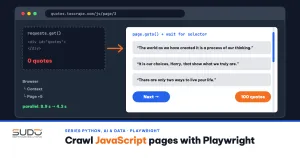
You write a crawler with requests and BeautifulSoup, run it, and get back an almost empty HTML page: no products, no prices, just a few script tags. The real content is built later by JavaScript in the browser, so what you downloaded is not what a user sees. This is the problem Playwright was built to solve: it drives a real browser (Chromium, Firefox, or WebKit) from Python, waits for the page to render, and only then reads the data. This article explains when you actually need Playwright, how to wait correctly, how to walk through pagination and infinite scroll, how to block resources to cut load, and how to run many pages in parallel with the async API, with numbers measured on a real machine.
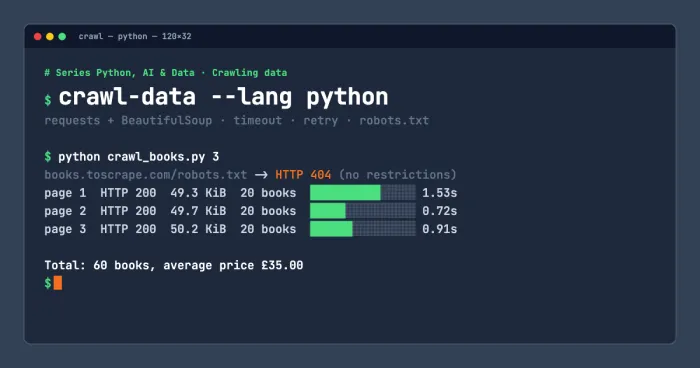
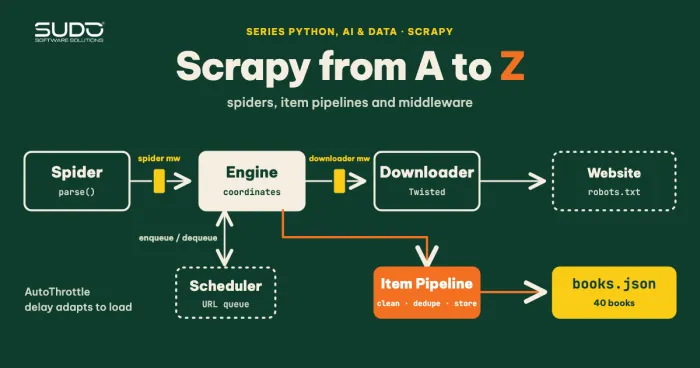
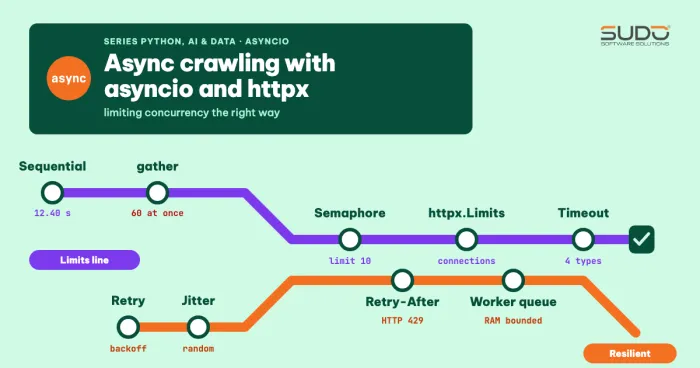
This article continues Asynchronous crawling with asyncio and httpx: limiting concurrency correctly, Scrapy from A to Z: spiders, item pipelines and middleware, and Crawling data with Python: requests, BeautifulSoup and robots.txt. The concurrency limit and timeout rules from the asyncio article are reused here.
Environment and test pages
The code lives in code/s7-05 and ran on an Apple M4 with 16 GB RAM and Python 3.10 (the latest stable release when this article was published; the code uses no 3.10-specific features, so anything from 3.8 up works) with playwright==1.22.0, a release from mid-May 2022 that ships with Chromium 102.0.5005.40 (see requirements.txt; installing it in a clean venv with pip install -r requirements.txt was verified, and it pulls in greenlet==1.1.2).
Installing Playwright takes two steps: pip install -r requirements.txt (or pip install playwright==1.22.0), then playwright install chromium to download the browser (about 330 MB, stored in the user's cache directory, not in the venv). Every example runs only against sites built for crawling practice: quotes.toscrape.com (with the /js/, /js-delayed/, and /scroll variants) and books.toscrape.com. Neither has a robots.txt (the path returns 404), but we still declare a User-Agent and pause between pages.
When you need Playwright and when you do not
A real browser is a heavy tool: it costs RAM and CPU and is hard to scale. Before using one, check whether the data is available somewhere cheaper. The first experiment compares two approaches on the same URL, quotes.toscrape.com/js/ (demo1_static_vs_js.py):
httpx: HTTP 200, 5806 bytes, div.quote in raw HTML = 0
httpx: string 'var data' found in HTML (data sits in a script tag) = True
playwright: goto finished after 2.33s, Chromium 102.0.5005.40
playwright: div.quote in DOM after running JS = 10
  first quote: “The world as we have created it is a process of our thinkin ...
  author: Albert Einstein
  tags: ['change', 'deep-thoughts', 'thinking', 'world']
Chromium startup took 0.24s
The raw HTML has 0 div.quote elements, while the DOM after the browser runs JavaScript has 10. But the second line shows something important: the data is still in the raw HTML, in the var data variable of a script tag. In that case we can extract it with a regex and json.loads without any browser. The order of preference should be:
- Look for an API or embedded JSON. Open the DevTools Network tab, filter by XHR/Fetch, and see which endpoint the page calls. Calling that endpoint directly with
httpxis usually dozens of times faster than a browser and more stable. Keep in mind that a non-public API may still have terms that forbid its use. - Parse embedded data in
scripttags (JSON-LD,__NEXT_DATA__, global variables). - Use Playwright when the data only appears after complex JavaScript runs, when you need interaction (clicking, filling forms, legitimate logins), or when you need screenshots or PDFs.
The Browser, Context, Page model
According to the Playwright for Python documentation, the library offers two API styles: the simple playwright.sync_api, suited to scripts, and playwright.async_api, which uses async/await for projects built on asyncio. The object model has three layers:
- Browser: one browser process, created with
p.chromium.launch(). It runs headless (no window) by default. Startup takes a few hundred milliseconds, so create it once and reuse it. - BrowserContext: an independent, incognito-style "profile" with its own cookies, local storage, User-Agent, and locale. Creating a context is very cheap, and it is the right isolation unit for each crawl session.
- Page: a tab. One context can hold many pages.
The minimal starting function, matching the first part of demo1:
from playwright.sync_api import sync_playwright

with sync_playwright() as p:
    browser = p.chromium.launch()
    context = browser.new_context(user_agent="SudoBlogDemoCrawler/1.0 (+https://sudo.vn/blog; learning)")
    page = context.new_page()
    page.goto("https://quotes.toscrape.com/js/")
    print(page.locator("div.quote").count())   # 10
    browser.close()
The with block guarantees the browser process is cleaned up on exit, even after an error. If you do not use with, always wrap the code in try/finally with browser.close() so you do not leave orphaned Chromium processes behind.
Waiting correctly in Playwright: auto-waiting and wait_for_selector
The number one mistake of newcomers to browser automation is reading data too early or adding time.sleep(5) "to be safe". Both are wrong: a sleep that is too short misses data, and one that is too long wastes time. The /js-delayed/ page deliberately waits 10 seconds before building its list, which makes it ideal for observation (demo2_waiting.py):
right after goto: div.quote = 0
wait 3s: TimeoutError after 3.0s -> Timeout 3000ms exceeded.
wait more: data available after 6.7s, div.quote = 10
locator.inner_text auto-waited 11.8s: “The world as we have created it is a pr ...
goto returns when the load event fires, but the page's JavaScript has not finished building yet, so the count is 0. There are two correct ways to wait:
page.wait_for_selector("div.quote", timeout=...)waits until the element appears and raisesTimeoutErrorif time runs out. In the experiment, the 3-second wait failed at exactly 3.0 seconds, and the next wait succeeded after 6.7 seconds, for a total of almost 10 seconds, matching the page's delay.- Locators wait on their own. According to the actionability documentation, Playwright "auto-waits" for every check needed before performing an action, and if time runs out the action fails with
TimeoutError. For example,click()waits for the element to be visible, stable (no longer moving), able to receive events (not covered by an overlay), and enabled. A call toinner_text()also waits for the element to appear, which is why the last run took 12.1 seconds including startup and the page's 10-second delay.
Note that locator.count() does not wait: it returns the number of elements at the moment of the call, which is why the first example gave 0. The rule: before counting or looping, wait for a clear signal that the data is ready. Avoid wait_until="networkidle" as a default: it waits for the network to go quiet, but many pages run analytics or websockets continuously, so the condition never holds.
Set the page's default timeout with page.set_default_timeout(15000) (milliseconds) so every operation shares it. Playwright's default is 30 seconds, which is too long for a crawler: one hung page holds a whole slot for 30 seconds.
Walking through pagination with a Next button
For button-style pagination, the standard loop is: wait for data, read it, check whether a "Next" button still exists, click it, and wait for navigation. This is demo3_paginate.py, which collects the 10 pages of /js/ with a 0.5-second pause between pages:
page.goto(START)
while True:
    page.wait_for_selector("div.quote")
    quotes = page.locator("div.quote")
    for i in range(quotes.count()):      # Locator.all() does not exist in 1.22 yet
        q = quotes.nth(i)
        rows.append({
            "text": q.locator("span.text").inner_text(),
            "author": q.locator("small.author").inner_text(),
            "tags": q.locator("a.tag").all_inner_texts(),
        })
    nxt = page.locator("li.next a")
    if nxt.count() == 0:
        break
    time.sleep(0.5)                      # polite pause
    with page.expect_navigation():
        nxt.click()
page 1: https://quotes.toscrape.com/js/ -> 10 quotes
page 2: https://quotes.toscrape.com/js/page/2/ -> 20 quotes
page 3: https://quotes.toscrape.com/js/page/3/ -> 30 quotes
...
page 10: https://quotes.toscrape.com/js/page/10/ -> 100 quotes
done: 10 pages, 100 quotes, 50 authors, 12.4sTwo details deserve attention. First, with page.expect_navigation(): wraps the click so you do not miss the navigation if it happens very fast; this is Playwright's "register the listener before you click" pattern. Second, version 1.22 has no Locator.all() (I hit an AttributeError on the first run), so we iterate with count() and nth(). That is why you should always state the library version.
On speed: 12.4 seconds for 10 pages is about 1.2 seconds per page including the pause, which you can compare with the direct API call in the next section. That is the price of a browser.
Infinite scroll: listen to the network instead of reading the DOM
The /scroll page loads 10 more quotes each time the user scrolls to the bottom. There are two ways to collect them. The first is to drive the browser to scroll and count elements. The second, more efficient way is to listen to network responses with page.on("response", ...), as described in the Network documentation. The code below scrolls and records the calls to /api/quotes at the same time (demo4_scroll_network.py):
def on_response(resp):
    if "/api/quotes" in resp.url:
        data = resp.json()
        captured.append((resp.url, resp.status, len(data["quotes"]), data["has_next"]))
page.on("response", on_response)

page.goto("https://quotes.toscrape.com/scroll")
page.wait_for_selector("div.quote")
for _ in range(15):
    before = page.locator("div.quote").count()
    page.evaluate("window.scrollTo(0, document.documentElement.scrollHeight)")
    try:
        page.wait_for_function("n => document.querySelectorAll('div.quote').length > n",
                               arg=before, timeout=2500)
    except PWTimeout:      # timed out with no new quotes: reached the end
        break
The real output:
final DOM: div.quote = 100
captured 15 XHR responses; with data: 10, empty: 5
  XHR 200 /api/quotes?page=9 -> 10 quotes, has_next=True
  XHR 200 /api/quotes?page=10 -> 10 quotes, has_next=False
  XHR 200 /api/quotes?page=11 -> 0 quotes, has_next=False
httpx calling the API directly: 10 pages, 100 quotes, 3.73s
There are three lessons in these lines. One, the final DOM has all 100 quotes, and the captured responses give us clean JSON with no HTML parsing. Two, besides the 10 responses with data there are some empty ones (5 in this run, 8 in an earlier run, so the count is not fixed). I did not read the page's script, so I only report what I observed: after page 10 there is still a request for page=11 that returns 0 quotes with has_next=False; most likely the scroll event fires again before the previous response has updated the state. A crawler that reads the DOM ignores this, but if you loop on the number of scrolls yourself, treat an empty response as the stop signal.
Three, and most important: once you know the endpoint, call it directly with httpx to get the same 100 quotes in 3.73 seconds without Chromium. Here the time is mostly 10 sequential calls; combined with the asyncio article it gets even faster. Playwright is the discovery step, and httpx is the extraction step.
One technical detail worth remembering: this page loads more only when the scroll position reaches the document bottom exactly (within 1 pixel). At first I used document.body.scrollHeight and mouse.wheel, and only the first page loaded. Switching to document.documentElement.scrollHeight finally reached the true bottom. This is the kind of detail that only shows up when you run the code for real.
Blocking resources in Playwright to reduce load
When you only need text, downloading images, CSS, and fonts wastes bandwidth and time. Playwright lets you block them with page.route: the documentation describes a handler that receives a route object, which can abort(), continue_(), or fulfill(). We block by resource type (resource_type) and measure on the books.toscrape.com catalog page (20 books with cover images), running each configuration twice (demo5_block_resources.py):
BLOCK = {"image", "stylesheet", "font", "media"}
page.route("**/*", lambda r: (r.abort() if r.request.resource_type in BLOCK else r.continue_()))
block resources=False time= 2.51s requests=31 aborted= 1 downloaded= 223.8 KB books read=20
block resources=True time= 1.54s requests=33 aborted=27 downloaded= 66.0 KB books read=20
block resources=False time= 4.32s requests=31 aborted= 1 downloaded= 296.5 KB books read=20
block resources=True time= 1.87s requests=30 aborted=24 downloaded= 57.5 KB books read=20The download size drops sharply (223.8 to 66.0 KB in the first run, 296.5 to 57.5 KB in the second, a reduction of roughly 70 to 80%), and time drops by 39% to 57%.
The "downloaded" column differs between the two runs because of browser caching and network conditions, so read it as an order of magnitude, not a constant. The gain is modest because the test page is small; on heavy e-commerce pages with megabytes of images and ad scripts, the benefit is usually much larger. In exchange there are two risks: some sites check whether images or CSS load in order to detect bots, and some layouts need CSS to give elements a size, which makes the default wait_for_selector (which waits for visibility) fail. Block one type at a time and re-check the results.
A note on measuring: at first I summed len(resp.body()) and got absurd numbers (blocking appeared to download more, because body() does not reflect the real bytes over the network). The correct way is to sum request.sizes()["responseBodySize"] when the requestfinished event fires, which is the number of bytes actually received from the network.
Running many Playwright pages in parallel with the async API
One Browser can open many Pages at once, and because Playwright is I/O-bound on the Python side (the heavy work happens in the browser process), asyncio works well. We use the same Semaphore pattern as the previous article, but this time it limits the number of tabs open at once (demo6_async_pages.py):
async def scrape(context, n, sem):
    async with sem:
        page = await context.new_page()
        try:
            await page.goto(f"https://quotes.toscrape.com/js/page/{n}/")
            await page.wait_for_selector("div.quote")
            return await page.locator("div.quote span.text").count()
        finally:
            await page.close()

async with async_playwright() as p:
    browser = await p.chromium.launch()
    context = await browser.new_context()
    sem = asyncio.Semaphore(limit)
    counts = await asyncio.gather(*(scrape(context, n, sem) for n in range(1, 11)))
up to 1 page in parallel: 100 quotes, 8.07s
up to 3 pages in parallel: 100 quotes, 3.93s
up to 5 pages in parallel: 100 quotes, 4.00sGoing from 1 to 3 tabs, the time nearly halves (8.07 down to 3.93 seconds), but going from 3 to 5 gains only a little (4.00 seconds). Each Chromium tab consumes significant CPU and RAM, so the benefit shrinks very quickly. Unlike httpx, which can open hundreds of connections, a sensible number for a browser is usually just 2 to 8 tabs per process. To scale further, run multiple processes or machines, each with its own Browser. One rule applies to every Playwright setup: close the page in finally. Forgetting page.close() makes RAM grow with the number of pages scraped.
Responsible crawling with an automated browser
A real browser does more than a single HTTP call: each page triggers dozens of secondary requests (scripts, images, ads, tracking). That makes the crawler's responsibility larger, not smaller:
- Check the terms and robots.txt before running. Many sites prohibit automation in their terms of use even when it is technically possible. The examples in this article use practice sites only.
- Declare your real identity through a User-Agent with contact information. Playwright is not meant for impersonating users, and this article does not teach how to evade anti-bot mechanisms: if a site blocks automation, ask for permission or use the official API.
- Pause and limit concurrency as in the previous article, at a lower level because each page is heavier.
- Do not log in on behalf of other people or collect personal data. If you need to log in, use only your own account within the permitted scope; never store passwords in code, and read them from environment variables.
- Blocking unnecessary resources (ads, images) reduces load on both sides.
When not to use Playwright
- The data is in the HTML or embedded JSON: as in the first example,
httpxplus JSON parsing is enough and far faster. - A public, stable API exists: use the API instead of driving the interface.
- Large volume (hundreds of thousands of pages): the infrastructure cost of browsers becomes very high; look for a data endpoint or consider a data agreement with the provider.
Common errors
| Symptom | Cause | Fix |
|---|---|---|
| Element count is 0 even though the page has data | count() does not wait and the page has not finished rendering | Call wait_for_selector first, or use a locator with auto-waiting |
Sporadic TimeoutError | The 30-second default is too long or the network is slow, or the page structure changed | Set set_default_timeout, check the selector, retry with a limit |
| RAM keeps growing | Pages or the browser are not closed; too many tabs | try/finally with close(), limit tabs with a Semaphore |
AttributeError on a new API | Your Playwright version is older than the documentation you are reading | Pin the version in requirements.txt and read the docs for that version |
| Infinite scroll loads nothing more | The page checks the exact scroll position or uses a different event | Scroll to documentElement.scrollHeight; prefer calling the API directly |
playwright install fails or the browser is not found | The browser was not downloaded or does not match the library version | Run playwright install chromium again after upgrading the library |
Checklist for a Playwright crawler
- You tried to find an API or embedded JSON before using Playwright.
- One Browser, one Context per session, one Page per task, closed in
finally. - Wait on conditions (a selector or a function), not a fixed
sleep; set a sensible default timeout for Playwright. - Register listeners (
expect_navigation,expect_response) before you click. - Limit tabs with a Semaphore and pause between pages.
- Block images, fonts, and ads if you only need text, then re-check the results.
- Pin the library and browser versions, declare a clear User-Agent, and follow the terms of use.
Next article
Crawling fast and running JavaScript is not enough; a good crawler must also be polite and compliant. Next up: A polite and compliant crawler: rate limits, caching, ETags and sitemaps.