A pod runs as the nginx user (not root), mounts an NFS directory, and every subdirectory is owned by root. The chown command in postStart changes nothing, and the cache reports permission denied. An easy hypothesis is "the NFS server has no nginx user, so it defaults to root", but that hypothesis is wrong. This article explains the real mechanism: NFS compares only the numbers UID/GID, root_squash turns the client's root into a different user, and anonuid decides who that other user is. Once you understand these three things, you can set the owner of the mounted directory correctly the first time.
The previous article, Permission denied on a volume: why chown in the Dockerfile is not enough, covered the general ways to set the owner. This article digs into the NFS case specifically.
Symptom: the mounted directory is always owned by root
The image sets the default user to nginx. The Deployment has a postStart hook that runs chown -R nginx:nginx storage. But on the NFS server, look at the site's directory:
ls -ln /data/site-a/
drwxr-xr-x 8 1001 1001 4096 .
drwxr-xr-x 2    0    0 4096 cache
drwxr-xr-x 2    0    0 4096 public
drwxr-xr-x 2    0    0 4096 sessions
The application writes cache into cache and gets a Permission denied error. Two things need to be kept apart: an error writing into a directory (permissions) is different from a No such file or directory error (the directory was never created). Do not merge these two kinds when diagnosing.
The "NFS has no nginx user" hypothesis is wrong
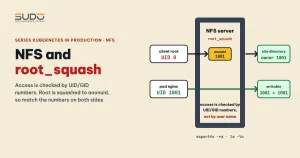
With NFS using the default AUTH_SYS authentication (also called AUTH_UNIX), the client attaches a pair of numbers, UID and GID, to every request. The AUTH_SYS credential also carries a list of supplementary groups. The server decides access based on the UID/GID numbers in the client's credential, not on the user name. With NFSv4, names can be mapped through idmap for display, but permission checks still use numbers. So whether the NFS server has a user named nginx does not matter for access; you only need a matching user when you want ls to print names instead of numbers.
So when diagnosing, always use the numeric form on both sides:
# in the pod: the UID of the php-fpm worker (id only shows the exec session's user)
ps -o user,pid,comm
# on the NFS server
ls -ln /data/site-a/
exportfs -v
If the worker runs as UID 1001 and the directory on NFS belongs to UID 0, you can see the problem immediately. See the exports(5) manual page for the options below.
How NFS handles root: root_squash, no_root_squash, anonuid
The root_squash option exists because the client's root has absolute power on the client machine, but the NFS server does not want to trust it unconditionally. There are three options in /etc/exports:
| Option | When the client sends UID 0 | Consequence |
|---|---|---|
root_squash (default) | Becomes the anonymous user (anonuid, default 65534, that is nobody) | The client's root has no root privileges on the share, which is why root_squash is safer |
no_root_squash | Keeps UID 0 unchanged | The client's root is real root on the share. Files created by root belong to root |
anonuid=N, anongid=N | Changes the anonymous user to UID/GID N | Everything that is squashed carries the number N instead of 65534 |
This explains the original symptom, and why root_squash matters: the subdirectories were created by a process running as root in the pod (for example an initContainer copying data; the exact process has not been confirmed). If the share uses no_root_squash instead of root_squash, that root is still UID 0 on the NFS server, so the directory belongs to root. The nginx pod then cannot write to it, and since it is not root either, chown inside the pod cannot win the ownership back.
The test sequence and results
The combinations below let you see the mechanism at work. The image sets nginx to UID/GID 1001 (change it with usermod -u 1001 nginx and groupmod -g 1001 nginx, which need the shadow package on Alpine), and the NFS server has a root directory owned by UID 1001:
- UID 1001 on both sides, with
no_root_squashandanonuid=1001: subdirectories are still owned by root. Because root is not squashed,anonuidis not used. - Remove
no_root_squash(so the default root_squash applies), keepanonuid=1001,anongid=1001: the deployment succeeds. Root is squashed to 1001, subdirectories are created with owner 1001, which is the pod's owner. - Remove both
no_root_squashandanonuid: the mount directory cannot be created. With root_squash, root is squashed to 65534, and that user has no write permission on the root directory owned by 1001 with mode 755. - Change the UID on one side only (for example the image user's UID differs from the directory owner's UID on NFS and from
anonuid): the pod cannot write. The original "change one side and it breaks" result could not be separated from an exports configuration that still hadno_root_squash. Also note thatusermod -udoes not re-chown old data, so existing data needs to be chowned again.
The results above are observations from a single run, not reproduced under control, and are explained by the standard NFS root_squash mechanism, which makes them a technical inference. Check the exports line with exportfs -v to be sure no_root_squash has really been removed before drawing a conclusion, and use ls -ln to confirm the owner.
The final root_squash configuration and the directory-creation pipeline
A suitable exports line, with an example network range, states root_squash explicitly (without no_root_squash) and has anonuid and anongid:
/data 10.0.0.0/16(rw,sync,no_subtree_check,root_squash,nohide,anonuid=1001,anongid=1001)Security warning: with anonuid=1001 on the whole export, the root of every client in the network range acts as UID 1001 over all the data, and if every site shares one UID, permissions cannot be separated between sites. Narrow the network range you export to.
Create the user and reload the configuration:
groupadd -g 1001 nginx
useradd -u 1001 -g 1001 -s /sbin/nologin -M nginx
mkdir -p /data
chown -R nginx:nginx /data
exportfs -ra
The reload command is exportfs -ra, with no need to restart the NFS service. Creating the nginx user on the NFS server is only to display the name for readability; UID 1001 is the part that decides.
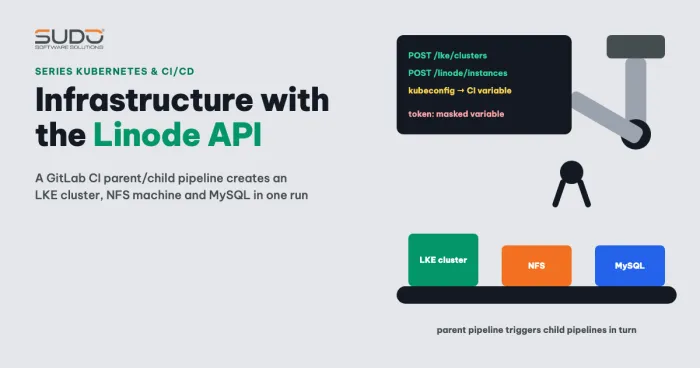
When the pipeline creates the mount directory for each site with root_squash enabled, add a chown step with the exact UID/GID (chown 1001:1001 /data/site-a) so the pod has access from the very first mount. Remember: with root_squash, a chown run from the client side (through the mount) has no root privileges and usually fails (EPERM). The chown must run where you have real root on the NFS server. How to build NFS and this pipeline is covered in Provisioning infrastructure with the Linode API: cluster, NFS and MySQL via pipeline.
A note on older configurations: earlier guides for self-managed NFS often used no_root_squash for simplicity. The configuration above is the updated version for pods that do not run as root.
Remove recursive chown and chmod from postStart
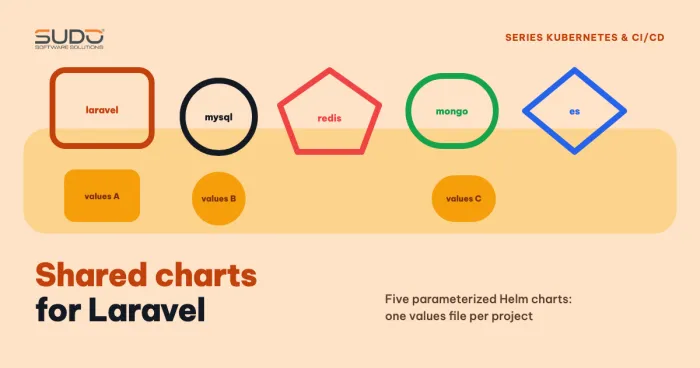
Once the owner is correct at the source, the postStart hook no longer needs chown -R or chmod -R. Removing them is not only cleaner but also avoids long startup times on large directories, as analyzed in the previous article. The unified Helm configuration for every site is in Shared charts: reusing Helm for Laravel, MySQL and Redis.
When you drop root: common warnings
An all-in-one image that runs several processes often shows warnings once it is no longer root. These are real lines that appear in the logs:
- nginx:
the "user" directive makes sense only if the master process runs with super-user privileges, ignored. You can remove theuserdirective from the configuration. - php-fpm:
'user' directive is ignored when FPM is not running as root, and likewise forgroup. - crond:
can't set groups: Operation not permitted, because cron no longer has permission to change groups.
These warnings (unrelated to root_squash, caused instead by the process no longer being root) say a directive is ignored, which is not necessarily an error. The privileges each process really needs (nginx, php-fpm, crond, supervisord) have not been tabulated precisely, so we claim nothing more. The safe approach is to drop root step by step and read the log at each step.
What remains unsettled
- The cache permission denied error and the
No such file or directoryerror are two different phenomena. There is no final conclusion for each case, so do not infer that they share one cause. - Which process creates the initial directories as root (an initContainer, a hook or the pipeline) has not been confirmed directly.
- The behavior of root_squash depends on the version and configuration of the specific NFS server, so confirm it with
exportfs -v. - Whether
fsGroupapplies to NFS depends on the volume type (see the Kubernetes security context documentation). Do not rely on it; set the owner at the source as this article does.
NFS permission and root_squash diagnostic checklist
- Compare numbers: the UID of the php-fpm worker (
ps -o user,pid,comm) againstls -lnon the NFS server. - Check
exportfs -vto see whether the share uses root_squash orno_root_squash, and whatanonuidis. - Fix the UID/GID of the application user in the image and on the NFS server, and do not change just one side.
- Keep root_squash with
anonuidandanongidmatching the pod's UID. - Run chown with a numeric UID where it executes on the NFS server, and do not depend on the client.
- Changing the UID of the user in the image does not change the owner of old files. Chown the existing data again.
- Reload exports with
exportfs -ra.
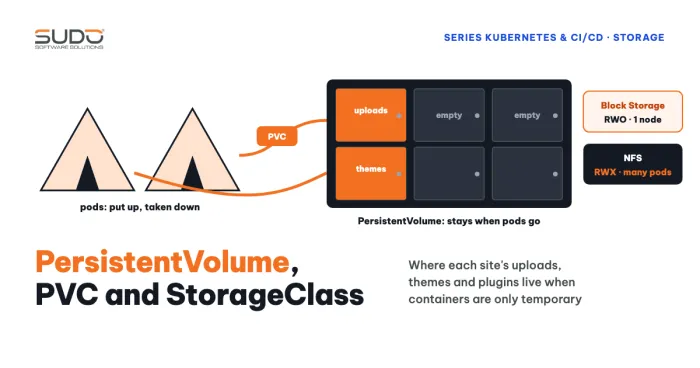
For the PV and PVC basics behind NFS, see Volume, PersistentVolume, PVC and StorageClass on Kubernetes.
Next article
Elasticsearch on Kubernetes: mount errors, uid 1000 permissions and per-index roles. The same family of volume permission errors, but in a stateful application that runs as a fixed UID.