A common situation on Website AI: an administrator cannot complete an image upload in the editor. The JPEG file is only a few MB but has a very high resolution (about 30 megapixels). Sometimes it fails with a 419, sometimes with a 502, and retrying many times does not help. The site runs on Linode's LKE Kubernetes cluster, one pod per site, deployed with a shared Helm chart. This guide records the investigation, including the common wrong hypotheses, because the next time an image upload fails, those are exactly the places everyone wants to look first. It also shows how to deal with two stacked memory limits without rebuilding the image.
Symptoms
During an image upload from the product edit or post edit page in the admin, the browser console shows:
POST https://site-a.example/admin/media/files/upload-from-editor 419
Failed to load resource: the server responded with a status of 404 ()- The error repeats across several attempts, and reloading the page does not fix it.
- On some retries, the error code changes to
502 Bad Gateway. - Uploading small images (a few megapixels) still works normally.
From experience with Laravel, a 419 is almost always a CSRF or session error. And a 502 on an image upload immediately makes people think of the body size limit or a timeout at the ingress. Both instincts can lead you down the wrong path for a while.
Investigating the image upload error
Hypothesis 1: upload_max_filesize and post_max_size are too small
This is the most common cause of a 419 on an image upload: when the body exceeds post_max_size, PHP drops the whole $_POST, including the _token field, and Laravel reports a token mismatch. Check it inside the pod, instead of guessing from a file in the repo:
kubectl -n site-a-example exec deploy/site-a-example -- php -i \
  | grep -E 'upload_max_filesize|post_max_size'
upload_max_filesize => 128M => 128M
post_max_size => 128M => 128M
If both are already much larger than the file, rule out this hypothesis.
Hypothesis 2: the ingress blocks the image upload request body
Check the nginx.ingress.kubernetes.io/proxy-body-size annotation and nginx's client_max_body_size inside the pod. If the body is too large, the ingress returns 413, not 419 or 502. A line in the pod's nginx log reading a client request body is buffered to a temporary file means the request passed through the ingress and reached PHP-FPM.
Hypothesis 3: an ordinary CSRF/session expiry
With SESSION_DRIVER=file and a single replica, there is no case where the session lives on one pod while the request goes to another. If the user confirms the error persists after reloading the page, it is not just a tab left open too long. This hypothesis usually cannot be ruled out, but it cannot be proven either, because many CMSs put TokenMismatchException on the do-not-report list.
Hypothesis 4: the Dockerfile must be changed
Proposing to add an .ini file to the Dockerfile to raise the upload limits is an easily repeated kind of mistake: proposing a code or image change before there is evidence from the real environment. The php -i output from hypothesis 1 is enough to withdraw this proposal.
Finding 1: the container was OOMKilled
The step that should have come first: check whether the pod restarted.
kubectl -n site-a-example describe pod site-a-example-<hash>
    Last State:     Terminated
      Reason:       OOMKilled
      Exit Code:    137
    Restart Count:  ...
    Limits:
      cpu:     1
      memory:  700Mi
The Website AI pod runs all-in-one: nginx, PHP-FPM, crond and a queue worker together under supervisord in one container. When their combined memory exceeds the limit, the kernel kills the container. The "Memory Usage (WSS)" graph in Grafana may still be flat, with no spike. This does not disprove OOMKilled: Prometheus samples every 15–30 seconds, while the memory spike of an image upload lasts only a few seconds before the kill. Reason: OOMKilled in kubectl describe is more reliable than any graph.
Finding 2: no more OOMKilled, but the image upload still returns 502
After raising the container limit, the pod no longer restarts, but the image upload still returns 502. Now look at PHP's own limit:
kubectl -n site-a-example exec deploy/site-a-example -- php -i | grep memory_limit
memory_limit => 128M => 128M
After each image upload, the GD library has to decode the JPEG into a raw bitmap before resizing and generating thumbnails. The file size on disk does not matter, the resolution does:
6000 × 5000 × 4 bytes (RGBA) ≈ 120 MB # just one copy in RAMA single copy is already close to 128M. Add a resized copy for each thumbnail size and it goes over. PHP reports Allowed memory size exhausted, the FPM worker handling the request dies halfway, nginx loses its connection to the worker and returns 502. This error does not show up in kubectl logs, because PHP-FPM writes fatal errors to its own error log, not to stdout.
Root cause: two layers of memory limits during an image upload
| Layer | Limit | Enforced by | When exceeded | What the user sees |
|---|---|---|---|---|
| 1 | The container's resources.limits.memory | Kernel (cgroup) | The whole container is killed, exit 137 | The running request fails, the pod restarts |
| 2 | memory_limit of each PHP process | PHP | Fatal error, the FPM worker dies | 502 from nginx inside the pod |
So where does the 419 come from? If sessions are stored as files in storage/framework/sessions and that directory is not on a persistent volume, the sessions live in the container's writable layer. Every time the container is OOMKilled and restarts, all sessions disappear. The next image upload from the admin page that is still open sends the old CSRF token, Laravel cannot find the matching session and returns 419. The CSRF/session hypothesis was right about the symptom; its cause was simply the OOMKilled event.
Remediation
Layer 1: raise the container limit through Helm
Change resources.limits.memory in the site's values.yaml, commit it to Git, then apply it with Helm so the cluster and the repo do not drift apart:
resources:
  limits:
    cpu: 1
    memory: 2048Mi     # previously 700Mi
  requests:
    cpu: 100m
    memory: 190Mi      # unchanged

helm upgrade --install site-a-example ./chart-web -n site-a-example -f values.yaml
Layer 2: raise memory_limit without rebuilding the image
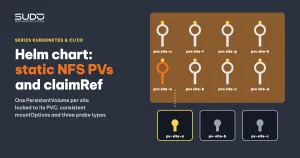
The base image is usually shared by dozens of sites, so rebuilding it to fix one site is overkill. If the site's public/ directory is on an NFS volume (see Helm charts with static NFS PersistentVolumes, claimRef and three probe types), you can use a .user.ini file, which PHP-FPM reads automatically from the webroot:
kubectl -n site-a-example exec deploy/site-a-example -- \
  sh -c 'echo "memory_limit = 512M" > /var/www/html/public/.user.ini'
PHP-FPM reloads this file after at most user_ini.cache_ttl (300 seconds by default), with no pod restart needed. Repeat the large image upload to confirm: no more 419 or 502.
A durable solution
- Put
memory_limitinto the chart or the base image. A.user.inionly lives on the site's volume: deleting and recreating the PVC, or reinstalling the site from scratch, loses it. You can write the file in apostStarthook, or bake it into the image. - Raise the default for every site sharing the image. With
memory_limit = 128M, any site that receives images of roughly 15–20 megapixels or more can hit exactly this 502. Raising the default to 256–512M is better than patching sites one by one when someone reports it, but the container limit must be recalculated accordingly. - Reduce synchronous image processing: resize in the browser before the image upload, or move thumbnail generation to a queue, so a single request does not need several hundred MB of RAM.
- Move sessions out of the container: Redis or the database, so a pod restart does not log every user out.
Checklist for an image upload error on Kubernetes
In order from cheapest to most expensive:
kubectl get pod: is theRESTARTScolumn going up? If so, runkubectl describe podand look forOOMKilledbefore any other hypothesis.php -iinside the pod:upload_max_filesize,post_max_size,memory_limit.- Tell the error codes apart: 413 means the body is too large at the ingress or nginx; 419 means session/CSRF, and can be a consequence of a container restart; 502 means the upstream died mid-request; only 504 is a timeout.
- Read the PHP-FPM error log inside the container after each failed image upload, because fatal errors are not in
kubectl logs. - Do not use a memory graph sampled every 15–30 seconds to rule out OOMKilled.
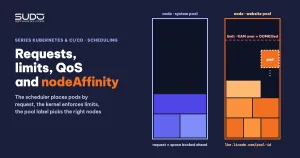
On monitoring: alert when a container's last termination reason is OOMKilled and its restart count rises within an hour, instead of waiting for users to report it. How to set requests and limits is covered in Requests and limits, QoS and nodeAffinity: placing pods on the right nodes.
Lessons learned
- An error code is a symptom, not a diagnosis. A 419 on an image upload can be the consequence of a container being killed.
- Two memory limits, two ways to die. The container limit is enforced by the kernel and kills the whole pod.
memory_limitis enforced by PHP and only kills one worker. Fixing one layer can expose the other. - Evidence from the real environment first, fix proposals second. One
php -icommand inside the pod ruled out two hypotheses and one proposal to change the image. - File-based sessions inside a container are fragile state. Every pod restart logs out every user who is signed in.
References: .user.ini files in PHP, managing container resources on Kubernetes and CSRF protection in Laravel.
Next article
OOMKilled and 503: PHP memory_limit versus the container limit. When a pod keeps restarting, and the memory math inside an all-in-one container does not add up to the limit.