TTFB (time to first byte) is the time from sending a request until the first byte of the response arrives. For users, a high TTFB means a page that loads several times slower. For Googlebot, a persistently high TTFB is a signal that the server is overloaded, and Google will lower its crawl rate on its own. This article describes a typical case on Cloud VPS: sites hammered by a scraper running from inside the same infrastructure, causing timeouts and pushing TTFB up. It covers how to split TTFB by hop, how to verify the real Googlebot, how to find the source of load when logs lack timing data, and what to prepare so that next time you can measure it with numbers.
Symptoms
- Some sites have scattered request timeouts, and users occasionally see pages loading slowly.
- These sites run on minions with a shared PHP-FPM pool. As analyzed in PHP-FPM hang: following strace to a synchronous S3 call, a shared pool needs only one source of slow or bursty requests for every site on the machine to suffer.
- Googlebot does not distinguish "slow because it is being scraped" from "slow". According to Google's crawl budget management guide, when a server responds slowly or returns errors, the crawl rate limit goes down.
Investigating TTFB hop by hop
Step 1: check whether the logs contain processing time
The first question when you suspect high TTFB is: which requests are slow, and since when? The access log on the balancer should be able to answer, but the default format usually has no timing field:
log_format main '$remote_addr - $remote_user [$time_local] "$request" '
                '$status $body_bytes_sent "$http_referer" '
                '"$http_user_agent" "$http_x_forwarded_for"';
Without $request_time (total time nginx spent on the request) and $upstream_response_time (time spent waiting for the upstream to answer), the log only tells you who called, what they called and which status code they got, not the TTFB. You then have to measure by hand.
Step 2: split TTFB with curl
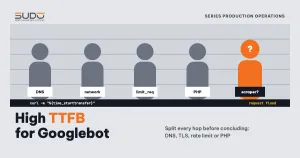
TTFB as seen by Googlebot is the sum of several hops: DNS resolution, the TCP handshake, the TLS handshake at the balancer, the balancer forwarding to the minion, and PHP processing. curl's -w option prints the timestamp of each hop:
UA="Mozilla/5.0 (compatible; Googlebot/2.1; +http://www.google.com/bot.html)"

# 1. From the Internet, through the balancer, like Googlebot
curl -s -o /dev/null -A "$UA" https://example.com/ \
  -w "dns=%{time_namelookup} tcp=%{time_connect} tls=%{time_appconnect} ttfb=%{time_starttransfer} total=%{time_total}\n"

# 2. From the balancer, calling the minion directly over the private network (no TLS, no balancer)
curl -s -o /dev/null -A "$UA" -H "Host: example.com" http://10.0.0.21/ \
  -w "ttfb=%{time_starttransfer}\n"

# 3. On the minion itself, through local nginx
curl -s -o /dev/null -A "$UA" -H "Host: example.com" http://127.0.0.1/ \
  -w "ttfb=%{time_starttransfer}\n"
The differences between measurements show which hop takes the time. If TTFB measured on the minion itself is already high, the problem is in PHP or the database; if the minion is fast but the external measurement is slow, the problem is in the network, TLS or the balancer. Measure many times, because a measurement that lands while the pool is busy will look very different from one taken while the pool is idle:
for i in $(seq 1 20); do
  curl -s -o /dev/null -A "$UA" -w "%{time_starttransfer}\n" https://example.com/
  sleep 3
done | sort -n | awk '{a[NR]=$1} END{print "min="a[1], "p50="a[int(NR/2)], "max="a[NR]}'
Step 3: real or fake Googlebot
Many scrapers claim to be Googlebot in their User-Agent. Before concluding "Googlebot is slow" or "Googlebot is crawling too much", verify the IP the way Google's verification guide describes: a reverse DNS lookup must return a googlebot.com or google.com hostname, and a forward lookup of that hostname must return the same IP.
host 66.249.66.1
# 1.66.249.66.in-addr.arpa domain name pointer crawl-66-249-66-1.googlebot.com.
host crawl-66-249-66-1.googlebot.com
# crawl-66-249-66-1.googlebot.com has address 66.249.66.1
Step 4: find who is consuming resources
When the log has no timing, request counts by IP, by User-Agent and by hour are the remaining clues, similar to the measurements in nginx OOM on a balancer: when one small machine carries many websites:
LOG=/var/log/nginx/example.com.access
DAY='<dd/Mon/yyyy>'

# top IPs for the day
grep "$DAY" $LOG | awk '{print $1}' | sort | uniq -c | sort -rn | head
# top User-Agents
grep "$DAY" $LOG | awk -F'"' '{print $6}' | sort | uniq -c | sort -rn | head
# requests abandoned by the client (499) and upstream timeouts (504)
awk '$9==499 || $9==504 {print $9}' $LOG | sort | uniq -c
A client sending a very large number of requests, steadily day and night, is the mark of an automated tool. When its IP is inside your own infrastructure's range, the story changes from "block an unknown bot" to "fix our own tool".
Step 5: check whether the rate limit layer adds delay
A rate limit configuration for dynamic requests often looks like this:
# nginx.conf
limit_req_zone  $binary_remote_addr zone=dynamic:10m rate=25r/s;
limit_conn_zone $binary_remote_addr zone=conn_dynamic:10m;

# site.conf
location / {
    limit_req zone=dynamic burst=50;
    limit_conn conn_dynamic 100;
}
This layer limits per IP, so Googlebot does not pay for the scraper. But according to the limit_req module documentation, without nodelay, requests over the rate within the burst are not rejected but delayed to match the rate. At a rate of r requests per second and a burst of 50, the last request in line can wait up to 50/r seconds; at 25 r/s that is about 2 seconds. This delay does not show up in the status code, it is added straight onto that client's TTFB, including Googlebot's if it sends bursts from one IP.
Root cause
- An internal tool scrapes content from websites on the same infrastructure with no rate limit.
- Its requests land on minions running a shared PHP-FPM pool, occupying workers that real users and Googlebot also need.
- When workers are busy, other requests have to queue: TTFB rises, and some of it turns into timeouts.
The underlying cause is a lack of observability: with no processing time in the logs, high TTFB is only discovered when someone complains, and after the incident there is no way to quantify how much slower Googlebot was. When writing the postmortem, state clearly which parts are facts (timeouts occurred, there was a bursty source of requests) and which parts are an inferred mechanism.
Fix
Immediate
Stop or throttle the tool causing the load. This definitively removes this source of load, but it does not answer the question "how do we find out sooner next time".
Long-term
- Add timing to the logs on the balancer and minions, so TTFB becomes data instead of guesswork:
log_format timed '$remote_addr - $remote_user [$time_local] "$request" ' '$status $body_bytes_sent "$http_referer" "$http_user_agent" ' 'rt=$request_time urt=$upstream_response_time'; - Internal tools must limit themselves: few concurrent connections, a delay between requests, a dedicated User-Agent so they can be identified in logs, and runs during off-peak hours. If the data already exists in the database, read the database instead of scraping HTML through PHP.
- Do not exempt internal IPs from rate limits for dynamic requests. Your own tools can overload the system just like an unknown bot.
- Consider
nodelayforlimit_reqonce you have measured the real wait time.
Preventing high TTFB
- Measure TTFB periodically with the Googlebot User-Agent for a few representative sites per minion and keep the results. A time series of numbers is worth far more than hasty measurements taken once an incident is underway.
- Keep a list of every internal tool that calls production websites: who runs it, when it runs, and at what rate.
- Once you have
$upstream_response_time, alert on a high percentile (p95), not on the average. - Verify Googlebot with reverse DNS before any decision to block or relax rate limits for "Googlebot". Demo domains and the lesson of a Google index leak gives more context on how Googlebot moves through multi-site infrastructure.
Lessons
- The source of load can be yourself. Every bot-blocking layer faces outward; an internal tool without a rate limit slips through all of them.
- No timing in the logs means no TTFB. You know there were timeouts but cannot say how slow things got. Missing data is real technical debt, not a minor detail.
- TTFB is the sum of many hops. Measure from outside, from the balancer and from the minion before concluding which hop is at fault.
- Rate limits can slow things down silently.
burstwithoutnodelayturns over-rate requests into waiting requests, and leaves no trace in the status code.
Next article
Reducing MySQL RAM on a small VPS: buffer and connection tuning. A database machine with little RAM and no swap, where memory sits at an alarming level even though no query is running.