A typical order-processing service is written in the "one thread per request" style: the handler receives a request, calls the database, calls the payment gateway, and returns a result. The code is simple, easy to read, and easy to debug with stack traces. The drawback is that operating system threads are expensive, so we put them in a thread pool of a few hundred and accept that when all hundred threads are waiting on I/O, request number 101 has to queue. Java 21 (LTS, September 2023) officially added virtual threads to the platform through JEP 444, letting you keep the synchronous coding style while running tens of thousands of I/O-bound tasks at the same time.
This article explains how virtual threads work, measures on a real machine when they beat a thread pool and when they do not, and covers the traps (pinning, ThreadLocal, resource limits) you should know about before moving to production.
It continues Concurrency patterns: Producer-Consumer, thread pools and CompletableFuture, where we used thread pools and CompletableFuture to run work asynchronously. Virtual threads give a different answer to the same problem: instead of programming asynchronously to save threads, we make threads cheap.
The problem: operating system threads are a scarce resource
Every traditional java.lang.Thread (a platform thread) wraps one operating system thread for its whole lifetime. The consequences:
- The count is limited: each thread holds a stack (1–2 MB of virtual address space by default) and is capped by the OS quota. A few thousand threads already hit the ceiling in many environments.
- The pool must be sized correctly: too small and throughput is low, too large and it wastes RAM and pushes load onto the database.
For tasks that mostly wait (HTTP, SQL, messages), an OS thread sits idle most of the time yet still takes up space. Asynchronous programming solves this by not holding a thread while waiting, but it costs you readable code and unbroken stack traces. The goal of JEP 444 is stated clearly: let applications written in the thread-per-request style scale with near-optimal hardware utilization, while allowing existing Thread code to migrate with minimal change.
What virtual threads are and how they run
According to JEP 444, a virtual thread is an instance of java.lang.Thread that is not tied to a specific OS thread. The JDK schedules them in an M:N model onto a small group of platform threads called carriers (by default a ForkJoinPool with as many carriers as there are cores). When a virtual thread runs, it is mounted on a carrier. When it hits a blocking operation the JDK supports (sockets, Thread.sleep, BlockingQueue, java.util.concurrent locks...), it unmounts: its stack is copied to the heap and the carrier is free to run another virtual thread. When the I/O completes, it mounts again, possibly on a different carrier.
The most important point, stressed by both the JEP and the Oracle documentation: virtual threads give you scale (throughput), not speed (latency). A single task does not run faster on a virtual thread. The benefit only appears when there are very many concurrent tasks and most of their time is spent waiting. The Oracle documentation gives a practical threshold: if your application never has around 10,000 concurrent virtual threads, it is unlikely to benefit significantly.
Creating a virtual thread
There are three ways to create one, and we run both kinds of thread to see the difference (code/s6-31/Demo0Basics.java):
Thread v = Thread.ofVirtual().name("worker-", 0).start(() ->
    System.out.println("in thread: " + Thread.currentThread()));
v.join();
System.out.println("isVirtual=" + v.isVirtual() + ", isDaemon=" + v.isDaemon() + ", priority=" + v.getPriority());
Thread p = Thread.ofPlatform().name("plat-", 0).start(() ->
    System.out.println("in thread: " + Thread.currentThread()));
p.join();
// Thread.sleep in a virtual thread: the carrier is released, the thread still "sleeps" for exactly 100 ms
try (var ex = Executors.newVirtualThreadPerTaskExecutor()) {
    var f = ex.submit(() -> {
        long t0 = System.nanoTime();
        Thread.sleep(100);
        return (System.nanoTime() - t0) / 1_000_000;
    });
    System.out.println("actual sleep: " + f.get() + " ms");
}
Real output from java Demo0Basics.java on JDK 21 (Apple M4, 16 GB). The snippet above is the entire body of main; the thread numbers (#25, #28) and the sleep time can vary between runs:
in thread: VirtualThread[#25,worker-0]/runnable@ForkJoinPool-1-worker-1
isVirtual=true, isDaemon=true, priority=5
in thread: Thread[#28,plat-0,5,main]
actual sleep: 101 ms
The first line shows virtual thread #25 running (runnable) on the carrier ForkJoinPool-1-worker-1. Virtual threads are always daemon threads and always have priority 5, which cannot be changed. Besides the builder, the other two ways to create virtual threads are Thread.startVirtualThread(Runnable) and Executors.newVirtualThreadPerTaskExecutor(). The last is the most commonly used: each task gets a new virtual thread, and close() in try-with-resources waits for every task to finish.
Measured: 10,000 I/O-bound tasks
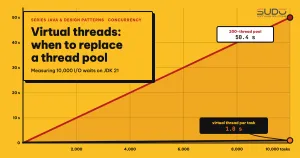
We simulate 10,000 requests, each waiting exactly 1 second for I/O (Thread.sleep stands in for a database or HTTP call). The program Demo1Throughput.java runs the same workload on three executors:
run("Fixed thread pool, 200 threads",   Executors.newFixedThreadPool(200),  tasks, 1000);
run("Fixed thread pool, 1,000 threads", Executors.newFixedThreadPool(1000), tasks, 1000);
run("Virtual thread-per-task",          Executors.newVirtualThreadPerTaskExecutor(), tasks, 1000);
CPU = 10
Fixed thread pool, 200 threads 10,000 tasks done in 50,391 ms
Fixed thread pool, 1,000 threads 10,000 tasks done in 10,118 ms
Virtual thread-per-task 10,000 tasks done in 1,041 msThe first line of each demo prints the JDK patch version of the machine; the article omits that line, and you can see it in full in the run*.log files in code/s6-31. The results match the arithmetic: a 200-thread pool handles 200 tasks per second so it needs 10,000/200 = 50 seconds; a 1,000-thread pool needs 10 seconds; virtual threads are not limited by a thread count, so the total time is roughly the wait time of a single task (1 second). This is not an absolute "50 times faster": on the same hardware, throughput is limited only by real resources (CPU, database connections), no longer by the pool size.
For a more realistic test, Demo6HttpServer.java starts the com.sun.net.httpserver.HttpServer built into the JDK, with a "database query" handler that takes 200 ms, then fires 2,000 requests at it, once with a 50-thread executor and once with virtual threads:
Server: 50-thread pool       2,000/2,000 requests OK, 8,378 ms, ~238 req/s
Server: virtual threads      2,000/2,000 requests OK, 373 ms, ~5,361 req/s
A 50-thread pool has a theoretical ceiling of 50/0.2 s = 250 req/s, and the measurement is 238 req/s. Virtual threads exceed that ceiling because every request gets its own thread. The test only simulates waiting; a real database can still handle only a limited number of concurrent queries, as described in the limits section below.
Scale: how many virtual threads can wait at once
Next we test the limits of virtual threads. Demo5Scale.java starts 100,000 and then 1,000,000 virtual threads, each sleeping for 5 seconds, and records the number of threads alive at the same time:
  100,000 virtual threads: concurrent peak =   100,000,  5,415 ms, heap in use ~ 191 MB
1,000,000 virtual threads: concurrent peak = 1,000,000,  9,855 ms, heap in use ~ 1123 MB
One million virtual threads coexist for about 10 seconds with a heap of roughly 1.1 GB (this figure includes the task objects, not just the thread stacks). With platform threads, the same idea fails immediately: PlatformLimit.java tries to open 10,000 threads with newCachedThreadPool, and the machine stops at around thread 4,071 (the macOS process limit in this machine's configuration):
[0.540s][warning][os,thread] Failed to start the native thread for java.lang.Thread "pool-1-thread-4071"
Exception in thread "main" java.lang.OutOfMemoryError: unable to create native thread: possibly out of memory or process/resource limits reached
The number 4,071 depends on the operating system and ulimit; the point to take away is that platform threads hit an OS ceiling, while virtual threads are limited only by the heap.
When virtual threads do not help: CPU-bound tasks
To check the claim "scale, not speed", Demo4Cpu.java runs 64 tasks that count the primes below 400,000, on a fixed pool sized to the core count (10) and on virtual threads. The first round warms up the JIT; the second is the more reliable number:
-- round 0
Fixed pool = 10 threads          187 ms
Virtual thread-per-task          167 ms
-- round 1
Fixed pool = 10 threads          164 ms
Virtual thread-per-task          180 ms
The two are even; the difference is within measurement noise. The reason: the virtual thread scheduler also uses only 10 carriers, so purely CPU-bound work cannot be more parallel than the number of cores. Virtual threads are also not preempted by time slices, so a long CPU loop does not yield its carrier. For heavy computation we still use a pool sized to the core count or a parallel stream; as the non-goals section of JEP 444 says, the Stream API remains the choice for parallel data processing.
Pinning: the biggest trap of virtual threads on Java 21
Virtual threads only yield the carrier when they can unmount. According to JEP 444 and the Oracle documentation, Java 21 has two cases where a virtual thread is pinned, meaning it cannot unmount when it blocks and keeps holding the carrier:
- It is running inside a
synchronizedblock or method. - It is running a
nativemethod or a foreign function.
The JEP notes that pinning does not make an application incorrect, it only reduces scalability, and the scheduler does not compensate by adding carriers. Demo2Pinning.java forces the scheduler to have a single carrier (-Djdk.virtualThreadScheduler.parallelism=1 -Djdk.virtualThreadScheduler.maxPoolSize=1), then runs 8 tasks, each sleeping 300 ms, in three contexts. Each task has its own lock, so there is no lock contention:
run("sleep outside a lock", Demo2Pinning::sleep);
run("sleep inside synchronized", () -> { Object m = new Object(); synchronized (m) { sleep(); } });
run("sleep inside ReentrantLock", () -> {
    var l = new ReentrantLock(); l.lock();
    try { sleep(); } finally { l.unlock(); }
});
Results on JDK 21 (run with -Djdk.virtualThreadScheduler.parallelism=1 -Djdk.virtualThreadScheduler.maxPoolSize=1, a single carrier):
parallelism=1, maxPoolSize=1
sleep outside a lock         8 tasks x 300 ms -> 312 ms
sleep inside synchronized    8 tasks x 300 ms -> 2,443 ms
sleep inside ReentrantLock   8 tasks x 300 ms -> 300 ms
The 2,443 ms figure is close to 8 x 300 ms: the eight tasks run sequentially because each one pins the only carrier while it sleeps. The other two lines are both about 300 ms because the virtual threads yield the carrier. Adding the flag -Djdk.tracePinnedThreads=short makes the JVM print exactly where the pinning happens:
VirtualThread[#35]/runnable@ForkJoinPool-1-worker-1 reason:MONITOR
    Demo2Pinning.lambda$main$0(Demo2Pinning.java:26) <== monitors:1
In practice there are more carriers, so pinning is only serious when many threads are pinned for a long time, for example synchronized wrapped around a JDBC or HTTP call. The official recommendation: for long and frequent blocking operations inside a synchronized block, switch to ReentrantLock; synchronized protecting a short section with no I/O is still fine.
JDK 24 fixed most synchronized pinning
JEP 491 (JDK 24, March 2025) lets a virtual thread acquire and release a monitor independently of its carrier, so blocking inside synchronized or Object.wait() no longer pins the carrier. The JEP also says jdk.tracePinnedThreads is no longer needed and setting it has no effect. We ran the same program with the same two flags on JDK 25 (LTS, September 2025) to verify:
parallelism=1, maxPoolSize=1
sleep outside a lock         8 tasks x 300 ms -> 307 ms
sleep inside synchronized    8 tasks x 300 ms -> 310 ms
sleep inside ReentrantLock   8 tasks x 300 ms -> 307 ms
With virtual threads, all three take about 300 ms, and the trace flag prints nothing. So the practical choice is: if you are on Java 21, review synchronized around I/O; if you can move to JDK 25 LTS, the problem shrinks a lot. Pinning still occurs when a virtual thread blocks inside a native frame (for example native code that calls back into Java) or in a class initializer, and the JFR event jdk.VirtualThreadPinned is kept to detect those cases.
Do not pool virtual threads, and limit concurrency with a Semaphore
The easiest rule to get wrong when migrating: do not pool virtual threads. JEP 444 states plainly that virtual threads are cheap and plentiful and should never be pooled. The number of virtual threads equals the number of concurrent tasks, one thread per task, and the thread dies with the task.
But a pool plays a second role that few people notice: it limits concurrency. If a 200-thread pool is protecting a database that can only handle 20 parallel queries, removing the pool will push 10,000 queries into the database at once. The right approach, according to the Oracle documentation, is a Semaphore on exactly the resource that needs protection. Demo3Semaphore.java runs 2,000 tasks, each calling an "external service" for 50 ms, but lets only 20 tasks in at a time:
Semaphore limit = new Semaphore(20);
try (var ex = Executors.newVirtualThreadPerTaskExecutor()) {
    for (int i = 0; i < 2000; i++) {
        ex.submit(() -> {
            limit.acquireUninterruptibly();
            try { /* call the external service for 50 ms */ } finally { limit.release(); }
            return null;
        });
    }
}
2,000 tasks, max observed concurrency = 20, time = 5,666 ms (theory = 2000/20*50 = 5,000 ms)The maximum concurrency is exactly 20 and the time is close to the theoretical value. The queue of virtual threads blocked at acquire is equivalent to the task queue of a pool, except the threads are still cheap. A connection pool such as HikariCP is already a semaphore, so do not stack another layer on top. The scenario of running out of database connections when parallelism increases is described in MySQL out of connections: 502s from Kubernetes pods with the root cause in the database; virtual threads make this scenario more likely if you drop the limit without noticing.
ThreadLocal with virtual threads: usable, but think differently
Virtual threads support ThreadLocal and InheritableThreadLocal, but JEP 444 advises using them only after careful consideration because the number of threads can be very large. The classic trap is using ThreadLocal as a cache for expensive, non-thread-safe objects (such as SimpleDateFormat or large byte buffers). With a pool, each thread holds one copy and reuses it thousands of times. With virtual threads, which are not pooled, each task creates its own copy, costing initialization time and memory. The Oracle documentation suggests replacing them with immutable, shareable objects such as DateTimeFormatter.
For per-request context (user, trace id, transaction), ThreadLocal still works correctly, and the long-term direction is scoped values, which we cover in the next article together with structured concurrency.
How Spring Boot uses virtual threads
To use virtual threads in Spring, Spring Boot 3.2 (November 2023) added the property spring.threads.virtual.enabled=true. According to the reference documentation, when running on Java 21 or later with this property enabled, the auto-configured task executor becomes a SimpleAsyncTaskExecutor that uses virtual threads, the task scheduler becomes a SimpleAsyncTaskScheduler, and the components that use that executor (@EnableAsync, Spring MVC async handling, WebSocket, JPA bootstrap...) switch over too. According to the Spring Boot 3.2 release notes, Tomcat and Jetty also handle requests with virtual threads when the flag is on, and the thread pool configuration properties no longer have any effect.
One side effect to remember: virtual threads are daemon threads, so the documentation recommends also setting spring.main.keep-alive=true so the JVM does not exit when only @Scheduled tasks remain. For synchronous Spring MVC, this is the cheapest migration: change one line of configuration. Before enabling it in production, check:
- Pinning in libraries: JDBC drivers, old clients, and SDKs that wrap
synchronizedaround I/O (on Java 21). - Downstream limits: connection pools and rate limits of external services. Enabling virtual threads increases the number of concurrent requests, so the bottleneck moves to the layer below.
On the pattern side, Circuit Breaker, Retry and Bulkhead with Resilience4j already covered the bulkhead; with virtual threads, a semaphore bulkhead is more natural than a thread pool bulkhead.
When to replace a thread pool with virtual threads, and when not to
| Situation | Recommendation |
|---|---|
| Synchronous web service, lots of blocking I/O (DB, HTTP), high load | Move to virtual threads; keep concurrency limits with a semaphore or connection pool |
| Purely CPU-bound, long-running tasks | Keep a pool sized to the core count, or a parallel stream |
| Always under a few hundred concurrent tasks | Small benefit; no need to switch just because it is trendy |
| A reactive system that is running well | No need to rewrite; virtual threads target synchronous code |
Another trade-off of virtual threads is observability. A regular thread dump (jstack) does not list virtual threads; use jcmd <pid> Thread.dump_to_file -format=json <file> to get them all, and watch the JFR event jdk.VirtualThreadPinned (enabled by default, 20 ms threshold).
Common mistakes with virtual threads
- Pooling virtual threads: wrapping
Executors.newFixedThreadPoolaroundThread.ofVirtual().factory()to "keep the pool size" defeats the purpose; use a Semaphore instead. - Believing the code will be faster: the latency of a single request does not change; measure with real load.
- Forgetting downstream limits: the database and external APIs become the bottleneck, and sometimes collapse under a sudden spike in concurrent requests.
- Storing large objects in ThreadLocal: memory grows with the number of threads; use shared immutable objects.
Checklist for moving to virtual threads
- Confirm Java 21 or later and measure before and after under real load (throughput, p95, number of DB connections).
- Review
synchronizedaround I/O; switch toReentrantLockor upgrade to JDK 24+. - Use
Executors.newVirtualThreadPerTaskExecutor(), and do not pool virtual threads. - Put a
Semaphorein place, or rely on the connection pool, for each limited resource. - Enable
-Djdk.tracePinnedThreads=short(Java 21) and watch the JFR eventjdk.VirtualThreadPinnedduring testing.
In short, virtual threads let synchronous code that waits on I/O scale to hundreds of thousands of concurrent tasks without being rewritten as asynchronous code. The main references: JEP 444: Virtual Threads, Oracle: Virtual Threads (Java 21), JEP 491: Synchronize Virtual Threads without Pinning and Spring Boot: Task Execution and Scheduling.
Next article
Virtual threads make creating threads cheap, but they do not answer this question: when a request splits into many child tasks running in parallel, who ensures they are cancelled and cleaned up properly when one task fails? Continue with Structured concurrency and scoped values: previews in Java 21+.