Call three warehouses to compare prices, calculate shipping, then merge the results into one invoice. Written sequentially, each call waits for the previous one and the response time equals the sum of all latencies. Java ships with the tools for this, but misuse produces bugs that are hard to see: a stuck pool, a queue that grows until memory runs out, a timeout that cannot cancel the work. This article goes from the foundations (Producer-Consumer with BlockingQueue, thread pools) to CompletableFuture. Every section has JDK 21 code that ran on an Apple M4, with the output pasted verbatim. The focus is on the spots where the Java documentation and practical experience show people trip most often.
This article follows Saga pattern and Transactional Outbox for microservices, where the service-call steps run sequentially; here we look at running them concurrently while keeping failures under control. Fault tolerance for each individual call is covered in Circuit Breaker, Retry and Bulkhead with Resilience4j.
Producer-Consumer: separating the work source from the work processor
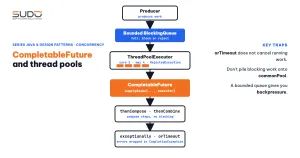
The Producer-Consumer pattern places a queue between the party that creates work (the producer) and the party that processes it (the consumer), so each side runs at its own speed. In the JDK, BlockingQueue is the standard building block for this pattern. According to the Java SE 21 documentation, put waits when the queue is full, take waits when the queue is empty, and a bounded queue slows the producer down to the consumer's pace. That is backpressure. The interface also has no close operation: the usual approach is for the producer to enqueue a terminating object (a "poison pill") so the consumer knows to stop.
BlockingQueue<String> queue = new ArrayBlockingQueue<>(3);   // holds only 3 orders

// producer
for (int i = 1; i <= orders; i++) queue.put("DH" + (100 + i));         // blocks if full
for (int i = 0; i < consumers; i++) queue.put(POISON);                 // one per consumer

// consumer
String o;
while (!(o = queue.take()).equals(POISON)) {
    Thread.sleep(100);                                                  // simulate processing
    processed.add(o + "@" + Thread.currentThread().getName());
}
Running 10 orders with two consumers, each order taking 100 ms to process (Demo1ProducerConsumer):
Processed 10/10 orders in ~500 ms (rounded to 100 ms)
Time the producer was blocked because the queue was full: > 100 ms (backpressure works)
consumer-1 processed 5 orders, consumer-2 processed 5 orders
Every order processed exactly once: true
Ten orders × 100 ms split across two consumers gives about 500 ms, as expected. The producer generates work much faster but is held back because the queue has only 3 slots; without that limit, a fast producer would make the queue balloon. Keep three points in mind when using this pattern, before moving on to CompletableFuture:
- Always set a bound: a no-argument
LinkedBlockingQueuehas nearly unlimited capacity, so when the consumer is slower than the producer, memory runs out first. - Each consumer needs its own poison pill: if you send only one pill for two consumers, the other consumer waits on
takeforever and the program never exits. - Know the difference between
putandoffer(e, timeout, unit):putwaits indefinitely, whileofferhas a time limit and returnsfalseso you can decide whether to drop the item, log it, or return a 503 to the client.
Thread pool: the foundation of every async CompletableFuture
Creating one Thread per task wastes memory and offers no stopping point under overload. ThreadPoolExecutor bundles threads and a queue into one object with four parameters: corePoolSize, maximumPoolSize, the queue, and the rejection policy. The rule described in the ThreadPoolExecutor documentation is often understood backwards: the pool creates threads beyond corePoolSize only when the queue is full, not when the core threads are busy. The consequence is that with an unbounded queue, maximumPoolSize has no effect at all.
Demo2ThreadPool builds a pool with core 2, max 4, and queue 2, then submits 8 tasks (each running 300 ms) under two rejection policies:
--- AbortPolicy (default) ---
T1 accepted: pool=1 thread, queue=0
T2 accepted: pool=2 thread, queue=0
T3 accepted: pool=2 thread, queue=1
T4 accepted: pool=2 thread, queue=2
T5 accepted: pool=3 thread, queue=2
T6 accepted: pool=4 thread, queue=2
T7 REJECTED (RejectedExecutionException)
T8 REJECTED (RejectedExecutionException)
--- CallerRunsPolicy ---
...
T7 accepted: pool=4 thread, queue=1
T8 accepted: pool=4 thread, queue=1
Thread that ran each task: [T1@pool-2-thread-1, T2@pool-2-thread-2, T3@pool-2-thread-1, T4@pool-2-thread-3, T5@pool-2-thread-3, T6@pool-2-thread-4, T7@main, T8@pool-2-thread-4]
The thread names and queue sizes for T7 and T8 under CallerRunsPolicy depend on timing (a pool thread may have just taken a task off the queue), so each run can differ; the structure and the conclusion do not change. Read the output step by step, following the rule: T1 and T2 create core threads; T3 and T4 go into the queue; only when the queue is full (T5, T6) does the pool grow to 4 threads; by T7, both the threads and the queue are full. With AbortPolicy, T7 and T8 throw RejectedExecutionException. With CallerRunsPolicy, T7 runs immediately on the main thread (the last line shows T7@main): the calling thread does the work itself, so it cannot submit more in the meantime, which creates natural backpressure.
| Policy | When the pool is full | Use when |
|---|---|---|
AbortPolicy | Throws RejectedExecutionException | You want a visible error and handle it yourself (return 503, log) |
CallerRunsPolicy | The calling thread runs the task itself | You want to slow the source down without losing work |
DiscardPolicy | Drops the task silently | Rare; only for work you can afford to lose, such as statistics |
DiscardOldestPolicy | Drops the oldest task in the queue | The documentation says it is rarely acceptable |
A caution about CallerRunsPolicy on a server: the calling thread may be the one that accepts requests, so under overload that very thread is occupied and the server stops accepting new connections. That is what we want (pushing the load back to the source), but you must know it to avoid surprises. Also set thread names with a custom ThreadFactory so logs and thread dumps are readable.
CompletableFuture: composing async steps
With a classic Future, fetching the result with get() blocks the calling thread, and there is no way to combine two tasks without blocking. CompletableFuture (since Java 8) lets you declare a chain of steps: when a result is ready, the next step runs. The main methods:
supplyAsync(supplier, executor)andrunAsync: start a task on an executor.thenApply: transforms the result (likemap);thenCompose: chains another async task that depends on the result (likeflatMap);thenCombine: merges two independent tasks.allOfwaits for all,anyOftakes the first result.exceptionally,handle,whenCompletefor error handling;orTimeoutandcompleteOnTimeout(since Java 9) for deadlines.
Parallelizing independent calls with CompletableFuture
ExecutorService io = Executors.newFixedThreadPool(8);
List<CompletableFuture<Quote>> fs = List.of(
    CompletableFuture.supplyAsync(() -> call("kho-a", 520_000, 300), io),
    CompletableFuture.supplyAsync(() -> call("kho-b", 495_000, 300), io),
    CompletableFuture.supplyAsync(() -> call("kho-c", 510_000, 300), io));
CompletableFuture.allOf(fs.toArray(new CompletableFuture[0])).join();
List<Quote> par = fs.stream().map(CompletableFuture::join).toList();
Note that allOf returns CompletableFuture<Void>, which holds no results: you must read each future after it completes. Each call is simulated at 300 ms (Demo3Futures):
Sequential: ~900 ms, cheapest = Quote[source=kho-b, price=495000]
Parallel  : ~300 ms, cheapest = Quote[source=kho-b, price=495000]
With CompletableFuture, the three independent calls run at the same time, so the total is close to the slowest call, not the sum of all three. These numbers were measured on the machine that ran the article's code, and the latency comes from a simulated sleep, not a real network.
Dependent steps and combining results
CompletableFuture<String> msg = CompletableFuture.supplyAsync(() -> call("kho-b", 495_000, 200), io)
    .thenCompose(q -> CompletableFuture.supplyAsync(() -> q.price() * 90 / 100, io))  // dependent: 10% discount
    .thenCombine(shipping, (price, ship) -> "Total to pay = " + (price + ship) + " VND");
Total to pay = 475500 VNDUse thenCompose when your function itself returns a CompletableFuture; if you mistakenly use thenApply you get CompletableFuture<CompletableFuture<T>>. The shipping future was started earlier, so it runs in parallel with the chain above, and thenCombine only waits for both to finish.
Error handling with CompletableFuture: wrapped exceptions
When a CompletableFuture step throws, all dependent steps are skipped and the exception propagates along the chain. The three methods differ in whether they change the result: exceptionally replaces the error with a value, handle receives both the result and the error and returns a new value, and whenComplete only runs a side effect (such as logging) and leaves the result untouched. Run for real with a task that throws IllegalStateException:
exceptionally: Quote[source=cache, price=500000]
whenComplete : logged only, ex = CompletionException
handle       : error: CompletionException <- kho-d lost connection
join() throws: CompletionException, cause = IllegalStateException
get() throws : ExecutionException, cause = IllegalStateException
A noteworthy detail: the original IllegalStateException is wrapped in a CompletionException, even when you receive it in handle or whenComplete. To get the real cause you must call ex.getCause(), and because the wrapper may or may not be present depending on the position in the chain, safe code unwraps it before comparing types. join() throws CompletionException (unchecked), while get() throws ExecutionException (checked); both carry the same cause. A chain where nobody calls join, get, or handles the error swallows the exception silently, so every chain needs a terminal point that handles errors.
CompletableFuture timeouts: orTimeout does not cancel running work
Since Java 9, orTimeout completes the future with TimeoutException when the deadline passes, and completeOnTimeout completes it with a default value. Both are convenient, but there is a common misunderstanding:
The demo records the moment the original task finishes inside the supplier using an AtomicLong, then compares it with the moment of the timeout:
orTimeout        -> TimeoutException after ~200 ms
original task done at timeout? false
original task actually finished after ~1000 ms (measured in supplier)
completeOnTimeout -> Quote[source=default, price=999000]
The waiting side receives TimeoutException after about 200 ms, but the original task keeps running and only finishes at about 1000 ms.
The Java SE 21 CompletableFuture documentation states that cancel is equivalent to completeExceptionally(new CancellationException()) and that the mayInterruptIfRunning parameter is ignored, because the future does not control the computation that completes it. This means a timeout only releases the waiting side; the thread executing the slow call stays busy until it finishes. To really stop it, set the timeout on the call itself (the HTTP client, JDBC, or socket timeout). The timeout on a CompletableFuture is a safety net for the waiting thread and cannot replace a timeout at the I/O layer.
The biggest CompletableFuture trap: ForkJoinPool.commonPool
If you do not pass an executor, the *Async methods of CompletableFuture run on ForkJoinPool.commonPool(); the documentation also notes that if this pool does not support parallelism of at least two, each task gets a new thread. Two consequences relate to sharing: commonPool is also used by parallel streams, and according to the ForkJoinPool documentation, the pool does not guarantee to compensate with extra threads when it hits blocking I/O or unmanaged synchronization. Demo4CommonPool measures this on a 10-core machine, with 40 simulated calls that block for 500 ms:
availableProcessors = 10
commonPool parallelism = 9
40 calls blocking 500 ms on commonPool : ~2500 ms
40 calls blocking 500 ms on a dedicated 40-thread pool: ~500 ms
light task (sum 1..1000 = 500500) submitted to a busy commonPool: ~1900 ms
The commonPool parallelism is 9 (core count minus one, as observed on this machine), so the 40 blocking calls split into about 5 batches, giving ~2500 ms. The dedicated pool has enough threads for all 40 and finishes in ~500 ms. The last line is the most dangerous consequence: a sum task that takes microseconds has to queue behind the blocking calls and takes ~1900 ms. Everything else in the JVM that uses commonPool (parallel streams, third-party libraries) suffers the same delay. Practical rules:
- Always pass a dedicated executor for I/O tasks, sized by how many concurrent calls the external system can handle, not by core count.
- Separate pools by type of work (one for the database, one for outbound HTTP) so congestion in one place does not spread to another, in the same spirit as the bulkhead in the Resilience4j article.
- Leave
commonPoolfor pure CPU work that is short and non-blocking.
thenApply or thenApplyAsync: which thread runs the step
pool-1-thread-1 -> thenApply runs on pool-1-thread-1 -> thenApplyAsync (default) runs on ForkJoinPool.commonPool-worker-1The thenApply step runs right on the thread that just completed the previous step (pool-1-thread-1), while thenApplyAsync without an executor switches to commonPool. If the previous step had already completed by the time you attach thenApply, this step runs immediately on the calling thread; thenApplyAsync is always handed to an executor. Always pass an executor to the Async variant if the step may be heavy or blocking, because otherwise it falls into exactly the trap above.
When not to use CompletableFuture
- Mostly sequential code: a chain of three dependent steps using
thenComposeis harder to read and debug than three plain statements. Stack traces broken across threads make diagnosis harder. - You need real cancellation: as we saw,
cancelon a CompletableFuture does not interrupt the thread; useExecutorService.submit, which returns aFuturewithcancel(true), or pass a cancellation flag into the task. - A continuous data stream with backpressure: use a
BlockingQueueas in the first section, or a reactive library;CompletableFuturerepresents only a single result. - Thousands of concurrent blocking calls: platform thread pools do not scale; Java 21 has virtual threads for exactly this problem, and the series will have a dedicated article on them.
Common mistakes
- Blocking in
commonPool: measured above; the congestion spreads across the whole JVM. - An unbounded queue in
Executors.newFixedThreadPool: its internal queue is unbounded, so overload leads to running out of memory rather than rejection. For real load, build aThreadPoolExecutoryourself with a bounded queue. - Swallowing exceptions: a CompletableFuture chain without a final
join,get,exceptionally, orhandleloses the error. - Calling
join()inside a step running on the same pool: when the pool is small, all threads wait for each other and the pool gets stuck (thread starvation); wait at the boundary of the chain, not in the middle. - Forgetting to
shutdownan executor you created: non-daemon threads keep the JVM from exiting. - Believing
orTimeoutcan stop the task: it only releases the waiting side. - Using
allOfand missing errors: if one CompletableFuture fails,allOfalso completes exceptionally; prepare to handle it and decide whether to accept a partial result.
Checklist
- Producer-Consumer: bounded queue, one poison pill per consumer, use
offerwith a timeout if you do not want to block forever. - Thread pool: declare
ThreadPoolExecutoryourself, understand the core, queue, and max rule; choose a rejection policy deliberately; name your threads. - CompletableFuture: pass a dedicated executor for I/O;
thenComposefor dependent steps,thenCombinefor independent ones. - Always have a terminal error-handling point, and remember exceptions are wrapped in
CompletionException. - Put timeouts at the I/O layer;
orTimeoutis only a safety net for the waiting side. - Measure instead of guessing: track run time, queue size, and thread count with metrics.
In short, Java's concurrency patterns all revolve around one question: where is the work waiting, and who limits it? BlockingQueue limits by capacity, a thread pool limits by thread count and rejection policy, and CompletableFuture handles composing results but does not solve the limiting problem by itself. All the code is in code/s6-29, run on JDK 21 (LTS) on an Apple M4 (16 GB RAM); the timing figures are rounded values from a single run.
Next article
After concurrency, we return to a classic design pattern and see how Java 21 changes the way it is written. Continue with Visitor pattern in the Java 21 era: sealed interfaces and pattern matching.