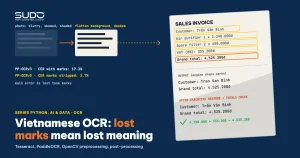
Invoices, official papers, scanned minutes and phone photos are still the largest body of data that businesses have not managed to get into their systems. OCR (optical character recognition) turns an image of text into machine-readable text, but with Vietnamese, where a single tone mark changes the meaning of a word, "runs" and "is usable" are very different things. This article builds a set of three synthetic documents (an invoice, a notice and a price list), degrades them at two levels, then measures the character error rate (CER) and word error rate (WER) of Tesseract and PaddleOCR. After that it measures each OpenCV image-preprocessing step, each --psm page-segmentation mode, and post-processing that restores diacritics and cross-checks monetary amounts.
The article reuses the measurement approach from Model evaluation for classifiers: precision, recall, ROC and imbalanced data and follows Vietnamese speech-to-text with Whisper: running locally and speeding it up, which also uses WER. Environment: Apple M4, 16 GB, Python 3.12, Tesseract 5.x (LSTM engine), PaddleOCR 2.8.0, OpenCV 4.10, ONNX Runtime 1.18.1. Every number is real output from this machine; the code is in code/s7-30.
Why Vietnamese OCR is hard
Three things make Vietnamese OCR harder than English OCR. First, the writing system has 134 letters that carry a diacritic or a hat (counting both upper and lower case, as in diacritics.py below), and many marks stack on one letter, as in "ậ" and "ể". Second, the marks sit close to the line above and the line below, so a low-resolution image makes them fuse with the strokes of the letters. Third, many pretrained models are built for a wide character set but do not cover the full range of Vietnamese diacritics; the measurements below show this happening for real with a popular model set.
A complete OCR system has three stages: detecting text regions, recognizing the character sequence in each region, and post-processing. Tesseract (the LSTM engine, since version 4) recognizes text line by line and analyzes the page layout on its own. PaddleOCR separates two models clearly: a detection model and a recognition model. The PP-OCRv3 paper (Li et al., 2022) describes an update of this ultra-lightweight OCR system: detection uses LK-PAN, RSE-FPN and DML distillation; recognition replaces CRNN with SVTR_LCNet. The authors report an hmean about 5% higher than PP-OCRv2 at similar speed, but the paper says nothing about multilingual support; Vietnamese lives in a separate multilingual model set, covered in a later section.
OCR test data: three documents, three quality levels
To get ground truth without touching personal data, make_docs.py draws three Vietnamese documents with Pillow (Arial font): a sales invoice with amounts and 8% tax, a maintenance notice, and a service price list. The shop name, order codes and amounts are all made up. Each document goes into OCR in three versions. clean is a clean image 1500 px wide. noisy imitates a photo: shaded background, Gaussian noise, a 1.8 degree rotation, light blur, scaled down to 0.55x. harsh is much worse: heavy shading, strong noise, a 3 degree rotation, heavy blur, scaled down to 0.34x (the image is only about 510 px wide).
def degrade(img, harsh=False):
    a = np.asarray(img, dtype=np.float32)
    shade = 1.0 - (0.45 if harsh else 0.28) * (xx / w) - (0.25 if harsh else 0.12) * (yy / h)
    a = a * shade + np.random.normal(0, 22 if harsh else 9, a.shape)
    im = Image.fromarray(np.clip(a, 0, 255).astype(np.uint8))
    im = im.rotate(3.0 if harsh else 1.8, resample=Image.BICUBIC, expand=True, fillcolor=200)
    im = im.filter(ImageFilter.GaussianBlur(1.8 if harsh else 1.1))
    k = 0.34 if harsh else 0.55
    return im.resize((int(im.width * k), int(im.height * k)), Image.BILINEAR)
The limits of this OCR measurement need to be stated plainly: one clean font, printed text, only three documents. The results show trends and a method of measuring, not the accuracy you will see on real paperwork with stamps, ruled tables and handwriting. For a real project, collect a few dozen real images (with permission) and type the ground truth by hand. The metrics: CER is the character-level edit distance divided by the number of reference characters, and WER is the same at word level, computed with the jiwer library after Unicode NFC normalization (if you forget this step, a precomposed "ế" and an "e" plus a combining mark count as different).
Running OCR with Tesseract and PaddleOCR for Vietnamese
Tesseract uses the vie language pack. The tessdata_fast repository holds 8-bit integer models, which its README describes as a speed/accuracy compromise; the tessdata_best repository holds the most accurate LSTM models. Both run only with the LSTM engine and are licensed under Apache-2.0. The prebuilt Homebrew package ships English only, so I point TESSDATA_PREFIX at the folder holding each repository's vie.traineddata (ocr_lib.py):
def tesseract(path, tessdata="tessdata_fast", psm=6, lang="vie"):
    env = dict(os.environ, TESSDATA_PREFIX=os.path.join(HERE, tessdata))
    with tempfile.TemporaryDirectory() as d:
        out = os.path.join(d, "o")
        subprocess.run(["tesseract", path, out, "-l", lang, "--psm", str(psm)],
                       env=env, check=True, capture_output=True)
        return nfc(open(out + ".txt", encoding="utf-8").read())
With PaddleOCR 2.8, the parameter lang="vi" is mapped to the latin group: the en detection model and the PP-OCRv3 latin recognition model. The PaddleOCR multilingual documentation lists "Vietnamese" as vi and says PP-OCRv3 has had multilingual models since May 2022. Running OCR with PaddlePaddle hit a real snag: on this machine PaddlePaddle 2.6.x (the macOS arm64 wheel) hangs at the detection step (predict_det), even on the second run; I killed it after 50 seconds. Rather than give up, convert_to_onnx.sh converts exactly the two models PaddleOCR had downloaded to ONNX with paddle2onnx, then runs them on ONNX Runtime through rapidocr-onnxruntime, using the package's own latin_dict.txt. Same weights, different runtime; RapidOCR's pre- and post-processing may differ slightly from the original PaddleOCR(), so treat this as "PP-OCRv3 latin running through ONNX".
from rapidocr_onnxruntime import RapidOCR
engine = RapidOCR(det_model_path="onnx/det.onnx", rec_model_path="onnx/rec_latin.onnx",
                  rec_keys_path="dict/latin_dict.txt", use_cls=False)
res, _ = engine("docs/hoa_don_noisy.png", use_cls=False)   # [(box, text, confidence), ...]
OCR results: CER, WER and timing
The table below is the output of ocr_compare.py, averaged over the three documents. "Preprocessed" is the OpenCV chain described in a later section.
Mean CER (%) over 3 documents; WER (%) in parentheses
engine           image             clean          noisy          harsh   sec/image
tesseract fast   raw           0.08 (  0.4)   0.38 (  1.9)  39.63 ( 62.2)   0.15
tesseract fast   preprocessed  0.31 (  1.5)   0.41 (  2.0)  20.20 ( 53.3)   0.17
tesseract best   raw           0.89 (  4.7)   0.65 (  3.5)  36.51 ( 59.1)   0.30
tesseract best   preprocessed  0.67 (  4.0)   0.90 (  4.4)  20.18 ( 58.2)   0.36
PP-OCRv3 latin   raw          16.71 ( 69.8)  21.82 ( 85.5)  24.70 ( 90.0)   1.08
PP-OCRv3 latin   preprocessed 17.30 ( 71.2)  17.25 ( 72.1)  36.22 ( 90.8)   0.59
Read closely, there are four non-obvious points:
- Tesseract is nearly perfect on clean or moderately noisy printed text (CER under 1%) for Vietnamese, even with the
fastmodel. Do not conclude that "this OCR engine beats that one" or that "Tesseract beats PaddleOCR": this is printed Arial, exactly what an engine trained on printed fonts is good at. bestis not better thanfaston this dataset (CER 0.89% versus 0.08% on clean images, and twice as slow). A difference of a few tenths of a percent over three documents is within the margin of error; the only certain thing is that paying more time buys nothing here.- When the image is truly bad (harsh), every engine breaks: Tesseract gets a CER of 36-40% on the raw image, preprocessing brings it down to about 20%, and that is still unusable for automated OCR.
- PP-OCRv3 latin has a CER of 17% even on clean images. This number is a systematic error, not noise, and the reason lies in the character dictionary.
Times are the average per image on CPU, measured while the machine was running other work, so read only the order of magnitude of tenths of a second: PP-OCRv3 is about four to seven times slower than Tesseract on CPU. The whole ocr_compare.py process (44 seconds) peaked at 1,615,724,544 bytes of RAM, about 1.6 GB according to /usr/bin/time -l.
Why PaddleOCR "vi" loses diacritics: checking the character set
The raw PP-OCRv3 output on the "noisy" invoice looks like "Khäch hang: Tran Van Binh" and "Töng tien hang". The letters are there, but the tone marks turn into odd characters or vanish. The suspicion: the recognition dictionary does not contain the Vietnamese letters. diacritics.py checks this by generating all 134 letters with diacritics and comparing them against latin_dict.txt:
Vietnamese letters with diacritics: 134 | in latin dictionary: 32 | missing: 102
missing (partial): ÃÙĂăĨĩŨũƠơƯưẠạẢảẤấẦầẨẩẪẫẬậẮắẰằẲẳẴẵẶặẸẹẺẻ

Mean CER (%) over 3 documents, preprocessed image: with diacritics | diacritics stripped on both sides
engine          level     with diacritics   stripped
tesseract fast  clean         0.31      0.00
tesseract fast  noisy         0.41      0.07
tesseract fast  harsh        20.20     17.90
PP-OCRv3 latin  clean        17.30      2.69
PP-OCRv3 latin  noisy        17.25      3.45
PP-OCRv3 latin  harsh        36.22     25.69
This 186-character dictionary covers "à á â ã è é ê ì í ò ó ô õ ù ú ý Đ đ" (inherited from French, Portuguese and Spanish) but lacks "ă ơ ư" entirely, every letter with a hook-above or dot-below mark, and combinations such as "ế" and "ậ". A model cannot emit a character that is not in its dictionary, so it picks the nearest one. When diacritics are stripped from both the reference and the result, the CER of PP-OCRv3 on clean images drops from 17.30% to 2.69%: most of the error is lost diacritics, while the recognition of letter shapes is fine. This finding comes from measurements on PaddleOCR 2.8 and the PP-OCRv3 model used here; I have no basis for saying anything about model versions released after this point.
A general lesson for any multilingual OCR project: before measuring accuracy, check whether the model's character set covers your language. The check takes a few seconds and saves weeks of futile tuning. If you need PaddleOCR for Vietnamese, the right direction is to retrain the recognition part with a dictionary that has all the diacritics; that needs a GPU and data and was not run in this article.
Image preprocessing for OCR with OpenCV, step by step
For OCR, image quality decides the result. Tesseract's Improving the quality of the output guide recommends images of 300 DPI or more, handling noise and uneven backgrounds (Tesseract binarizes with Otsu by itself, so it does poorly on uneven dark backgrounds), deskewing, and adding a small border around the text. The preprocess function does all of these: 2x upscaling, background flattening, denoising, Otsu binarization, deskewing and a 20 px border.
img = cv2.resize(img, None, fx=2.0, fy=2.0, interpolation=cv2.INTER_CUBIC)
bg = cv2.medianBlur(cv2.morphologyEx(img, cv2.MORPH_CLOSE, np.ones((25, 25), np.uint8)), 21)
img = cv2.divide(img, bg, scale=255)                      # divide by the estimated background: flattens shading
img = cv2.fastNlMeansDenoising(img, None, 12, 7, 21)
_, bw = cv2.threshold(img, 0, 255, cv2.THRESH_BINARY + cv2.THRESH_OTSU)
But "doing everything" is not necessarily best. ablate.py adds the steps cumulatively and measures the CER of Tesseract fast:
CER (%) Tesseract fast, --psm 6, cumulative steps
step                                 noisy   harsh
raw image                             0.38   39.63
+ 2x upscale                          0.45   64.67
+ flatten background                  0.31   13.05
+ denoise                             0.56    9.72
+ deskew, no binarization             0.16   14.76
+ Otsu binarization (full chain)      0.41   20.20
Three observations. Upscaling alone can make things worse: harsh goes from 39.63% to 64.67% because it enlarges the shading and noise too. Flattening the background is the most valuable step (64.67% down to 13.05%). Otsu binarization makes things worse (14.76% to 20.20% when added to the deskewed chain) because Tesseract already binarizes internally, and Otsu on thin, blurred strokes tends to break them. With three documents, a difference of a few percentage points is measurement noise; trust the big jumps (upscaling hurts, background flattening rescues) more than the order of the next step. The principle of measuring step by step on your own data matters more than any specific recipe.
The --psm page segmentation mode: an OCR parameter that matters more than you think
According to the Tesseract man page, --psm 3 is fully automatic page segmentation (the default), 4 is a single column of text, 6 is a single uniform block of text, and 11 is sparse text. Measured on the preprocessed images:
psm          clean   noisy   harsh
3 auto        0.24    0.41   69.11
4 column      0.24    0.41   74.49
6 block       0.31    0.41   20.20
11 sparse     0.24    0.41   42.94
On clean or moderately noisy images, every mode is about the same. On bad images, the automatic layout analyzer mistakes noise for columns of text and the CER reaches 69%; specifying --psm 6 for a single-block document brings it down to 20%. This failure is silent: there is no warning, only wrong text. For invoices and forms with a fixed structure, crop the region you need (for example the total box) and use --psm 7 (a single line) instead of reading the whole page.
Post-processing: restoring diacritics with a dictionary
Post-processing is where a Vietnamese OCR system wins or loses, and it is the part few people measure. The idea is simple: Vietnamese is an isolating language where each syllable is a separate unit, so you can build a syllable dictionary and fix syllables with the wrong diacritics one by one. postprocess.py builds the dictionary from the word list inside vie.traineddata (extracted with combine_tessdata and dawg2wordlist in extract_wordlist.sh, 7,181 words) plus the Vietnamese text of one article in this series, giving 4,678 syllables. The restore_token function has two modes:
def restore_token(tok, aggressive=False):
    low = unicodedata.normalize("NFC", tok.lower())
    if low in cnt and not aggressive: cand = low          # already a valid syllable: keep it
    else:
        opts = by_plain.get(L.strip_marks(low))           # syllables with the same letters once diacritics are stripped
        if not opts: return tok
        cand = opts.most_common(1)[0][0]                  # pick the syllable with the highest frequency
    ...
The "keep valid words" mode fixes only syllables that are not yet in the dictionary. The "pick by frequency" mode strips the diacritics and always picks the most common variant. Results (the dictionary has no domain terms from the documents; mean CER, preprocessed images):
engine          level        raw  keep valid words  pick by frequency
tesseract fast  clean       0.31              0.30               6.53
tesseract fast  noisy       0.41              0.40               6.60
tesseract fast  harsh      20.20             20.66              23.86
PP-OCRv3 latin  clean      17.30             13.01               9.83
PP-OCRv3 latin  noisy      17.25             14.21               9.91
PP-OCRv3 latin  harsh      36.22             36.09              32.39
OCR post-processing is worth using only with an engine that loses diacritics. With PP-OCRv3, the frequency mode cuts the CER from 17.30% to 9.83% on clean images. With Tesseract, which already reads the diacritics correctly, the same mode damages the text: the CER rises from 0.31% to 6.53%, because it swaps correct words for more common ones. A real example from postprocess_output.txt, with PP-OCRv3 on the "noisy" invoice:
  Khäch hang: Tran Vän Binh
=> Khách hàng: Trận Vẫn Bình
  Töng thanh toán: 4.525.200d (Bón triêu nám tram hai muoi lam nghin hai trám dng)
=> Tổng thành toán: 4.525.200đ (Bốn triệu nằm trăm hai mười làm nghìn hai trăm dng)
The boundary is easy to see: "Tran" should be "Trần" but the dictionary picks "Trận" by frequency; "Vän" becomes "Vẫn" instead of "Văn"; "thanh toán" becomes "thành toán". Stripping diacritics is a lossy transformation, so guessing them back needs context (a language model, or a dictionary per input field, such as a list of street names or a product catalog). An honest note about the experiment: adding a list of domain terms (written from the vocabulary of the three test documents themselves) improves the CER by less than 1 point, and because that list leaks the test set's vocabulary, that column is optimistic; the "no domain terms" column above is the fair one.
Cross-checking amounts: the cheapest and most effective OCR post-processing
For invoice OCR, the costliest error is not a tone mark but a digit. Business constraints can catch these without machine learning: the line items must sum to the subtotal, the 8% tax must be correct, and the grand total is the subtotal plus tax. check_invoice extracts the numbers with regular expressions and cross-checks them:
lines = re.findall(r"(\d+)\s*[x×]\s*([\d.]+)\s*đ", text)
sub = sum(int(q) * money(p) for q, p in lines)
if sub != t1: out.append(f"line items sum {sub:,} != subtotal {t1:,}")
if round(t1 * 0.08) != t2: out.append(f"8% tax on {t1:,} should be {round(t1*0.08):,}, OCR read {t2:,}")
if t1 + t2 != t3: out.append(f"{t1:,} + {t2:,} != grand total {t3:,}")
clean ['match']
noisy ['match']
harsh ['could not read all 3 total lines']
--- Corrupt one digit to see the warnings
['8% tax on 4,190,000 should be 335,200, OCR read 385,200', '4,190,000 + 385,200 != grand total 4,525,200']The first two match; the harsh version is blocked because the three total lines could not all be read, which is exactly what the system should do: hand it to a reviewer instead of confidently recording a wrong number. When "335.200" is deliberately changed to "385.200", two constraints report the error at once. Still, a totals check cannot catch offsetting errors or errors in fields with no constraint (customer name, address); those still need a confidence threshold and spot checks by a reviewer.
When not to use plain OCR, and a legal note
- Handwriting, heavily skewed photos, blurry text: the Tesseract and PP-OCRv3 OCR in this article both fail at the harsh level; you need specialized models and your own training data, which this article did not measure.
- Complex tables and forms: text alone is not enough, you need to understand the structure; if the template is fixed, cropping regions by coordinates is more reliable.
- Identity documents: images fed to OCR contain personal data, which needs a lawful basis under Decree 13/2023/ND-CP on personal data protection, a limited retention period for the original images, and access control. Running OCR locally keeps the data inside your own infrastructure but does not replace this obligation.
Common OCR mistakes
- Forgetting Unicode normalization before comparing: a precomposed "ế" differs from "e" plus a combining mark, which distorts the CER.
- Not checking the character set of the OCR model against the target language, then hunting for the error in image preprocessing.
- One-way preprocessing: applying every step to every image. Upscaling alone and Otsu both sometimes make things worse; always measure each step.
- Leaving
--psmat the default for documents with a clear structure. - Aggressive post-processing for an engine that already gets the diacritics right: fixing more breaks more.
- Measuring OCR on your own clean data and expecting the same on photos taken by customers.
Vietnamese OCR deployment checklist
- Collect a few dozen real images you have permission to use for OCR evaluation, type the ground truth by hand, and measure CER and WER after NFC normalization.
- Check whether the OCR model's character set has all 134 letters with diacritics.
- Measure each preprocessing step; flatten the background first, and add other steps only when the numbers support them.
- Choose
--psmby document type; crop fixed regions for forms. - Add business constraints (totals, tax, order code format) and a path to a human reviewer.
- Limit the RAM and thread count of the OCR process; keep images for a limited time and control access.
The code is in code/s7-30 together with the *_output.txt files and requirements.txt (versions pinned). The ONNX models are about 11 MB, and the vie.traineddata packs come from the two tessdata repositories. The heaviest process used about 1.6 GB of RAM.
Next article
How LLMs work: tokens, context, sampling and limitations. After OCR and Whisper turn images and speech into text, the next article opens the black box of large language models: how text is split into tokens, what the context window limits, and why the same question can produce different answers. For classifying Vietnamese text once OCR is done, see also Vietnamese text classification: word segmentation, TF-IDF and linear models.