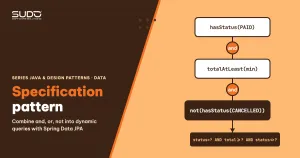
Every order admin screen has a filter block: status, date range, customer city, product code, minimum total. Users can pick any combination, and on the backend the code that builds the query often turns into a chain of if statements concatenating JPQL Strings, or a dozen methods like findByStatusAndCityAndCreatedOnBetween… in the repository. The Specification pattern solves exactly this: each business condition is a small, clearly named object that can be combined with and, or and not and reused in many places. This article walks through the origin of the pattern, how Spring Data JPA implements it, and the pitfalls around pagination and fetch joins, with code that really runs on JDK 21.
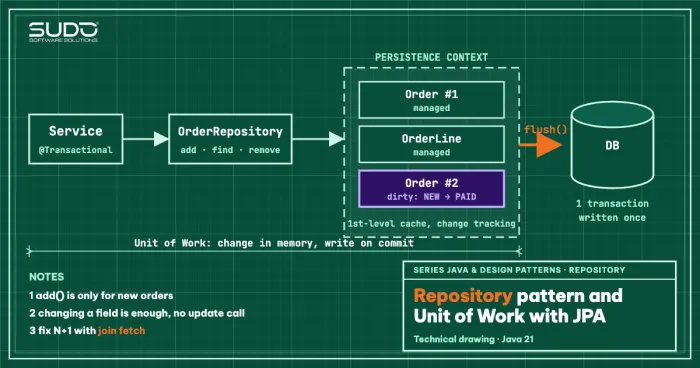
It follows Repository pattern and Unit of Work with JPA: if the repository is the entry point to a collection of objects, then a Specification is the way to describe "which subset" without letting the repository bloat. We also reuse the dependency injection idea from Dependency Injection: building an IoC container to understand Spring when we let Spring generate the repository implementation.
The problem the Specification pattern solves: dynamic queries that sprawl
Suppose the orders table has 5 optional filter criteria. The number of combinations is 25 = 32. There are three common approaches, and each has a cost:
- Derived query methods (
findByStatusAndTotalAmountGreaterThanEqual): the method name grows with the number of criteria, and every combination needs its own method. - JPQL string concatenation: flexible, but prone to syntax errors, open to SQL/JPQL injection if you forget to parameterize, and not checked at compile time.
- Calling the Criteria API directly in the service: safer, but business logic such as "high-value order" ends up scattered and copy-pasted.
What we need from the Specification pattern is to separate the condition (what) from the query execution (how), name each condition in business language, and combine them when needed.
Origin of the Specification pattern: Evans and Fowler
The Specification pattern was described by Eric Evans and Martin Fowler in the paper "Specifications" (see the PDF on martinfowler.com) and later appeared in Evans's book Domain-Driven Design. The core idea: a specification is a predicate packaged as an object, with a central method isSatisfiedBy(candidate) that returns true if the candidate meets the condition. The paper names three uses:
- Validation: check whether an object meets a rule (for example, whether an order qualifies for free shipping).
- Selection: pick the objects in a collection that meet the condition.
- Building to order: describe what characteristics an object to be created must have.
A minimal Java implementation of the Specification pattern needs only a functional interface with three default methods. The snippet below (file plain/PlainSpec.java) runs entirely in memory, with no database:
interface Spec<T> {
    boolean isSatisfiedBy(T t);
    default Spec<T> and(Spec<T> o) { return t -> isSatisfiedBy(t) && o.isSatisfiedBy(t); }
    default Spec<T> or(Spec<T> o)  { return t -> isSatisfiedBy(t) || o.isSatisfiedBy(t); }
    default Spec<T> not()          { return t -> !isSatisfiedBy(t); }
}
record Order(String code, String status, long total) {}

Spec<Order> paid = o -> o.status().equals("PAID");
Spec<Order> big  = o -> o.total() >= 1_000_000;
Running it with java plain/PlainSpec.java on four sample orders gives this real output:
paid and big : [DH001, DH003]
not paid     : [DH002, DH004]
validate DH002 as paid-and-big: false
The same paid.and(big) object is used both to filter a list (selection) and to check a single order (validation). That is the strength of the Specification pattern. The weakness of this in-memory version is that with a table of millions of rows, we do not want to load everything into RAM and filter afterward; we want to translate the specification into a WHERE clause and let the database do the filtering. That is exactly what Spring Data JPA does.
The Specification pattern in Spring Data JPA
In Spring Data JPA, the Specification pattern is implemented by the Specification<T> interface, which has one abstract method: toPredicate(Root<T> root, CriteriaQuery<?> query, CriteriaBuilder cb). Instead of returning a boolean, it returns a jakarta.persistence.criteria.Predicate, a fragment of the WHERE clause. According to the Specification 3.3.5 Javadoc, the interface also provides the methods and, or (since 2.0), not, where (since 2.0) and allOf, anyOf (since 3.0). The repository only needs to extend JpaSpecificationExecutor, as described in the official documentation on Specifications.
Environment for this article: Java 21, Spring Boot 3.3.5 (which brings Spring Data JPA 3.3.5 and Hibernate 6.5.3.Final), H2 2.2.224 in-memory. The whole Maven project is in code/s6-22/.
The data model and the repository
Three entities: Customer (name, city), Order (code, status, total amount, creation date, customer) and OrderItem (SKU, quantity). The repository is just two lines thanks to JpaSpecificationExecutor:
public interface OrderRepository
        extends JpaRepository<Order, Long>, JpaSpecificationExecutor<Order> {
}
This interface adds the methods findAll(Specification), findAll(Specification, Pageable), findOne, count, exists and delete. You do not need to write another line for each criterion.
Building the Specification pattern from small, business-named pieces
The rule of the Specification pattern: each specification is a static factory method that returns a Specification<Order>, with a name that reads like a business sentence.
public static Specification<Order> hasStatus(OrderStatus status) {
    return (root, query, cb) -> cb.equal(root.get("status"), status);
}

public static Specification<Order> totalAtLeast(BigDecimal min) {
    return (root, query, cb) -> cb.greaterThanOrEqualTo(root.get("totalAmount"), min);
}

public static Specification<Order> createdBetween(LocalDate from, LocalDate to) {
    return (root, query, cb) -> cb.between(root.get("createdOn"), from, to);
}

public static Specification<Order> customerInCity(String city) {
    return (root, query, cb) ->
        cb.equal(root.join("customer", JoinType.INNER).get("city"), city);
}
The strings "status" and "totalAmount" are entity property names, not column names. If you want compile-time checking, you can use the JPA static metamodel (Order_.status) generated by hibernate-jpamodelgen; this article keeps strings for brevity.
Combining conditions with and, or, not
This is the part that makes the Specification pattern worthwhile. We combine conditions like a logical expression, and the result reads like a business requirement:
Specification<Order> highPaidOrCancelled =
    OrderSpecs.hasStatus(OrderStatus.PAID)
        .and(OrderSpecs.totalAtLeast(new BigDecimal("2000000")))
        .or(OrderSpecs.hasStatus(OrderStatus.CANCELLED));

orders.findAll(highPaidOrCancelled);
orders.findAll(Specification.not(OrderSpecs.hasStatus(OrderStatus.CANCELLED)));
To try the Specification pattern, the initial sample data has 5 orders (DH001–DH005); section 10 below adds a sixth. Here is the real output of java -jar target/specification-demo-1.0.jar, together with the SQL that Hibernate logs (column list shortened). The demo's console labels are in Vietnamese without diacritics and are left exactly as printed (don = orders, tong = total, Loi = error, Trang = page):
--- 2) PAID va tong >= 1.000.000 ---
select ... from orders o1_0 where o1_0.status=? and o1_0.total_amount>=?
  DH001 | PAID | 1200000
  DH003 | PAID | 4800000
  DH005 | PAID | 2500000
  => 3 don

--- 5) (PAID and >= 2.000.000) or CANCELLED ---
select ... from orders o1_0 where o1_0.status=? and o1_0.total_amount>=? or o1_0.status=?
  DH003 | PAID | 4800000
  DH004 | CANCELLED | 900000
  DH005 | PAID | 2500000
  => 3 don

--- 6) not(CANCELLED) ---
select ... from orders o1_0 where o1_0.status<>?
  => 4 don
Look closely at the SQL of query 5: Hibernate prints a and b or c without parentheses. That is correct because AND has higher precedence than OR in SQL, which matches the order in which we combined them ((a and b) or c). So always read the SQL log when you mix and with or, and name composite specifications so the combination order does not get changed by mistake.
Specification pattern for optional criteria: collect them in a search object
For a filter form, the Specification pattern works well with a DTO: we usually receive a DTO whose fields may be null. A clean approach is to let the DTO build the specification itself, skipping every empty criterion:
public record OrderSearch(OrderStatus status, BigDecimal minTotal, LocalDate from,
                          LocalDate to, String city, String sku) {

    public Specification<Order> toSpecification() {
        Specification<Order> spec = Specification.where(null);
        if (status != null)   spec = spec.and(OrderSpecs.hasStatus(status));
        if (minTotal != null) spec = spec.and(OrderSpecs.totalAtLeast(minTotal));
        if (from != null && to != null) spec = spec.and(OrderSpecs.createdBetween(from, to));
        if (city != null)     spec = spec.and(OrderSpecs.customerInCity(city));
        if (sku != null)      spec = spec.and(OrderSpecs.containsSku(sku));
        return spec;
    }
}
Specification.where(null) returns a specification that adds no condition (the Javadoc guarantees the result is never null), so you can chain and calls without null checks. When every criterion is empty, the query has no WHERE clause and returns all 5 orders. A real combination: PAID orders, customers in Ha Noi, during October 2024:
--- 3) PAID, o Ha Noi, trong thang 10/2024 ---
select ... from orders o1_0 join customers c1_0 on c1_0.id=o1_0.customer_id
  where o1_0.status=? and o1_0.created_on between ? and ? and c1_0.city=?
  DH001 | PAID | 1200000
  DH003 | PAID | 4800000
  => 2 don
This way, every value goes through a JDBC ? parameter, so the approach is immune to string-concatenation injection. Keep any column names and sort names that come from users in an allowlist, because Sort.by(userString) is still an entry point for arbitrary property names.
Specification pattern for collection filters: use EXISTS instead of a join
To find orders that contain the SKU AO-01, the first reflex is to join to order_items. But a one-to-many join duplicates rows at the SQL level: an order with two matching line items yields two result rows, so the pagination count query counts wrongly (we measure this just below). An EXISTS subquery avoids both problems:
public static Specification<Order> containsSku(String sku) {
    return (root, query, cb) -> {
        Subquery<Long> sub = query.subquery(Long.class);
        Root<OrderItem> item = sub.from(OrderItem.class);
        sub.select(item.get("id"))
           .where(cb.equal(item.get("order"), root), cb.equal(item.get("sku"), sku));
        return cb.exists(sub);
    };
}
--- 4) Chua SKU AO-01 (EXISTS) ---
select ... from orders o1_0 where exists(select oi1_0.id from order_items oi1_0
where oi1_0.order_id=o1_0.id and oi1_0.sku=?)
DH001 | PAID | 1200000
DH002 | NEW | 350000
DH003 | PAID | 4800000
=> 3 donIn the initial sample data, each order has at most one AO-01 line, so a join usually gives the same result; to see the difference you need an order with two lines of the same SKU. We add order DH006 (two AO-01 lines, quantities 1 and 2) and run two versions: a naive specification that uses a join to order_items, and one that uses EXISTS.
public static Specification<Order> containsSkuJoin(String sku) {
    return (root, query, cb) -> cb.equal(root.join("items", JoinType.INNER).get("sku"), sku);
}
--- 10) Don co hai dong cung SKU: join va EXISTS ---
>> DH006 co hai dong hang cung SKU AO-01
--- 10a) join sang order_items (ngay tho) --- => 4 don (DH001, DH002, DH003, DH006)
--- 10b) EXISTS --- => 4 don (DH001, DH002, DH003, DH006)
select count(o1_0.id) from orders o1_0 join order_items i1_0 on o1_0.id=i1_0.order_id where i1_0.sku=?
>> dem bang join = 5
select count(o1_0.id) from orders o1_0 where exists(select oi1_0.id from order_items oi1_0 where oi1_0.order_id=o1_0.id and oi1_0.sku=?)
>> dem bang EXISTS = 4(The two lines 10a and 10b above are a summary of the full output in code/s6-22/run.log; the two counts are verbatim output.)
One thing worth noting: the join query that fetches the list still returns 4 orders, because on the in-memory side Hibernate (version 6.5 in the demo) removes duplicate root entities when it builds the list; the real SQL still returns two rows for DH006, and you should not treat this behavior as guaranteed across versions. What gets duplicated is the count query: the join gives 5 (DH006 counted twice), while EXISTS gives the correct 4. Because findAll(spec, pageable) uses the count query to compute the total number of pages, a one-to-many join makes the total element count wrong. The rule to remember with the Specification pattern: filter through many-to-one relationships (customer) with a join; filter through one-to-many relationships (line items) with EXISTS.
Specification pattern pitfall 1: a fetch join breaks the count query
When you call findAll(spec, pageable), Spring Data runs two queries: one for the current page of data and one count for the total number of elements. Both apply the same specification, so toPredicate is called twice with two different CriteriaQuery objects. A Specification pattern that calls root.fetch("customer") unconditionally will try to fetch join in the count query as well, where no entity is in the select list. We try the naive version (fetchCustomerNaive) and run it for real:
--- 9) Fetch join ngay tho + Page: truy van count se the nao? ---
select ... from orders o1_0 join customers c1_0 on c1_0.id=o1_0.customer_id where 1=1 offset ? rows fetch first ? rows only
Loi: InvalidDataAccessApiUsageException -> Query specified join fetching, but the owner of the fetched association was not present in the select list [SqmSingularJoin(demo.spec.Order(15).customer(16) : customer)]
The data query runs, but the count query fails on Hibernate 6.5.3. The standard fix is to check the query's result type before fetching, as in the correct version:
public static Specification<Order> fetchCustomer() {
    return (root, query, cb) -> {
        if (query.getResultType() != Long.class && query.getResultType() != long.class) {
            root.fetch("customer", JoinType.INNER);
        }
        return cb.conjunction();
    };
}
Result for the first page (2 orders per page, sorted by date descending, filtering PAID orders):
--- 7) Phan trang + fetch join: 1 truy van data + 1 truy van count ---
select o1_0.id,...,c1_0.id,c1_0.city,c1_0.name,... from orders o1_0
  join customers c1_0 on c1_0.id=o1_0.customer_id
  where 1=1 and o1_0.status=? order by o1_0.created_on desc offset ? rows fetch first ? rows only
select count(o1_0.id) from orders o1_0 where 1=1 and o1_0.status=?
Trang 0, tong 3 don, 2 trang
  DH005 | Tran Binh
  DH003 | Le Chi
The data query has the customers join and the count query does not: exactly as intended. One more warning: do not fetch join a one-to-many relationship together with pagination. Hibernate then has to paginate in memory (warning HHH90003004) because it cannot apply offset/limit to a duplicated result set. For one-to-many relationships, fetch the page of IDs with the specification first, then load the relationship with a second query.
Specification pattern pitfall 2: N+1 when you do not fetch
The customer relationship is declared LAZY. If the specification only filters without fetching, and a loop then calls order.getCustomer().getName(), each order triggers an extra query. The real log for that case (3 PAID orders, run inside one transaction):
--- 8) Khong fetch join: truy cap customer trong transaction -> N+1 ---
select ... from orders o1_0 where o1_0.status=?
select c1_0.id,c1_0.city,c1_0.name from customers c1_0 where c1_0.id=?
  DH001 | Nguyen An
select c1_0.id,c1_0.city,c1_0.name from customers c1_0 where c1_0.id=?
  DH003 | Le Chi
select c1_0.id,c1_0.city,c1_0.name from customers c1_0 where c1_0.id=?
  DH005 | Tran Binh
One root query plus three child queries (the log above has three different customers): the maximum number of queries is 1 plus the number of distinct customers on the page (the persistence context loads each customer only once), so a page of 50 orders from 50 different customers means 51 queries. There are three ways to handle it: a fetch join in the specification as above, @EntityGraph on the repository method, or a projection that selects only the columns the list screen needs. Without a transaction or open-in-view (which we turned off in application.properties), lazy access outside a transaction also throws LazyInitializationException.
Specification pattern compared with the alternatives
No tool wins in every situation, and the Specification pattern is no exception. The comparison table below helps you choose:
| Approach | Best when | Limitation |
|---|---|---|
| Derived query method | 1–3 fixed criteria | Long names, cannot be combined dynamically |
@Query JPQL | Fixed queries that need hand tuning | Optional criteria must be written as :p is null or … |
| Specification pattern (Criteria) | Dynamic filters, many combinations, reusable conditions | Verbose Criteria API, generated SQL is hard to read |
| Querydsl / jOOQ | Complex queries that need strong type checking | Extra library, a code generation step |
| Native SQL / reporting | Aggregation, window functions, reports | Loses portability and composability |
The most important limitation of the Criteria-style Specification pattern is that it expresses only the WHERE clause (plus a few join/fetch operations through root). Queries with GROUP BY, window functions or multi-table statistics are better written in SQL or jOOQ. Avoid overuse by not creating a specification for every simple condition used only once; if a condition is neither reused nor combined, a clear derived query is easier to read.
Testing the Specification pattern
Because each piece of the Specification pattern is small and independent, we test it with @DataJpaTest on H2: load a few boundary records (exactly at the 1,000,000 threshold, the first and last day of the range) and assert the result set. The tests should cover three kinds of cases: individual specifications, the important business combinations (for example "high-value order"), and Page queries to catch fetch join bugs in the count query as shown above. Do not test by comparing SQL strings, because Hibernate changes the format between versions (the alias o1_0 exists only since Hibernate 6).
Common mistakes when using the Specification pattern
- Mixing up or/and order in the Specification pattern: check the SQL log, and name composite specifications such as
isHighValueOrCancelled()so they capture the combination order. - Duplicate joins: two specifications that both call
root.join("customer")produce two joins. Write a utility function that finds an existing join inroot.getJoins(), or merge the conditions into one specification. - Fetch join in the count query: always check
query.getResultType(). - Sorting by a nonexistent property: allowlist the sort column names that come from the API.
- A Specification pattern that depends on external state: for example calling
LocalDate.now()inside; pass a parameter or aClockso it can be tested. - Forgetting indexes: the Specification pattern only generates SQL, it does not create indexes. Common filter criteria (status, created_on, customer_id) need indexes; analyze the execution plan with
EXPLAIN(see the MySQL documentation on EXPLAIN), and how to enable the slow log to find slow queries is covered in The Database tier: multi-tenant MySQL on small VPS instances.
Specification pattern checklist
- Each business condition is a small Specification pattern piece with a clear name, kept in an
XxxSpecsclass. - Use
Specification.where(null)orallOfto combine optional conditions. - Filter one-to-many relationships with
EXISTS; do not fetch join a one-to-many relationship when paginating. - Protect the count query: skip the fetch when
resultTypeisLong. - Avoid N+1 with a controlled fetch join,
@EntityGraphor a projection. - Pass every user value through parameters; allowlist sort column names.
- Test with
@DataJpaTestusing boundary data andPagequeries.
In short, the Specification pattern turns dynamic filters into named, composable, testable building blocks, true to the "a predicate is an object" spirit of Evans and Fowler. Spring Data JPA gives you the machinery; our job is to keep specifications small, control joins and fetches, and know when to switch to another tool.
Next article
Once business conditions start to carry meaning of their own, the next question is how to model them in the domain layer: which objects have an identity and which are just values. Read on in DDD in Java: Entity, Value Object and Aggregate.