Sending all of your customer-support content to an outside API is not always allowed, and token bills are not always cheap. Running a local LLM means the model sits on your own laptop or server: the data never leaves the machine, and the cost is electricity and RAM. This article covers the two most popular tools for a local LLM, llama.cpp and Ollama, how to estimate memory before downloading a model, how quantization affects size, accuracy and speed, and how to call a local LLM from Python with a familiar SDK. Every number is real output from an Apple M4 with 16 GB.
This article follows Calling LLM APIs from Python: streaming, structured output and cost control and How LLMs work: tokens, context, sampling and limitations. Environment: Apple M4, 16 GB, Python 3.12, Ollama and llama.cpp installed with Homebrew, the openai 1.x SDK, and models from the Qwen2.5 family (released 9/2024). The measurements are only a reference for exactly this configuration; when you rerun them, your results will differ depending on versions and machine load.
When to run a local LLM and when not to
There is no one-sided answer; the table below summarizes the trade-offs we weigh when advising on a local LLM.
| Criterion | Local LLM | Commercial API |
|---|---|---|
| Sensitive data (contracts, customer records) | Never leaves the machine, easy to justify in an audit | Requires reviewing the provider's data-processing terms |
| Cost | Fixed by hardware, but you have to operate it | Grows linearly with usage |
| Vietnamese quality, hard reasoning | Small models are noticeably weaker | Large models are usually better |
For classification, extraction and short summaries over internal data, a local LLM with 1 to 8 billion parameters is worth trying. For multi-step reasoning or polished Vietnamese, measure before you commit: the experiments below show a 1.5-billion-parameter model asserting a return policy that is not in the prompt.
llama.cpp, GGUF and Ollama: who does what
llama.cpp is an inference library written in C/C++ under the MIT license, with no external dependencies. It supports many backends (Metal for Apple Silicon, CUDA for NVIDIA, Vulkan, BLAS and more) and integer quantization from 1.5 to 8 bits. It ships with llama-server (an OpenAI-compatible HTTP server), llama-bench, llama-perplexity and llama-quantize. On macOS, according to the build documentation, Metal is enabled by default.
The model file format is GGUF. According to the Hugging Face documentation, GGUF is a binary format optimized for fast loading that holds both the tensors and a standardized set of metadata (layer count, attention head count, token vocabulary and so on), unlike safetensors, which holds only tensors.
Ollama adds an operations layer on top: it manages the model store (~/.ollama/models on macOS), loads models into memory and unloads them automatically, and exposes a REST API on port 11434. You can think of llama.cpp as the engine of a local LLM and Ollama as the packaging layer. Choose llama.cpp when you need control over parameters or want to quantize yourself; choose Ollama when you want to run ollama pull and call the API right away.
Choosing a model for a local LLM: memory = weights + KV cache
Before downloading tens of gigabytes, do the math. The memory of a local LLM consists of the weights (parameter count times bits per weight), the KV cache (the attention keys and values of every token in the context) and some headroom. The KV cache formula is: layers × 2 (K and V) × KV heads × head_dim × bytes per element × tokens; grouped-query attention (fewer KV heads than query heads) cuts this part sharply. The configuration comes from each model's config.json on Hugging Face.
    kv = L * 2 * kvh * hd * 2 * CTX / 2**20
    for q, b in BPW.items():
        w = p * b / 8 / 2**20
        tot = w + kv + OVERHEAD_MIB
        print(f"{name:14}{q:8}{w:9.0f}{kv:7.0f}{tot:9.0f}  {'yes' if tot < LIMIT_MIB else 'no'}")
The 12,713 MiB threshold is the recommendedMaxWorkingSetSize that Metal reports for this 16 GB machine (about 78% of unified RAM). The core calculation in sizing.py:
context 8192 tokens, KV f16, headroom 500 MiB, Metal limit 12713 MiB
model         quant     weights     KV    total  fits?
Qwen2.5-7B    Q4_K_M       4442    448     5390  yes
Qwen2.5-7B    Q8_0         7721    448     8669  yes
Llama-3.1-8B  Q4_K_M       4681   1024     6205  yes
Llama-3.1-8B  Q8_0         8137   1024     9661  yes
Qwen2.5-14B   Q4_K_M       8610   1536    10646  yes
Qwen2.5-14B   Q8_0        14966   1536    17002  no
Qwen2.5-32B   Q4_K_M      19097   2048    21645  no
Qwen2.5-32B   Q8_0        33195   2048    35743  no
For a local LLM, Q4_K_M of the 14-billion-parameter model fits (10,558 MiB, about 10.3 GiB), the 32-billion model does not fit even when quantized, and the 7 to 8 billion models still run at Q8_0. This is only an estimate that uses the bits per weight of Llama 3.1 8B; verify it with /api/ps after loading.
To verify the KV cache with Ollama, ctx_memory.py loads qwen2.5:1.5b at three context sizes and then reads /api/ps (the size and size_vram fields):
num_ctx=  2048  load= 0.55s  size=   1057 MiB  vram=   1057 MiB
num_ctx=  8192  load= 0.53s  size=   1304 MiB  vram=   1304 MiB
num_ctx= 32768  load= 0.54s  size=   2024 MiB  vram=   2024 MiB
after keep_alive=0: []
From 8,192 to 32,768 tokens, memory grows by 720 MiB, close to the KV f16 calculation for the extra 24,576 tokens (about 672 MiB; see kv_cache_output.txt in the code folder). The takeaway: do not set num_ctx to the model's maximum; with Llama 3.1 8B, KV f16 at 32K tokens costs 4 GiB. According to the Ollama FAQ, OLLAMA_NUM_PARALLEL multiplies the context memory by the number of concurrent requests.
What quantization means for a local LLM and which level to pick
Quantization stores weights in fewer bits (usually per small block, each with its own scale factor) to reduce file size and memory bandwidth during inference. For a local LLM, according to the Hugging Face description table, Q4_K costs 4.5 bits per weight and Q2_K costs 2.625 bits; the _M suffix is a mix in which a few important tensors use a higher bit width. In the llama-quantize README, the Llama 2 7B bits-per-weight tables (the k-quant figures) and an older table marked "outdated" (which has F16, Q8_0 and perplexity for 7B) show:
| Type | Bits/weight (Llama 2 7B) | Source in the README |
|---|---|---|
| Q2_K | 3.35 | k-quant table |
| Q4_K_M | 4.84 | k-quant table |
| Q8_0 | 8.5 | old table (outdated) |
| F16 | 16.0 | old table (outdated) |
The old README table for 7B shows F16 and Q8_0 with almost identical perplexity (5.9066 and 5.9070) and file sizes of 13.0 GB versus 6.7 GB; the k-quant table has no perplexity. For your own model and your own Vietnamese text, you have to measure accuracy yourself. We did exactly that with qwen2.5:0.5b-instruct at four levels. Bits per weight, computed back from the file size in the Ollama store:
fp16 16.1 bit/weight (file)
q8_0 8.6 bit/weight (file)
q4_K_M 6.44 bit/weight (file)
q2_K 5.48 bit/weight (file)
Q4_K_M of this model costs 6.44 bits/weight, not 4.84 as in the Llama 2 7B table. In a small model the embedding table takes up much of the size (151,936 tokens × 896 dimensions ≈ 136 million of 494 million parameters). llama-gguf (full output saved in gguf_tensors_output.txt) shows that in the Q4_K_M file from the Ollama store, token_embd.weight is Q8_0, 12 of the 24 ffn_down tensors are Q6_K and 12 are Q4_K, and most of the attention and ffn_gate/up tensors are Q5_0; this model has no separate output.weight tensor (it shares the embedding). The suffix "Q4_K_M" is therefore just a collective name for a mix of several types.
When we ran llama-quantize ourselves, it also warned "144 of 290 tensor(s) required fallback quantization" because many tensor dimensions are not divisible by the 256-element super-block. The lesson for a local LLM: the bits-per-weight table of a 7-billion model does not apply directly to a model under 2 billion.
Measuring accuracy with perplexity on Vietnamese text
Perplexity (PPL) measures how "surprised" the model is by a passage: lower is better. We used the text of the first articles in this series with HTML tags and code removed (the first 120 KB, file corpus_vi.txt), cut into 40 chunks of 512 tokens with llama-perplexity:
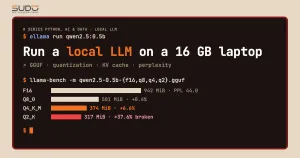
| Level | File size | PPL (± error) | Increase vs F16 |
|---|---|---|---|
| F16 | 994 MB | 43.98 ± 1.38 | – |
| Q8_0 | 531 MB | 44.15 ± 1.39 | +0.4% |
| Q4_K_M | 398 MB | 46.89 ± 1.50 | +6.6% |
| Q2_K | 339 MB | 60.50 ± 1.93 | +37.6% |
Q8_0 loses almost nothing; Q4_K_M loses about 7% in PPL; Q2_K is clearly broken (PPL up almost 38%). The absolute PPL is high because a 0.5-billion-parameter model is weak at Vietnamese, but the ordering between levels is still trustworthy. For a small local LLM, Q8_0 is worth considering because the size difference is only a few hundred MB.
We also quantized from the F16 file to Q4_K_M ourselves with llama-quantize (it took 86.6 seconds). The output file is exactly 397,807,936 bytes, the same as the one in the Ollama store, but its PPL is 45.68 ± 1.44 instead of 46.89 ± 1.50. Both numbers are within the error range, so we cannot say which is better; what is certain is that the same name "Q4_K_M" can still differ slightly depending on how it was produced (for example, an importance matrix). Measure again on the local LLM build you deploy.
Benchmarking a local LLM: prefill, decode and measurement noise
Local LLM inference has two phases. Prefill (pp) processes the whole prompt in parallel and is limited by compute. Decode (tg) generates one token at a time, and each token requires reading all the weights again, so it is mostly limited by memory bandwidth. Users feel the first phase as the latency to the first token and the second as how fast the text streams. The article Transformer and attention: understanding the architecture through code explains the attention mechanism and KV cache behind these two phases. The command llama-bench -p 512 -n 128 -r 5 -ngl 99 (a 512-token prompt, 128 generated tokens, 5 repetitions, all layers on the Metal GPU) gives:
| model                          |       size |     params | backend    | threads |            test |                  t/s |
| ------------------------------ | ---------: | ---------: | ---------- | ------: | --------------: | -------------------: |
| qwen2 1B F16                   | 942.43 MiB |   494.03 M | BLAS,MTL   |       4 |           pp512 |     2092.02 ± 473.27 |
| qwen2 1B F16                   | 942.43 MiB |   494.03 M | BLAS,MTL   |       4 |           tg128 |         22.62 ± 0.95 |
| qwen2 1B Q8_0                  | 500.79 MiB |   494.03 M | BLAS,MTL   |       4 |           pp512 |      1330.04 ± 67.00 |
| qwen2 1B Q8_0                  | 500.79 MiB |   494.03 M | BLAS,MTL   |       4 |           tg128 |        39.79 ± 11.86 |
| qwen2 1B Q4_K - Medium         | 373.71 MiB |   494.03 M | BLAS,MTL   |       4 |           pp512 |     1904.76 ± 452.91 |
| qwen2 1B Q4_K - Medium         | 373.71 MiB |   494.03 M | BLAS,MTL   |       4 |           tg128 |         49.91 ± 11.56 |
| qwen2 1B Q2_K - Medium         | 317.25 MiB |   494.03 M | BLAS,MTL   |       4 |           pp512 |     1340.81 ± 183.00 |
| qwen2 1B Q2_K - Medium         | 317.25 MiB |   494.03 M | BLAS,MTL   |       4 |           tg128 |         44.19 ± 4.24 |
On the reliability of local LLM measurements: the test machine was running other processes (load average about 8), so the standard deviations are large, with rows reaching ±11.9 t/s (Q8_0 tg128, second run) and ±19.5 t/s (Q2_K tg128, first run). The first run (3 repetitions, saved in llama_bench_output_run1.md) gave tg128 of 56.8 t/s for Q4_K_M and 57.3 t/s for Q2_K; the second run gave 49.9 and 44.2. The only firm conclusion is that F16 is slowest at decode (about 22 to 26 t/s) and the quantized versions are roughly 1.7 to 2.5 times faster; telling Q4_K_M apart from Q2_K is within the noise.
Ollama provides numbers in the response of /api/generate. According to the API documentation, eval_count is the number of generated tokens, eval_duration is the generation time in nanoseconds, and the speed is eval_count / eval_duration × 109; load_duration is the model load time. The script bench_ollama.py forces the model to unload (keep_alive=0) to measure a cold run, then does 4 warm runs with temperature=0; the API call part is:
def generate(model, **opts):
    r = requests.post(f"{BASE}/api/generate", json={
        "model": model, "prompt": PROMPT, "stream": False,
        "options": {"temperature": 0, "seed": 7, "num_predict": 128, **opts}}, timeout=300)
    r.raise_for_status()
    return r.json()
model load_s prompt_tok gen_tok tok/s sd
qwen2.5:0.5b-instruct-fp16 8.76 56 128 75.8 5.3
qwen2.5:0.5b-instruct-q8_0 2.09 56 128 126.4 4.7
qwen2.5:0.5b-instruct-q4_K_M 3.03 56 128 111.7 27.7
qwen2.5:0.5b-instruct-q2_K 1.34 56 128 56.3 5.3
qwen2.5:1.5b 4.16 56 128 67.9 10.8The standard deviation of Q4_K_M reaches 27.7 t/s on a mean of 111.7, and Q8_0 is faster than Q4_K_M, the opposite of llama-bench: system noise swamps the difference. The lesson for a local LLM: do not infer speed from the bit count; quantization always reduces memory, while speed depends on the kernel, the model size and the hardware. qwen2.5:1.5b (Q4_K_M) generates about 68 t/s, more than fast enough for an internal chatbot.
The cold latency of a local LLM (load_duration) ranges from 1.3 to 8.8 seconds. According to the FAQ, Ollama keeps a model loaded for 5 minutes by default (OLLAMA_KEEP_ALIVE or the request's keep_alive); for a user-facing service, set it long or negative so the model always stays warm.
Calling a local LLM from Python with the OpenAI SDK
Ollama and llama-server both give a local LLM an OpenAI-compatible endpoint. According to the Ollama announcement, you only need to change base_url to http://localhost:11434/v1 and set api_key to any value ("required, but unused"). That lets the same code run against both a commercial API and a local LLM, which is handy for trying prompts at no cost, as in Systematic prompt engineering: roles, examples and prompt testing.
client = OpenAI(base_url=os.getenv("LLM_BASE_URL", "http://localhost:11434/v1"),
                api_key=os.getenv("LLM_API_KEY", "ollama"))   # Ollama ignores this value
MODEL = os.getenv("LLM_MODEL", "qwen2.5:1.5b")
Running python openai_client.py against Ollama (the prompt and answer were in Vietnamese; the answer is translated here):
model : qwen2.5:1.5b
usage : 45 prompt + 80 completion tokens
time  : 1.02 s
answer: If your order is delivered 3 days late, you should:

1. Check the delivery schedule: Make sure the order was delivered on the confirmed date and time.

2. Contact the supplier: If the order has been delivered, contact the supplier to ask about the delivery
--- streaming ---
time-to-first-token: 0.068 s, 60 chunk
The same script pointed at llama-server (llama-server -m q05-q4_K_M.gguf --port 8089 -c 4096, then LLM_BASE_URL=http://localhost:8089/v1) gives the same output format (saved in llama_server_client_output.txt); both answers are cut off at max_tokens=80, but the 0.5-billion model's answer is less coherent than the 1.5-billion one (generic bullet points, repeated ideas).
The usage field reports 45 prompt tokens and 80 generated tokens on both servers because they share the Qwen tokenizer; time-to-first-token is only 43 to 69 milliseconds once the model is warm. Note that llama-server runs a local LLM with 4 parallel processing slots by default (the log shows n_slots = 4, n_ctx_slot = 4096), so when you raise -c or the slot count, recompute the KV cache as in the memory section.
Packaging a local LLM configuration with a Modelfile
Instead of repeating parameters in every local LLM call, Ollama lets you create a new model from a Modelfile: a base model plus a system prompt and generation parameters.
FROM qwen2.5:1.5b
PARAMETER temperature 0.2
PARAMETER num_ctx 4096
PARAMETER num_predict 120
SYSTEM """You are the customer-support assistant of an online store. Answer in at most 3 sentences, in Vietnamese, politely."""
After ollama create cskh-demo -f Modelfile, call it again through /api/chat (the question and answer were in Vietnamese; they are translated here):
$ ollama create cskh-demo -f Modelfile
success
$ ollama show cskh-demo --parameters
num_ctx                        4096
num_predict                    120
temperature                    0.2
$ curl /api/chat (model cskh-demo, user: "Can I exchange for a different size?")
Sorry, I cannot help you with that. Size exchange is a separate service and is usually not offered on online shopping sites. You should contact the store's customer care department for direct support.
eval_count 62
Read the answer carefully: the model asserts that size exchange is "usually not offered on online shopping sites", while the system prompt says nothing at all about a return policy. This is a classic hallucination of a small model; on other calls (a temperature of 0.2 is still random) the wording changes, and once the model even claimed the store does not support exchanges or returns. For real business use, do not let a small local LLM answer policy questions from memory; put the policy document into the context (the RAG technique, starting with embeddings in the next article).
Common mistakes when running a local LLM
- Setting
num_ctxtoo large lets the KV cache eat all your RAM; on this machine 32,768 tokens already take 2,024 MiB for a model of only 1.5 billion parameters. - Choosing a model by parameter count and forgetting the KV cache and parallel requests: 14B Q4_K_M already takes about 10.3 GiB according to the table above.
- Trusting a single speed measurement: background noise can reverse the order of quantization levels. Measure several times and record the standard deviation.
- Using Q2/Q3 to "squeeze in" a large model without measuring quality: Q2_K's PPL rose 38% in our experiment.
- Exposing a local LLM to the network without authentication: Ollama listens only on
127.0.0.1:11434by default; settingOLLAMA_HOST=0.0.0.0makes the API public with no password. Put it behind a reverse proxy with authentication. - Ignoring the model license: Qwen2.5 0.5B and 1.5B use Apache 2.0 but the 3B and 72B versions do not; read the Qwen2.5 announcement before commercial use.
Local LLM deployment checklist
- Define why you run a local LLM (data, cost, offline use) and the acceptable quality threshold, using a set of real questions.
- Estimate RAM for the local LLM as weights + KV cache + headroom; recheck with
/api/psafter loading. - Start with Q4_K_M for models of a few billion parameters; try Q8_0 if the model is small or you need high quality.
- Measure perplexity or your own test set on your Vietnamese data.
- Benchmark the local LLM several times, separating prefill, decode and load time.
- Use an OpenAI-compatible endpoint so your code can switch between a local LLM and a commercial API.
- For a local LLM, do not expose the inference port to the Internet without authentication; record the model version and quantization type in the project documentation.
The full source is in code/s7-34 (run.sh, the .py scripts and the output files). Every number is real output from an Apple M4 with 16 GB while background tasks were still running, so the speed figures have a large spread.
Next article
Embeddings and semantic search: sentence-transformers and FAISS. A small local LLM tends to make things up when it lacks data, so the first step of RAG is finding the right passage of a document; the next article turns text into vectors and searches by meaning with FAISS.